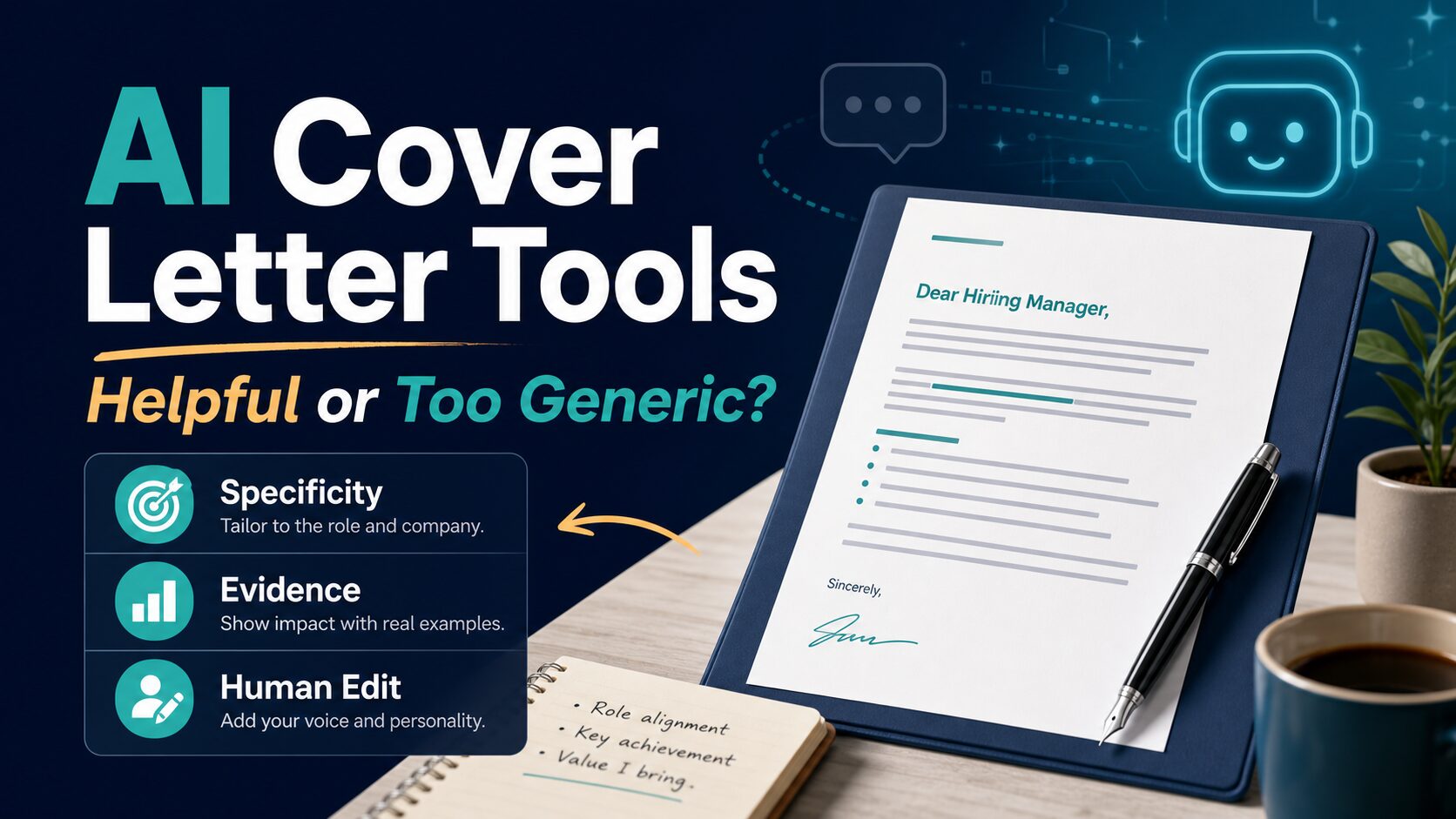
Best AI Cover Letter Tools: Helpful or Too Generic?
If you are applying to several jobs, an AI cover letter generator can help you get past the blank page. The risk is that it can also give you a smooth letter that says almost nothing specific. The best tool is not the one that sounds the most formal. It is the one that helps you connect your real experience to this job without inventing details.
Quick Verdict
For most job seekers, start with the tool that already fits your workflow. Use Teal if you want cover letters tied to job tracking and resume tailoring. Use Kickresume if you want matching resume and cover letter templates. Use Resume.io only if you are comfortable with its trial and renewal terms after checking the current checkout page. Use Grammarly when you already have a draft and need tone, clarity, and grammar help. Use ChatGPT or Claude when you want a flexible assistant for role-specific editing, not a template-first career builder.
Evidence limit: This comparison is based on official product, pricing, help, and privacy pages checked on June 6, 2026. It is not a hands-on output test, and it does not claim that any tool improves interview rates.
What Makes an AI Cover Letter Tool Worth Using?
A useful AI cover letter tool should do three jobs. First, it should help you turn a job description and resume into a focused draft. Second, it should make editing easier, not hide the weak parts under polished language. Third, it should make pricing and privacy clear before you paste personal career data into the tool.
That is why this article does not rank tools only by speed. A fast generic letter can hurt more than it helps. The better question is: does the tool help you add specific proof, remove vague enthusiasm, and avoid sharing data you would not want stored in a third-party system?
Comparison Table
| Tool | Best fit | Free / pricing notes checked June 6, 2026 | Evidence label | Who should skip it |
|---|---|---|---|---|
| Teal | Job seekers who want cover letters connected to resume tailoring and application tracking. | Official pricing page lists a Basic tier with limited AI credits and paid Teal+ options. Check the current weekly, 30-day, or 90-day plan before upgrading. | Official research only | Skip if you only need one simple letter and do not want a broader job-search workspace. |
| Kickresume | Job seekers who want matching resume and cover letter templates with an AI writer inside a career-tool suite. | Official pricing page lists a Free plan and paid Monthly, Quarterly, and Yearly options; AI Resume & Cover Letter Writer is listed under paid tiers. | Official research only | Skip if you want plain text only and do not care about templates or design. |
| Resume.io | Job seekers who want a resume and cover letter builder with templates, premium downloads, and guided career tools. | Official pricing/help pages show a limited free plan, a 7-day trial, and recurring billing after the trial unless canceled. Pricing may vary by location. | Official research only | Skip if trial auto-renewal terms make you uncomfortable or you only need a free plain-text draft. |
| Grammarly | Editing an existing cover letter for clarity, tone, grammar, and shorter rewrites. | Grammarly offers an AI cover letter generator and plan-based AI prompt limits. Check the current plans page before paying. | Official research only | Skip if you need a complete job-search tracker or resume builder, not writing assistance. |
| ChatGPT | Flexible drafting, role-specific edits, and turning resume bullets into a more natural letter. | OpenAI lists Free, Plus, Pro, Business, and Enterprise plans; OpenAI help lists ChatGPT Plus at $20/month. | Official research only | Skip if you want built-in resume templates, job tracking, or a guided cover-letter builder. |
| Claude | Longer context editing, tone refinement, and rewriting a cover letter in a calmer human voice. | Anthropic help lists Free, Pro, and Max options with different usage capacities. | Official research only | Skip if you want a career-specific builder with templates and application tracking. |
Best AI Cover Letter Tools by Use Case
1. Teal: Best if the cover letter should match your job tracker
Teal is the strongest fit when your cover letter is part of a wider job-search workflow. Its official pricing page lists job tracking, resume templates, keyword matching, resume analysis, AI resume bullets, summaries, and cover letter generation as part of the broader Teal toolkit.
The advantage is context. If you are already tracking roles and tailoring your resume inside Teal, the cover letter draft can stay closer to the job posting and your application materials. That is more useful than generating a generic letter in a blank text box.
The caution is cost and scope. Teal is more than a one-off cover letter generator. Check whether the Basic AI credits are enough for your use and whether a paid Teal+ term makes sense for your job-search window. If you only need one cover letter this week, a general AI assistant plus a careful edit may be enough.
2. Kickresume: Best for matching resume and cover letter templates
Kickresume is useful when presentation matters and you want resume and cover letter templates to look consistent. Its official pricing page lists a Free plan with basic templates and paid plans with more templates, customization, and AI Resume & Cover Letter Writer access.
This makes Kickresume a practical option for students, early-career job seekers, and people rebuilding their application materials from scratch. The tool category is not just “write this letter.” It is closer to “build a consistent application packet.”
The risk is that template polish can make a weak letter look more finished than it is. Before sending, replace generic phrases with one or two concrete examples from your background. The template should frame the letter; it should not become the main value.
3. Resume.io: Best for a builder workflow, but check trial terms carefully
Resume.io fits readers who want a resume and cover letter builder with templates, premium downloads, and guided career tools. Its official pricing and help pages describe a limited free plan, a premium trial, and paid access to resume and cover-letter resources.
The main decision point is billing clarity. Resume.io’s own help page says pricing plans can vary by location or differ from previous pricing plans. Its pricing page also explains that the trial can auto-renew after the trial period unless canceled. That does not make the tool unusable, but it does mean you should read the checkout page slowly before entering payment details.
Use Resume.io if you want the builder and export workflow. Skip it if your goal is simply to draft text and paste it into an employer portal.
4. Grammarly: Best for making a draft clearer and less awkward
Grammarly’s cover letter generator and broader AI writing features are most useful after you already know what you want to say. Grammarly can help shorten sentences, improve clarity, adjust tone, and catch grammar issues before you send a letter.
This is especially useful for job seekers writing in English as a second language. The goal is not to hide your voice. The goal is to make the letter clearer, more natural, and easier for a hiring manager to scan.
Check the current Grammarly plans page and the support notes on prompt limits before paying. If you only need a few edits, the free experience may be enough. If you are rewriting many applications, plan limits and privacy settings matter more.
5. ChatGPT: Best for flexible role-specific drafting
ChatGPT is useful when you want flexible drafting instead of a career-tool template. It can compare a job description with your resume bullets, suggest a stronger opening, rewrite a stiff paragraph, or generate several tones for you to choose from.
The most useful prompt is not “write me a cover letter.” A better prompt is: “Use only the resume facts below. Write a concise cover letter for this job. Do not invent achievements. Use a direct professional tone. Mark any missing evidence with brackets instead of filling it in.”
OpenAI’s help page lists ChatGPT Plus at $20/month, while the main pricing page lists multiple plan tiers. For privacy, OpenAI says users can turn off “Improve the model for everyone” in Data Controls so new conversations are not used to train ChatGPT. Check this setting before pasting resume details.
6. Claude: Best for calmer editing and longer context
Claude is a good fit when your first draft sounds too formal, too excited, or too much like every other AI cover letter. It can help preserve a calmer voice while making the structure clearer.
Claude is not a dedicated cover-letter builder, so you need to provide the structure: the job description, selected resume bullets, what you want to emphasize, and what you do not want it to invent. Its official help page lists Free, Pro, and Max options with different usage capacities.
For privacy, review Anthropic’s current privacy and model-training controls before using sensitive personal data. If the job search involves private client names, medical details, student data, security work, or confidential employer information, remove those details before drafting.
How To Avoid a Generic AI Cover Letter
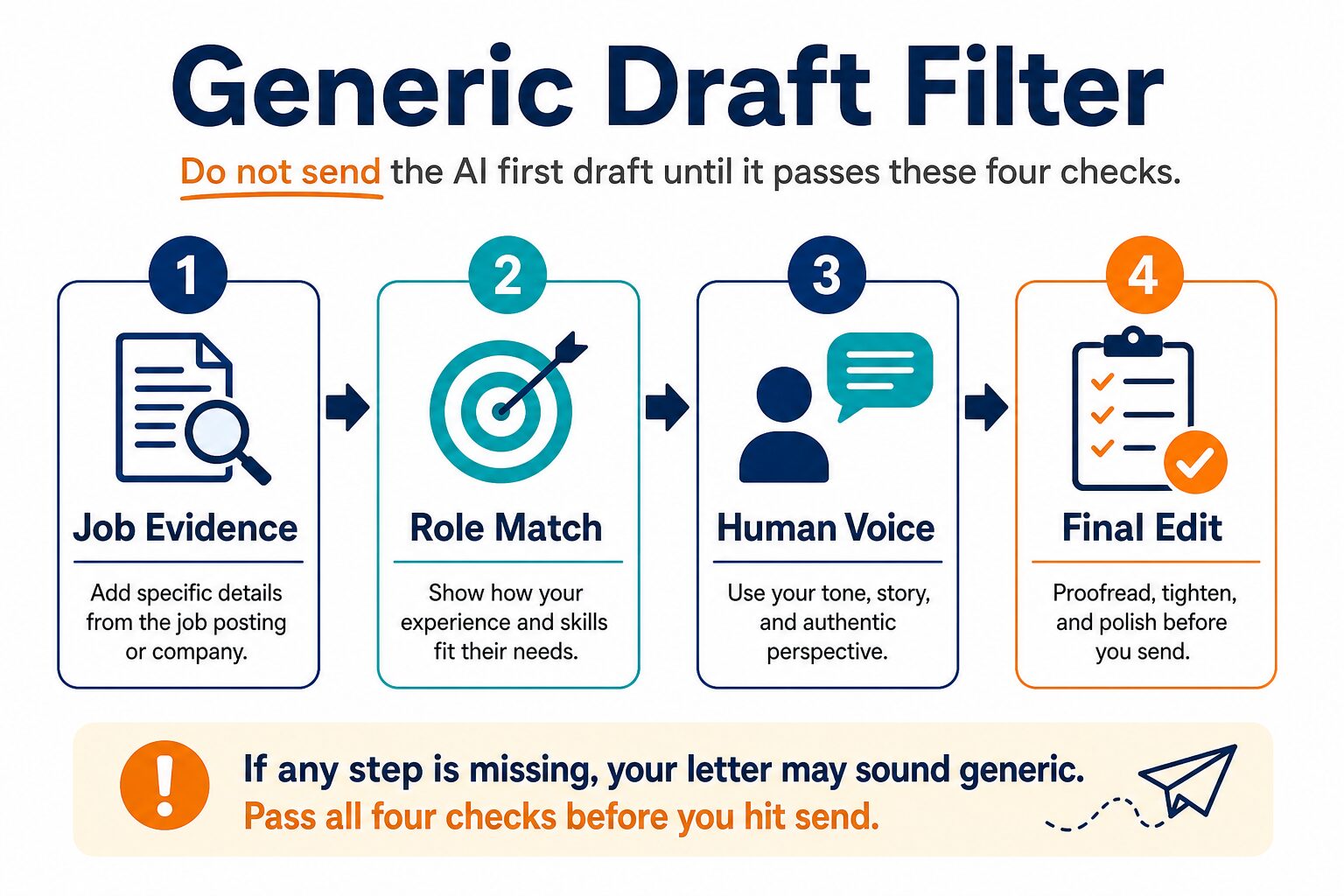
The easiest way to spot a generic AI cover letter is to remove the company name and job title. If the letter still works for almost any employer, it is not specific enough.
Before sending, run the draft through this checklist:
- Job evidence: Does the letter mention one or two requirements from the posting?
- Role match: Does it connect those requirements to real experience from your resume?
- Human voice: Does it sound like something you would actually say in a professional conversation?
- Final edit: Did you remove inflated claims, vague enthusiasm, and invented achievements?
A good AI draft should make editing easier. It should not make decisions for you. If the tool writes “I am uniquely qualified” but gives no evidence, replace the line with a specific project, result, responsibility, or reason you understand the role.
Privacy Checks Before You Paste Resume Data
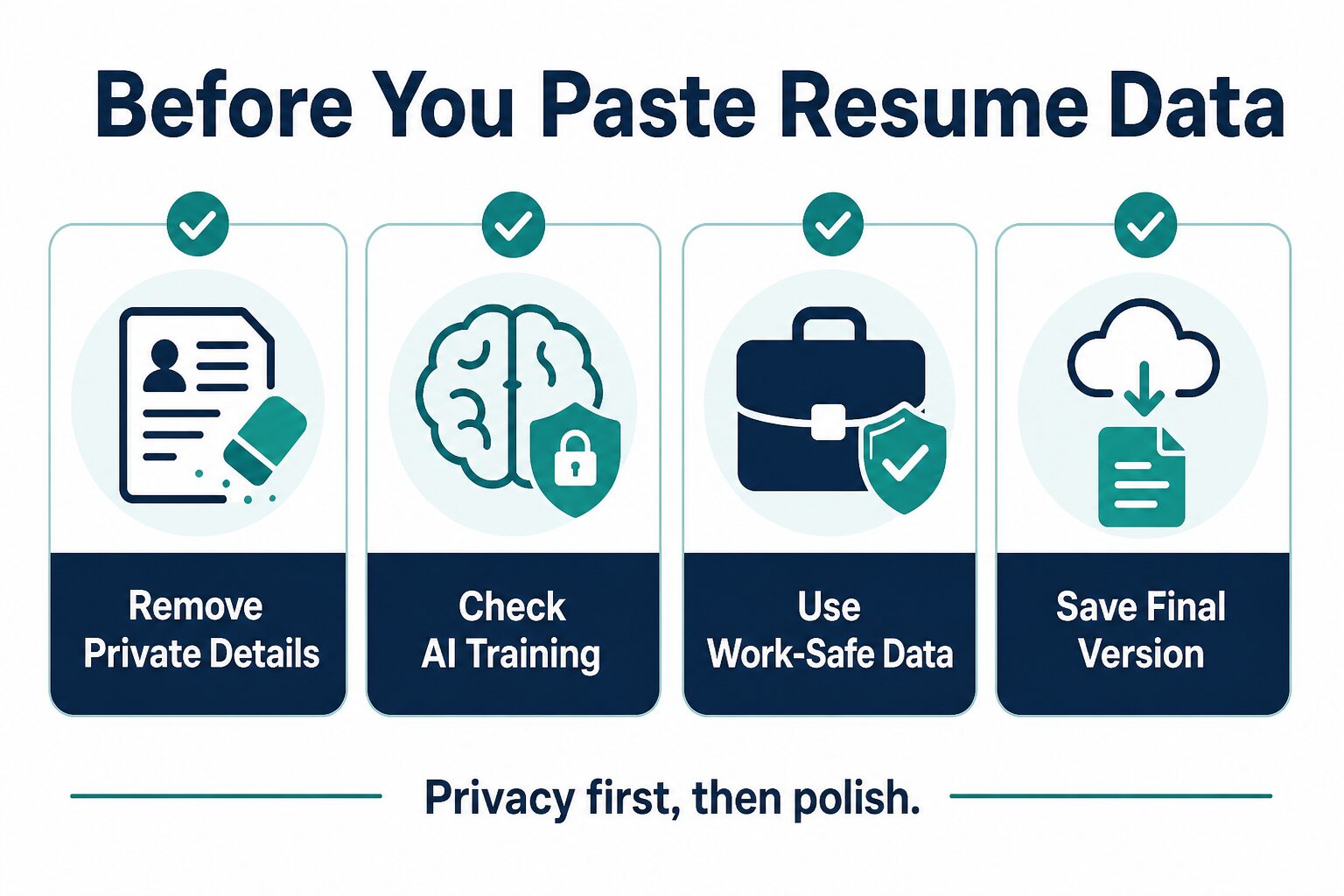
A cover letter can contain more sensitive data than it appears. It may reveal job targets, current employer details, salary context, immigration status hints, client names, or personal career history. Before using any AI tool, remove details that are not needed for the draft.
Use placeholders for sensitive facts: “[current employer],” “[client industry],” “[private certification],” or “[confidential project].” After the draft is finished, add the final wording locally where you control the document.
This is especially important for workplace, legal, medical, financial, government, and student-related experience. If you would not paste the information into a public form, do not paste it into an AI writing prompt without checking the tool’s current data-use terms and privacy settings.
What To Try First
If you are building a full application packet, start with AI resume builders first, then use the cover letter tool that best matches that workflow. The cover letter is easier when your resume bullets are already clear.
If English editing is your main challenge, read the guide to resume writing tools for non-native English speakers and use Grammarly, ChatGPT, or Claude as an editing partner rather than a one-click letter writer.
If you are already comfortable writing your own first draft, use AI only for revision. The same principles in rewriting professional emails with AI without sounding generic apply here: keep your meaning, tighten the wording, and remove language that sounds copied.
FAQ
Is it okay to use AI for a cover letter?
Usually, yes, if the letter is truthful, specific, and edited by you. Do not invent credentials, job history, metrics, or personal experiences. Treat AI as a drafting assistant, not as the author of your career story.
What is the best free AI cover letter generator?
It depends on whether you need templates or text. Grammarly, ChatGPT, Claude, Kickresume, Teal, and Resume.io all have some form of free or limited access, but free-plan limits change. Check official plan pages before relying on a free workflow for a deadline.
Can recruiters tell if a cover letter was written by AI?
Recruiters may notice generic phrasing, vague claims, and letters that do not match the job. The safer approach is to use AI for structure and editing, then add specific evidence from your actual background.
Should I pay for a cover letter tool?
Pay only when the tool solves a broader problem: resume templates, job tracking, repeated applications, stronger editing, or a full job-search workflow. If you need one letter, a free AI assistant plus careful human editing may be enough.
Final Recommendation
Use AI cover letter tools to speed up the first draft, not to outsource the judgment. If you are managing many applications, Teal or Kickresume may be worth checking first. If you need builder exports, compare Resume.io’s current trial and billing terms carefully. If you already have a draft, Grammarly, ChatGPT, or Claude can help you make it clearer and less stiff.
The best final cover letter should still sound like you. It should mention this job, use your real evidence, and avoid claims you would not defend in an interview.