Best AI Writing Tools for Work: Practical Picks for Emails, Reports, and Everyday English
AI writing tools for real work
If you write in English at work, the best AI writing tool is not always the one with the biggest feature list. The better question is: which recurring writing problem do you need to solve this week?
For a non-native English professional, the problem is usually specific. You may need to make an email sound polite without becoming vague, rewrite a report paragraph without changing the meaning, turn rough notes into a clear update, or choose a tool that works inside the apps your company already uses.
This updated guide gives practical picks for work writing based on official product information, pricing pages, privacy notes, and use-case fit. Treat it as a starting shortlist, not a lab-tested performance ranking.
Quick Verdict
Best AI Writing Tools For Work: Practical Picks
| Tool | Best Fit | Free Option | Pricing Note Checked June 11, 2026 | Evidence Status |
|---|---|---|---|---|
| ChatGPT | Flexible drafting, rewriting, explanation, and brainstorming | Yes | OpenAI lists Free, Go, Plus, Pro, Business, and Enterprise tiers; plan features and prices can vary by region. | Official research only |
| Grammarly | Grammar, tone, fluency, sentence rewrites, and writing guardrails | Yes | Grammarly lists Free and Pro; the pricing page shows Pro from $12/month, while the support page lists monthly, quarterly, and annual billing. | Official research only |
| Wordtune | Sentence rewriting, paraphrasing, fluency suggestions, and alternate phrasing | Yes | Wordtune lists Basic, Advanced, and Unlimited plans; official help says prices vary by region or promotion. | Official research only |
| Claude | Longer drafts, thoughtful tone changes, and careful rewriting | Yes | Claude lists Free, Pro at $20/month or $200/year, and Max tiers starting at $100/month. | Official research only |
| Notion AI | Workspace writing, docs, notes, meeting notes, and project context | Limited trial AI capabilities | Notion lists Free, Plus at $10/member/month, Business at $20/member/month, and Enterprise custom pricing. | Official research only |
| Microsoft 365 Copilot | Writing inside Word, Outlook, Teams, PowerPoint, Excel, and company Microsoft 365 workflows | Copilot Chat included for eligible Microsoft 365 users | Microsoft lists Copilot Business from $18/user/month paid yearly, or $25.20/user/month with monthly commitment, plus a qualifying Microsoft 365 plan. | Official research only |
How We Chose These Tools
This list focuses on workplace writing, not fiction writing, academic essay outsourcing, or fully automated content publishing. The selection criteria were:
- Workplace fit: Can the tool help with emails, reports, messages, summaries, docs, or internal communication?
- Control: Can the reader keep their meaning instead of accepting a generic rewrite?
- Free or low-friction starting point: Can a reader explore the tool before committing?
- Clear plan information: Does the official site explain plans, limits, or pricing clearly enough to compare?
- Privacy caution: Does the tool need extra care before using workplace, client, student, or customer data?
Because this is an official-research-first article, we do not claim that one tool produced better output than another. Instead, the recommendations are based on fit: which writing problem each tool appears best suited for.
If you want narrower help after this overview, use the supporting AI Writing guides: compare Grammarly vs Wordtune, review AI email writing tools, learn how to rewrite professional emails with AI, or start with free AI writing tools before paying.
1. ChatGPT: Best Flexible Starting Point For Work Writing
ChatGPT is the easiest starting point if you want one tool that can help with many types of writing: drafting, rewriting, explaining tone differences, turning bullet points into emails, summarizing a messy idea, or creating several versions of a message.
For non-native English professionals, the most useful pattern is not “write this for me.” It is more like:
- “Rewrite this email to sound polite but direct.”
- “Explain why this sentence sounds too harsh.”
- “Give me three versions: friendly, concise, and formal.”
- “Keep my meaning, but make this report paragraph clearer.”
That ability to explain choices matters. A grammar checker may fix a sentence, but a general AI assistant can also tell you why the rewrite works. That makes ChatGPT useful for people who want to improve their English communication over time.
Best for: everyday work emails, first drafts, tone options, explanation, brainstorming, and rewriting rough notes.
Not best for: people who want automatic correction inside every app without copying text into a chat window.
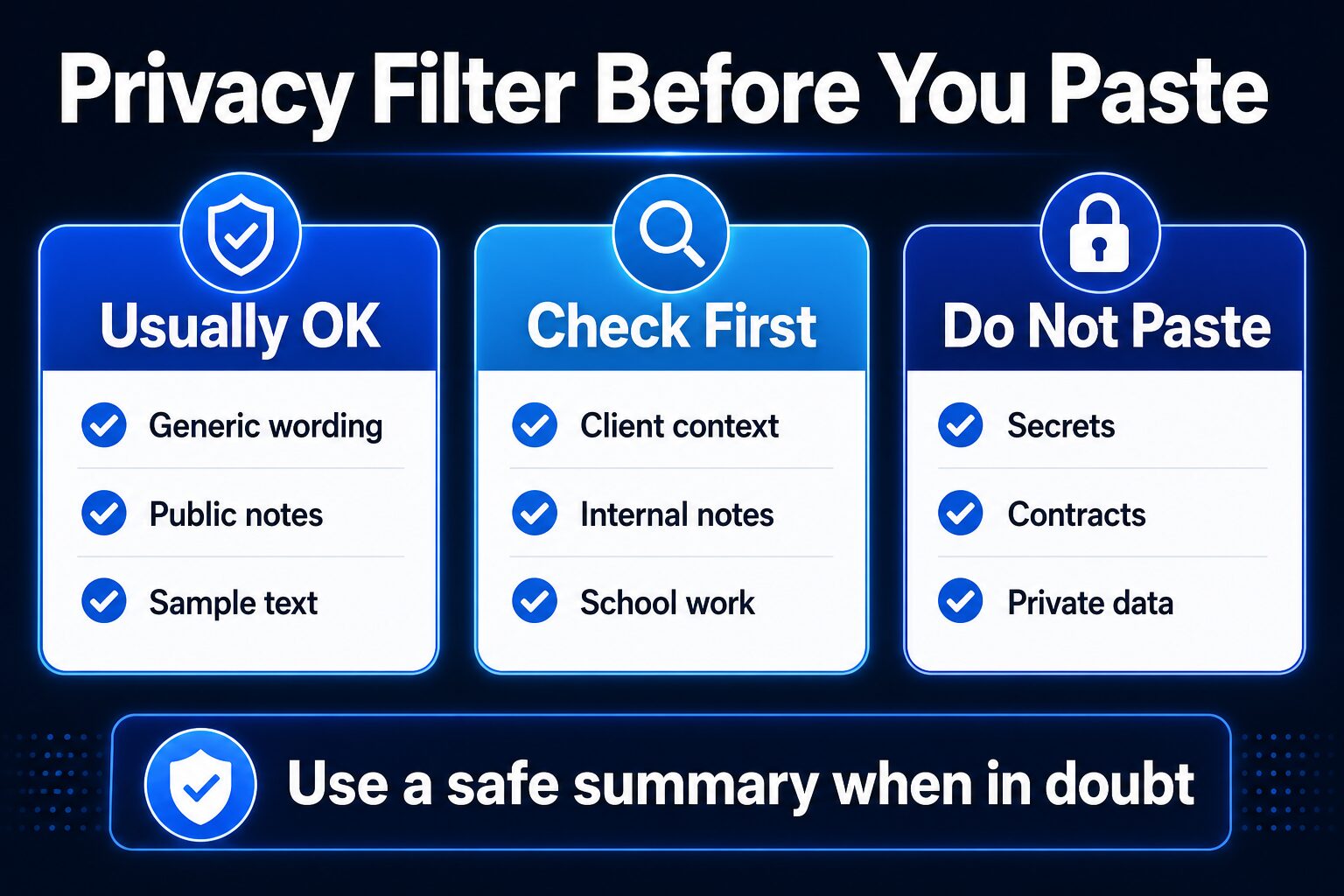
Before using it at work: do not paste confidential company, customer, legal, medical, HR, financial, or student data unless your organization has approved the tool and plan.
2. Grammarly: Best For Grammar Guardrails And Professional Polish
Grammarly is the strongest fit in this list if your main problem is polishing what you have already written. Its official pricing page lists Free, Pro, and Enterprise plans. The Free plan focuses on basic correctness and tone visibility, while Pro adds features such as full-sentence rewrites, tone adjustment, fluency help, plagiarism detection, AI detection, and more AI prompts.
That makes Grammarly a practical choice for professionals who write across many places: email, browser forms, documents, and workplace tools. It is less about brainstorming from scratch and more about improving the writing already in front of you.
For non-native English professionals, the important feature is control. You do not want a tool that makes every message sound like a corporate template. You want help catching unclear wording, overly direct tone, or unnatural phrasing while keeping your meaning intact.
Best for: email polishing, grammar confidence, tone checks, full-sentence rewrites, and fluency support.
Not best for: building an entire workflow around long conversations, complex reasoning, or project context.
Pricing note: Grammarly’s pricing page shows Pro from $12 USD/month, while its support page lists Pro billing at $30 USD per member/month, $60 per member for three months, or $144 per member/year. Always verify the checkout screen because billing interval, region, and taxes can change the final amount.
3. Wordtune: Best For Sentence-Level Rewrite Options
Wordtune is a good fit when you already know your message but need better phrasing. Its official help center describes a Basic free plan for light writing help, an Advanced plan with more rewrites and summaries, and an Unlimited plan for daily writers who want fewer limits.
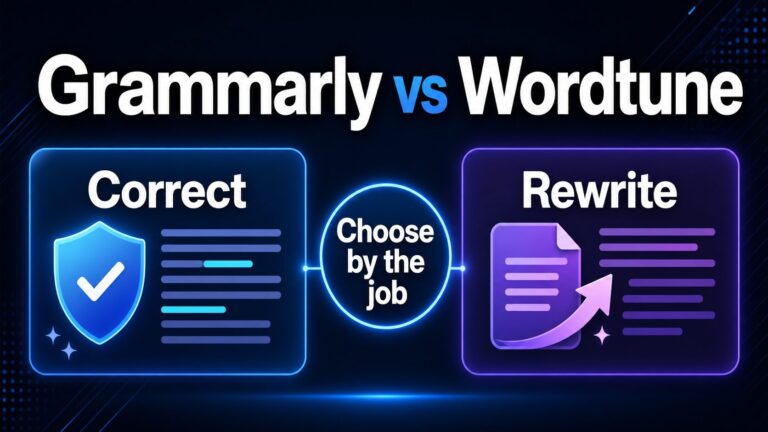
The key difference from Grammarly is emphasis. Grammarly is often useful as a writing guardrail. Wordtune is especially interesting when you want alternate ways to say the same thing: shorter, more fluent, more formal, or more natural.
For work writing, this matters when a sentence is technically correct but still feels awkward. A non-native English professional may not need a full AI assistant for that moment. They may simply need several better ways to express one idea.
Best for: paraphrasing, sentence rewrites, fluency suggestions, and wording options.
Not best for: people who need a full workspace, document management, or company-wide Microsoft/Google integration.
Pricing note: Wordtune’s help center says prices may vary by region or promotion, so treat the live pricing page as the final source before paying.
4. Claude: Best For Longer And More Careful Rewriting
Claude is another general AI assistant, so it overlaps with ChatGPT more than with Grammarly or Wordtune. The reason to consider Claude for work writing is that many readers prefer a conversational assistant for longer drafts, careful tone changes, and more detailed editing instructions.
Official Claude help pages list a Free plan, a Pro plan, and Max plans for heavier usage. Claude Pro is listed at $20/month or $200/year, while Max tiers are listed at $100/month and $200/month.
In a workplace writing context, Claude is worth considering if you often work with longer context: a rough proposal, a complex update, a project explanation, or a message where tone and nuance matter.
Best for: longer drafts, careful tone control, rewriting with context, and thoughtful explanations.
Not best for: people who only want quick grammar checks while typing in another app.
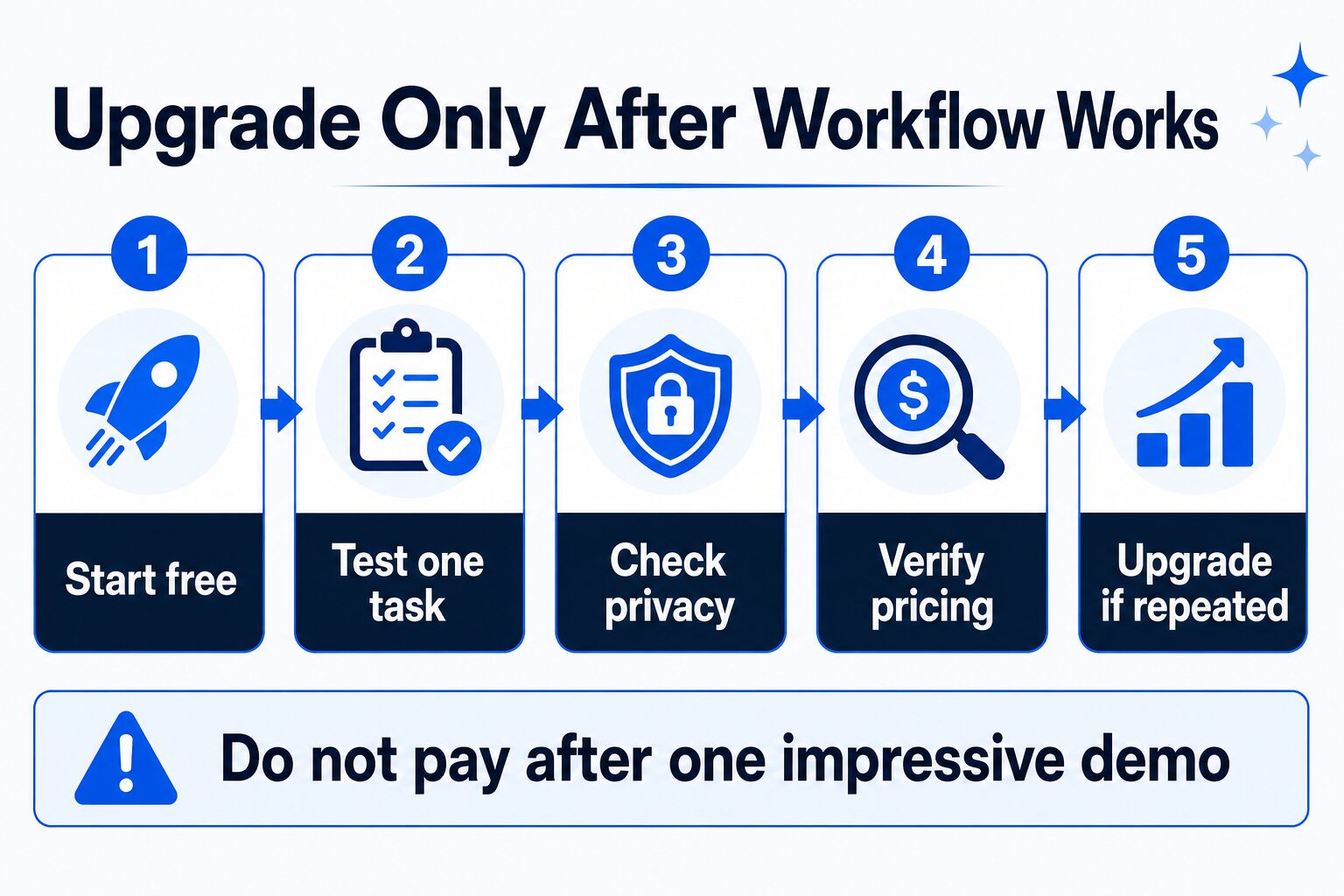
Before paying: compare the free plan and Pro limits against your actual weekly usage. Do not upgrade just because the tool feels impressive in one session.
5. Notion AI: Best If Your Writing Lives In A Workspace
Notion AI is not only a writing assistant. It belongs in this list because many professionals do not write in isolation. They write inside notes, docs, project plans, meeting summaries, task databases, and shared knowledge bases.
Notion’s pricing page lists a Free plan, Plus at $10 per member/month, Business at $20 per member/month, and Enterprise custom pricing. It also lists trial AI capabilities and AI-related features such as Notion Agent, AI Meeting Notes, and Enterprise Search depending on plan and availability.
That means Notion AI is best when your writing problem is connected to organization. If your main struggle is “turn these scattered notes into a clear update,” Notion can make sense. If your problem is simply “fix this one sentence,” Grammarly or Wordtune may be more direct.
Best for: notes, docs, project updates, meeting follow-ups, and workspace-based writing.
Not best for: people who do not already want a Notion workspace.
Privacy note: Notion’s pricing page describes different data retention behavior for Enterprise workspaces using Notion AI. If you work with sensitive business information, check the plan and security documentation before relying on AI features.
6. Microsoft 365 Copilot: Best For Companies Already In Microsoft 365
Microsoft 365 Copilot is the most workplace-native option here if your company already uses Microsoft 365. It is built around apps like Word, Outlook, Teams, PowerPoint, and Excel rather than a separate writing-only interface.
Microsoft’s pricing page says Microsoft 365 Copilot Chat is included for eligible Microsoft 365 subscription users, while Microsoft 365 Copilot Business starts from $18/user/month paid yearly or $25.20/user/month with monthly commitment. Microsoft also notes that a separate qualifying Microsoft 365 plan is required and that the business plan is for up to 300 users.
For a solo individual, Copilot may be more complicated than a standalone writing tool. For a company already managing Microsoft accounts, documents, and compliance controls, it can be the more natural fit.
Best for: organizations that already live in Outlook, Word, Teams, Excel, SharePoint, and PowerPoint.
Not best for: readers who want a simple individual writing assistant without business licensing complexity.
How To Choose The Right AI Writing Tool For Work
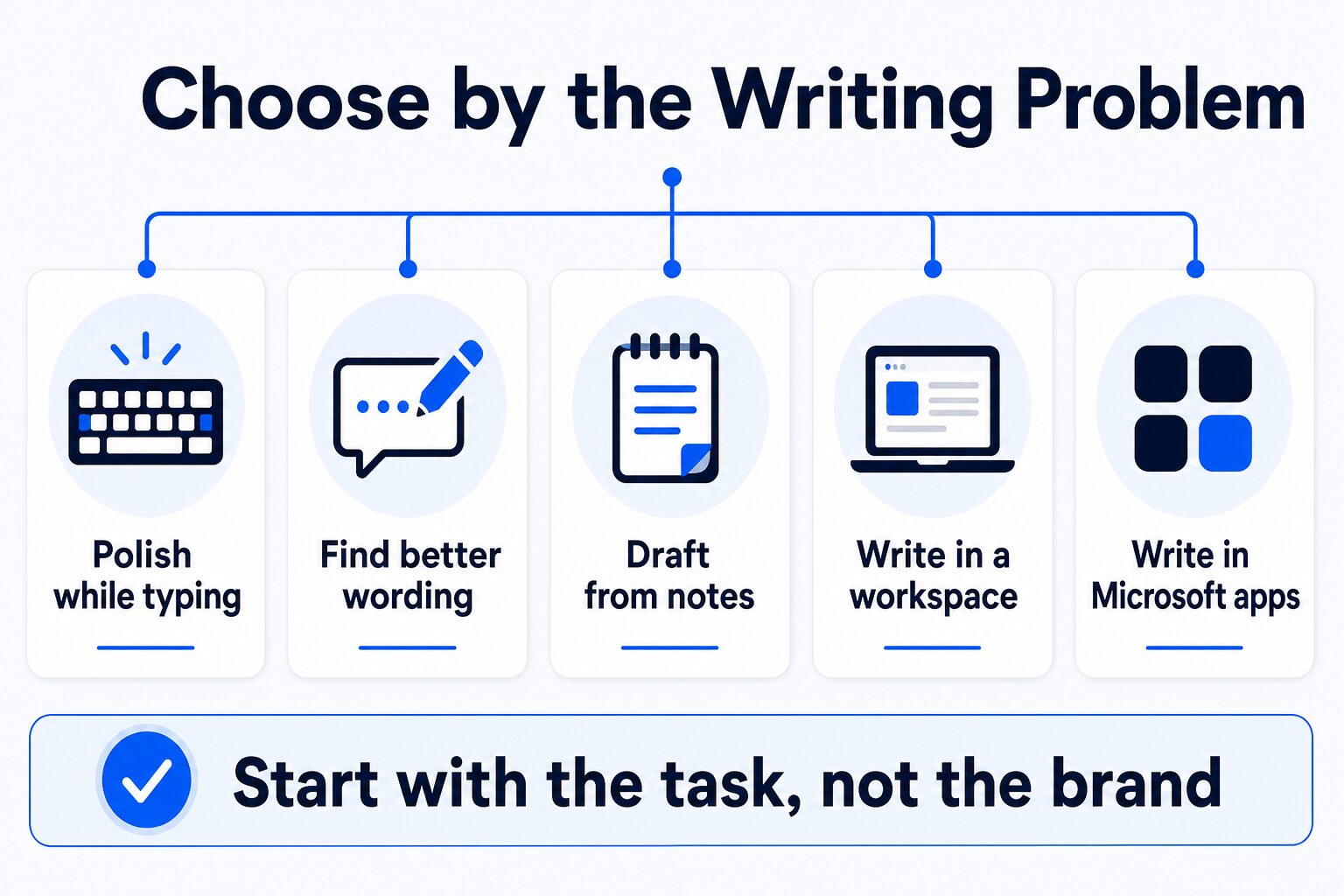
Use this simple decision path:
- If you need a flexible starting assistant, try ChatGPT or Claude.
- If you need grammar and tone guardrails while you write, try Grammarly.
- If you need more sentence rewrite options, try Wordtune.
- If your writing is part of a notes and project workspace, consider Notion AI.
- If your company already runs on Microsoft 365, evaluate Microsoft 365 Copilot with your IT or admin context.
What Non-Native English Professionals Should Look For
If English is one of your working languages, you need more than “correct grammar.” Look for these five things:
- Meaning preservation: The tool should not change your intent while making the sentence smoother.
- Tone options: You should be able to make a message warmer, clearer, more direct, or more formal.
- Explanation: The tool should help you understand why one version works better.
- Control: You should be able to reject suggestions easily.
- Privacy fit: The tool should match your workplace’s data rules.
The goal is not to erase your voice. The goal is to communicate clearly while keeping your meaning intact.
Privacy Checklist Before You Paste Work Text Into AI
Before using any AI writing tool at work, ask:
- Does this text include customer, client, patient, student, HR, legal, financial, or confidential company information?
- Has my company approved this tool for work data?
- Does the plan say how data is used, retained, or excluded from training?
- Can I replace real names, numbers, and details with placeholders?
- Would this still be safe if the text were seen outside my organization?
When in doubt, use a fictional or anonymized version of the text. A good writing workflow should reduce risk, not create a new one.
Final Recommendation
For most individual professionals, start with a free or low-friction option and test one real workflow:
- Use ChatGPT or Claude to rewrite a difficult email and explain the changes.
- Use Grammarly when you want continuous writing guardrails while composing.
- Use Wordtune when one sentence needs several better alternatives.
- Use Notion AI if your writing depends on notes, docs, projects, and meeting follow-ups.
- Use Microsoft 365 Copilot if your organization already has the Microsoft 365 foundation to support it.
The practical move is simple: do not buy the most powerful plan first. Pick one tool, try it on one recurring work task, check privacy, then upgrade only if it helps every week.
Where To Go Next
If your next decision is narrower, do not stay on a broad tools list. Use the related guide that matches the task:
- For grammar and fluency, read best grammar checkers for non-native English speakers.
- For the closest Grammarly alternative decision, read Grammarly vs Wordtune.
- For daily workplace messages, read best AI email writing tools.
- For free-first evaluation, read best free AI writing tools.
- For a broader non-native English workflow, read the practical AI tool stack for non-native English professionals.
FAQ
What is the best AI writing tool for work?
For flexible drafting and rewriting, start with ChatGPT or Claude. For grammar and professional polish, Grammarly is more focused. For sentence rewrites, Wordtune is worth checking. The best choice depends on the writing problem.
Is Grammarly better than ChatGPT for work writing?
They solve different problems. Grammarly is better when you want guardrails while writing. ChatGPT is better when you want a conversational assistant that can draft, rewrite, explain, and brainstorm.
Should non-native English professionals use AI writing tools?
Yes, if the tool helps you communicate more clearly without changing your meaning. Avoid tools or prompts that make your writing sound generic, overly formal, or unlike you.
Can I paste work emails into AI writing tools?
Only if your organization allows it and the content is safe to share with that tool. Remove names, private data, customer details, and confidential business information when possible.
Which AI writing tool should I try first?
If you are unsure, try a free plan and use one recurring task, such as rewriting a weekly update or polishing a follow-up email. The best tool is the one that improves a real workflow, not the one with the longest feature list.