Best Free AI Writing Tools: What You Can Actually Do Without Paying
Free AI writing tools are good enough for many everyday tasks, but not all “free” plans solve the same problem. Some are better for drafting from scratch, some are better for rewriting rough text, and some are mainly grammar or tone checkers. The safest move is to pick the free tool by job first, then upgrade only when a real limit blocks your work.
Quick Verdict
Start with ChatGPT, Claude, or Gemini for drafting and brainstorming; use Grammarly or LanguageTool for grammar and tone checks; use QuillBot or Wordtune when you mainly need paraphrasing or sentence-level rewrites. If you only write occasionally, you may not need to pay at all.
Best free starting point
Use a general assistant first if you need outlines, first drafts, email variants, or idea generation.
Best editing layer
Add Grammarly or LanguageTool when the draft already exists and the job is cleaner, clearer English.
Upgrade only when
Daily limits, word caps, privacy requirements, or team workflows are blocking actual work.
Evidence limit: This article is official-research-only. Product pages, pricing pages, help pages, and privacy/security pages were checked on June 7, 2026; no output-quality benchmark or hands-on test is claimed.
How To Choose a Free AI Writing Tool
Do not start with the longest feature list. Start with the writing job you actually have:
- Drafting: you need a first version from notes, bullets, or a messy idea.
- Rewriting: you already have text and want a clearer, shorter, more formal, or more natural version.
- Checking: you need grammar, spelling, tone, clarity, or style suggestions.
- Publishing: you need a final human review, privacy check, and source verification before the text goes public.
That split matters because a free chatbot, a grammar checker, and a paraphrasing tool can all call themselves AI writing tools. They are not interchangeable.
Best Free AI Writing Tools Compared
| Tool | Best free use | Free-plan reality checked June 7, 2026 | Upgrade trigger | Who should skip it |
|---|---|---|---|---|
| ChatGPT | Flexible drafting, outlining, rewriting, examples, and brainstorming. | Official pricing page lists a Free plan with limited messages/uploads and limited access to advanced features. | Upgrade only when message, upload, context, image, or advanced-feature limits repeatedly block your workflow. | Skip as the only tool if you need a dedicated grammar checker or citation-safe academic workflow. |
| Claude | Longer drafting, structure thinking, tone-sensitive rewrites, and careful summaries. | Official pricing page lists Free, Pro, Max, Team, and Enterprise tiers; Pro is listed at $17/month annually or $20 monthly. | Upgrade when you need more usage, projects, research features, or higher limits. | Skip if you only need quick grammar checking inside a browser or document editor. |
| Gemini | Drafting and rewriting inside a Google-centered workflow. | Google’s US subscription page lists a Free plan at $0/month with a Google Account and paid tiers with higher usage access. | Upgrade when you need higher Gemini limits, deeper Google app integration, storage, or paid Google AI features. | Skip if you do not use Google services or need a dedicated grammar checker. |
| Grammarly | Grammar, spelling, tone, and basic AI prompt help across writing surfaces. | Official plans page lists Free with writing correctness, tone, and 100 AI prompts/month. | Upgrade when you need full-sentence rewrites, tone adjustments, fluency help, plagiarism/AI detection, or higher prompt limits. | Skip as a drafting tool if you need long-form generation from scratch. |
| LanguageTool | Grammar, punctuation, spelling, and style checks, especially for multilingual users. | Official Premium page lists Basic and Premium; Basic is the free starting point, while Premium adds deeper checks and higher limits. | Upgrade when the free checker misses style/punctuation depth or the text-field limit is too small. | Skip if you mainly want a chatbot-style drafting assistant. |
| QuillBot | Paraphrasing, rewriting, grammar support, summarizing, and citation-adjacent writing tasks. | Official Premium page shows free paraphrasing up to 125 words and Premium at $8.33/month billed annually. | Upgrade when the 125-word paraphrasing limit or limited modes slow down real editing. | Skip if you need original thinking, source judgment, or a full draft from complex instructions. |
| Wordtune | Sentence rewrites, paragraph rewrites, contextual suggestions, and quick style variations. | Official guide and help pages describe a free plan with daily limits for rewrites, AI generations, and suggestions. | Upgrade when daily limits interrupt regular writing or you need premium rewrite/AI features. | Skip if you need a broad assistant for research, file work, or long planning sessions. |
Best Picks by Writing Situation
Best first draft: ChatGPT
ChatGPT is the easiest free starting point if you have rough notes and need a first draft, outline, email version, social post, or list of angles. The free plan is not unlimited, so use it for high-value drafting instead of asking it to rewrite every sentence several times.
Use it for: outlines, messy-to-clean drafts, examples, email variants, and idea expansion.
Skip or supplement it when: you need strict grammar checking inside a browser editor or a final proofread.
Best careful rewrite assistant: Claude
Claude is a strong official-research-only pick when your main need is restructuring, summarizing, or improving tone without making the text feel too salesy. It fits longer paragraphs and nuanced rewrites better than a narrow paraphrasing tool, but the free plan is still limit-bound.
Use it for: reorganizing a draft, making a tone calmer, or comparing two versions of a message.
Skip or supplement it when: you want always-on grammar suggestions inside your writing apps.
Best Google workflow option: Gemini
Gemini makes sense when your writing life already sits in Google. The official subscription page lists a Free plan with a Google Account and higher paid tiers for expanded access. For casual writing and brainstorming, the free tier is worth trying before paying for a workspace-oriented setup.
Use it for: drafting, rewriting, and Google-adjacent writing workflows.
Skip or supplement it when: you need a dedicated grammar checker or do not want another Google-connected tool.
Best grammar layer: Grammarly
Grammarly is most useful after you already have text. The official plans page says the Free tier includes correctness help, tone visibility, and 100 AI prompts per month. That is enough for many occasional writers who want fewer obvious mistakes and a clearer tone check.
Use it for: grammar, spelling, tone awareness, and final cleanup.
Skip or supplement it when: you need long-form ideation or source-grounded drafting.
Best multilingual checker: LanguageTool
LanguageTool is useful if you want a grammar and style checker that is not only English-centered. Its official page highlights 30+ languages and a free Basic tier, while Premium adds deeper checks, higher character limits, and AI paraphrasing.
Use it for: multilingual grammar checks and lightweight writing cleanup.
Skip or supplement it when: you need a flexible drafting assistant.
Best paraphrasing tool: QuillBot
QuillBot is a practical choice when you already wrote something and want alternative phrasing. The key free-plan limit is important: the official comparison table shows free paraphrasing up to 125 words, while Premium adds unlimited paraphrasing and more modes.
Use it for: sentence rewrites, short paraphrases, and quick phrasing alternatives.
Skip or supplement it when: you need original argument structure, citation judgment, or a complete article plan.
Where Wordtune Fits
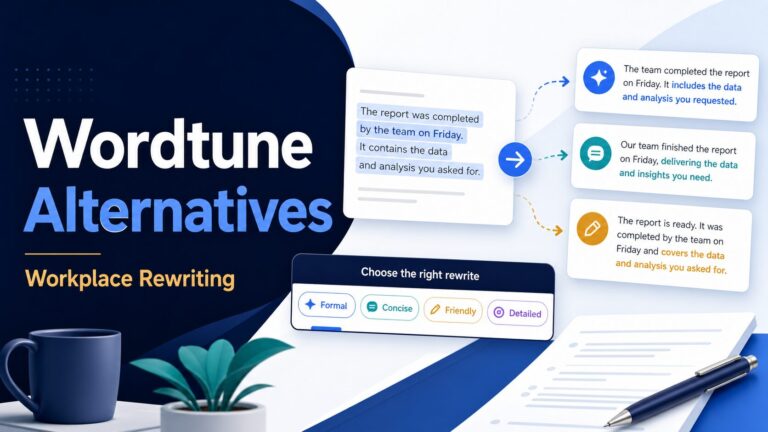
Wordtune belongs in the rewrite lane. Its official guide describes a free AI writing tool with paraphrasing, prompt-based generation, and summarizing, while its help center notes daily limits for free users on AI generations and contextual suggestions. That makes it useful for short, targeted edits, not unlimited production work.
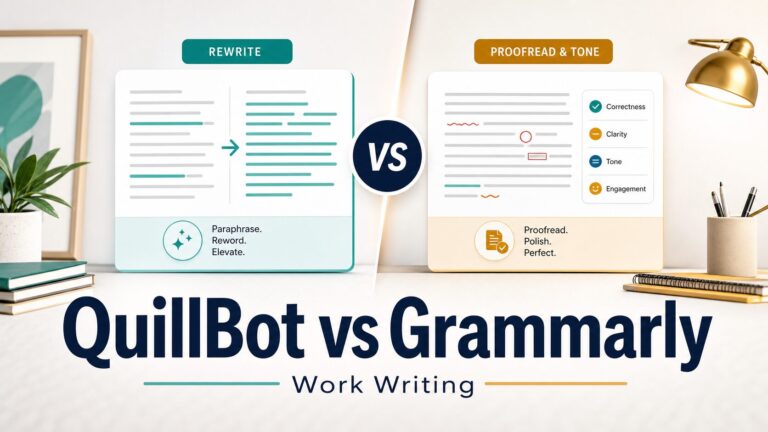
If you often rewrite emails, paragraphs, or social posts, compare Wordtune with QuillBot and Grammarly based on the job: Wordtune for style variations, QuillBot for paraphrasing, and Grammarly for correctness and tone.
What You Can Actually Do Without Paying
A free stack can cover a surprising amount of normal writing work:
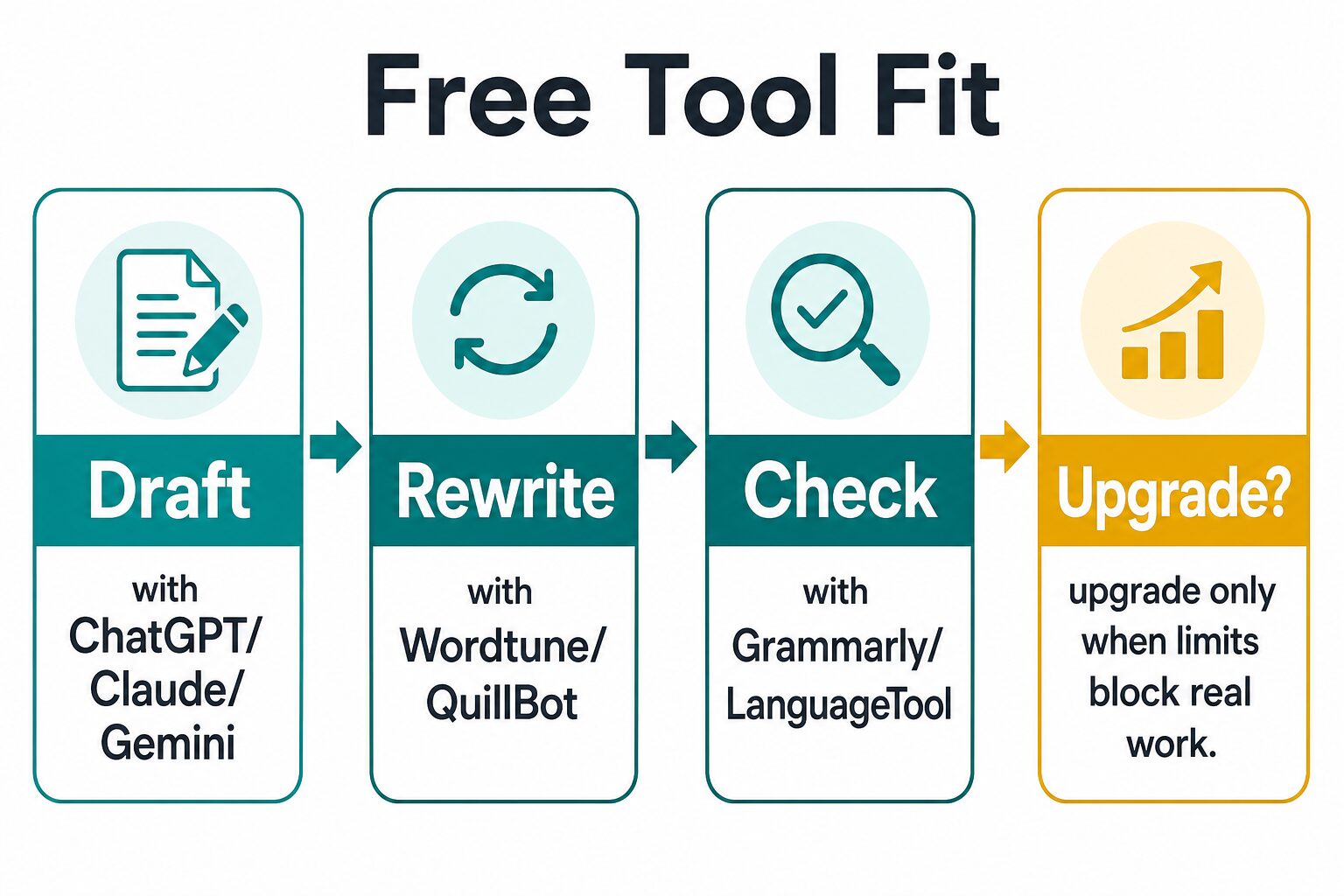
- Draft an email, outline, blog section, LinkedIn post, or study note with ChatGPT, Claude, or Gemini.
- Rewrite a rough paragraph with Wordtune or QuillBot.
- Check grammar, spelling, and tone with Grammarly or LanguageTool.
- Use your own judgment for facts, sources, privacy, and final voice.
The limit usually appears when writing becomes frequent, long, sensitive, or collaborative. That is when paid limits, privacy controls, account management, or team features may matter more than raw writing quality.
When the Free Plan Is Enough
Stay free if you write occasionally, work with short texts, do not need many file uploads, and can tolerate daily limits. A student polishing a few paragraphs, a creator drafting one social post, or a professional rewriting a short email can often get enough value from free plans.
Also stay free if you are still learning which category helps you most. Paying for a paraphrasing tool will not fix a weak first draft. Paying for a chatbot will not automatically catch every grammar issue. Try the free workflow first, then pay for the layer that keeps blocking you.
When Paying Might Be Justified
Upgrade for a repeated constraint, not for vague productivity hope. Pay when a specific limit keeps stopping real work: daily credits, word caps, longer context, file uploads, plagiarism checks, brand/team controls, or security requirements.
For example, QuillBot Premium may be worth checking if 125-word paraphrases are too small for your editing flow. Grammarly Pro may be worth checking if you need full-sentence rewrites, higher AI prompt limits, or plagiarism/AI detection. Claude, ChatGPT, or Gemini paid tiers may be worth checking if your drafting sessions keep hitting usage or file/context limits.
Before paying, open the official pricing page in your country and account state. Some products vary pricing, plan labels, trial messaging, and available features by region, promotion, or billing cycle.
Privacy and Workplace Data Cautions
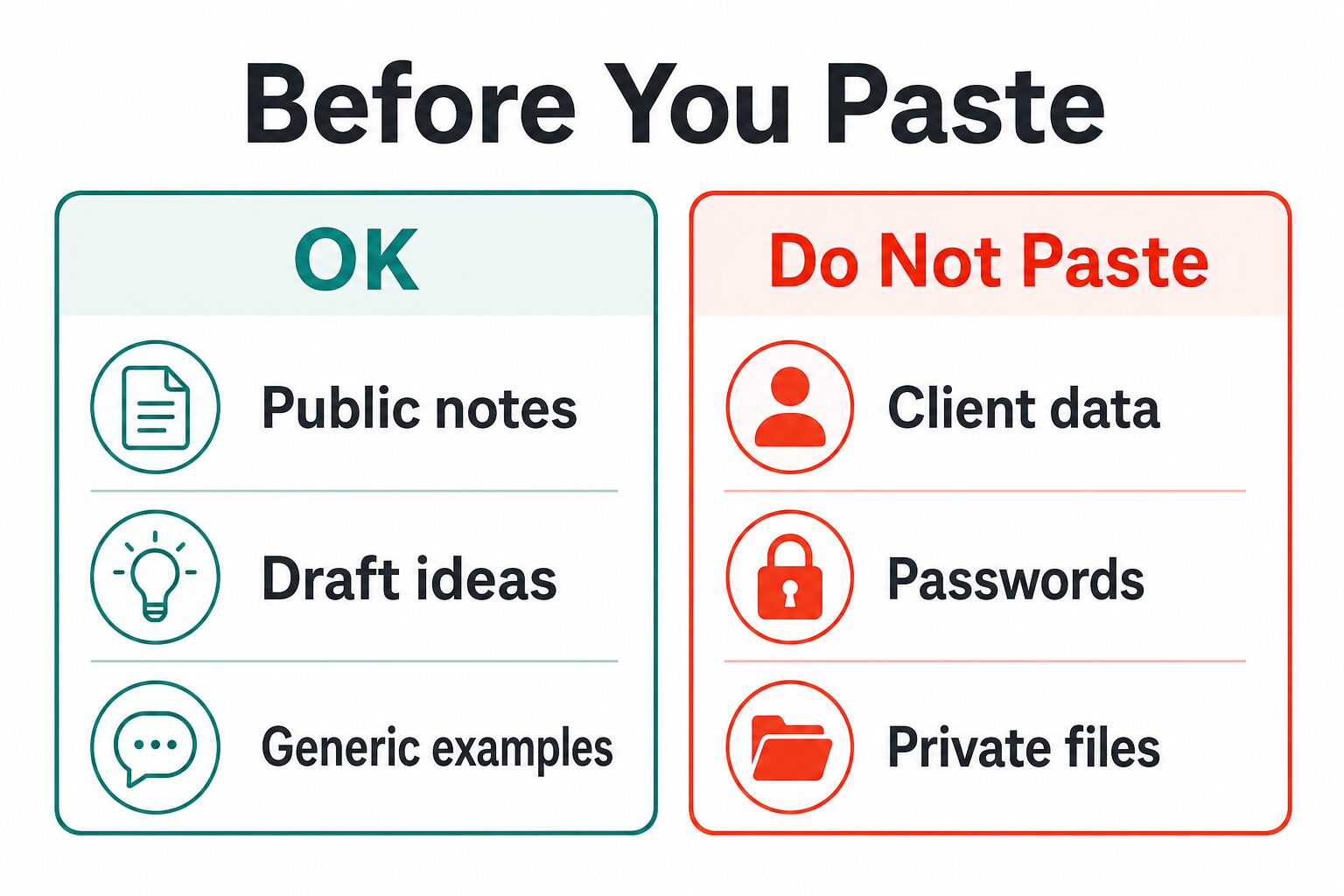
Free AI tools are still cloud services. Before pasting client work, unpublished student work, passwords, legal notes, medical information, financial information, confidential files, or internal company strategy into any tool, check the official privacy and data-use terms. OpenAI, Google, Anthropic, Grammarly, LanguageTool, QuillBot, and Wordtune all publish privacy or trust pages, but the practical rule is simpler: do not paste sensitive data unless your workplace or school has approved that tool and account setup.
Use public notes, generic examples, and redacted drafts when possible. If privacy is the main concern, read our AI tool privacy checklist for professionals before choosing a writing assistant.
A Simple Free AI Writing Workflow
- Draft: give ChatGPT, Claude, or Gemini your audience, purpose, bullet points, and tone constraints.
- Rewrite: use Wordtune or QuillBot for short passages that need more natural phrasing.
- Check: run the final text through Grammarly or LanguageTool for grammar, spelling, tone, and clarity issues.
- Verify: manually check facts, sources, names, dates, prices, quotes, and anything that could harm trust.
- Decide: upgrade only if a repeated limit blocks this workflow.
For a broader free stack, see Best Free AI Tools for Work. For work-focused writing choices beyond free plans, see Best AI Writing Tools for Work.
FAQ
What is the best free AI writing tool overall?
For most people, start with ChatGPT, Claude, or Gemini because general assistants can draft, outline, rewrite, and brainstorm. Add Grammarly or LanguageTool for editing and QuillBot or Wordtune for short rewrites.
Can free AI writing tools replace a human editor?
No. They can catch issues and generate alternatives, but you still need to verify facts, judge tone, remove generic phrasing, and make sure the text fits the real situation.
Are free AI writing tools safe for work documents?
Not automatically. Check your employer or school policy, read the official privacy terms, and avoid pasting confidential or sensitive information into personal free accounts.
Should students use free AI writing tools?
Only within course rules. Use them for brainstorming, clarity checks, or grammar support when allowed. Do not submit AI-generated work as your own if your school prohibits it.
Are there affiliate links in this article?
No. This first version links to official product pages and related AI Work Toolkit guides only.
Final Recommendation
If you want the most practical free setup, do not look for one perfect AI writing tool. Use a small stack: ChatGPT, Claude, or Gemini for drafts; Grammarly or LanguageTool for checking; QuillBot or Wordtune for short rewrites. That combination covers most everyday writing without paying first.
Upgrade only when the free plan’s real limits are clear. If you cannot name the specific constraint, keep using the free version and improve your prompt, outline, or editing process first.
Official Sources Checked
- ChatGPT pricing and OpenAI privacy policy
- Claude pricing and Claude privacy center
- Gemini subscriptions and Gemini Apps Privacy Hub
- Grammarly plans and Grammarly Trust Center
- LanguageTool Premium and LanguageTool privacy
- QuillBot Premium and QuillBot privacy
- Wordtune official guide, Wordtune writing features help, and Wordtune privacy