Best Resume Builder for Non-Native English Speakers: Start Free
The best resume builder for most non-native English speakers is Teal when the hard part is structure, job-specific versions, and exporting a finished resume. Start with its free path before paying. If your resume is already accurate and organized, skip the builder and use Grammarly or Wordtune for English polish instead.
Quick verdict: Start with a builder when you need the document, not just better sentences. Teal Free is the clearest first step here because its current official pages include resume creation, multiple versions, basic matching and analysis, and unlimited downloads. Use Grammarly Free when spelling, grammar, and tone are the only blockers. Use Wordtune Basic for alternate wording. Use ChatGPT or Claude only to generate options from facts you can verify.
Who should skip Teal first: Anyone who already has a strong, targeted, well-formatted resume and only needs to make the English shorter or more natural.
Evidence note: Product, plan, privacy, security, and data-control pages were checked on July 13, 2026. This is an official-source and editorial workflow review, not a hands-on output-quality test.
Start with Teal Free.
Start with Grammarly Free.
Try Wordtune Basic.
Use ChatGPT or Claude, then verify.
Choose The Tool Type Before The Brand
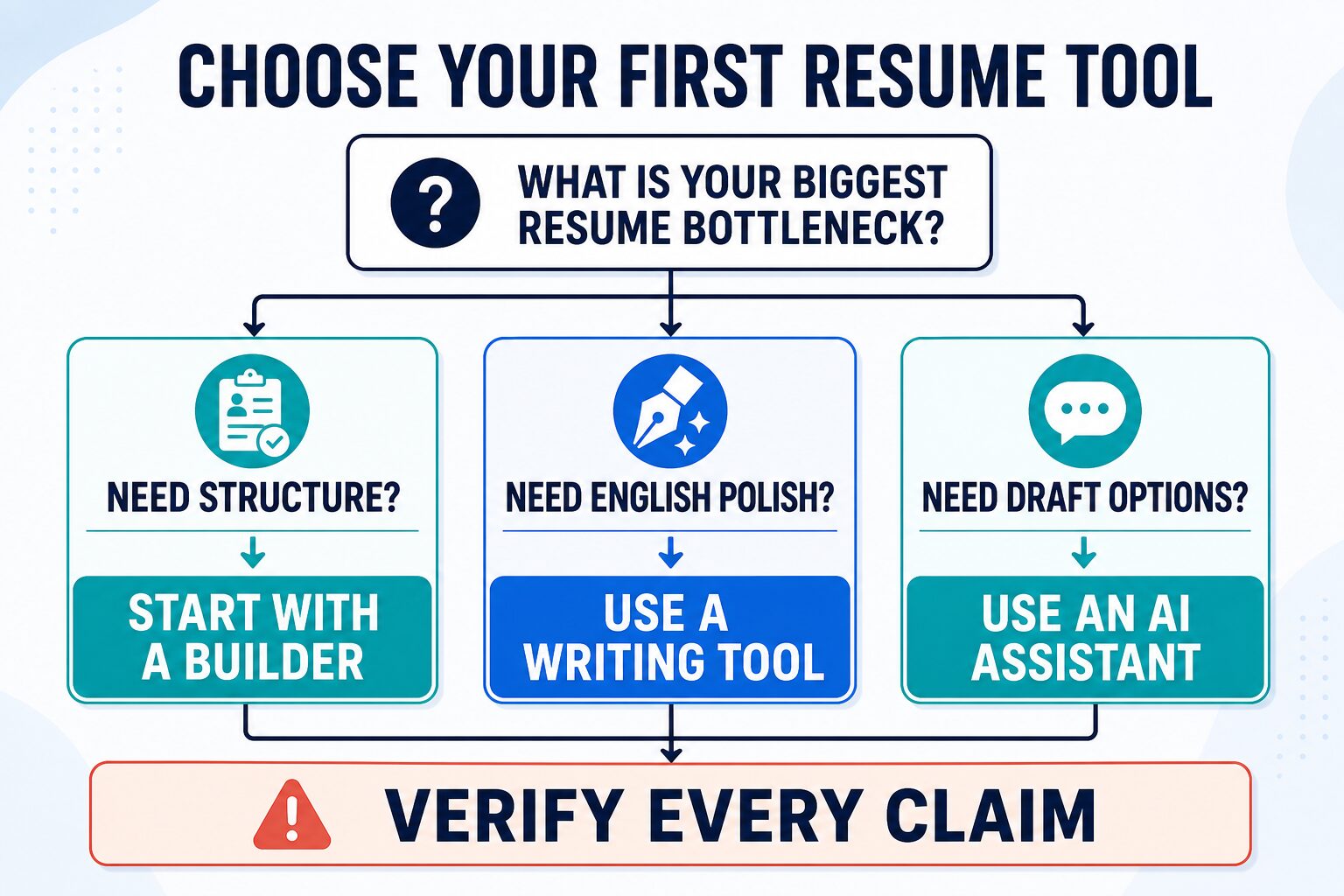
“My resume English sounds awkward” can hide three different problems. The page may lack a clear structure. The bullets may not match the target job. Or the facts may be strong while the wording is stiff. One tool rarely solves all three well.
Use this order:
- Build: create a stable master resume with truthful roles, projects, tools, and results.
- Tailor: select the facts that matter for one job description.
- Polish: improve clarity, grammar, and flow after the facts are locked.
- Verify: reject any wording you could not explain in an interview.
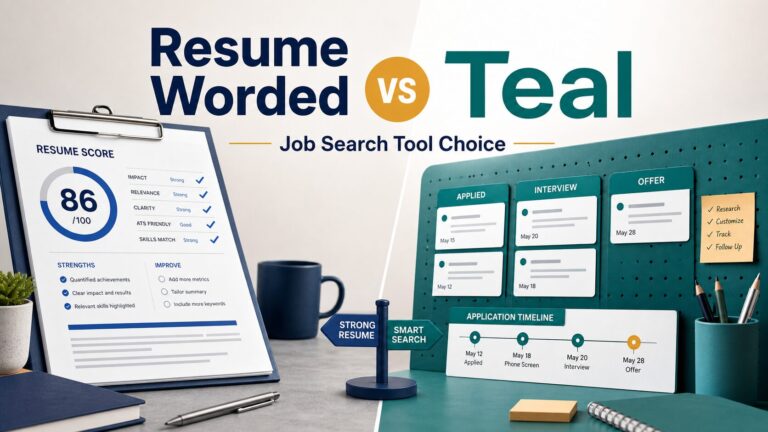
If you want a broader product comparison, read AI resume builders for job seekers writing in English. If you are deciding specifically between two dedicated tools, compare Teal vs. Resume Worded. This page answers the narrower question: which type of tool should a non-native English speaker open first?
How We Chose: Five Criteria That Matter
These recommendations are not a universal ranking. They are based on five job-seeker questions:
- Starting friction: Can you make useful progress before paying?
- Resume workflow: Does the tool handle structure, versions, targeting, and export, or only sentences?
- Meaning control: Can you review one change at a time and reject claim drift?
- Data burden: How much career, employer, client, identity, or job-description data must you upload?
- Exit test: Can you leave with a usable file or a clearer bullet after one short session?
Comparison: Best First Tool By Resume Problem
| Tool | Start here when… | Useful free boundary | Main risk | Skip first if… |
|---|---|---|---|---|
| Teal Official sources checked |
You need a resume structure, multiple versions, job matching, and export. | Current official pages describe free creation, unlimited resumes/downloads, basic analysis and matching, and limited AI credits. | Uploading more career data than the task requires, or treating a match score as hiring proof. | The document is finished and only the English needs polish. |
| Grammarly Official sources checked |
The facts and layout are correct, but grammar, clarity, or tone needs a final pass. | Free currently covers mistake checking and tone visibility; paid tiers add broader rewriting and fluency features. | Improving a weak bullet without fixing its relevance, evidence, or scope. | You need templates, job-specific versions, or export workflow. |
| Wordtune Official sources checked |
One accurate bullet sounds too literal, long, or unnatural. | Basic (Free) includes rewriting and grammar tools with daily AI limits. | Selecting a smoother version that quietly changes seniority or responsibility. | The resume strategy or structure is the real problem. |
| ChatGPT Official sources checked |
You want several draft options from a redacted fact sheet. | A free plan exists; current Data Controls can change whether conversations help improve models. | Invented metrics, tools, ownership, or responsibilities. | You need a guided resume layout and export. |
| Claude Official sources checked |
You want a longer-context review for repetition, flow, and consistency. | A free individual plan exists; paid capacity and account controls vary by plan. | Treating a broad language review as recruiter judgment or a privacy guarantee. | You want a dedicated builder interface. |
Run This 15-Minute Free Fit Test
Do not compare tools with a blank sample. Use one real job description and one truthful resume bullet, with names and sensitive details removed.
- Minutes 0–4: Build. Add one role, three factual bullets, education, and skills to the free builder. Pass if the structure is understandable without a tutorial marathon.
- Minutes 4–7: Tailor. Add one target job and identify relevant words you genuinely use. Pass if you can improve fit without copying requirements you do not meet.
- Minutes 7–10: Export. Download or preserve a usable version. Pass if the free path gives you a document you can review outside the tool.
- Minutes 10–13: Polish. Put one true bullet into a grammar or rewriting tool. Pass if the sentence becomes clearer without changing the facts.
- Minutes 13–15: Verify. Compare every noun, verb, number, and tool name with the original. Pass only if you can defend the final sentence aloud.
If Teal passes the first three gates, the free builder may be enough. If only the polish gate matters, a dedicated builder is extra complexity. If no tool passes the truth check, keep the original wording and revise manually.
1. Teal: Best First Builder For Most Readers
Best for: an unfinished resume, several target roles, or a job search that needs versions and export.
Teal is the strongest first recommendation in this article because it handles the resume workflow rather than only the English. Its official pages currently describe a free resume builder, multiple resume versions, downloads, job tracking, basic analysis, basic keyword matching, and limited AI credits. That lets a reader test the core workflow before buying advanced analysis or higher AI access.
The current Teal+ page lists $13 every seven days, $29 every 30 days, and $79 every 90 days. Those terms can change, so check Teal’s live pricing page before upgrading. Pay only if advanced matching, analysis, design, templates, or AI limits solve a bottleneck you observed in the free test.
Important limit: A match score or keyword suggestion is an input to judgment, not proof that a resume will pass every ATS or win an interview. Add a keyword only when it accurately describes your experience.
2. Grammarly: Best When The Resume Is Already Correct
Best for: spelling, grammar, clarity, tone visibility, and a final English pass.
Grammarly is useful after the resume strategy is finished. Its current plan page says Free checks mistakes and shows tone. Pro adds full-sentence rewrites, tone adjustment, English fluency help, and higher suggestion limits. That makes the free path a sensible test when you already know what each bullet should prove.
Do not ask a grammar tool to decide which accomplishment matters. A perfect sentence about an irrelevant task is still a weak resume bullet. For more writing-tool detail, see Best Grammar Checkers for Non-Native English at Work.
3. Wordtune: Best For One Awkward But True Bullet
Best for: comparing shorter or more natural versions of one sentence.
Wordtune’s official help currently describes Basic (Free) as a light-use plan with rewriting and grammar tools, daily AI limits, and three monthly summaries. Advanced adds more rewriting, summarizing, fluency, and grammar features; Unlimited removes feature-use limits. Pricing can vary by region or promotion.
Use it one bullet at a time. Keep the original beside the suggestions. Reject any version that adds ownership, scope, software, metrics, or seniority. The goal is clearer professional English, not a more impressive fictional job.
4. ChatGPT And Claude: Best As Option Generators
General AI assistants are useful when you provide a factual source sheet and ask for constrained options. They are weak choices when you expect them to know what is true, what a recruiter values, or what private data is safe to share.
ChatGPT’s current Data Controls allow signed-in users to turn off “Improve the model for everyone.” OpenAI also says Temporary Chats are not used to train models and are deleted after 30 days, with an abuse-monitoring boundary. Claude’s current individual plan comparison shows an opt-out training setting, while organization plans have different controls. Confirm the policy and settings for the account you actually use.
For broader writing decisions, compare AI writing tools for work. If the next document is a cover letter, use the separate guide to AI cover-letter tools.
The Five-Gate Claim-Drift Audit
| Gate | What to compare | Reject the rewrite when… |
|---|---|---|
| Role | Supported, coordinated, led, owned, managed, designed. | The verb raises your responsibility level. |
| Scope | Team, region, product, project, budget, or customer coverage. | The sentence makes the work broader than it was. |
| Metric | Percentages, money, volume, time, or rankings. | A number appears without your source. |
| Tool | Software, methods, certifications, and technical terms. | A keyword is added that you have not used. |
| Voice | Whether you can explain the sentence naturally in an interview. | The wording is impressive but not yours. |
Privacy: A Resume Contains More Than Writing
Remove before uploading: home address, phone number, personal email, reference details, client names, confidential projects, employee IDs, salary history, visa or immigration details, medical or legal information, and any detail the writing task does not need.
Teal’s current privacy policy says career content can include resumes, work history, education, skills, certifications, cover letters, saved job descriptions, notes, goals, interview materials, and job-tracking information. It also says content used with AI features may be processed by third-party AI providers. That is a reason to minimize inputs, even when a service has security controls.
Use the same rule with Grammarly, Wordtune, ChatGPT, and Claude: review the current policy for your account type and settings, then provide the minimum context needed. For a broader checklist, read AI Tool Privacy Checklist: 7 Checks Before You Paste.
When The Free Plan Is Enough
Stay on the free path when you can build a clean resume, create the versions you need, export a usable file, and polish a small number of bullets. A free plan is also enough when this is a one-application task rather than an ongoing job search.
Consider paying only after you can name the bottleneck:
- You need advanced matching or analysis across many roles.
- You need more design controls or templates for a specific application requirement.
- You repeatedly hit a rewrite or AI-usage limit during real applications.
- You need organization-level controls required by an employer or school.
Do not pay because a score is low or a tool promises a stronger resume. Pay when the extra feature changes a repeatable step you have already tested.
Common Mistakes To Avoid
- Starting with grammar: polished English cannot repair missing evidence or a poor role match.
- Copying job-description phrases: use only language that truthfully matches your experience.
- Optimizing for “native” English: aim for clear, direct, professional English that keeps your meaning.
- Uploading the full unredacted file: the tool rarely needs every identity or employer detail.
- Trusting one score: match and ATS scores are tool-specific signals, not hiring outcomes.
- Keeping the strongest-sounding version: keep the version you can explain and defend.
FAQ
What is the best resume builder for non-native English speakers?
Start with Teal Free when you need resume structure, job-specific versions, matching, and export. Start with Grammarly Free instead when the resume is already accurate and organized and only the English needs polish.
Can a free resume builder be enough?
Yes. Teal’s current official pages say its free path includes resume creation, multiple versions, unlimited downloads, basic analysis and matching, and limited AI credits. Test the exact features you need before paying because plan boundaries can change.
Should I use ChatGPT to write the whole resume?
Use it to generate constrained options from redacted facts, not as the source of truth. Verify every role, scope, metric, tool, and result against your real experience.
Will a resume builder help me pass an ATS?
A builder can help with formatting and job-description alignment, but no score or template guarantees that every employer system will accept or rank the resume. Follow the employer’s file instructions and keep the layout simple and readable.
Is it safe to upload my resume to an AI tool?
Safety depends on the service, account type, settings, and current policy. Remove unnecessary personal and confidential details first, then review the provider’s privacy, security, and data-control pages.
Final Recommendation
If you are building or tailoring the document, start with Teal Free and run the 15-minute test. If you already have the right structure and facts, skip the builder and use Grammarly Free or Wordtune Basic for a limited English-polish task. Use ChatGPT or Claude only for options you will audit.
The best tool is the one that fixes the current bottleneck without changing your story. Build first, tailor second, polish third, and verify every claim before you submit.