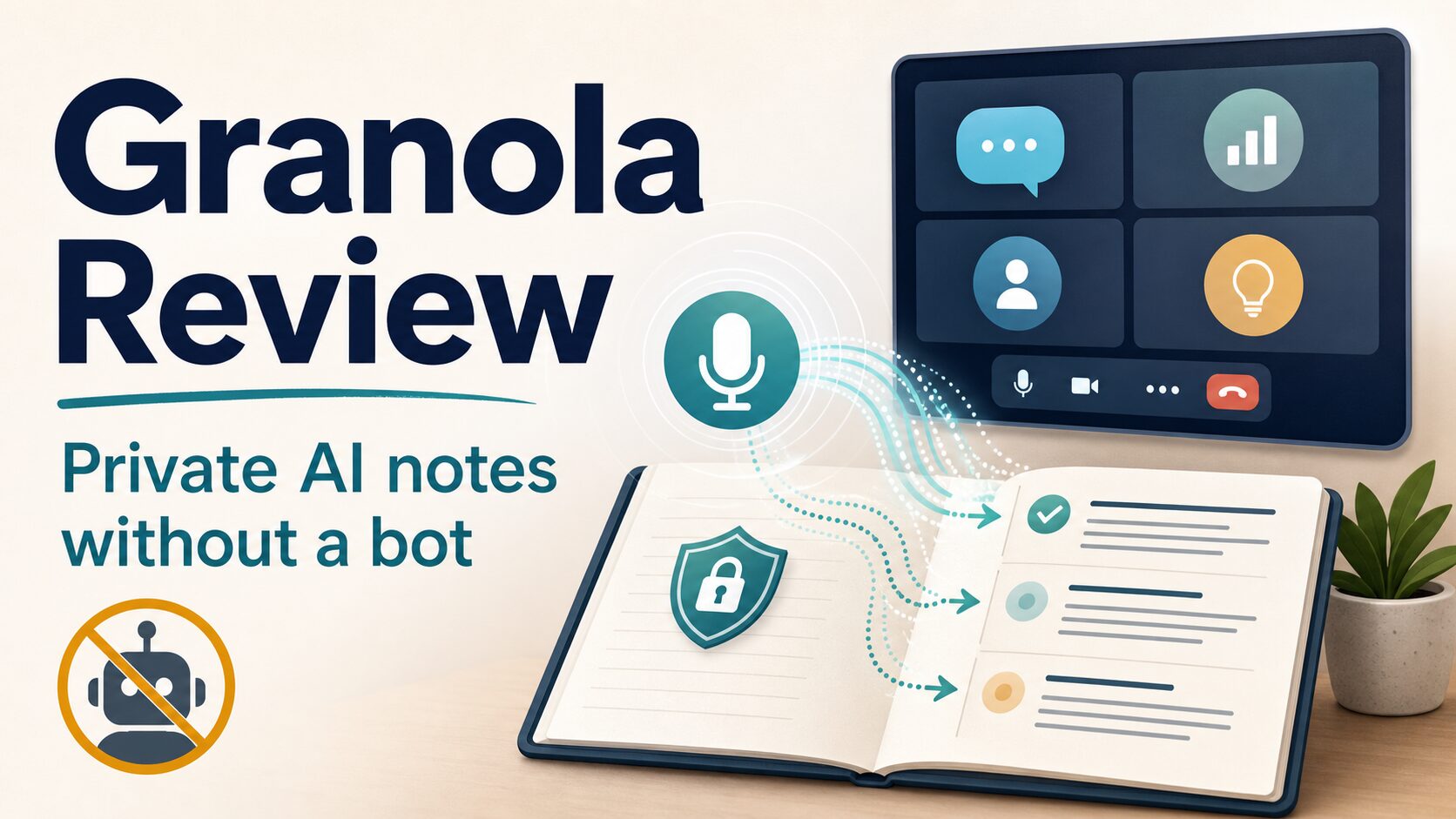
Granola Review: Private AI Notes for Meetings Without a Bot
If you want AI meeting notes but dislike having another bot join your Zoom, Meet, or Teams call, Granola is one of the more interesting options to check. It works more like an AI notepad on your own device than a visible meeting participant.
The important caveat: bot-free does not mean consent-free, risk-free, or automatically approved for client work. This Granola review focuses on official product, pricing, privacy, security, and help-center information checked on June 17, 2026.
Evidence limit: This is an official-research-only review. I did not run a hands-on product test for this article, so I avoid claims about transcript accuracy, speed, output quality, or real meeting performance.
Quick verdict: Granola is best for private note-taking, not invisible compliance
Granola is worth considering if you want AI-enhanced meeting notes without a meeting bot joining the call, and if you are willing to check consent, sharing, model-training, and retention settings before using it for real work.
It is not the safest default for regulated, confidential, legal, medical, financial, HR, or high-stakes client conversations unless your organization has reviewed the settings, data handling, and applicable consent rules.
Who Granola is best for
Good fit
- Remote workers who want notes without adding a visible bot to every call.
- Founders, recruiters, managers, and consultants who attend many back-to-back meetings.
- People who prefer a note-taking workspace with meeting memory, templates, and follow-up help.
- Teams that can set clear consent, sharing, and retention rules before rollout.
Use caution
- Client calls where recording or transcription consent is unclear.
- Workplaces that require visible recording notices or approved vendors.
- Meetings involving sensitive personal, legal, medical, financial, student, or HR data.
- Users who need verified audio recordings, exact quotes, or audited transcripts.
What Granola does
Granola describes itself as an AI notepad for back-to-back meetings. Its official site says it helps before, during, and after meetings with notes, actions, and memory without a meeting bot.
The distinction matters. On its security page, Granola says you manually start it for a meeting, it does not auto-join or auto-record, and it does not add a bot to the video call. The app accesses microphone audio and meeting audio on your computer, then transcribes and summarizes the meeting in Granola.
Granola lists availability for macOS, Windows, and iPhone. It also supports Google Workspace or Microsoft login and calendar integration, with paid-plan workflow features such as shared folders, advanced integrations, MCP, and API access.
Granola fit check: when the bot-free design helps
Granola’s biggest appeal is also the part that needs the most careful setup. A bot-free note taker can make meetings feel less crowded, but it can also make transparency easier to overlook.
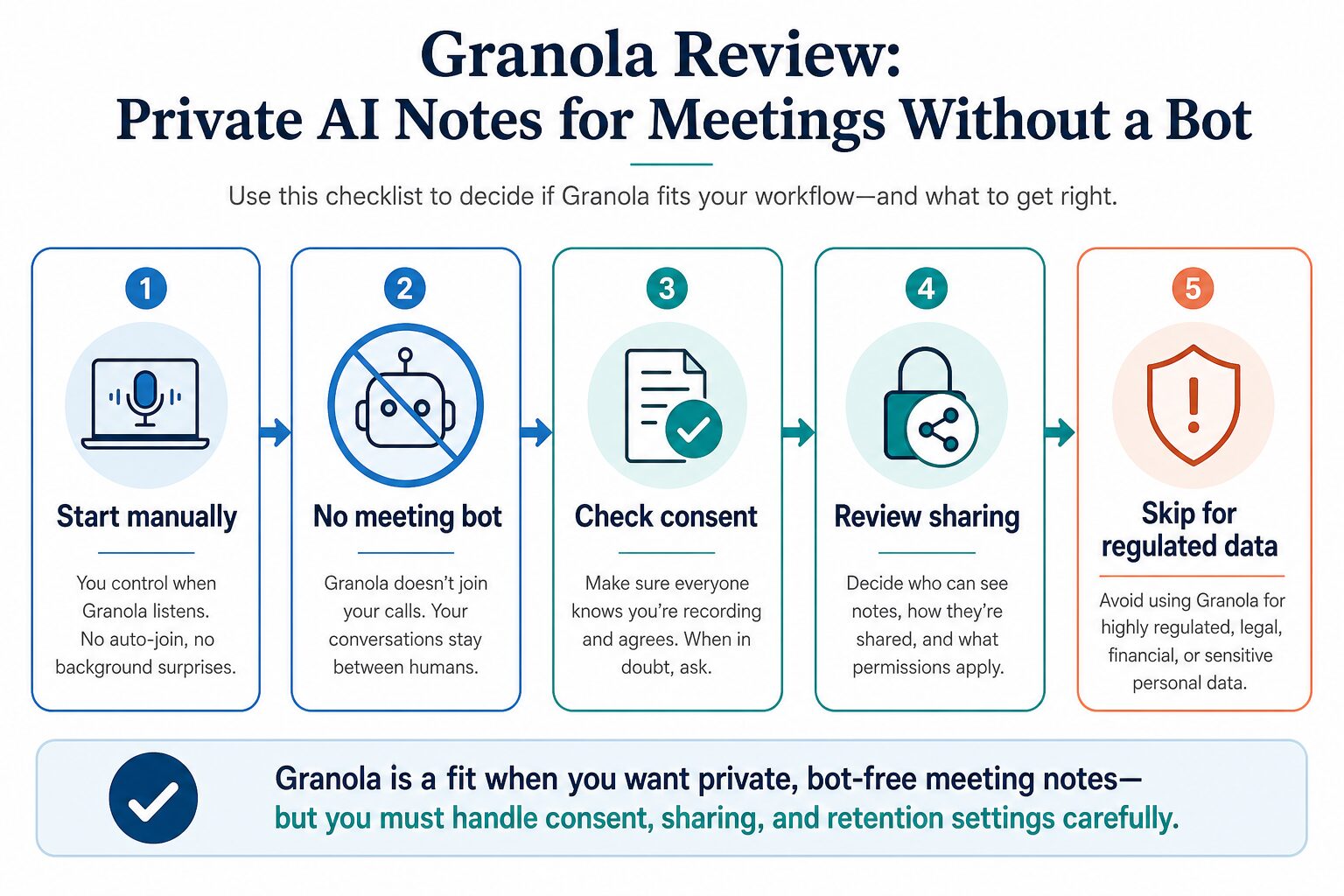
Before using Granola on work calls, treat these as setup tasks, not optional fine print:
- Tell people when you are transcribing. Granola’s consent guidance recommends asking for consent before transcribing others.
- Check local law and company policy. Granola’s automatic consent messaging docs say the feature does not replace your responsibility to follow relevant laws and workplace rules.
- Review sharing defaults. Granola’s sharing controls docs explain how to control who can view notes, folders, and workspace content.
- Decide on model-training settings. Granola’s model-training docs say non-Enterprise users may have anonymized data used to improve Granola services, but users can opt out in settings.
- Review retention. Granola’s privacy/data FAQ says notes and transcripts are retained indefinitely unless a user or admin configures a retention policy; transcript auto-deletion applies to transcripts, not notes.
Granola pricing and free plan
Pricing checked from Granola’s official pricing and billing pages on June 17, 2026.
| Plan | Official price shown | What it is for | What to check before relying on it |
|---|---|---|---|
| Basic | $0 per user/month | A free way to try Granola’s core AI meeting notes, chat, shared folders, templates, multi-language support, and model-training opt-out. | Granola’s billing docs say the free plan only lets you see and use notes from the last 30 days in the app. Older notes are retained but not accessible unless you upgrade. |
| Business | $14 per user/month | Individuals or small teams that need unlimited meeting notes and history, advanced AI features, integrations, centralized billing, MCP, and API access. | Check whether team sharing, workspace controls, and consent messaging match your company policy before rollout. |
| Enterprise | Starting at $35 per user/month | Larger companies that need SSO, SCIM, retention policy, workspace analytics, audit logs, security review, and legal review. | Confirm retention, data-use, model-training opt-out, and security review requirements directly with Granola and your legal/security team. |
Privacy and security notes to read before using Granola
Granola’s official security page says data is stored in a private AWS cloud and encrypted at rest and in transit. That is useful, but it is not the same as saying every meeting is appropriate for Granola.
For individual and Business users, the model-training docs say anonymized data may be used to improve Granola services unless the user opts out. The same docs say third-party providers are not allowed to train on user data under Granola’s agreements. Enterprise customers are opted out by default and can enforce organization-wide settings.
The practical takeaway: if you are using Granola for client calls, interviews, HR conversations, student meetings, financial planning, legal discussions, healthcare conversations, or internal strategy, check your organization’s policy first. Then configure consent, sharing, model training, and retention before real meetings.
For a broader checklist, read AI Work Toolkit’s AI meeting assistant privacy checklist.
Before you use Granola at work: a practical setup checklist
If you are evaluating Granola for real work, do the setup in this order. The goal is to avoid discovering a privacy or policy issue after meeting notes already exist.
1. Decide which meetings are allowed
Make a simple rule before installation. Granola may be fine for routine internal standups, project handoffs, recruiting screens, sales discovery, and personal note review. It may be inappropriate for legal advice, medical conversations, financial planning, disciplinary HR meetings, board discussions, confidential acquisition talks, or any client call where the contract limits transcription tools.
2. Prepare a plain consent line
Because Granola does not join as a visible bot, the disclosure needs to come from the user or from an approved workflow. A practical line is: “I use an AI note app to transcribe and summarize my meetings. Is that okay for this call?” Use your company’s approved wording if one exists.
3. Review sharing before the first real call
Open Granola’s sharing controls and decide who can view notes by default. If you work with clients, external partners, or confidential internal projects, choose the narrowest setting that still supports your workflow. Do not wait until after a sensitive call to think about link visibility.
4. Opt out of model training if your policy requires it
Granola’s model-training docs say users on any plan can opt out. If you handle client data, internal strategy, research notes, or personal information, treat that setting as part of onboarding rather than a later preference tweak. Enterprise teams should confirm whether org-wide controls are configured.
5. Export or upgrade before older Basic notes matter
The Basic plan is useful for a first look, but the free-plan history limit can surprise users who expect old meetings to remain accessible in the app. If meeting notes are part of your recordkeeping process, decide whether to export notes, upgrade, or use a different approved system before the 30-day access window becomes a problem.
Main strengths
- No meeting bot in the call. This can make the meeting experience feel cleaner than bot-joined note takers.
- Manual start by design. Granola’s official security page says users manually start it, which gives the user a chance to pause before sensitive meetings.
- Meeting notes plus memory. Granola is positioned around notes, actions, chat, and meeting memory rather than plain transcription alone.
- Clearer paid-plan path for teams. Business and Enterprise plans add collaboration, integration, billing, API, and admin/security capabilities.
Main limitations
- Official-research-only confidence. Without a hands-on test in this article, I cannot evaluate transcript accuracy, summary quality, speaker attribution, or day-to-day reliability.
- Consent still matters. A bot-free tool can be less visible to participants, so the user has to be more deliberate about disclosure.
- Basic plan history is limited in the app. The free plan can be useful for trial use, but the billing docs’ 30-day accessible-history limit is important for anyone who needs durable records.
- Sharing and retention need setup. The safest use depends on workspace settings, link permissions, transcript retention, and internal policy.
Granola alternatives to compare
If you are still deciding, compare Granola by meeting type rather than by hype.
- Use the best AI meeting assistants for remote workers guide if you want a broader category view.
- Read Otter alternatives if transcription, meeting summaries, and team workflows are your main comparison points.
- Use the Fathom vs Fireflies comparison if visible meeting bots and client-call workflows are acceptable in your environment.
- Read the Wispr Flow review if your real need is voice dictation after meetings, not automated meeting notes.
FAQ
Is Granola free?
Granola’s pricing page lists a Basic plan at $0 per user/month. Its billing docs say the free plan includes core features but only lets users see and use notes from the last 30 days in the app.
Does Granola join meetings as a bot?
Granola’s official security page says it does not add a bot to the video call. The user manually starts Granola, and the app accesses microphone and meeting audio on the user’s computer.
Is Granola safe for client calls?
It depends on your consent rules, company policy, client expectations, data sensitivity, sharing settings, model-training settings, and retention requirements. Do not treat a bot-free design as automatic approval for sensitive client calls.
Does Granola use meeting data for AI training?
Granola’s model-training docs say non-Enterprise users may have anonymized data used to improve Granola services, but users can opt out in settings. Enterprise customers are opted out by default, according to those docs.
Final recommendation
Try Granola first if you want private, bot-free meeting notes and you can responsibly manage consent, sharing, model-training, and retention settings. The Basic plan is enough for a cautious first look, but its accessible-history limits matter if you depend on old notes.
Skip or delay Granola if your workplace requires visible meeting bots, formal vendor approval, audited transcripts, exact quote verification, or strict handling of regulated data. In those cases, use your organization’s approved recording/transcription workflow first, then compare AI note tools inside that policy.