Best Transcription Software for Students, Interviews, and Meetings
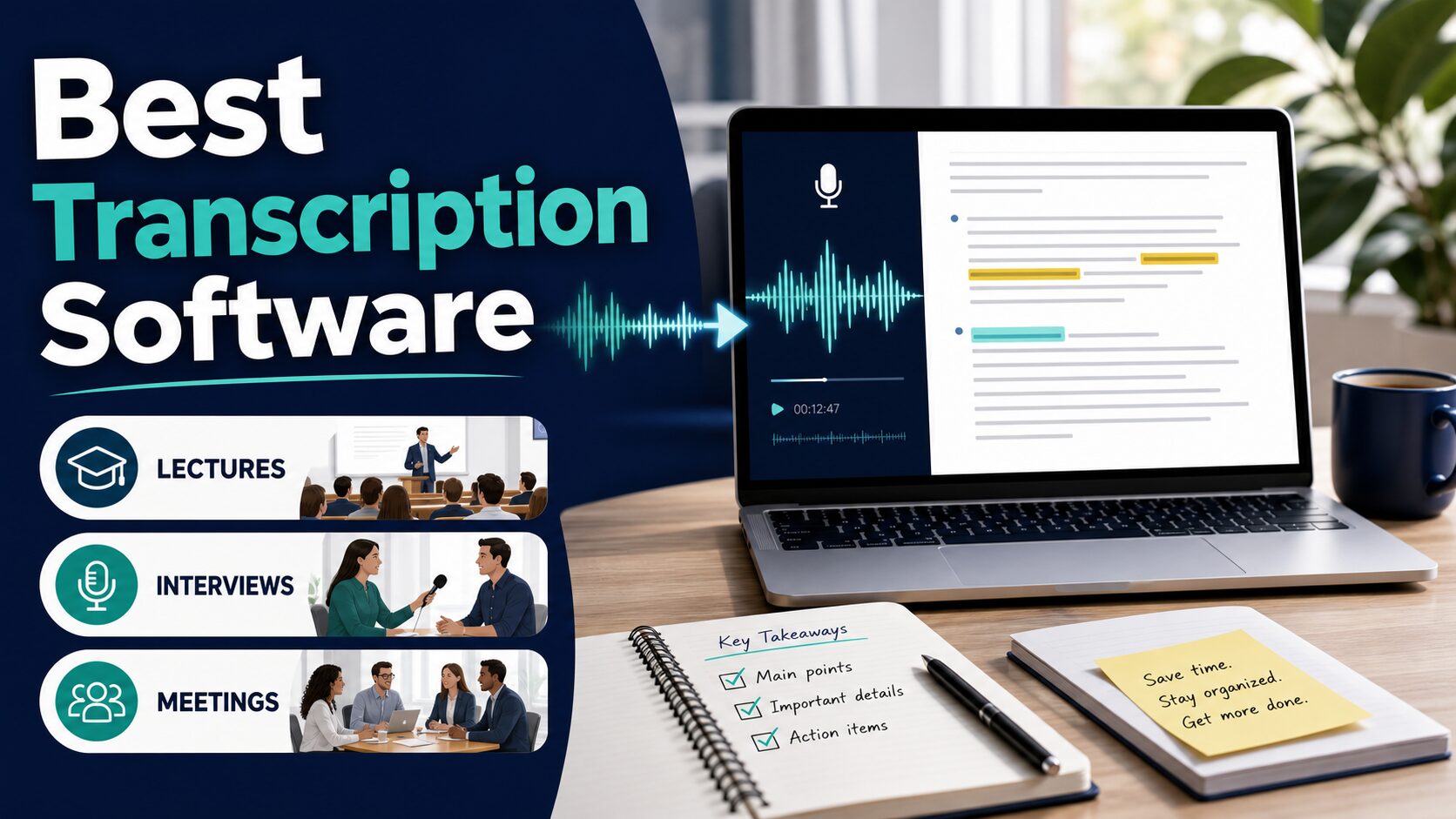
The best transcription software is not the tool with the longest feature list. It is the tool that matches the audio you actually need to capture: a lecture, a research interview, a live meeting, a podcast clip, a video file, or a private recording that should not be uploaded casually.
Quick Verdict
For most students and knowledge workers, start with Otter.ai if you want a familiar lecture or meeting-notes workflow, Fireflies.ai if searchable meeting history and integrations matter, Notta if multilingual web meetings and file uploads matter, Sonix if your real work is uploaded audio/video files, subtitles, and transcript editing, Rev if you may need AI plus human transcription options, Descript if transcription is part of editing podcasts or videos, and Whisper/OpenAI audio API only if you or your team can handle a developer workflow.
Evidence limit: This guide is official-research-only. Product pages, pricing pages, security pages, and data-use documentation were checked on June 5, 2026. It does not claim hands-on accuracy testing, speed testing, noisy-audio testing, or output-quality rankings.
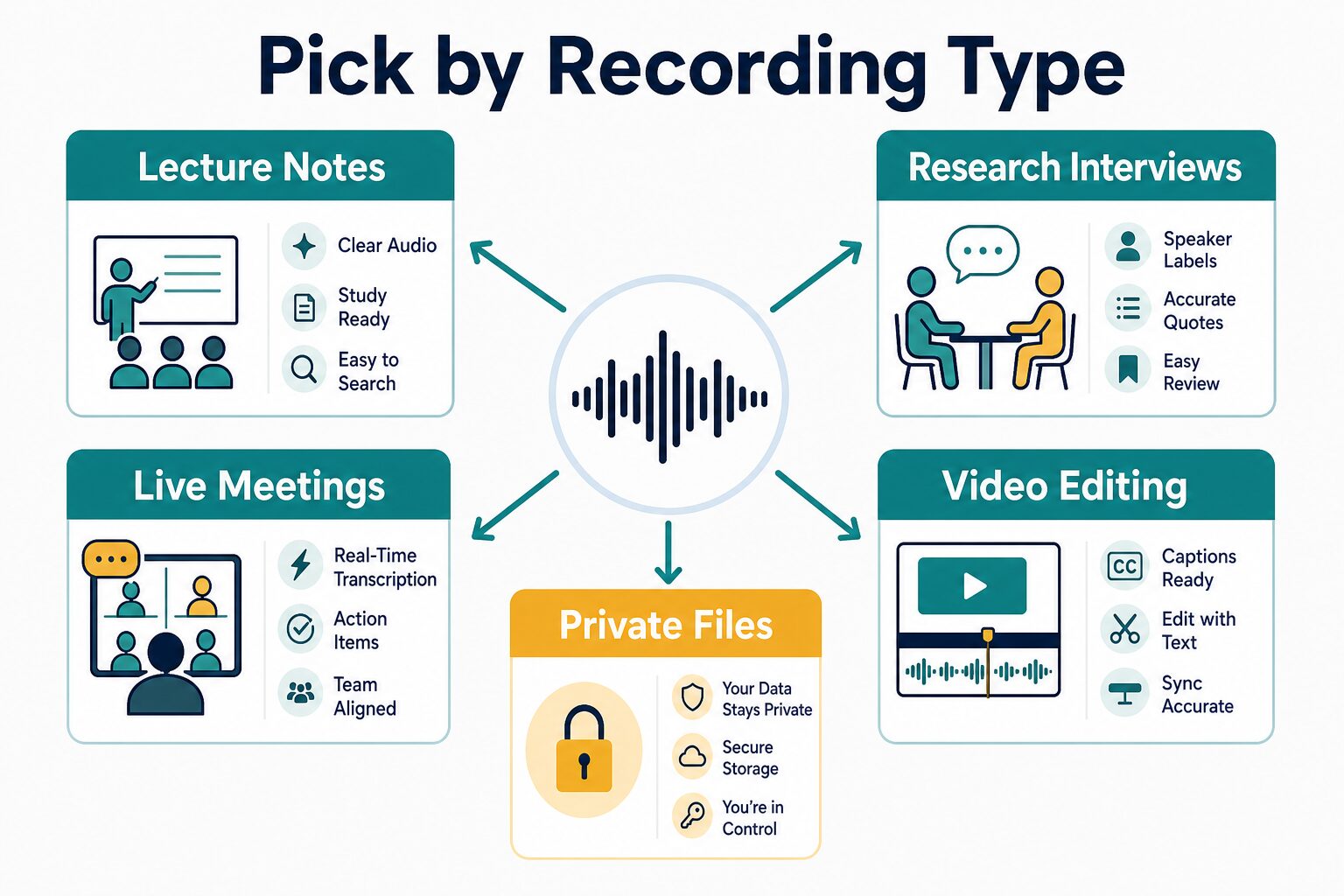
Fast choice: Pick by recording type first. Then check monthly minutes, per-recording caps, export formats, storage, sharing permissions, consent rules, data retention, and whether the exact plan you would buy has the controls you need.
Best Transcription Software: Quick Comparison
| Tool | Best fit | Official entry point checked | Who should skip it |
|---|---|---|---|
| Otter.ai | Lectures, meetings, live notes, and searchable conversation history. | Basic free plan lists 300 monthly transcription minutes and 3 lifetime audio/video file imports. | People who need strict training, retention, or enterprise privacy controls should review terms carefully before uploading sensitive audio. |
| Fireflies.ai | Meeting notes, searchable archives, team integrations, and follow-up workflows. | Free plan lists unlimited transcription, limited AI summaries, and 800 minutes of storage per seat. | Students who only need occasional lecture notes may find the meeting-workflow focus heavier than necessary. |
| Notta | Multilingual transcription, web meetings, mobile capture, and uploaded files. | Free plan lists 120 transcription minutes/month and up to 3 minutes per conversation. | Anyone whose normal lectures, interviews, or meetings exceed the free plan’s short per-conversation cap. |
| Sonix | Audio/video file transcription, subtitles, translation, and transcript editing. | 30 free trial minutes; pay-as-you-go listed at $10/hour. | People who mainly want a calendar meeting assistant to join live calls automatically. |
| Rev | AI transcription with an upgrade path toward human transcript/caption services. | Free subscription tier lists 45 AI transcription/caption minutes/month; AI pay-per-minute pricing is also listed in Rev help. | High-volume students or creators who only need low-cost automated drafts may find pay-per-minute costs add up. |
| Descript | Creators editing podcasts, webinars, screen recordings, and video content from text. | Free plan lists 60 media minutes/month; Hobbyist starts at $16/person/month billed annually. | Students who only need plain lecture transcripts and do not need audio/video editing tools. |
| Whisper / OpenAI audio API | Developer-controlled transcription workflows, prototypes, and custom apps. | OpenAI platform docs list Whisper transcription pricing; public pricing also lists GPT-Realtime-Whisper. | Non-technical readers who need a ready-to-use app, sharing controls, transcript editor, or customer support. |
How To Choose Transcription Software
Start with the recording, not the brand name. A lecture recorder, a meeting assistant, a podcast editor, and an API are different tools even when all of them create transcripts.
- Identify the audio source. Is it a live lecture, a Zoom meeting, a research interview, a podcast, a video file, or an internal voice memo?
- Check capture method. Some tools send a bot into meetings. Some record locally or from a mobile app. Others are strongest for uploaded files.
- Check limits before paying. Look at monthly minutes, per-file limits, per-meeting caps, file uploads, storage, AI summaries, and export access.
- Check output format. Students may need searchable notes. Interviewers may need speaker labels and quotes. Creators may need captions, subtitles, or text-based editing.
- Check privacy before using real audio. Audio can include other people’s personal information. Consent, retention, sharing, deletion, and training terms matter.
Best Picks By Use Case
Otter.ai: best first check for lectures and live meeting notes
Otter.ai is a sensible first check when the use case is lecture notes, class discussions, seminars, team meetings, or interviews where searchable conversation history matters. Its official pricing page lists live transcription, speaker identification, audio recording playback, mobile apps, and 300 monthly transcription minutes on the Basic free plan.
On the official pricing page checked for this article, Otter Pro was listed at $16.99 per user/month monthly or $8.33 per user/month billed annually, while Business was listed at $30 monthly or $19.99 annually. The same page lists larger meeting limits, more imports, exports, advanced search, admin features, SSO/SCIM, and HIPAA compliance as an enterprise add-on depending on plan.
Use it when: you want a familiar transcription-and-notes workflow for lectures or meetings and the free-plan limits fit your first tests.
Skip or pause when: the audio includes sensitive student, client, HR, legal, medical, or financial content. Otter’s privacy policy says it collects audio recordings and uses audio/transcripts to provide and improve services, so privacy review is part of the decision.
Fireflies.ai: best for meeting archives and integrations
Fireflies.ai is strongest when transcription is part of a meeting system. Its official pricing page lists Zoom, Google Meet, Microsoft Teams, real-time notes, meeting search, AskFred, upload support, desktop/mobile apps, and API access on the free plan. It also lists unlimited transcription and 800 minutes of storage per seat on the free tier.
Paid annual plans were listed from $10 per seat/month for Pro, $19 for Business, and $39 annual-only for Enterprise. Business and Enterprise features include larger storage, video recording, multi-language mode, team analytics, SSO/SCIM, audit logs, HIPAA-related controls, private storage, custom data retention, and admin roles.
Use it when: meetings need to become searchable records with follow-up actions, integrations, and team workflows.
Skip or pause when: you are a student transcribing occasional lectures or interviews and do not need a meeting archive. Also verify participant consent before inviting any meeting assistant into calls.
Notta: best for multilingual meetings and flexible capture
Notta is worth checking when the audio may be multilingual, mobile, web-meeting based, or uploaded from files. Its official pricing page lists web-meeting transcription for Zoom, Google Meet, Microsoft Teams, and Webex, plus speaker identification, exports, transcript translation, custom vocabulary, and team controls on higher plans.
The free plan was listed as 120 transcription minutes/month, up to 3 minutes per conversation, 50 file uploads/month, and 10 AI summaries/month. Pro was listed at $8.17/month billed annually with 1,800 transcription minutes/month and up to 5 hours per recording. Business was listed at $16.67/month billed annually with unlimited transcription and advanced data security controls.
Use it when: your recordings move across web meetings, mobile capture, uploads, and multilingual contexts.
Skip or pause when: you need to evaluate normal-length lectures or interviews on the free plan. The 3-minute per-conversation limit is too short for many real student and interview workflows.
Sonix: best for file transcription, subtitles, and transcript editing
Sonix fits a different use case from a meeting assistant. Choose it when you already have audio or video files and need transcription, translation, subtitles, transcript editing, exports, or collaboration around media files.
The official pricing page lists a 30-minute free trial, pay-as-you-go transcription and translation at $10/hour, Core at $25/month, Advanced at $50/month, and Pro at $80/month. The same page lists 54+ languages, storage limits by plan, AI workspace usage, and additional hours billed at $10/hour on subscription plans.
Sonix’s security page says data is encrypted in transit using TLS and at rest with AES-256, that it is SOC 2 Type II certified, and that Sonix does not use customer data to train its models.
Use it when: the work is uploaded lecture audio, interviews, podcasts, videos, captions, subtitles, or transcript cleanup.
Skip or pause when: you need a live meeting bot that automatically joins calendar calls and creates action items.
Rev: best when AI transcription may not be enough
Rev is useful when you want automated transcription but may later need human transcript, caption, subtitle, or compliance-oriented services. Its official pricing page lists a Free tier with 45 AI transcription and caption minutes/month, Essentials from $25.49 per seat/month billed yearly, and Pro from $47.99 per seat/month billed yearly. Rev’s help center also lists AI transcription orders at $0.25 per audio minute on pay-per-minute plans.
Rev’s security page lists SOC 2 Type II, PCI, HIPAA, and CJIS-related controls depending on service and tier, and says file access is controlled by links or invitations rather than public search indexing.
Use it when: you need a vendor path that can move beyond rough AI drafts into higher-touch transcript/caption workflows.
Skip or pause when: you have many hours of routine audio and only need low-cost automated drafts. Pay-per-minute transcription can become expensive at volume.
Descript: best for creators who edit from the transcript
Descript is not just a transcription tool. It is a creator editor where the transcript becomes part of the editing interface for podcasts, screen recordings, webinars, and video projects. Its official pricing page lists a free plan at $0 with 60 media minutes/month, while Hobbyist was listed at $16/person/month billed annually or $24 monthly.
The same pricing page lists multi-language transcription, speaker detection, projects, captions, exports, AI credits, and media hours by plan. Descript’s security page says it has achieved SOC 2 Type II compliance and encrypts uploaded data at rest and in transit.
Use it when: the transcript is part of editing a podcast, tutorial, webinar, or video deliverable.
Skip or pause when: you only need text notes from lectures or interviews. A full media editor can be unnecessary if you never edit audio or video.
Whisper / OpenAI audio API: best for developers, not casual note-taking
Whisper and OpenAI audio transcription tools belong in this comparison because many readers see them mentioned as low-cost AI transcription options. But they are not the same as a ready-to-use student app. You need an API key, file handling, billing controls, privacy review, and a way to store, edit, and export transcripts.
OpenAI platform pricing docs list Whisper transcription pricing, while OpenAI’s public pricing page lists GPT-Realtime-Whisper at $0.017 per minute. OpenAI’s platform data controls page says API data is not used to train or improve OpenAI models unless the customer explicitly opts in.
Use it when: you are building a custom transcription workflow, prototype, internal tool, or batch-processing setup with developer support.
Skip or pause when: you need a normal app with meeting capture, speaker editing, sharing permissions, admin controls, and support.
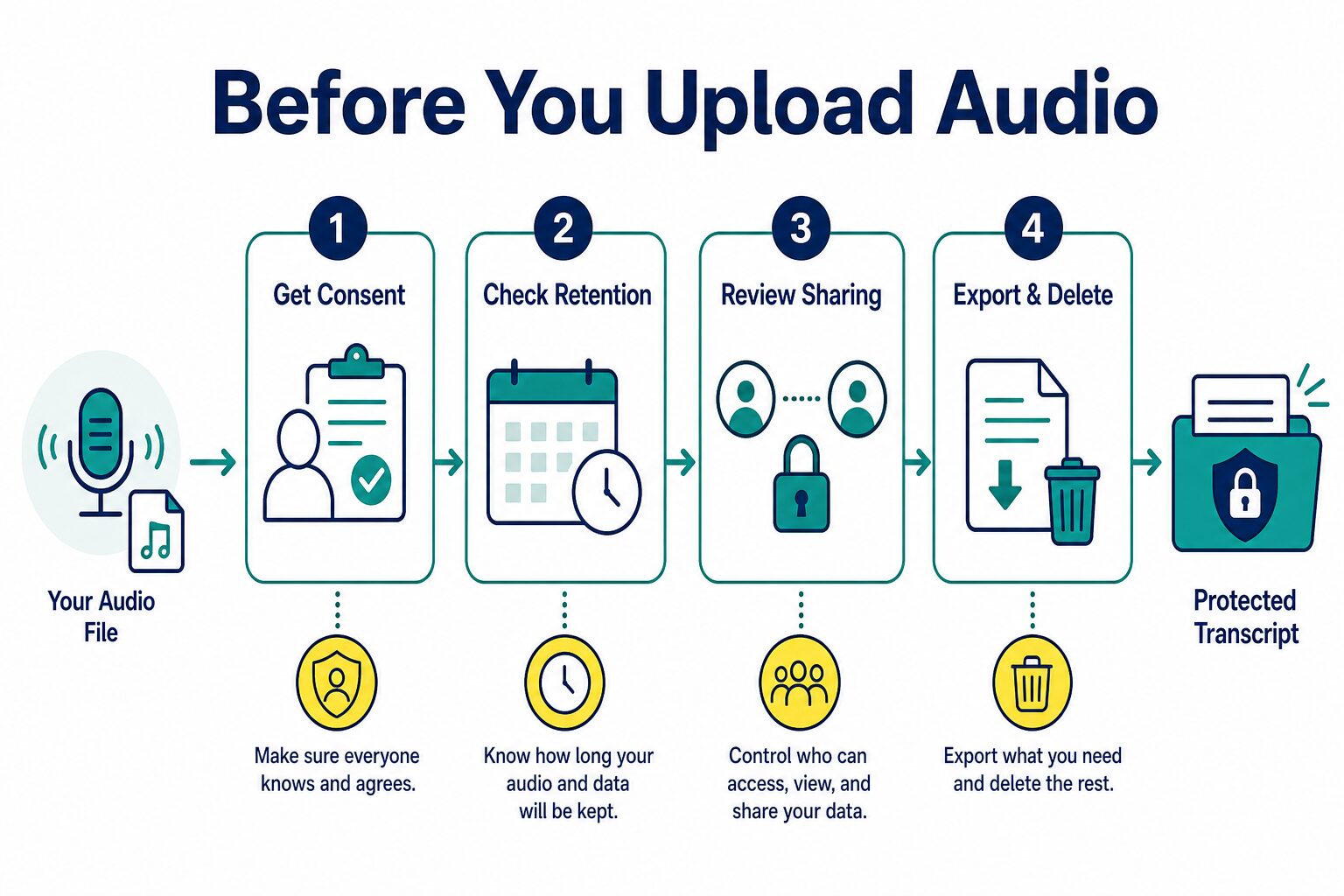
Privacy and Consent Checks Before Uploading Audio
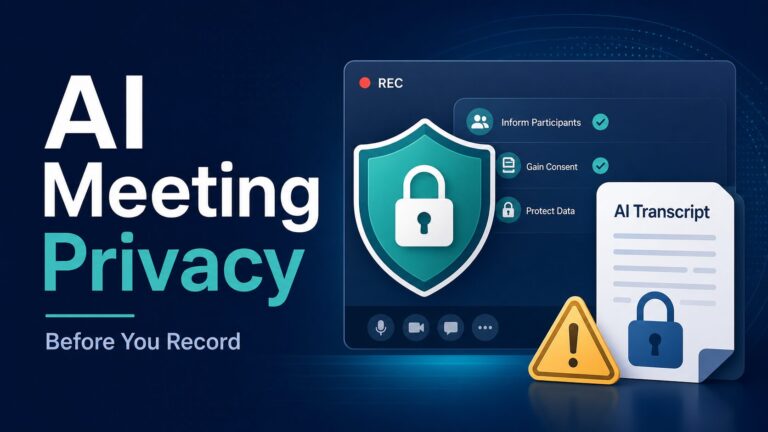
Audio is riskier than a normal prompt because it can capture other people, private context, names, meeting details, and opinions that were never meant to become a searchable transcript. Before using transcription software for real work, check these items:
- Consent: Does everyone know the call, lecture, or interview is being recorded or transcribed?
- Retention: Can you delete audio, transcripts, summaries, and shared links when the project ends?
- Sharing: Who can view files by default, and can public or link-based access be disabled?
- Model training: Does the vendor use customer audio or transcripts for model improvement, and can you opt out?
- Exports: Can you export text, captions, or files in the format you need before canceling?
- Admin controls: Does the plan you would actually buy include SSO, audit logs, retention controls, roles, or data-processing terms?
- Restricted data: Do not upload medical, legal, financial, HR, student-record, client-confidential, or regulated audio unless your organization has approved the tool and plan.
For a broader checklist, read the AI tool privacy checklist for professionals before adding any AI transcription tool to sensitive work.
Free Plan vs Paid Plan: What To Check
Free transcription plans are useful for low-risk tests, but the headline “free” can hide limits that matter in real work. Check these details before you evaluate a tool:
- Monthly minutes: Is the limit enough for your normal week?
- Per-conversation cap: A generous monthly allowance is less useful if each recording is capped at a few minutes.
- File uploads: Some plans limit imported audio/video files differently from live meeting recordings.
- Exports: Confirm whether text, PDF, DOCX, SRT, VTT, captions, or audio exports are available on the plan.
- Storage/history: Can you access old transcripts after a semester, research project, or client engagement ends?
- AI summaries: Transcription minutes and AI-summary credits may be separate limits.
- Annual billing: Many low prices are annual rates. Monthly pricing may be materially higher.
Which Tool Should You Try First?
- For lecture notes: try Otter.ai first if the free minutes fit, then compare Notta if language support matters.
- For research interviews: compare Sonix, Rev, and Notta, then choose based on export formats, speaker labels, privacy needs, and review effort.
- For live work meetings: compare Fireflies.ai with our best AI meeting assistants for remote workers guide.
- For Otter-specific switching: read Otter alternatives before replacing an existing workflow.
- For creators: start with Descript if editing the audio/video is as important as getting the transcript.
- For developers: use Whisper/OpenAI audio API only if your team can manage billing, storage, security, and the app layer.
FAQ
What is the best transcription software for students?
For lecture and class-note workflows, Otter.ai is the first official-research pick to check because its free plan includes monthly transcription minutes and live transcription features. Notta is also worth checking for multilingual or web-meeting workflows, but its free plan has a short per-conversation limit.
What is the best transcription software for interviews?
For uploaded interview files, compare Sonix, Rev, and Notta. Sonix is strong for file transcription and transcript editing, Rev is useful if you may need human transcription later, and Notta is useful when multilingual or meeting capture matters. This guide does not claim hands-on accuracy testing.
What is the best transcription software for meetings?
Fireflies.ai is the strongest official-research pick here for searchable meeting history and integrations. Otter.ai is also a practical meeting and lecture note option. If your question is specifically about meeting assistants, compare this with our AI meeting assistants guide.
Is Whisper better than transcription apps?
Whisper/OpenAI audio API can be useful for developers, but it is not automatically better for a student or professional who needs an app. Apps usually add capture, storage, speaker labels, editing, exports, sharing, and admin controls. APIs give more control but require more setup.
Can I use transcription software for client or class recordings?
Only after checking consent, school or workplace policy, the vendor’s terms, and the sensitivity of the audio. Do not upload confidential or regulated audio to a free plan just because transcription is convenient.
Final Recommendation
Use a low-risk sample first. If you need lecture notes, start with Otter.ai and compare Notta if language support matters. If you need meeting history, compare Fireflies.ai and Otter.ai. If you work from audio or video files, compare Sonix, Rev, and Descript by export and editing needs. If you are building a custom workflow, look at Whisper/OpenAI audio API only after privacy, storage, and billing controls are clear.
The best transcription software is the one that fits the recording type, lets you review the transcript safely, gives you the exports you need, and does not force sensitive audio into a plan without the right controls.