6 Best AI Resume Builders: Free Export and English Fit
The best AI resume builder is the one that lets you create a truthful resume, export a usable file, and understand what happens to your career data. For most job seekers, Teal is the best first check because its official pages clearly describe unlimited free resume versions and PDF/DOC exports. Kickresume is the simpler guided alternative for a resume-and-cover-letter workflow. If your layout is already finished, skip a full builder and use a writing assistant only for English polish.
This comparison covers six tools, but it is not six interchangeable recommendations. Teal, Kickresume, Enhancv, and Resume.io are builder choices. Grammarly and ChatGPT are supporting writing tools. That distinction matters when the real problem is export format, job tracking, truthful tailoring, or sentence-level English.
Evidence note: Official product, pricing, help, privacy, and trust pages were rechecked on July 15, 2026. This is official-source research, not a new hands-on product test. Product marketing claims are not treated as measured interview, ATS, accuracy, or output-quality results.
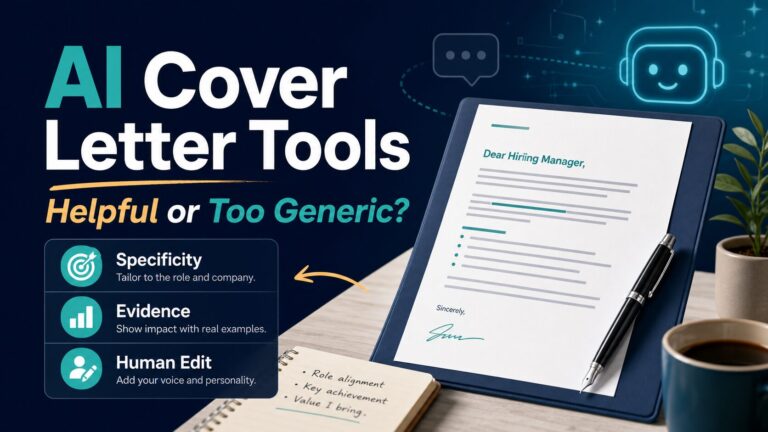
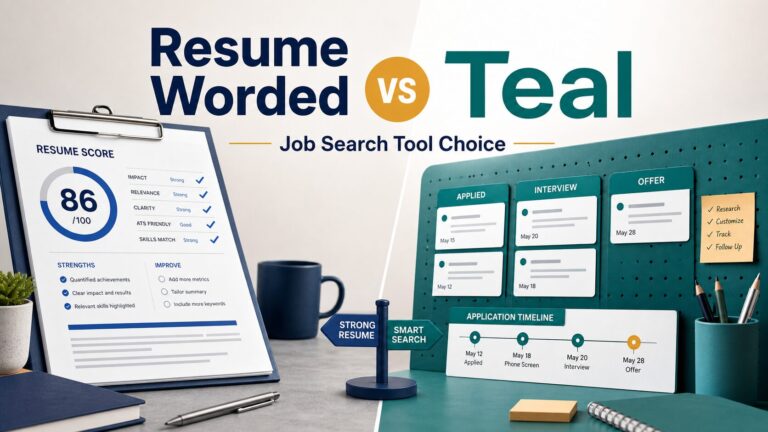
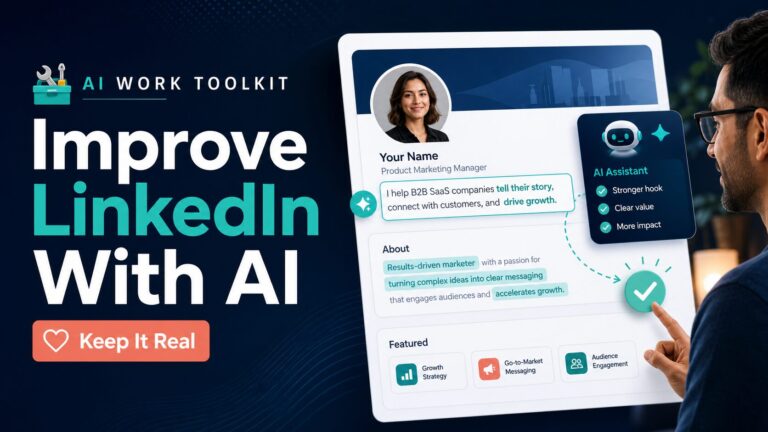
For adjacent career-writing help, use this page with our guides to resume writing tools for non-native English speakers, AI cover letter tools, improving your LinkedIn profile without sounding fake, and the focused Resume Worded vs Teal comparison.
Quick Verdict: Best AI Resume Builders by Use Case
| Use case | Tool to check first | Why it fits | Check before you pay |
|---|---|---|---|
| You want the clearest free starting point for multiple resume versions, job tracking, matching, and exports. | Teal | Teal explicitly says you can build, edit, and export unlimited resumes as PDF or DOC for free. | Whether you need paid advanced analysis, keyword matching, design, or AI-writing limits. |
| You want a guided resume builder plus cover-letter and career tools. | Kickresume | Kickresume says downloads remain free when you use free customization options; its workflow also covers cover letters. | Whether the free templates are enough, and which AI, checker, import, or customization features require Premium. |
| You need a stronger visual story for design, marketing, executive, portfolio, or career-change positioning. | Enhancv | Enhancv combines visual templates, resume checking, and job-ad tailoring in a design-forward workflow. | The seven-day free-plan limit, branding, section limits, regional checkout, and employer format expectations. |
| You like polished templates and are willing to read subscription terms carefully. | Resume.io | Resume.io lists one free resume and cover letter, but free downloads are TXT only; PDF access is tied to paid/trial paths. | Trial auto-renewal, regional currency, refund/cancellation terms, and its current privacy choices before upload. |
| Your resume structure is mostly done, but your English sounds awkward or too generic. | Grammarly | It supports grammar, tone, and sentence rewriting after your resume facts and structure are already stable. | Whether your school, employer, recruiter, or application process allows AI writing help. |
| You want flexible brainstorming for bullet points, summaries, and role-specific phrasing. | ChatGPT | It can draft alternate wording, but you still need a separate layout/export workflow and strict fact-checking. | Data controls, plan limits, privacy settings, and whether the resume includes sensitive employer or client details. |
If you only remember one rule, use a resume builder for structure and exports, then use a writing assistant for wording. Do not rely on any AI tool to invent achievements, infer dates, create credentials, or exaggerate results you cannot defend in an interview.
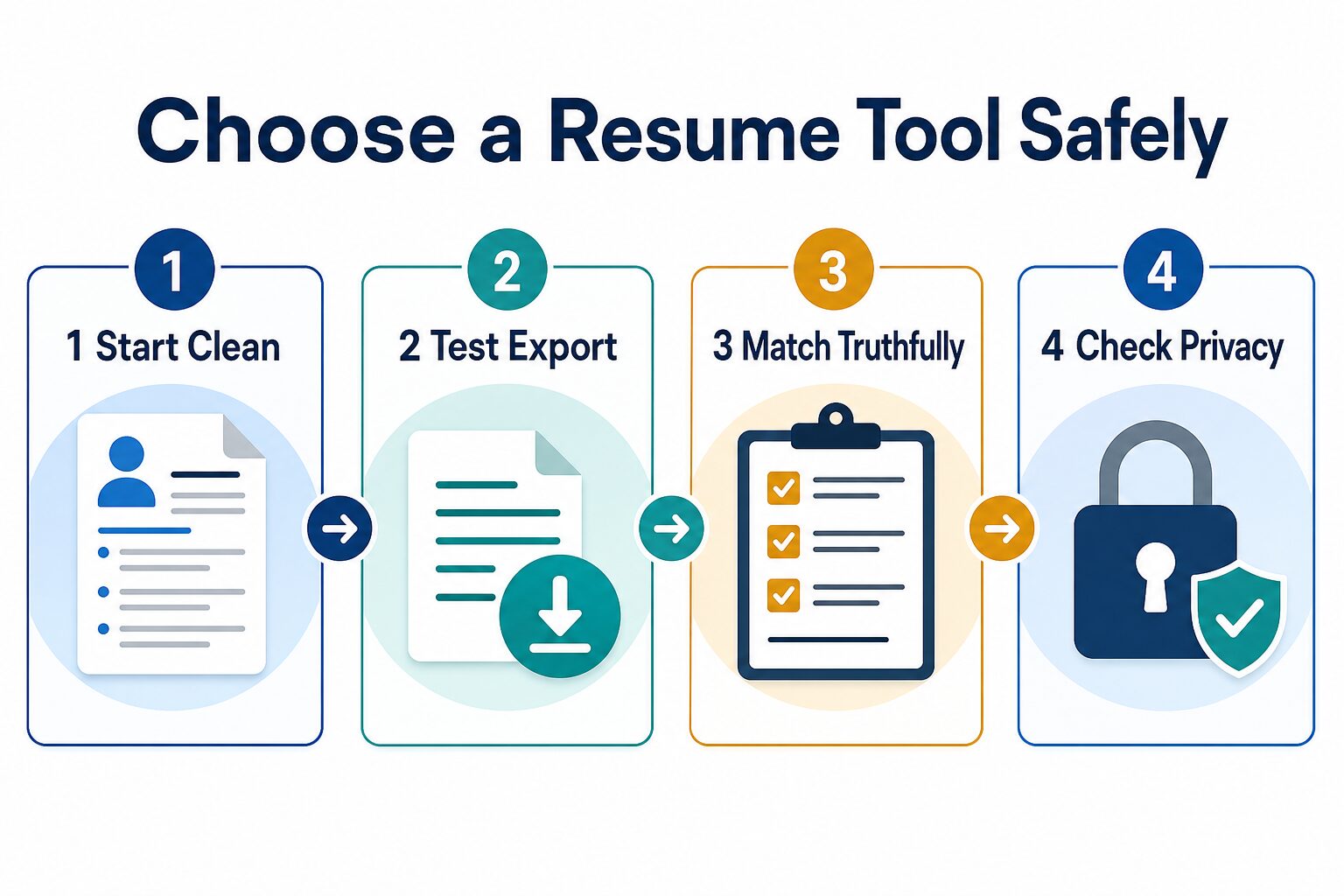
Run This 15-Minute Three-File Test Before Paying
A builder can look helpful until export or billing blocks the final step. Test it with three small files before uploading your complete resume: a low-risk resume copy, one real job description, and one exported result.
- Start clean: duplicate your resume and remove your phone number, street address, private client names, confidential project details, and other data the test does not need.
- Test export first: create a one-page version and download the format you actually need. Open the PDF, DOC, or TXT file outside the builder and check headings, dates, bullets, spacing, links, and copy/paste order.
- Match truthfully: add one real job description. Accept only suggestions supported by your actual skills and work. Reject invented metrics, responsibilities, credentials, tools, and dates.
- Check privacy and exit: find the billing interval, renewal, cancellation, refund, account deletion, data-sharing, and AI-processing terms before adding full career history or payment details.
Pass rule: continue only if the exported file is usable, every tailored claim is defensible in an interview, and the data/billing terms are acceptable. Otherwise, keep the plain document and try a different tool.
How To Choose an AI Resume Builder
The strongest resume-builder page is not the one with the longest tool list. It is the one that helps you avoid three common mistakes: paying before you can export, letting AI make your experience sound fake, and uploading too much private career data into a service you have not reviewed.
Use these checks before choosing:
- Export reality: confirm whether the free plan lets you download PDF, DOCX, TXT, or only a limited format/template.
- Resume versioning: if you apply to many jobs, you need role-specific versions, not one generic resume.
- Job-description matching: look for support that helps align truthful experience with a real job description without fabricating skills.
- English polish: decide whether you need a full builder or just clearer bullet wording and professional tone.
- Privacy and AI processing: read how resumes, cover letters, job descriptions, LinkedIn imports, work history, education, and AI features are handled.
- Billing terms: verify trial length, auto-renewal, refund policy, cancellation steps, and regional currency before entering payment details.
Career ethics rule: AI can help you translate real experience into clearer English. It should not create fake responsibilities, inflated metrics, false certifications, hidden employment dates, or claims you would not be comfortable explaining to a recruiter.
Best AI Resume Builder Options
1. Teal: Best First Check for Free Exports and Job Tracking
Teal is the first tool I would check if you want a resume builder that also organizes the job-search workflow. Its official free resume builder page says users can build, edit, and export unlimited resumes as PDF or DOC for free. The pricing page lists Teal+ at $13 every seven days, $29 every 30 days, or $79 every 90 days as of July 15, 2026, with deeper analysis, keyword matching, design, and AI features. Verify the current checkout before paying.
Best for: job seekers applying to multiple roles who need resume versions, job tracking, job-description matching, and a clear path to exporting a usable resume.
Skip it when: you only need a single visual resume, do not care about job tracking, or prefer a heavily designed template-first experience.
Privacy check: Teal’s privacy policy describes AI-powered resume and job-description processing, including possible third-party AI service providers. Treat resumes and job descriptions as sensitive career data before uploading them.
2. Kickresume: Best for a Guided Resume and Cover-Letter Workflow
Kickresume is a strong option if you want a guided builder with resume templates, cover-letter tools, examples, and AI writing features in one place. Its official homepage describes the broader career workflow, while the pricing page says downloads are free as long as you use free customization options. Premium adds more templates, AI Writer, ATS Resume Checker, LinkedIn/PDF import, mobile access, and customization. The pricing page displayed a limited-time discount during this review, so confirm the non-promotional renewal price at checkout.
Best for: job seekers who want a structured resume and cover-letter workflow, especially if they need examples and guided writing prompts.
Skip it when: you want the simplest possible resume-only workflow and do not want to sort through premium templates or broader career features.
Privacy check: Kickresume presents EU/GDPR privacy and data-protection positioning on its pricing page. Still, do not upload confidential employer or client details just to improve phrasing.
3. Enhancv: Best for Visual Storytelling and Career-Change Narratives
Enhancv is worth checking when a plain chronological resume does not tell the story well: career change, portfolio-heavy work, design/marketing roles, executive positioning, or a resume that needs stronger achievement sections. Its official homepage describes resume checking, AI writing, one-click job tailoring, templates, and broader job-search support. On July 15, the pricing page described a seven-day free plan with Enhancv branding, all templates and design tools, basic sections, and a 12-item limit. Confirm regional paid pricing, renewal, branding, and export terms at checkout.
Best for: job seekers who need visual presentation, story framing, resume feedback, or a broader job-search support suite.
Skip it when: the employer asks for a very plain resume format, or when you only need simple text export without trial or design decisions.
Privacy check: Enhancv’s privacy policy lists categories such as contact details, billing details, employment history, and education history. Review it before uploading a resume with sensitive work history or private employer details.
4. Resume.io: Best Only After You Understand the Free and Trial Limits
Resume.io can be useful if you like its templates and want a familiar resume/cover-letter builder. Its pricing page lists a free plan with one resume and cover letter, but downloads are TXT only. During this July 15 review, the regional page displayed a seven-day £2.95 trial that auto-renews at £19.95 every four weeks, plus a £49.95 quarterly option. Currency and terms can vary, so treat those numbers as a dated regional snapshot and verify your own checkout before paying.
Best for: job seekers who like Resume.io’s template style and are willing to verify the exact free export, trial, renewal, refund, and cancellation terms first.
Skip it when: you want broad free export freedom, dislike auto-renewal risk, or do not want to manage a trial deadline while job searching.
Privacy check: Resume.io’s privacy policy says it processes contact, employment, education, resume, and other job-related data. Its current U.S. policy also describes consent-based use of resume data for targeted advertising and sale to third parties, including data brokers. Review the current consent and privacy-choice controls before uploading a full resume.
5. Grammarly: Best Supporting Tool for English Polish
Grammarly is not a resume builder, but it can be useful after your resume structure is in place. It can make bullet points clearer, reduce awkward phrasing, and polish professional English for resumes, cover letters, LinkedIn summaries, and follow-up emails. On July 15, the official plans page listed Free, Pro at $12 USD per month with a seven-day trial, and Enterprise. The Trust Center explains Grammarly’s security, privacy, compliance, and responsible-AI controls.
Best for: job seekers who already have their facts and format, but want clearer and more natural professional English.
Skip it when: you need resume templates, ATS-format guidance, export management, or a complete job-search dashboard.
If sentence-level English is the real blocker, read our guide to grammar checkers for non-native English speakers before buying a resume-specific subscription.
6. ChatGPT: Best Flexible Drafting Assistant, Not a Complete Resume Builder
ChatGPT can help brainstorm bullet points, rewrite rough summaries, tailor language to a job description, and turn notes into cleaner resume language. It does not replace a resume builder’s templates, formatting checks, or export workflow. The official pricing page lists Free, Go, Plus, Pro, Business, and Enterprise plan families with different access and controls. OpenAI’s Data Controls FAQ explains how signed-in users can turn off “Improve the model for everyone” before pasting a resume draft.
Best for: drafting alternate bullet wording, simplifying dense experience, preparing a resume summary, or comparing how to frame the same achievement for different job descriptions.
Skip it when: you need a ready-to-export resume design, built-in resume checker, strict template management, or plan controls you have not reviewed.
Ethics rule: never ask ChatGPT or any resume builder to invent metrics, employers, certifications, dates, responsibilities, or education. If you do not know a number, use a truthful scope phrase instead of making one up.
Free Plan and Pricing Checks
| Tool | Free-plan signal from official sources | Paid-plan caveat | Best next check |
|---|---|---|---|
| Teal | Unlimited resume versions and PDF/DOC exports are explicitly described as free. | Teal+ was listed at $13/7 days, $29/30 days, or $79/90 days on July 15. | Confirm the current checkout and whether paid analysis, matching, design, or AI limits matter. |
| Kickresume | Free downloads are available when you stay within free customization options. | Premium adds templates, AI Writer, ATS checker, imports, mobile access, and customization. | Check the free template/export fit and the post-promotion renewal price. |
| Enhancv | The pricing page listed a seven-day free plan with all templates and design tools. | The free plan included branding, basic sections, and a 12-item limit. | Verify regional paid price, renewal, branding removal, export, and cancellation terms. |
| Resume.io | One resume and cover letter; free downloads are TXT only. | A regional seven-day trial displayed auto-renewal to a four-week paid plan. | Check your currency, trial renewal, refund, cancellation, and privacy choices. |
| Grammarly | Free covers core writing checks and limited AI prompts. | Pro was listed at $12 USD/month with a seven-day trial; Enterprise is sales-led. | Use it when wording is the blocker, not resume structure or export. |
| ChatGPT | Free access exists with feature and usage limits. | Go, Plus, Pro, Business, and Enterprise differ in access and workspace controls. | Turn off model improvement if appropriate and remove sensitive details before pasting. |
Pricing, trial terms, and plan limits can change by region, currency, promotion, and account state. Before paying, open the official pricing page in your own browser, confirm the billing interval, test the free export path, and save the cancellation/refund terms for your records.
Privacy Checklist Before Uploading a Resume
A resume builder may process more sensitive data than a normal writing app. A resume can reveal legal name, email, phone number, city, work history, education, career gaps, location clues, salary level, client names, technologies, employer-confidential context, and visa or relocation details. Treat that as personal data.
- Remove unnecessary personal details: do not upload passport numbers, national IDs, home addresses, medical facts, visa documents, or private client data unless a specific application requires them.
- Check AI processing: read whether resume text and job descriptions are processed by internal AI systems or third-party AI providers.
- Check deletion/export: confirm whether you can export your data and delete your account or resume drafts.
- Check sharing defaults: make sure public resume links, profile pages, or shared documents are not exposed unintentionally.
- Check advertising and sale terms: read whether resume data can be used for targeted advertising, profiling, or sale to third parties, and locate any consent or opt-out controls.
- Check employer rules: schools, government agencies, employers, and regulated industries may restrict AI use for application materials.
For a broader pre-upload checklist, use our AI tool privacy checklist for professionals before pasting career material into any AI service.
Resume Builder vs Writing Assistant
Many job seekers overbuy the wrong tool. A resume builder helps with layout, sections, templates, downloads, job-description matching, and sometimes application tracking. A writing assistant helps with wording, tone, grammar, and alternate phrasing. You may need both, but you probably do not need to pay for both on day one.
| Problem | Better first tool type | Why |
|---|---|---|
| Your resume format is messy or outdated. | Resume builder | You need structure, sections, templates, and export control. |
| Your bullets are true but sound flat or unclear. | Writing assistant | You need clearer wording, not a new subscription or design system. |
| You apply to many similar jobs. | Resume builder with versioning | You need tailored copies and job tracking more than one perfect master resume. |
| You are writing in English as an additional language. | Builder plus writing polish | Use the builder for structure, then polish English while preserving your real voice and facts. |
If you are a non-native English professional, also compare our practical AI tool stack for non-native English professionals. The right workflow may be a simple resume template plus a careful writing assistant, not a full resume-builder subscription.
Which Tool Should You Try First?
Choose based on the problem you have today:
- Need the safest free starting point: check Teal first because its official pages are unusually explicit about resume versions, job tracking, and downloads.
- Need resume plus cover-letter support: check Kickresume and compare its free templates against the paid AI and ATS features.
- Need a stronger visual story: check Enhancv, then verify that the final layout is acceptable for the roles you target.
- Already like Resume.io templates: use it only after confirming free download, trial, renewal, refund, and cancellation details.
- Only need better English: use Grammarly or ChatGPT alongside a simple resume template instead of buying a full builder.
Practical next step: use the 15-minute three-file test with one builder. Do not upload the complete resume or add payment details until the exported file opens correctly, the tailored claims remain true, and the privacy/billing terms are clear.
Frequently Asked Questions
What is the best free AI resume builder?
Teal is the best first check in this comparison because its official page explicitly describes unlimited free resume versions and PDF/DOC exports. That does not mean every AI analysis or matching feature is free, so compare the free limits with Teal+ before upgrading.
Which resume builder is easiest for a non-native English speaker?
Start with the builder whose export and template workflow feels simplest, then use a writing assistant only where the English is unclear. Teal is the clearest free first check; Kickresume provides more guided resume and cover-letter structure. Neither tool should invent experience or replace a final human review.
Can AI make a resume ATS-friendly?
AI tools can suggest keywords, sections, and formatting, but no tool can guarantee an employer’s screening result. Use a clean layout, mirror relevant job language only when it truthfully describes your experience, and open the exported file to confirm headings and text remain readable.
Is it safe to upload a resume to an AI tool?
A resume contains sensitive personal and career data, so safety depends on the service’s current privacy terms and your input. Remove unnecessary details, check AI processing, sharing, deletion, advertising, and sale terms, and use a low-risk draft before uploading the complete document.
Final Recommendation
For most job seekers writing in English, Teal is the best first check because the official pages make free resume versions and PDF/DOC exports unusually clear. Kickresume is the better first check for a guided resume-and-cover-letter workflow. Enhancv fits visual storytelling but has a time-limited free plan. Resume.io is a template option with TXT-only free downloads and privacy/trial terms that deserve careful review. Grammarly and ChatGPT are supporting tools for language, not complete resume builders.
The right AI resume builder should make your real experience clearer, not bigger than it is. Verify the official plan, protect private career data, and keep the final edit human before you submit an application.