n8n vs Zapier for Non-Technical Teams
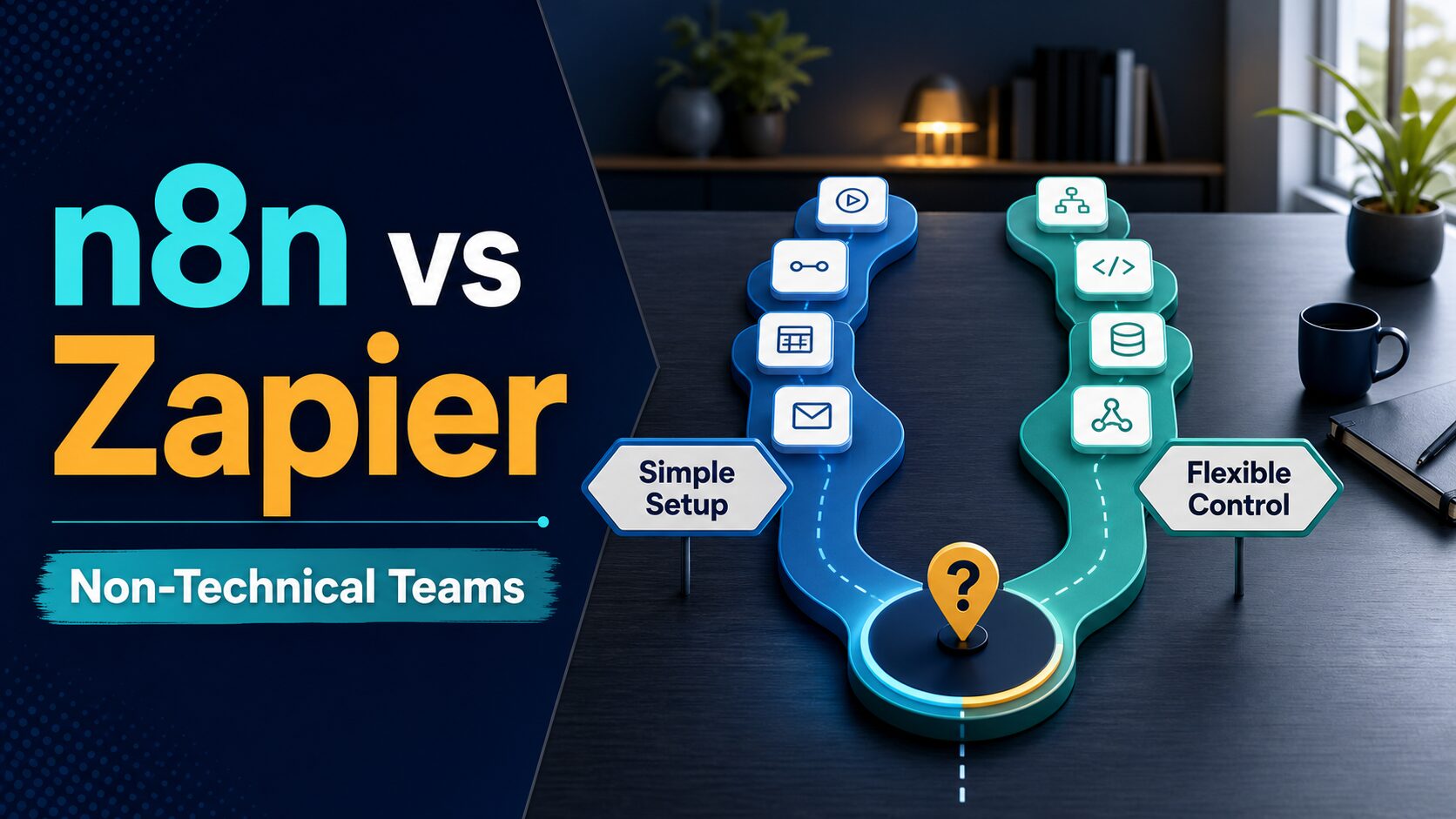
If your team is comparing n8n vs Zapier, the real question is not which automation tool is more powerful. It is which one your non-technical team can build, maintain, and govern without turning every broken workflow into a panic.
Quick verdict: Zapier for speed, n8n for control
- Choose Zapier first if your team wants the fastest no-code path across a large app ecosystem, has no technical owner, and is willing to watch task usage as workflows grow.
- Choose n8n first if someone can own setup and debugging, you want more control over workflow logic, and execution-based pricing fits your automation volume better than task-based pricing.
- Pause before either tool if nobody owns workflow failures, app permissions, customer data, or billing limits. Automation without ownership becomes hidden operations debt.
Evidence note: This comparison is based on official n8n and Zapier pricing, security, privacy, and product pages checked on June 28, 2026. It is not a hands-on speed test, reliability benchmark, or security audit.
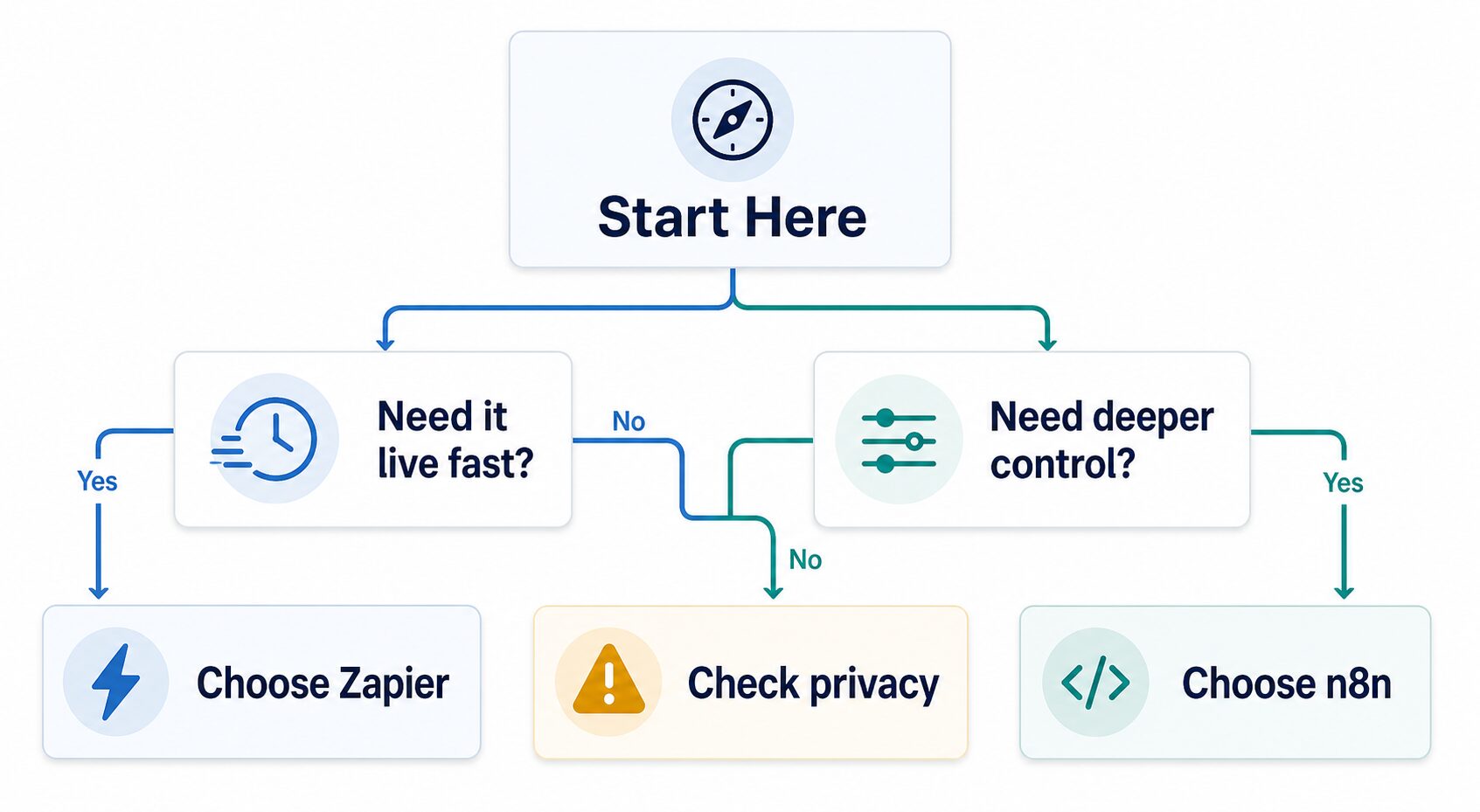
The non-technical team test
A non-technical team can still be automation-capable. The important distinction is whether someone can translate a messy process into clear steps, review connected-app permissions, notice when a workflow fails, and explain the cost model before usage grows.
Zapier is usually easier for a team that wants a guided no-code experience and a huge catalog of app connections. n8n is usually better when the team has an operations lead, analyst, or technical partner who can handle a more flexible workflow builder and make deliberate choices about hosting, credentials, and debugging.
n8n vs Zapier: decision table for small teams
| Decision point | Zapier | n8n | Non-technical team takeaway |
|---|---|---|---|
| Fast first setup | Strong fit. Zapier emphasizes no-code automation across 9,000+ apps. | Can be approachable, but deeper workflow logic and hosting choices create more ownership. | Pick Zapier when the first goal is “get a simple workflow live this week.” |
| Workflow control | Good for common app-to-app automation, forms, tables, and standard business workflows. | Stronger fit when workflows need custom logic, branching, data transforms, or self-hosting. | Pick n8n when flexibility matters more than hand-holding. |
| Pricing model | Task-based. The official pricing page lists a free plan with 100 tasks per month, Professional from USD 19.99/month, and Team from USD 69/month. | Execution-based. The official pricing page lists Starter at EUR 20/month billed annually for 2,500 workflow executions and Pro at EUR 50/month billed annually for 10,000 workflow executions. | Do not compare price alone. Compare the billing unit to your real automation volume. |
| Users and collaboration | Team features are tied to paid team-oriented plans; official page lists shared workflows, shared app connections, and SAML SSO in Team. | Official pricing says all listed plans include unlimited users and workflows, with plan differences around projects, execution limits, insights, roles, and self-hosted options. | n8n can be attractive when many collaborators need access, but only if someone can govern the workspace. |
| Security and compliance check | Zapier’s security-compliance page references SOC 2 Type II, SOC 3, GDPR, CCPA, SAML SSO, SCIM, encryption, access controls, and observability. | n8n’s security page says its program aligns to SOC 2 and undergoes continuous evaluation and annual independent audits. | Both require an internal data review before connecting client records, email, CRM, finance, or HR tools. |
| Best first workflow | Simple form, spreadsheet, email, Slack, CRM, or lead handoff workflow. | Workflow with more logic, data shaping, self-hosting, or a technical operations owner. | Start with a low-risk workflow before automating sensitive systems. |
Choose Zapier when launch speed matters most
Zapier is the safer first recommendation for many non-technical teams because it is designed around guided setup, familiar app connections, templates, and a no-code workflow mental model. If your team already uses Google Sheets, Gmail, Slack, Notion, HubSpot, Airtable, or similar tools, the path from “idea” to “working automation” is often easier to explain to a non-engineer.
The tradeoff is pricing visibility. Zapier’s official pricing is task-based, and the page shows a free plan with 100 tasks per month. That can be enough for a tiny pilot, but a workflow that fires often or creates several actions per trigger can grow past free usage quickly. Before you build five automations, write down what counts as a task and who reviews task usage each month.
Zapier is also a better fit when you want less technical surface area. A small business owner who wants a web form to add a spreadsheet row, send a notification, and create a CRM lead probably does not need a self-hosted automation system on day one.
Choose n8n when someone can own the automation layer
n8n becomes more attractive when the team has an operations lead, analyst, technical founder, or consultant who can own workflow design and maintenance. Its official pricing page emphasizes unlimited users and workflows on listed plans, with billing based on monthly workflow executions rather than individual task steps. That difference can matter when one workflow has many internal steps.
The same flexibility creates the main caution for non-technical teams. n8n can be a better automation engine, but only when someone is responsible for credentials, workflow history, failures, environment decisions, and documentation. If the person building the workflow leaves, the team still needs to understand what the automation touches and how to stop it safely.
n8n is especially worth considering when you need deeper control over workflow logic, want a self-hosted option, or expect complex automations that would be awkward to express as simple app-to-app recipes.
Pricing: tasks vs workflow executions
This is the easiest place to make a bad comparison. Zapier bills around task usage. n8n bills around workflow executions on its listed hosted plans. One Zapier workflow can consume multiple tasks depending on how many actions run. One n8n execution can include many steps, but it still counts as one workflow run according to n8n’s pricing explanation.
Simple pricing check: map one real workflow before buying. Estimate how many times it runs per month, how many app actions it triggers, how many people need access, and what happens if it fails.
For a low-volume team, Zapier’s free tier may be enough for a pilot. For a higher-volume workflow with many steps, n8n’s execution model may be easier to predict. For either tool, the official pricing page can change, so verify the live plan, currency, billing interval, and limits on the day you buy.
Privacy and app access: do this before connecting work data
Automation tools are powerful because they connect apps. That is also the risk. A workflow that touches email, CRM, support tickets, invoices, contracts, HR records, student information, medical information, or client documents should be treated as a data-access decision, not a productivity shortcut.
Before connecting either tool, use a basic review:
- Which apps will the workflow read from and write to?
- Does it touch customer, employee, student, legal, finance, or health data?
- Who can edit or disable the workflow?
- Where are credentials stored?
- What logs or history are retained?
- What happens if an app changes its API, a field is renamed, or a payment fails?
For a broader review, use the AI Tool Privacy Checklist Before Uploading Work Data before you connect sensitive systems.
A practical first workflow to try
If you are not sure which tool fits, avoid starting with a customer-data-heavy workflow. Use a low-risk internal pilot:
- Create a form for internal requests, not customer records.
- Send each response to a spreadsheet or table.
- Notify a Slack or email channel.
- Add one status field that a person reviews.
- Run it for two weeks and record failures, edits, usage, and owner time.
If the team can build and maintain that pilot comfortably in Zapier, stay with the simpler path. If the pilot immediately needs deeper branching, transformations, or self-hosting control, n8n may be the more durable choice.
When neither tool is the right next step
Skip both tools for now if your process is still unclear. Automation does not fix a broken handoff; it just makes the handoff fail faster. If the team cannot agree on who owns approvals, data quality, exceptions, and support, document the process first.
You may also need a broader shortlist before choosing. Start with Best AI Automation Tools for Simple Workflows if you are still choosing the category, or Zapier Alternatives for AI Workflows if you already know Zapier is not a fit.
How this fits into a small AI tool stack
Automation should not be the first tool in every stack. For many teams, the better order is: clarify the writing or research workflow, choose one AI assistant, add a privacy rule, then automate repeated handoffs. The AI Tool Stack for Non-Native English Professionals shows that sequence for writing-heavy work, but the principle applies to operations teams too.
Use automation after the repeatable step is clear. Use Zapier when the team needs a low-friction path. Use n8n when the team needs deeper control and has someone who can own it.
FAQ
Is n8n better than Zapier for non-technical teams?
Not by default. n8n can be better when a team has a workflow owner who can handle setup, debugging, and governance. Zapier is usually easier for teams that need guided no-code setup and common app connections first.
Is Zapier easier than n8n?
For many non-technical users, yes. Zapier’s product is built around no-code setup across a very large app ecosystem. n8n can still be approachable, but it rewards a more technical or operations-minded owner.
Which is cheaper, n8n or Zapier?
It depends on workflow volume. Zapier uses task-based pricing. n8n uses workflow-execution pricing on its listed hosted plans. A simple low-volume workflow may be inexpensive on Zapier. A multi-step workflow that runs often may be easier to predict on n8n. Check both official pricing pages with your actual workflow volume.
Should a small business self-host n8n?
Only if someone can own hosting, updates, security, backups, and access control. Self-hosting can add control, but it is not automatically simpler or safer for a non-technical team.
Final recommendation
For most non-technical teams, start with Zapier if the immediate job is a simple business workflow that needs to work quickly. Choose n8n if you have a clear workflow owner, need deeper control, and want an execution-based model that may fit complex workflows better.
Before paying, verify the current official pricing pages, run one low-risk workflow, and complete a privacy check before connecting sensitive apps.