How To Use AI To Improve Your LinkedIn Profile Without Sounding Fake
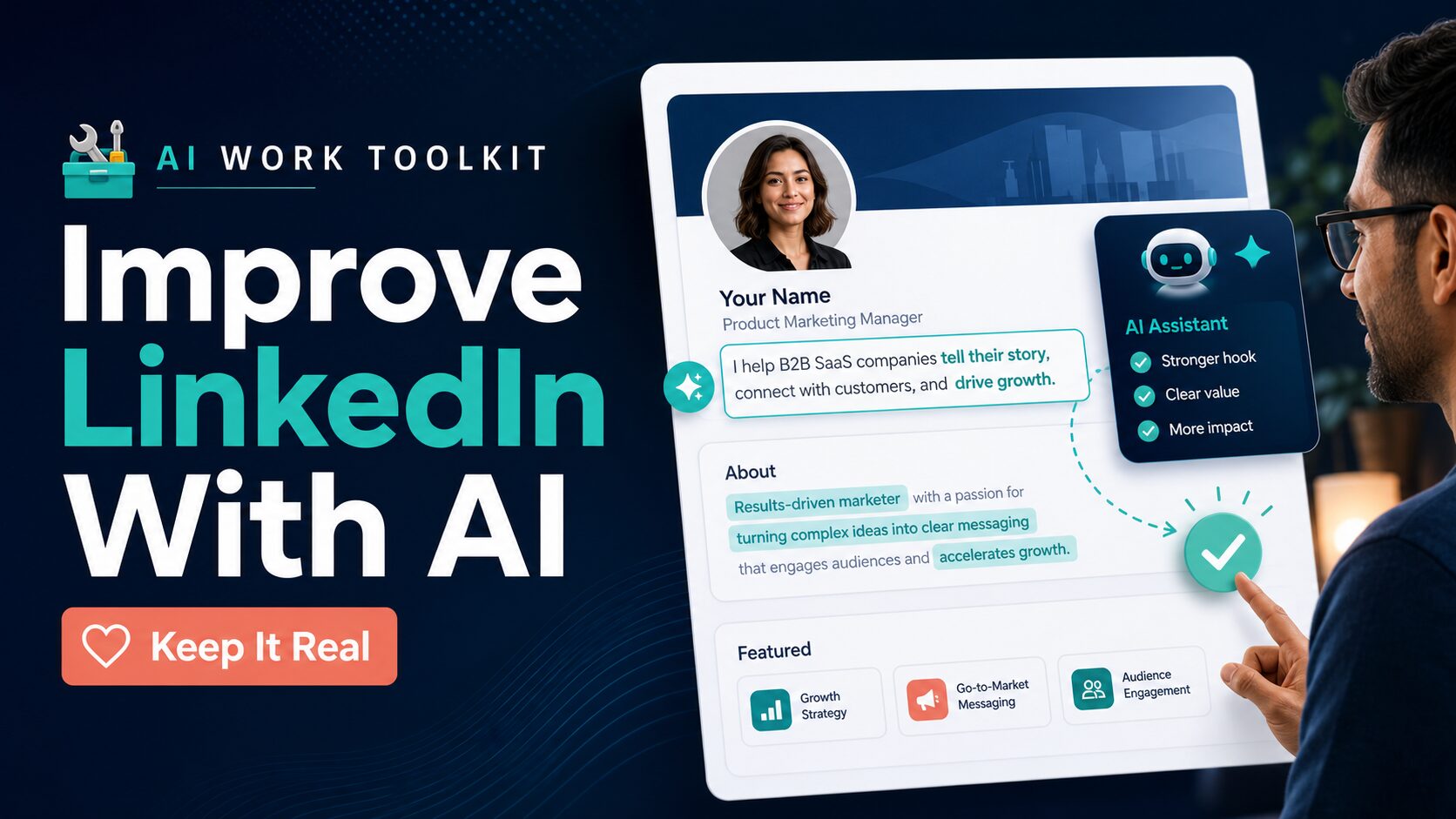
If you want to use AI to improve your LinkedIn profile, do not start by asking a chatbot to “make me sound impressive.” Start with real facts, choose the role you want the profile to support, then use AI to make the wording clearer. The final profile should still sound like a real professional you can defend in an interview.
Quick answer: Use ChatGPT or Claude for flexible drafting, Grammarly for final clarity and tone polish, and Teal if you want a job-search workspace with profile and resume tools. Do not let any tool invent credentials, metrics, job titles, certifications, or responsibilities.
Evidence limit: This article is based on official product, pricing, help, privacy, and policy pages checked on June 6, 2026. It is official-research-only, not a hands-on test of profile output quality.
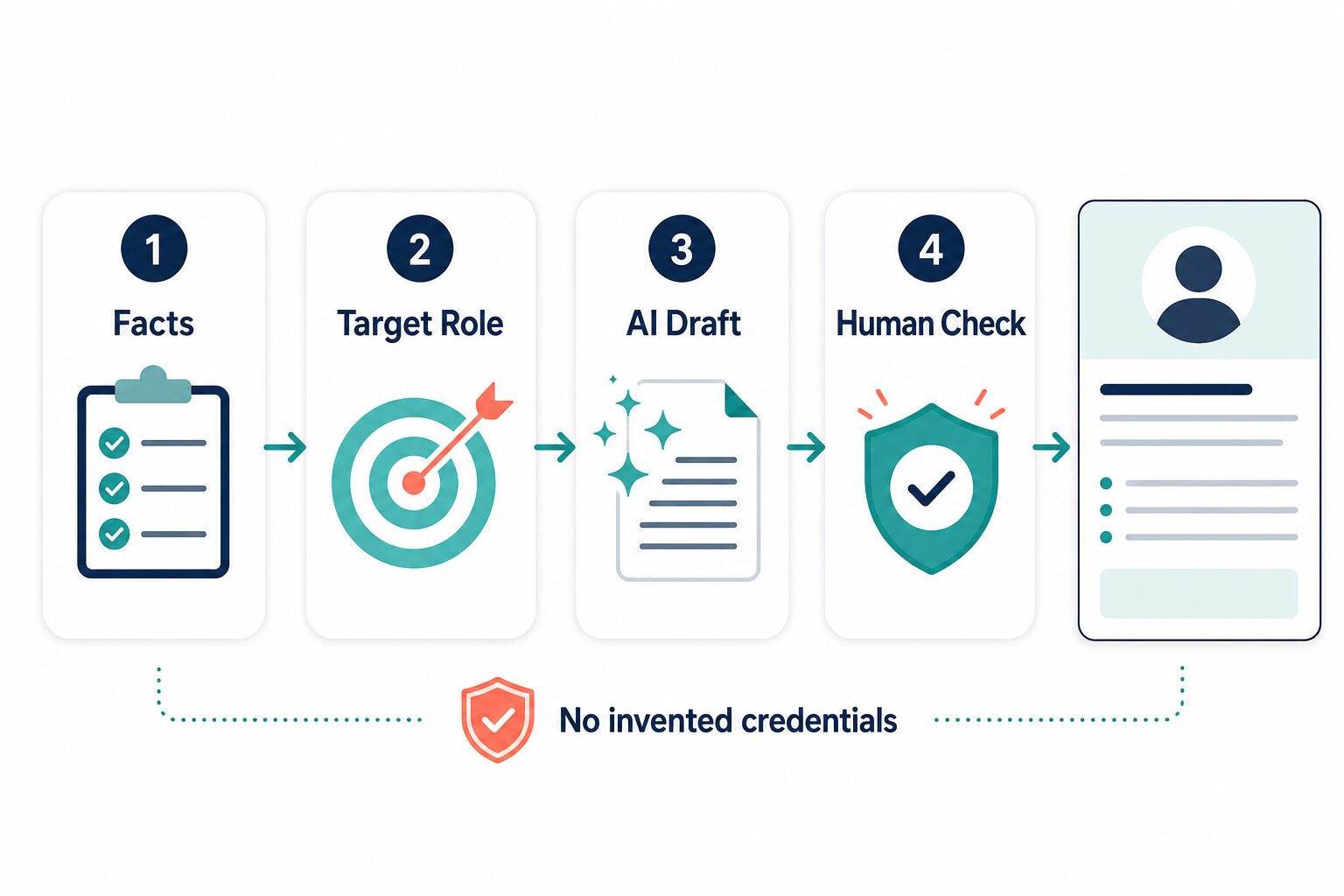
What AI Should And Should Not Do For Your LinkedIn Profile
LinkedIn describes your profile as a professional landing page for your personal brand. Its own profile guidance points readers toward a strong photo, headline, About section, relevant work and education, skills, recommendations, media samples, and public profile settings. AI can help you write those sections more clearly, but it cannot decide what is true about your career.
A good AI LinkedIn profile workflow should do three jobs:
- Clarify positioning: turn real experience into a headline and About section that match the roles you want.
- Improve language: make your wording more direct, natural, and professional without making it generic.
- Protect credibility: catch exaggerated claims before they become public.
The wrong workflow does the opposite. It creates a profile full of “results-driven,” “strategic,” “passionate,” and “proven track record” language without evidence. That may look polished for a moment, but it gives recruiters very little to trust.
Before You Use AI, Collect The Facts
Spend ten minutes building a simple fact sheet before opening any tool. This is the guardrail that prevents AI from creating a fake professional story.
- Your current or target role.
- Three to five real skills you can discuss in an interview.
- Two or three projects, outcomes, or responsibilities you can verify.
- Tools, industries, languages, or work contexts that are actually part of your background.
- Anything that must stay private, such as client names, internal project names, salary details, immigration details, or personal contact information.
If your resume is not ready yet, start with the guide to AI resume builders. If your English resume bullets need clearer wording first, use the guide to resume writing tools for non-native English speakers before rewriting the public profile.
Which AI Tool Should You Use?
You do not need a specialized LinkedIn profile generator for every profile update. Many readers can start with a general AI assistant and a careful review. A specialized tool becomes more useful when you also want resume, cover letter, job tracking, or profile-audit workflow in one place.
| Tool type | Best use | Free / pricing note checked June 6, 2026 | Evidence label | Skip if |
|---|---|---|---|---|
| ChatGPT | Drafting headline, About, and experience variations from facts you provide. | The official pricing page lists Free and paid plans; confirm current terms before upgrading. | Official research only | You cannot review the output carefully or remove sensitive details before prompting. |
| Claude | Longer profile drafts, calmer tone review, and comparing several profile versions. | Claude’s official plan help lists plan options; check live terms before paying. | Official research only | You need a dedicated profile-builder interface rather than a general assistant. |
| Grammarly | Polishing grammar, fluency, tone, and sentence-level clarity after the profile is accurate. | Grammarly’s plans page lists Free, Pro, and Enterprise options, including plan-based AI prompt limits. | Official research only | You need strategy, resume alignment, or job-search tracking, not final writing polish. |
| Teal | Connecting profile work to resume, job tracking, keyword matching, and career-tool workflow. | Teal’s pricing page lists a free starting tier, no credit card needed to start, and Teal+ paid terms. | Official research only | You only need one small headline rewrite and do not want a broader job-search workspace. |
| Specialized LinkedIn generators | Fast headline or About-section variations when the tool has clear privacy terms. | Free access and limits vary by tool. Check privacy, data storage, and export behavior before uploading a resume. | Researched only | The tool asks for your resume or LinkedIn URL without explaining data use clearly. |
For broader writing-tool context, see Best AI Writing Tools for Work. The same principle applies here: choose the tool by workflow, not by hype.
Step 1: Rewrite Your Headline Without Overstuffing Keywords
Your headline should tell the right people what you do and what kind of work you want. It should not be a pile of buzzwords. For a job seeker, a useful pattern is:
Role or target role + core skill area + proof or context.
Prompt: Rewrite my LinkedIn headline in clear professional English. Use only the facts below. Keep it under LinkedIn headline length limits. Include my target role and two relevant skill areas. Do not add certifications, seniority, metrics, tools, or industries that are not listed.
Weak AI-style headline: Results-driven marketing professional passionate about leveraging innovative strategies to drive growth.
Stronger human-checked headline: Product marketing coordinator focused on B2B SaaS messaging, customer research, and launch support.
The second version is less dramatic, but it gives a recruiter more usable information. If you are a non-native English speaker, the goal is not to sound like a different person. The goal is clearer professional English that keeps your meaning intact.
Step 2: Make The About Section Specific
The About section is where many AI-generated profiles become too smooth. LinkedIn’s own profile guidance suggests using this section to express mission, motivation, and skills. That does not mean you need a long personal manifesto. For most job seekers, two short paragraphs plus a few concrete bullets are enough.
Use this structure:
- Opening: the role or problem you work on.
- Evidence: the skills, projects, industries, or outcomes that support it.
- Direction: the roles, teams, or work you want next.
Prompt: Draft a LinkedIn About section from these facts. Keep it warm but concise. Use first person. Do not use “passionate,” “proven track record,” “dynamic,” or “results-driven.” Mark any missing evidence with brackets instead of inventing it.
After AI drafts the section, remove anything you would not say in a normal professional conversation. If the About section sounds impressive but could describe thousands of people, it still needs work.
Step 3: Turn Experience Bullets Into Public Proof
Your experience section should support the headline and About section. AI can help rewrite bullets so they are easier to scan, but it should not upgrade your role.
Use this filter:
- Action: what you actually did.
- Scope: team, project, customer group, region, tool, or workflow.
- Result: a real outcome, metric, deliverable, or business context.
If you do not have a number, do not let AI make one up. A non-numeric result can still be credible: “created onboarding documentation used by the support team” is better than “increased efficiency by 40%” when the number is not real.
Prompt: Rewrite these experience bullets for LinkedIn. Keep every claim accurate. If a metric is missing, do not invent one. Use active verbs, plain English, and recruiter-friendly keywords from the target role only when they match my actual work.
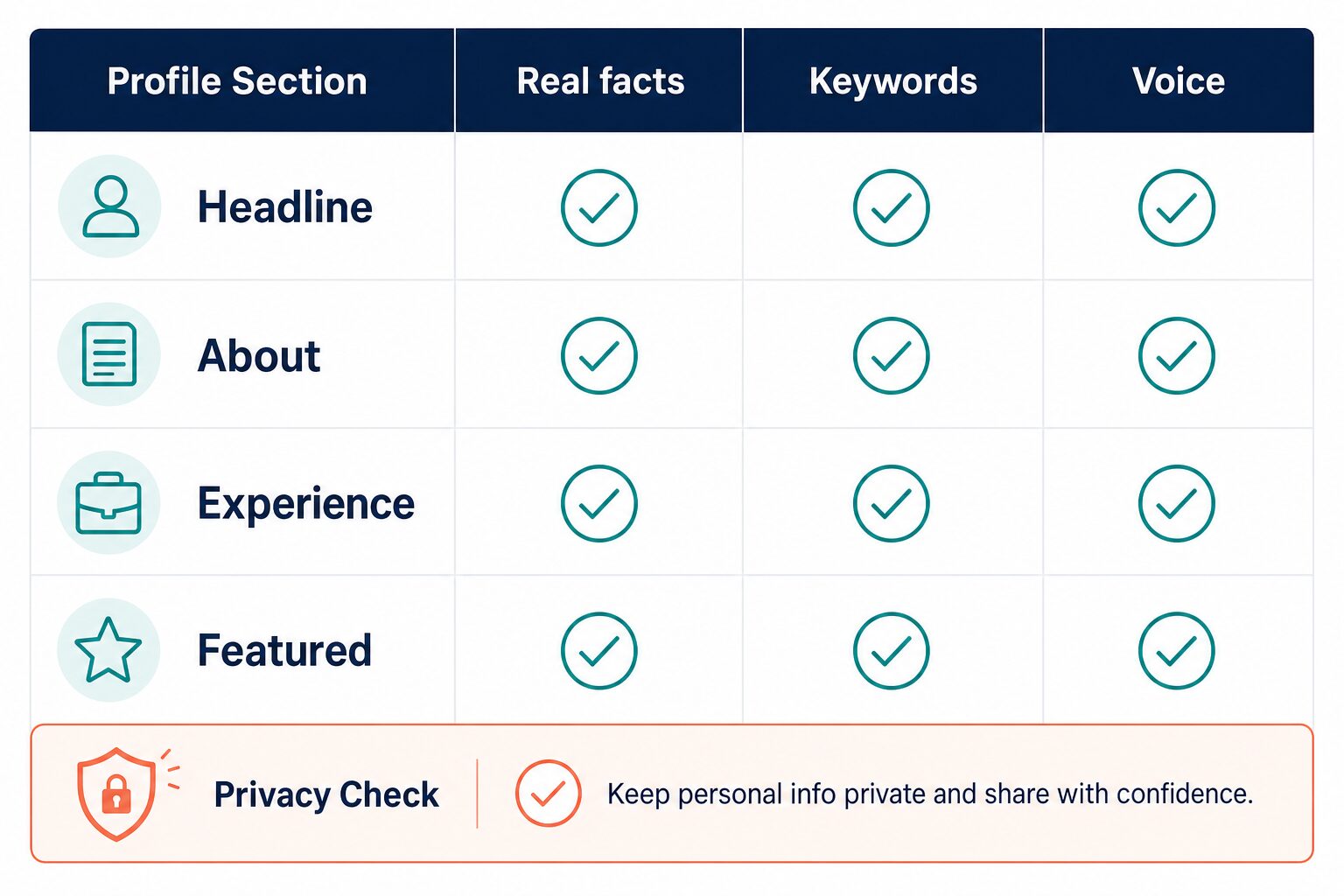
Step 4: Use Featured And Skills Sections Carefully
The Featured section can support your credibility when you have public work samples, portfolio pieces, presentations, writing samples, GitHub projects, certificates, or media you are allowed to share. Do not upload confidential employer material, client files, internal dashboards, student data, patient data, legal documents, or anything that was not meant to be public.
Skills should be relevant to your target role. AI can suggest skill keywords from a job description, but you should only add skills you can discuss honestly. If you are new to a tool, use your resume or About section to show learning context instead of presenting it as deep experience.
Step 5: Do A Human Voice Check
Before you publish profile changes, read the draft aloud. If the profile sounds like a corporate template, ask AI to make it more direct and less inflated.
Prompt: Review this LinkedIn profile for generic AI wording. List phrases that sound vague, overconfident, or unsupported. Suggest simpler alternatives that keep my real meaning and avoid exaggeration.
Common phrases to question include “strategic visionary,” “innovative leader,” “proven track record,” “exceptional communicator,” and “driving transformative results.” These are not always wrong, but they need proof. If you cannot attach a real example, use simpler wording.
Privacy Checks Before You Paste Career Data Into AI
Remove sensitive details first: home address, phone number, email, employer-confidential details, client names, immigration details, salary details, internal project names, private application notes, and anything you would not want stored under a tool’s current terms.
This matters because profile and job-search data can be sensitive. LinkedIn’s privacy policy discusses profile data, uploaded content, resumes, applications, and data choices. LinkedIn also has a setting for whether member data is used to improve content-generating AI models going forward. OpenAI, Anthropic, Grammarly, and Teal each have their own current policy or help pages to review before you paste real career data.
For a broader checklist, use AI Tool Privacy Checklist for Professionals.
When A Specialized LinkedIn Profile Tool Is Worth It
A specialized profile generator may be useful when you want quick headline or About-section variants and the tool clearly explains privacy, storage, and export behavior. It is less useful when it only creates polished text without a truth check.
Use a specialized tool if:
- You want profile-specific prompts and do not want to design your own workflow.
- You can review the tool’s privacy terms before uploading a resume or profile URL.
- You still plan to edit every claim manually.
Skip it if a free assistant plus careful prompts solves the problem. If you are also rewriting your cover letter, compare the profile to your application materials using AI cover letter tools. Your resume, cover letter, and LinkedIn profile should tell the same career story.
Final Checklist Before You Update Your Profile
- Does the headline describe a real role, skill area, or target direction?
- Does the About section include specific evidence instead of generic claims?
- Do the experience bullets match what you actually did?
- Did you remove private employer, client, contact, salary, legal, medical, student, or immigration details?
- Would you feel comfortable explaining every claim in an interview?
- Did you check the current pricing and privacy pages before relying on any paid tool?
FAQ
Can I use ChatGPT to write my LinkedIn profile?
Yes, but use it as a drafting assistant. Give it real facts, ask it not to invent details, and review every line before publishing. Do not paste unnecessary private information into the prompt.
What is the best AI LinkedIn profile tool?
For many job seekers, a general assistant such as ChatGPT or Claude is enough for drafting. Grammarly is useful for final polish. Teal is worth checking when you want a broader job-search workspace with resume and profile tools. Specialized generators can help with quick variants, but privacy and truth checks matter more than speed.
How do I make my LinkedIn profile sound less AI-written?
Use fewer buzzwords, add specific examples, remove claims without evidence, and read the draft aloud. Ask AI to identify generic phrases, then replace them with plain language based on your actual work.
Should non-native English speakers use AI for LinkedIn?
Yes, if the goal is clearer professional English and better fit for the target role. The goal is not to erase your voice or pretend to be someone else. Keep your meaning intact and reject wording that exaggerates your background.
Is it safe to upload my resume to a LinkedIn profile generator?
Only after checking the tool’s current privacy terms and removing details that are not needed for the task. Use placeholders for employer-confidential, client, legal, medical, salary, immigration, and contact information when possible.