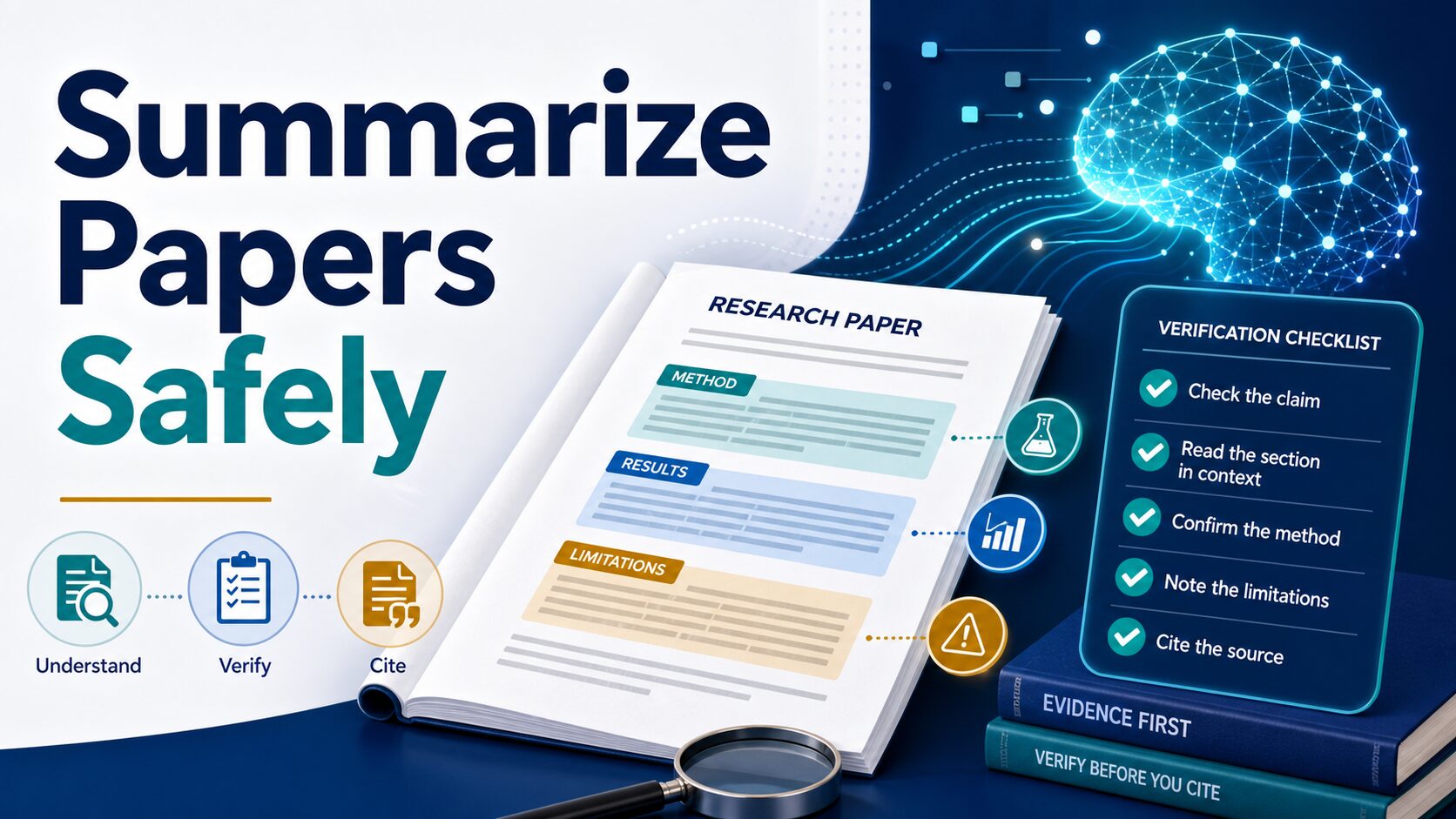
How to Summarize a Research Paper With AI: Prompt + Checklist
AI research paper summaries
To summarize a research paper with AI without losing accuracy, use AI twice: first to extract a seven-field evidence record, then—only after you verify it—to rewrite the record as clear prose. Do not begin by asking for one polished paragraph.
Quick answer: copy the prompt below, require a source location for every important claim, and stop whenever the method, sample, limitation, uncertainty, or citation trail is missing. The AI output is a reading map; the paper remains the source.
Quick Verdict
Copy This Research-Paper Summary Prompt
This prompt makes omissions visible before fluent prose can hide them. Run it on the full paper only when the file is safe to upload. For long or complex papers, run it one section at a time.
Evidence-first prompt:
Use only the research paper I provide. Build a structured evidence record with these fields: research question; method and study design; sample or dataset; main finding; limitation; uncertainty or scope condition; and source location (page, section, table, or figure). Separate the authors' claims from your inference. Do not invent citations or page numbers. Write "not found" when the paper does not provide an answer. Do not write a polished summary yet.
Then pause. Open the paper and check the evidence record. Only after those fields are correct should you ask AI to turn the verified record into a paragraph, class note, literature-review entry, or work memo.
Before You Upload, Run This 60-Second Safety Check
Do this before uploading the paper or pasting text into any AI tool. It defines what must survive compression and whether the document is allowed to leave its current system.
What A Trustworthy First Answer Must Include
The first answer is an evidence record, not the final summary. These fields expose the details most likely to disappear when a dense paper is compressed.
| Field to request | Why it matters | Stop rule |
|---|---|---|
| Research question | Shows what problem the authors were actually trying to answer. | If the AI changes the question, reread the abstract and introduction yourself. |
| Study design | Separates an experiment, observational study, review, model, case study, or qualitative analysis. | If the design is unclear, do not generalize the result. |
| Method and sample | Prevents the summary from treating weak, narrow, or exploratory evidence as universal proof. | If method or sample is missing, do not use the summary for an argument. |
| Main finding | Separates what the paper found from what the AI inferred or generalized. | If you cannot locate the finding in the results, table, figure, or conclusion, discard it. |
| Limitation and uncertainty | Keeps the summary from becoming more confident than the authors were. | If limitations disappear, ask again or read the discussion section manually. |
| Source location | Gives you a trail back to the paper before you quote, paraphrase, or cite. | If the tool cannot name a page, section, table, figure, or passage, treat it as a reading hint only. |
The Safe Workflow
The easiest way to lose accuracy is to ask for a generic summary before you understand why you are reading the paper. A safer workflow uses three layers: first map the paper’s structure, then extract checkable claims, then write your own verified note. That keeps the AI useful without letting it become the authority.
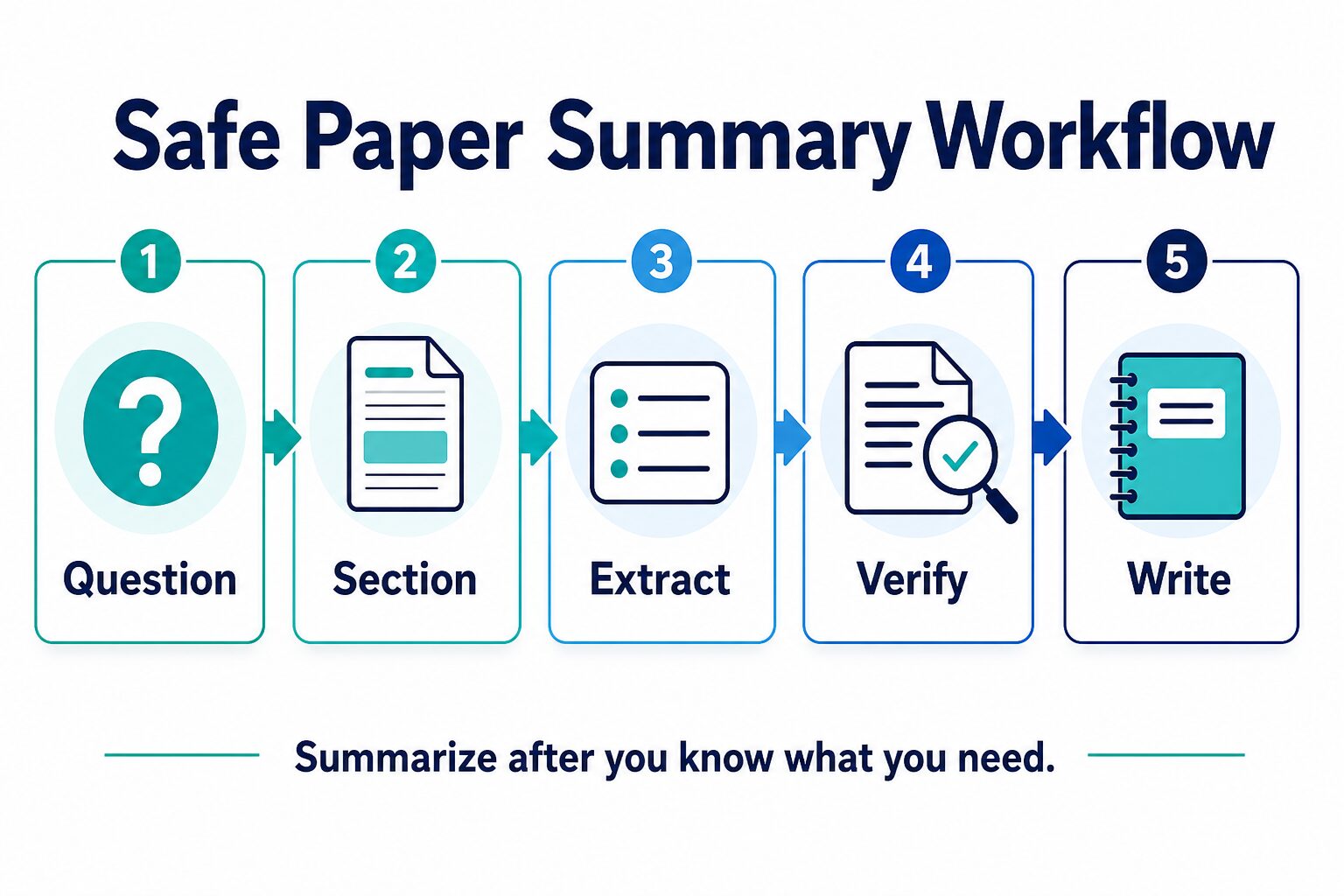
- Question: write the reason you are reading the paper. Example: “Does this paper support my claim about remote-work productivity?”
- Section: ask for a section-by-section summary instead of one compressed answer.
- Extract: pull out method, sample, result, limitation, and citation details as separate fields.
- Verify: check the original page, table, figure, or paragraph before trusting the note.
- Write: turn only verified notes into your literature-review note, class response, or research memo.
Academic integrity note: AI can help you understand and organize a paper, but your instructor, department, journal, workplace, or lab may restrict how it can be used. Never submit AI-generated text, invented citations, or unverified claims as your own academic work.
Step 1: Decide What Kind Of Summary You Need
A research-paper summary is not one thing. A first-pass summary helps you decide whether to read the paper closely. A methods summary helps you understand how the study was done. A results summary helps you see what the paper actually found. A literature-review note helps you compare the paper with other sources. A citation note helps you support one specific sentence in your own writing. Pick the summary type first so the tool knows what to preserve and what you still need to verify yourself.
| Summary type | Use it when | Ask AI for | Verify before using |
|---|---|---|---|
| Screening summary | You are deciding whether the paper belongs in your reading pile. | Research question, topic fit, method, main finding, and reason to read or skip. | Abstract, title, keywords, and conclusion. |
| Methods summary | The study design affects whether the paper supports your argument. | Population, data, intervention, comparison, measures, and limits. | Methods section, sample table, appendix, and measurement notes. |
| Results summary | You need to understand what the authors found. | Main results, effect direction, uncertainty, caveats, and what the paper does not prove. | Results section, tables, figures, and statistical notes. |
| Literature-review note | You are connecting the paper to other work. | Claim, evidence, limitation, disagreement with other sources, and how it relates to your question. | Discussion, limitations, and the cited papers behind key claims. |
| Citation support note | You plan to use one claim in an assignment, thesis, memo, or article. | Exact claim, source location, quotation/paraphrase boundary, and citation metadata. | Original passage, DOI or source metadata, and your institution’s AI-use rules. |
Step 2: Use A Section-First Prompt
Academic papers are structured for a reason. If you ask AI for one short summary, it may blur the difference between background, method, evidence, and interpretation. A section-first prompt keeps the paper’s structure visible and makes omissions easier to spot.
Section follow-up prompt:
Now work section by section. For the abstract, introduction, methods, results, discussion, and limitations, list what the section contributes to the evidence record. Keep the authors' interpretation separate from the reported result. If a table, figure, appendix, or equation carries the evidence, name it instead of guessing from nearby prose.
For a long paper, run this prompt on one section at a time. Start with the abstract and conclusion, then read the methods and results before you let AI help with discussion or literature-review framing. If the paper includes tables, figures, appendices, equations, charts, or scanned pages, verify whether your chosen tool actually reads those elements well enough for your purpose. A paper with important figure captions or appendix tables should not be reduced to a text-only answer without a manual check.
Step 3: Extract A Claim Table
The most useful AI-assisted summary is not a polished paragraph. It is a table of claims you can check. This is especially important when you are writing a literature review, comparing papers, or deciding whether a result actually supports your argument. A claim table turns the AI answer into a checklist instead of a paragraph you might trust too quickly.
Claim-table prompt:
Create a table with these columns: claim, section or page, evidence in the paper, method detail, limitation, uncertainty, citation status, and how confident I should be after reading the source. Use only the provided paper. Do not invent page numbers, citations, or results.
If the tool cannot provide a section or source trail, treat the answer as a reading aid, not a note you can cite. A sentence that sounds academic is not evidence. The evidence is still the original paper.
Good enough to use in your notes? Only after you can answer yes to these four checks: the claim is in the paper, the method supports the claim, the limitation did not disappear, and the citation points to the original source rather than the AI answer.
Worked Example: Evidence First, Prose Second
The example below is fictional and exists only to show the method. Imagine a paper about whether meeting-free mornings reduce workplace interruptions.
| Evidence-record field | Fictional practice entry | What not to write yet |
|---|---|---|
| Research question | Whether meeting-free mornings are associated with fewer self-reported interruptions. | “Meeting-free mornings improve productivity.” |
| Design and sample | A before-and-after survey of volunteers at one company; no randomized control group. | “The policy caused the improvement.” |
| Main finding | Participants reported fewer interruptions after the policy change. | “All employees became more productive.” |
| Limitation and uncertainty | Self-reported outcome, one company, volunteer sample, and other workplace changes may explain the result. | “This approach works for every remote team.” |
| Source location | Record the exact results table and limitations paragraph from the practice paper. | Any claim without a location you personally checked. |
Safe second-pass note: “In this fictional one-company before-and-after survey, volunteers reported fewer interruptions after meeting-free mornings were introduced. Because the design was not randomized and used self-reported outcomes, the example does not establish that the policy caused higher productivity.”
The useful difference is restraint. The verified note stays smaller than the evidence instead of turning an association into a universal claim.
Step 4: Verify Before You Cite
Verification is where AI-assisted paper summaries become useful. Before you quote, paraphrase, or cite a claim, check whether the summary preserved the author’s meaning, the study design, the sample or data, and the limitation. If you cannot find the claim in the paper, do not use it.
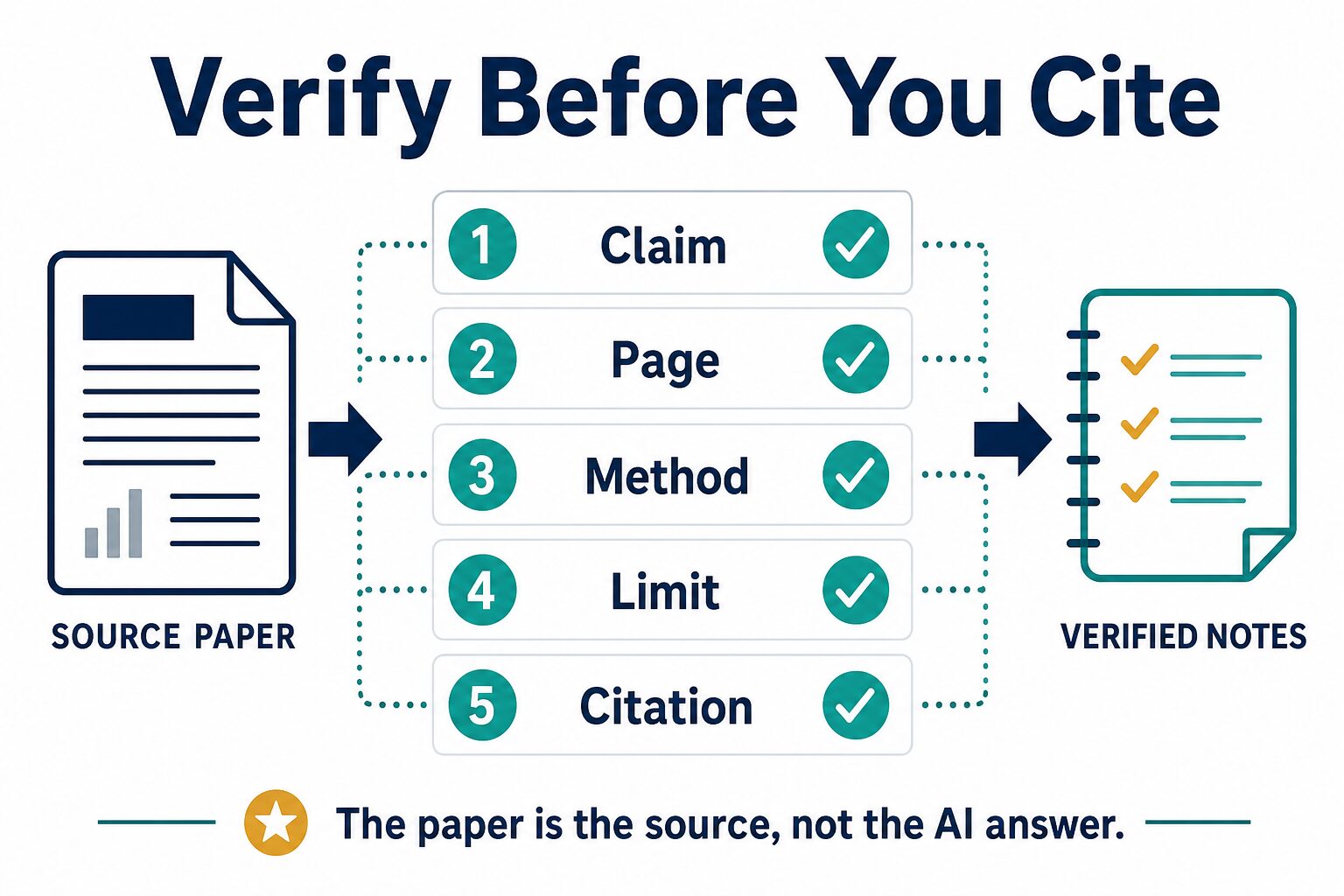
- Claim: is this exactly what the authors argued or found?
- Page or section: can you locate the claim in the paper?
- Method: does the study design support that claim?
- Limit: did the AI preserve the caveat, uncertainty, or scope condition?
- Citation: are the title, authors, venue, year, DOI, and cited passage correct?
For assignments and literature reviews, this is also where you decide whether AI use needs to be disclosed. The citation tells readers where the scholarly claim came from. Any AI-use disclosure follows your institution’s rule; it does not replace the source citation.
Step 5: Write Your Final Summary In Your Own Words
After verification, write a short note in your own words. Keep the claim modest. Include the method and limitation when they matter. Separate what the paper says from what you infer. If you cannot explain why the paper supports your sentence, the summary is not ready for your assignment, thesis, article, or memo.
Revision prompt after verification:
Rewrite my verified notes into a concise literature-review note. Keep the method, sample, uncertainty, and limitation visible. Do not add new claims. Use clear academic English without overstating the result.
This is where ChatGPT or another general writing assistant can be useful: not to invent the research, but to help you make verified notes clearer. If you are writing in English as an additional language, ask for clarity and structure while preserving your meaning and the paper’s uncertainty.
Which AI Tool Fits This Workflow?
Choose by source set and risk, not by a generic “best summarizer” label. The snapshots below come from official product and help pages checked on July 14, 2026. Limits can change, and none of these tools is treated as a verified accuracy winner.
| Tool | Current official snapshot | Best workflow fit | Skip or verify first |
|---|---|---|---|
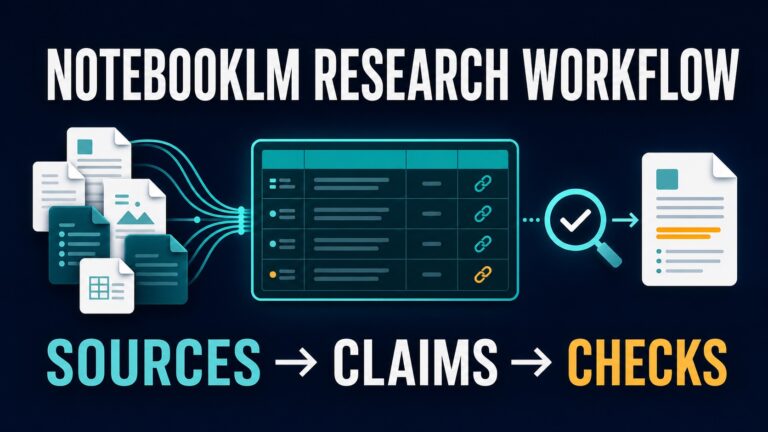
| NotebookLM | Standard access currently lists 100 notebooks, up to 50 sources per notebook, 500,000 words per source, and a 200 MB local-upload limit. | Class reading packets, thesis folders, and multi-source notes where the selected sources stay visible. | Check sharing, citation behavior, plan limits, data controls, and school or workplace approval before restricted use. |
| ChatPDF | Its PDF Summary page currently says no account is required, page references are included, and up to two PDFs per day can be summarized free. | One public or low-risk PDF when quick page references make source checking easier. | Check paid limits, storage/privacy terms, scanned-page quality, and whether the file is safe to upload. |
| Elicit | Basic is currently listed as free, with paper search, summaries, paper chat, source viewing, and limited research-agent/report use. | Finding, screening, and organizing papers before close reading or building a literature-review evidence table. | Check current paid-plan usage, source coverage, export needs, and whether the database fits your field. |
| Perplexity | Public web research and source discovery; plan and enterprise details vary by product and account. | Understanding policy, product, dataset, news, or public context before close academic reading. | Skip it as the final authority for scholarly claims; verify through academic databases and the original paper. |
| ChatGPT | The current file-upload FAQ lists a 512 MB hard limit and a 2-million-token cap for text/document files; free users are currently limited to three uploads per day. | Making your own verified notes clearer and more organized after you check the source. | Check plan-specific access, retention/data controls, visual PDF extraction, and every source or citation it suggests. |
If you are still choosing between research tools, read Best AI Research Tools for Graduate Students. If your main problem is PDF summarization, compare the best AI PDF summarizers for students and professionals. Use the NotebookLM vs ChatPDF guide for one-PDF versus source-set decisions, or NotebookLM vs Elicit when the real task is literature-review organization. For other PDF paths, see ChatPDF alternatives for long documents, Adobe Acrobat AI Assistant vs ChatPDF, or the broader literature review tools guide.
What Not To Upload
Do not upload unpublished manuscripts, peer-review drafts, grant proposals, interview transcripts, participant data, IRB-covered material, private lab notes, student records, client documents, medical or legal material, or anything under a nondisclosure agreement unless your institution explicitly allows that tool and account type.
Use public papers first. If the workflow is useful, then check the tool’s official privacy terms, your account type, admin controls, retention rules, and your school or workplace policy before using restricted documents. For work, client, healthcare, legal, finance, or institutional research, ask the admin, instructor, principal investigator, or data owner before uploading.
Common Mistakes To Avoid
- Asking for one generic summary: this can hide methods and limitations.
- Citing the AI answer: cite the paper, not the summary.
- Trusting invented page numbers: open the PDF and confirm the location or section.
- Ignoring the methods section: results mean less if you do not know how the study was done.
- Uploading sensitive papers: a useful tool is not automatically an approved tool.
- Letting AI over-polish your notes: clear English is good; overstated certainty is not.
Final Recommendation
Use AI paper summaries as a two-pass reading system, not a replacement for reading. The safest workflow is simple:
- Define your question before summarizing.
- Build the seven-field evidence record before requesting prose.
- Work section by section and extract claims into a table.
- Verify claim, page, method, limitation, and citation.
- Ask for clear prose only after the evidence record passes.
For a graduate student, researcher, or knowledge worker, this keeps AI useful without letting it quietly rewrite the evidence. If you only remember one rule, make it this: the AI summary can point you back to the paper, but the paper is the source.
FAQ
Can AI summarize academic papers accurately?
AI can help you understand and organize a paper, especially when you provide the source text or PDF. Accuracy still depends on the tool, the source, the prompt, and your verification. Treat the summary as a reading aid until you check the paper directly.
What is the best prompt to summarize a research paper with AI?
Ask for a section-by-section summary that separates research question, method, sample or data, main finding, limitation, uncertainty, and claims to verify. Avoid prompts that ask for only a short paragraph unless you are doing a quick first-pass screen.
What should I check first after the AI summary?
Check the method, sample or dataset, main result, limitation, and source location. Those five items tell you whether the paper supports the claim you want to make.
What should an AI research-paper summary include?
At minimum, ask for the research question, method, sample or dataset, main finding, limitation, uncertainty, and source location. If any of those fields are missing, the answer is only a reading hint.
Can I cite an AI-generated summary?
Usually no. Cite the original paper you verified, not the AI summary. If your institution requires disclosure of AI use, follow that rule separately.
Should I use ChatGPT or a PDF-specific tool?
Use a PDF-specific or source-grounded tool when you need to ask questions about a paper. Use ChatGPT for planning, explaining concepts, and rewriting verified notes. If you use ChatGPT with uploaded files, still check the source before citing, and remember that file limits, retrieval behavior, and data controls vary by plan and workspace.
How do I keep AI from missing limitations?
Ask specifically for limitations, uncertainty, sample constraints, method weaknesses, and what the paper does not prove. Then read the limitations and discussion sections yourself.
Is it academic misconduct to use AI to summarize papers?
It depends on your institution, assignment, and disclosure rules. A safer pattern is to use AI for reading support and organization, then write and cite from sources you personally verified.
Official Sources Checked
Official pages refreshed July 14, 2026. Pricing, plan limits, privacy terms, and upload limits can change; verify the linked pages before purchase, classroom use, or workplace rollout.
Building a broader research workflow? Start with the AI Work Toolkit Start Here guide, then add research and PDF tools only when they solve a real bottleneck.