Wondershare PDFelement Review: Choose It for Editing, OCR, and AI Review
Wondershare PDFelement is worth considering when your PDF problem is bigger than reading. It fits best when the same document has to move through editing, OCR, conversion, annotation, signing, protection, and AI-assisted review before someone can actually use it.
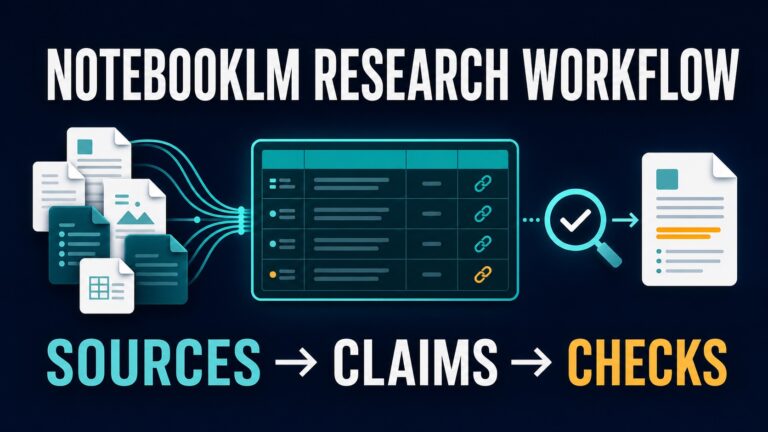
This Wondershare PDFelement review was refreshed on July 9, 2026 using current official Wondershare product, shop, trial-limit, AI, privacy, and cloud documentation, plus official pages for Adobe Acrobat AI Assistant, Smallpdf, ChatPDF, and Google NotebookLM. This is official-source research and workflow analysis, not hands-on output benchmarking. For nearby decisions, see our AI PDF summarizer comparison, our guide to summarizing academic papers with AI, and our AI tool privacy checklist.
Affiliate disclosure: This article includes one same-domain commercial link to Wondershare. Recommendations are based on workflow fit, official sources, privacy risk, and reader value, not the commercial arrangement.
Quick Verdict: Use PDFelement for an Editor Seat, Not Just PDF Chat
PDFelement is a PDF editor with AI features. That distinction matters. If your file is already clean and you only want to ask questions, summarize a paper, or collect source notes, a lighter reader such as NotebookLM, ChatPDF, Smallpdf, or Acrobat AI Assistant may be simpler.
PDFelement becomes more compelling when the file itself is part of the problem: scanned pages need OCR, the layout needs edits, the file must be converted, comments and signatures matter, or you need to prepare a clean version before using AI. In that case, you are choosing a document-workflow tool, not only a chat window for PDFs.
| Reader situation | Verdict | Why | Check first |
|---|---|---|---|
| You edit PDFs, OCR scans, convert files, annotate, sign, protect, and then use AI. | Evaluate PDFelement | It combines conventional PDF editing with AI PDF features, so it can replace several small document steps. | Platform license, plan term, OCR access, AI quota, cloud behavior, trial limits, and checkout destination. |
| You only need to chat with a searchable PDF or summarize a clean document. | Compare lighter tools first | A focused PDF reader can be faster when you do not need editing, OCR, forms, signatures, or conversion. | File limits, citation behavior, source limits, privacy terms, and export options. |
| Your company already uses Adobe and requires admin/security review. | Compare against Acrobat | Adobe may be easier to approve where Acrobat, e-signature, and admin controls are already standard. | Acrobat plan, AI Assistant entitlement, source-citation behavior, and internal policy. |
| You occasionally compress, merge, sign, or convert files in a browser. | PDFelement may be more than needed | Smallpdf or another browser utility can be enough when desktop editing depth is not required. | Daily limits, document size limits, AI limits, OCR availability, and download restrictions. |
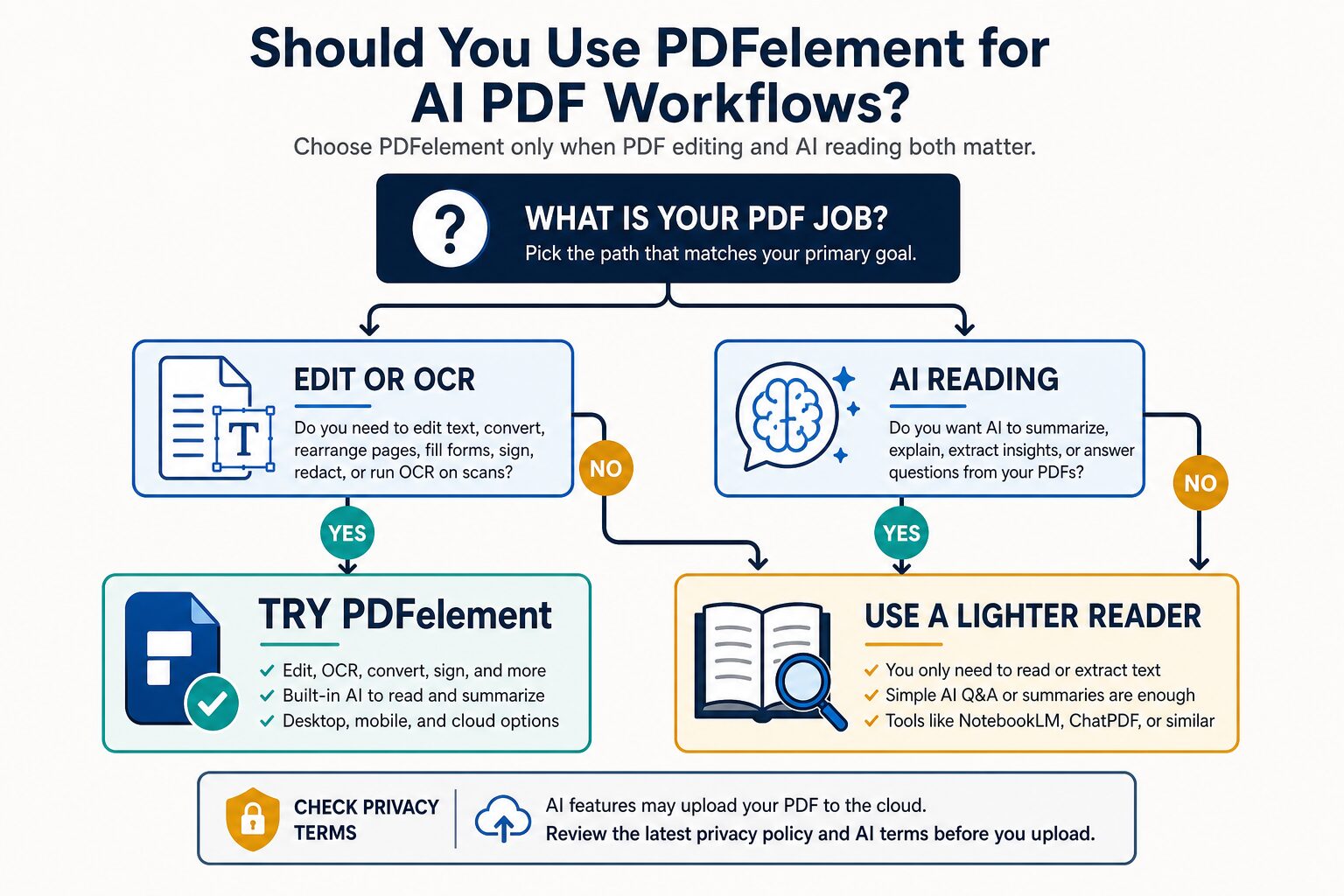
If that editor-plus-AI workflow is your real use case, use the same-domain Wondershare route and confirm the current product page, platform, plan term, AI quota, OCR access, cloud behavior, and checkout destination before purchase.
What Changed in This July 9 Refresh
This update keeps PDFelement in the same recommendation lane but makes the buying logic sharper for searchers comparing a full PDF editor against lighter AI PDF readers. The article now starts from a seat-choice question: do you need a reusable editor workflow, or only a temporary reader tab?
- Official feature check: Wondershare still presents PDFelement as a broad PDF tool for editing, converting, annotating, organizing, protecting, signing, forms, OCR, cloud, and AI PDF work.
- Shop caution: The official Windows individual shop page remains dynamic, with trial and paid plan paths that can vary by platform, term, promotion, bundle, and checkout flow. Wondershare also says AI features have usage limits and may require an AI add-on after the included quota is used. This review avoids fixed price advice.
- Trial friction: Wondershare’s registration guide still lists practical trial limits that can affect real work, including watermark, conversion, batch, combine, template, and compression restrictions.
- AI/cloud caution: Wondershare’s AI Agreement says certain AI features upload PDFs to personal PDFelement Cloud first and that AI-generated content is reference material rather than fully reliable output.
- Commercial handling: Wondershare remains the only currently verified commercial route for this article. The article keeps one disclosed same-domain Wondershare link and does not add unapproved routes.
The 10-Minute Fit Test
Use a copy of a non-sensitive PDF and run this test before paying. It is designed for the reader who is trying to decide whether PDFelement is worth a full editor seat, not just whether the feature list looks long.
| Test step | What to try | Good sign | Warning sign |
|---|---|---|---|
| 1. Edit and export | Edit text, move a page, add a comment, and export a copy. | The file remains readable and the editing workflow feels natural. | The trial watermark, layout handling, or export flow blocks the real task. |
| 2. OCR a scan | Use a scanned or image-heavy PDF and check whether text becomes searchable or editable. | You can search key terms and inspect the extracted text before relying on it. | OCR is unavailable, too limited, or the result needs too much cleanup for your real documents. |
| 3. Ask AI carefully | Ask for a summary, key risks, and page-specific questions. | The answers help you navigate the file and you can verify them against the source. | The answer sounds plausible but does not lead you back to evidence you can check, or the AI quota is too tight for your workflow. |
| 4. Prepare a handoff | Convert, protect, sign, or prepare a clean version for another person. | PDFelement replaces several small tools in your normal document workflow. | You only used one simple feature and a cheaper browser tool would do. |
If PDFelement passes at least three steps for the same recurring PDF job, it deserves a serious comparison. If it only passes the AI reading step, start with a lighter PDF AI reader first.
The Fast Routing Rule
Use this shortcut when you are comparing tabs and every product page sounds useful:
- Choose PDFelement first when your PDF needs to be changed, cleaned, OCRed, signed, protected, converted, or prepared before AI review.
- Choose a reader first when the PDF is already readable and your main job is asking questions, summarizing, or taking source-grounded notes.
- Choose your workplace standard first when your organization already requires Adobe, approved storage, admin review, or a specific data-processing path.
That routing rule is more useful than asking whether PDFelement is “good” in general. The better question is whether the next PDF you handle needs editing workflow depth or only reading help.
What PDFelement Is Actually For
PDFelement belongs in the PDF editor category. Its official feature pages cover AI PDF tools, edit PDF, convert PDF, OCR, annotation, creation, organization, reading, protection, and forms. That is broader than a PDF chatbot.
That category difference is the core of the review. A PDF summarizer helps you read faster. A PDF editor helps you change, clean, prepare, secure, and route the file itself. PDFelement is easier to justify when both layers matter.
For example, a graduate student may use NotebookLM or ChatPDF for source-grounded reading but still need OCR when a scanned article is not searchable. A consultant may need to convert a client PDF to Word, annotate it, protect a clean version, and summarize obligations. A small business owner may edit a proposal, add form fields, sign a document, and ask AI for a plain-English review of key sections.
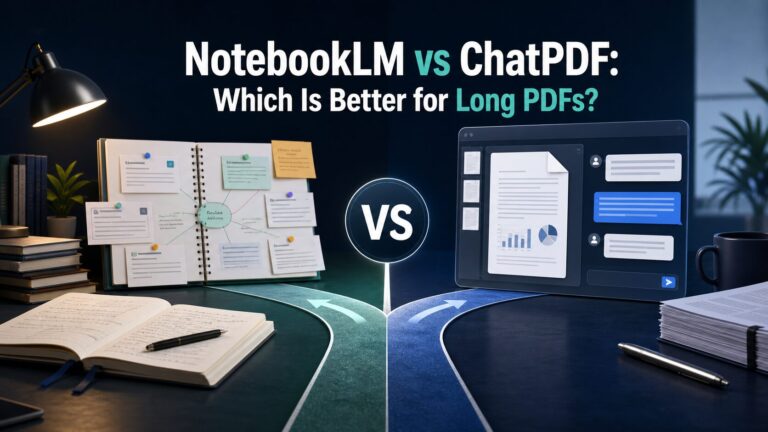
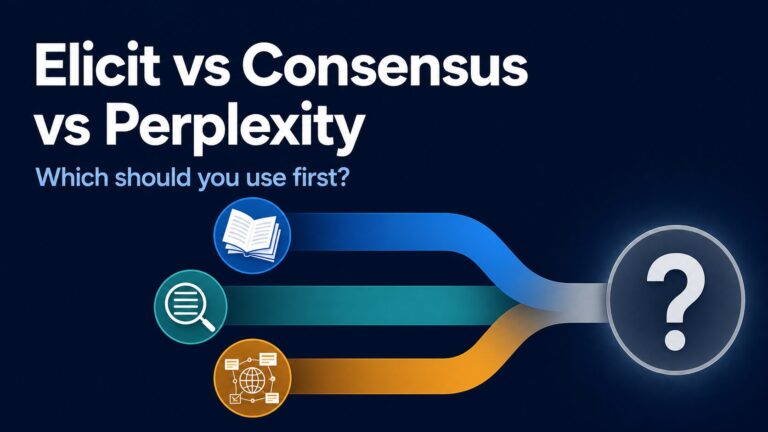
If the document only needs Q&A, see our comparison of NotebookLM vs ChatPDF for long PDFs. If the work is more academic, our guide to AI literature review tools may be the better starting point.
AI, OCR, and Cloud Uploads: The Risk Check
Before using AI features on real documents, read Wondershare’s PDFelement AI Agreement and PDF Solutions privacy policy. The practical takeaway is simple: some AI PDF workflows can involve cloud upload, AI output needs human review, and uploaded files may contain sensitive personal data.
That does not make AI PDF tools unusable. It means the tool decision is also a data decision. Before uploading a PDF, check whether it contains client files, employer material, student records, contracts, identity data, financial records, medical details, legal documents, unpublished research, or material your organization does not allow in cloud AI tools.
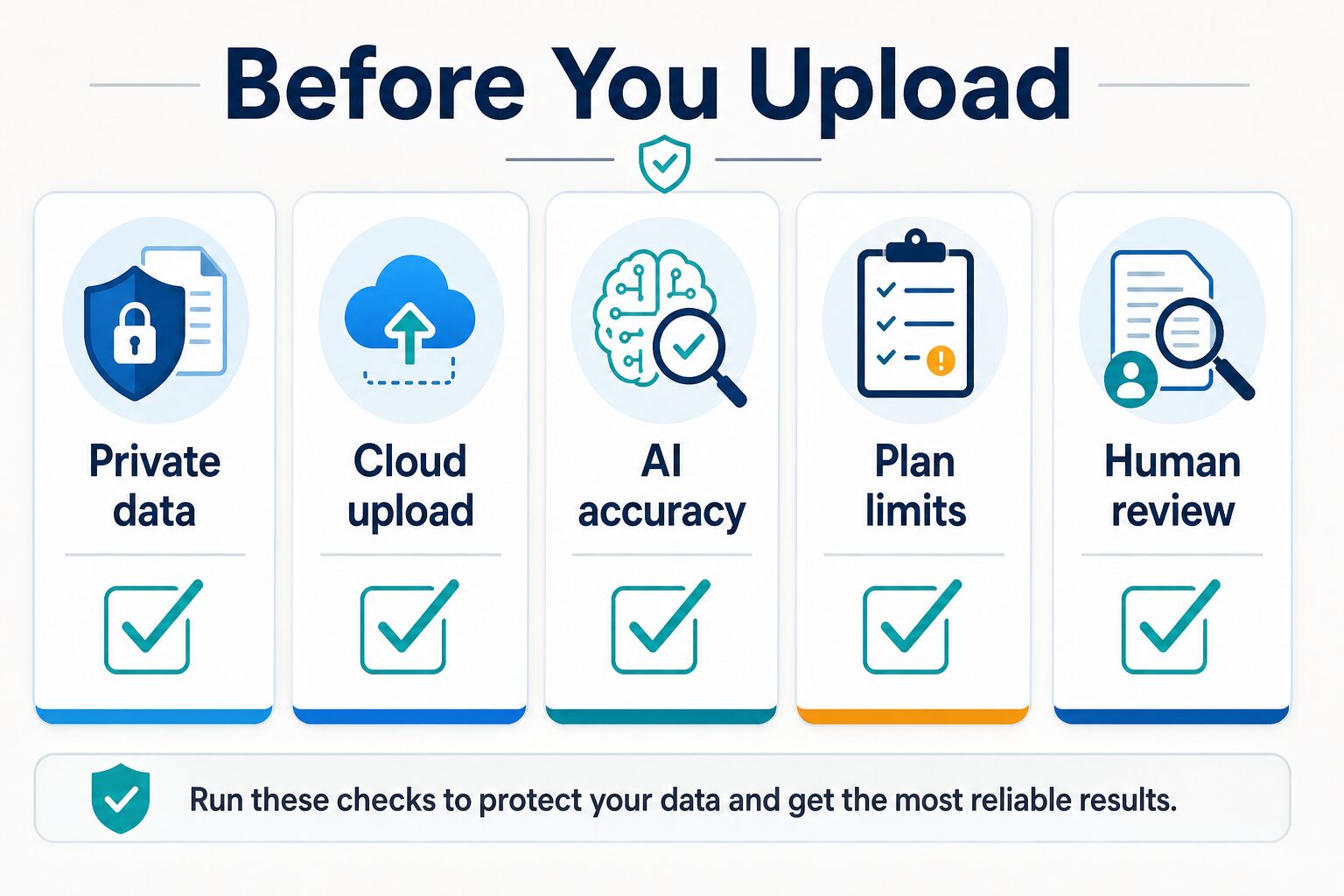
Use this checklist before uploading real PDFs:
- Private data: remove or avoid confidential, client, student, legal, medical, financial, HR, or internal information unless your policy allows the workflow.
- Cloud upload: confirm whether the AI feature uploads the file, how cloud storage works, and whether that is acceptable for the document.
- AI accuracy: treat summaries, translations, proofing suggestions, and extracted answers as drafts that need source review.
- Plan limits: check whether your plan includes enough AI access, OCR access, conversion volume, and platform coverage.
- Human review: verify key clauses, citations, page references, calculations, dates, names, and obligations before sharing output.
Pricing, Trial, and Plan Checks
Do not buy PDFelement from memory or from an old review. Wondershare’s shop pages can vary by platform, promotion, plan term, and bundle. This article intentionally avoids treating one visible price as permanent because the safer reader action is to verify the current official shop and checkout page directly.
The trial can still be useful for evaluation, but treat it as a test path. Wondershare’s registration guidance lists practical restrictions such as watermarks when saving edited or commented PDFs, conversion limits, batch-operation limits, combine-file limits, template limits, and unavailable compression in the trial. If you are testing for client, school, or work output, use copies and confirm whether the paid plan removes the exact friction you found.
For AI access, check more than the base PDF editor price. Confirm whether the AI features you need are included, whether extra AI access or credits apply after the included quota, whether OCR is included for your platform, whether cloud storage is enough, and whether your expected document volume fits the plan.
Where PDFelement Fits Against Alternatives
| Tool | Use it when | Skip or compare when | Official check |
|---|---|---|---|
| Wondershare PDFelement | You need editing, OCR, conversion, annotation, signing, forms, protection, and AI reading in one PDF workflow. | You only need source-grounded reading or quick PDF Q&A. | Feature page, shop page, AI Agreement, privacy policy, trial limits, and cloud guide. |
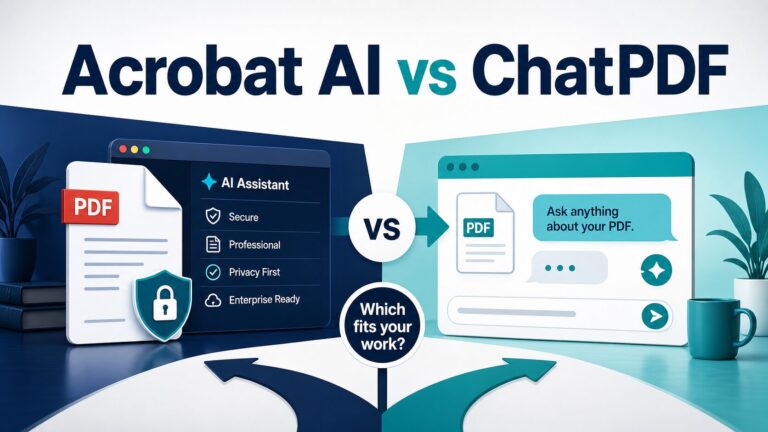
| Adobe Acrobat AI Assistant | Your organization already uses Adobe and needs Acrobat-adjacent AI, e-signature, admin, or security review. | You want a lighter standalone reader or want to avoid Adobe plan complexity. | AI Assistant product page, plan page, and Adobe AI usage policy. |
| Smallpdf | You want browser-based PDF tools, basic document handling, and limited AI PDF utilities. | You need desktop editing depth, OCR-heavy work, or a full editor workflow. | Pricing page, AI tool limits, document size limits, and plan terms. |
| ChatPDF | You want focused PDF chat and do not need editing, OCR, form preparation, or signing. | You need a broader PDF editor or platform licensing. | Product page, free-plan limits, and privacy policy. |
| NotebookLM | You want source-grounded notes across PDFs, docs, slides, web URLs, audio, and other sources. | You need to edit PDFs, OCR scans, sign documents, or convert PDF formats. | Source support and limits, account type, and privacy/workplace policy. |
Who Should Use PDFelement?
PDFelement is a practical candidate for people who handle PDFs as working documents, not just as reading material. That includes students preparing scanned papers, researchers cleaning source documents, freelancers reviewing contracts, small teams editing proposals, non-native English professionals proofreading PDF text, and operators who need forms, signatures, annotations, conversion, and AI support in the same workflow.
It also makes sense when you want an Acrobat alternative but still need more than a lightweight web tool. If your repeated tasks include OCR, editing text, converting to Word, adding comments, protecting a PDF, merging documents, or preparing a clean file for review, PDFelement deserves a closer look.
Use it carefully for academic and professional work. AI can help summarize, translate, or proofread, but it should not replace close reading, citation verification, policy review, or final judgment. For research-heavy use, pair it with the process in our academic paper summarization workflow.
Who Should Skip or Delay PDFelement?
Skip or delay PDFelement if you do not need PDF editing. If your only job is asking questions about a public PDF, ChatPDF, NotebookLM, or another source-grounded reader may be simpler. If your organization already standardizes on Adobe Acrobat, Adobe’s AI Assistant path may be easier to review internally. If you only need occasional compression, conversion, or signing, Smallpdf may be enough.
Also delay the purchase if the document risk is unclear. If you handle client contracts, protected student material, patient records, legal files, financial statements, HR records, unpublished research, or confidential business plans, check policy first. The convenience of AI PDF tools is not worth a privacy mistake.
Practical Buying Checklist
Before you pay for PDFelement, open the official pages and answer these questions:
- Platform: Does the license cover the device and operating system you actually use?
- Trial limits: Will watermarks, conversion limits, batch limits, combine limits, missing compression, or template limits affect your test?
- AI access: Are AI tokens, AI pages, summaries, translation, proofing, and PDF-to-Markdown included at the level you need?
- OCR: Do you need OCR often enough to justify a full editor instead of a reader?
- Cloud: Are you comfortable with the cloud upload behavior for the documents you plan to use?
- Alternatives: Would Adobe, Smallpdf, ChatPDF, or NotebookLM solve the narrower job with less setup?
If the answer is yes to editing, OCR, conversion, and AI reading, PDFelement is worth evaluating. If the answer is only AI reading, start with a lighter PDF AI tool first.
FAQ
Is Wondershare PDFelement useful for AI PDF workflows?
Yes, when the workflow includes both PDF editing and AI reading. It is less compelling if you only need to ask questions about a PDF or create quick summaries.
Does PDFelement upload PDFs for AI features?
Wondershare’s AI Agreement says features such as Summarize PDF, Proofread PDF, Translate PDF, and PDF to Markdown upload PDFs to a personal PDFelement Cloud before use. Check the current AI terms before uploading sensitive files.
Is PDFelement better than Adobe Acrobat AI Assistant?
It depends on your workflow. PDFelement may appeal if you want a PDF editor alternative with AI features. Adobe may fit better if your workplace already uses Acrobat, has Adobe admin controls, or needs Adobe-specific review.
Is PDFelement better than NotebookLM or ChatPDF?
For editing, OCR, forms, signatures, and conversion, PDFelement is the more relevant category. For source-grounded reading, research notes, and PDF Q&A, NotebookLM or ChatPDF may be lighter.
Should students use PDFelement for research PDFs?
Students can consider it for OCR, editing, annotation, and document preparation. For literature review and source synthesis, use a source-grounded workflow and verify every citation, quote, and claim against the original paper.
Final Recommendation
Use Wondershare PDFelement when your PDF workflow needs editing, OCR, conversion, annotation, forms, signing, and AI reading in one place. Compare first if your job is only summarizing or chatting with PDFs.
Before paying, verify the current official price, platform license, trial limits, AI access, cloud upload terms, and privacy policy. Before uploading real documents, run the privacy checklist and keep a human review step. PDFelement can be useful, but it should be chosen for the PDF job you actually have, not because every PDF task needs a full editor.