Perplexity vs ChatGPT Search for Work
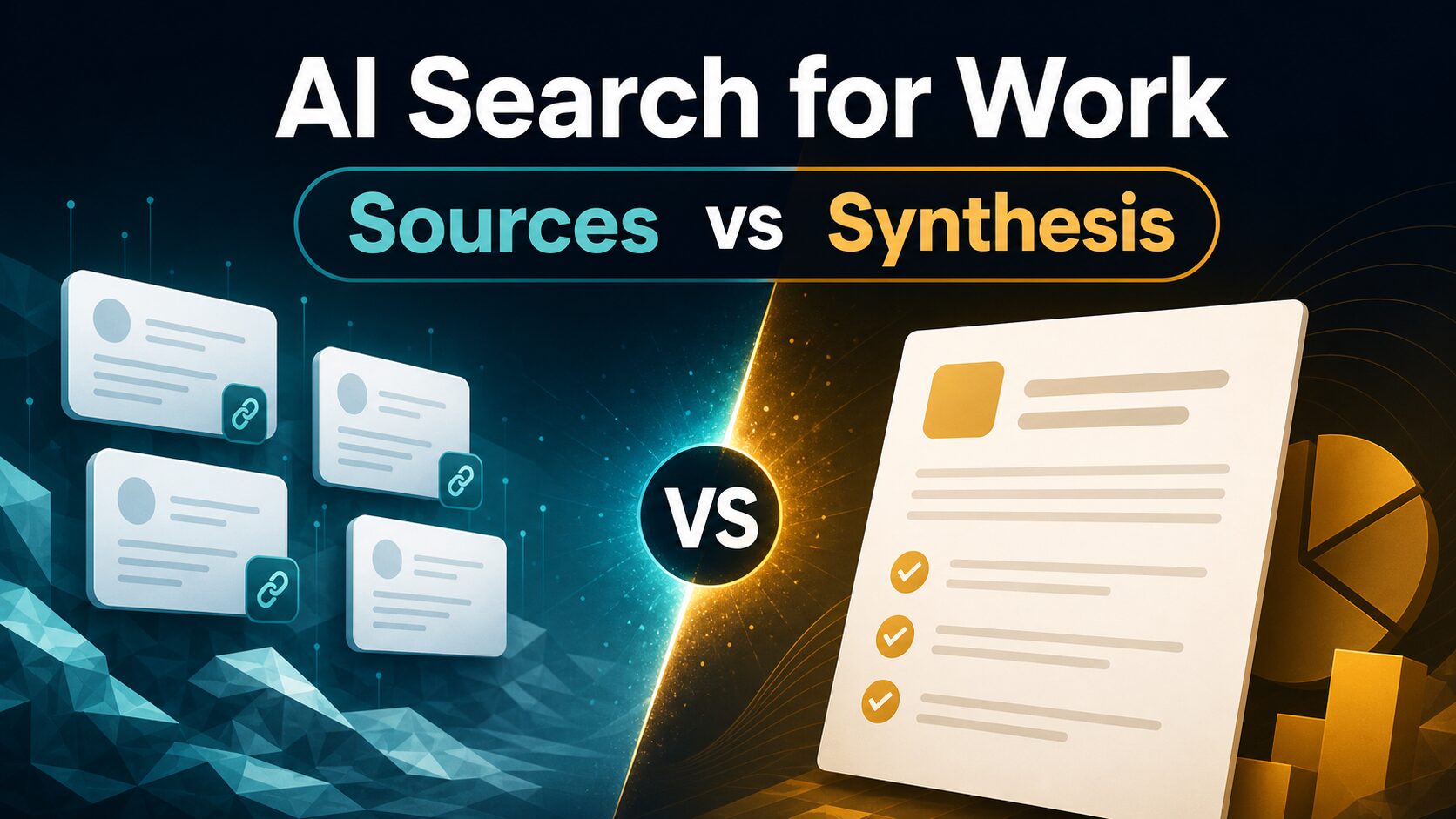
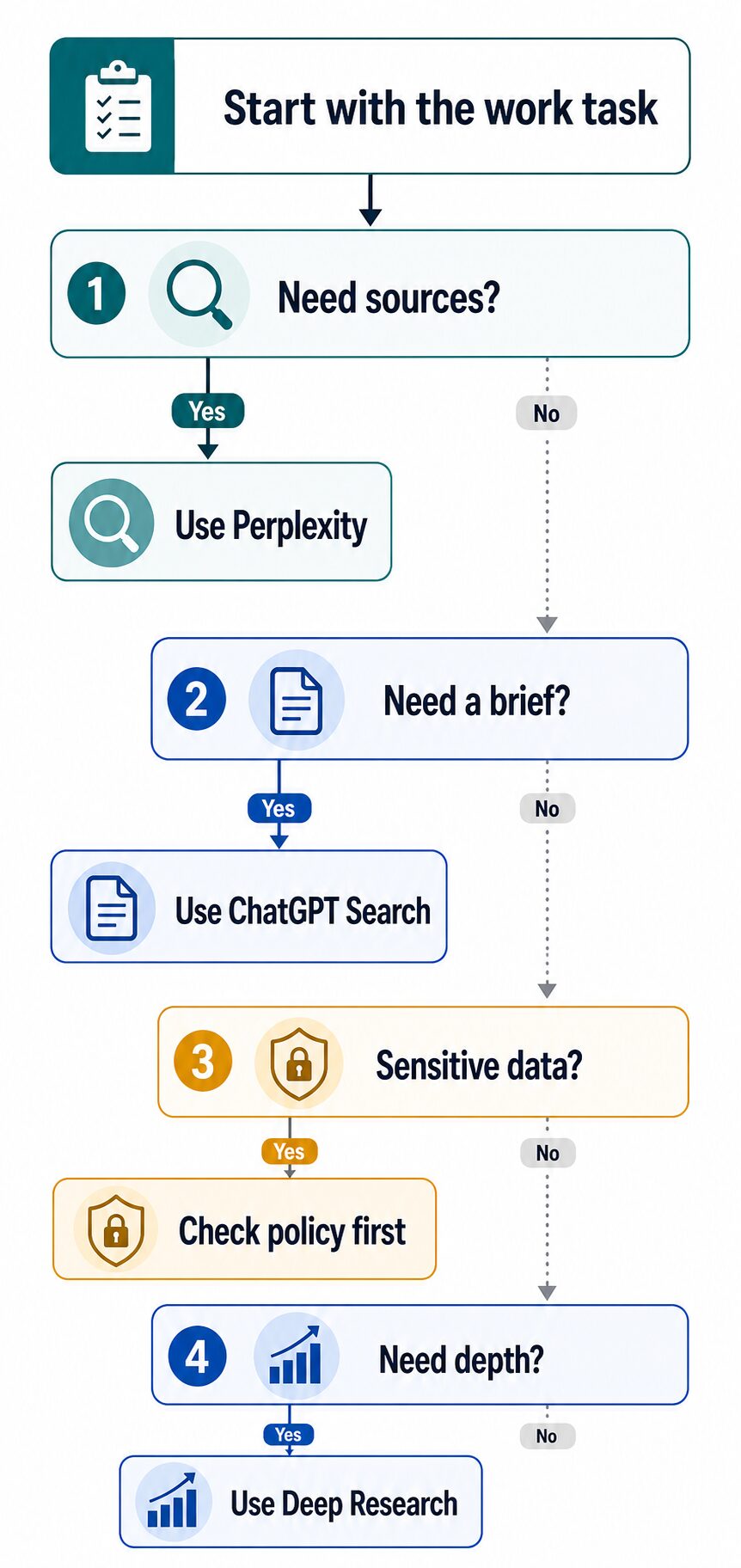
If you are comparing Perplexity vs ChatGPT Search for work, start with the task. Use Perplexity first when you need fast source discovery, citation scanning, and topic orientation. Use ChatGPT Search first when you need a web-backed answer that can become a brief, outline, email, checklist, or next-step plan.
Quick verdict: sources or synthesis?
- Choose Perplexity first when the job is “show me credible sources, related questions, and where this answer came from.”
- Choose ChatGPT Search first when the job is “help me understand this topic and turn the answer into usable work output.”
- Use neither with sensitive work data until you have checked your account type, privacy settings, workplace rules, and whether the data is safe to upload or paste.
- Use a deeper research workflow when the decision affects money, legal risk, health, academic claims, client advice, hiring, compliance, or public publication.
Evidence note: This comparison is based on official OpenAI and Perplexity help, pricing, privacy, and data-use pages checked on June 28, 2026. It is not a hands-on output-quality benchmark, citation-accuracy test, or paid-plan trial.
The real difference is not just search quality
Perplexity and ChatGPT Search can both help you answer questions with web information. The practical difference is where each tool fits in a work process.
Perplexity is easier to treat like a source-discovery layer. It is useful when you want to scan references, compare source snippets, branch into related questions, and decide which pages deserve closer reading.
ChatGPT Search is easier to treat like a conversational synthesis layer. It is useful when you want a web-backed explanation, then want to reshape that explanation into an email, meeting prep note, project brief, checklist, or draft plan.
That distinction matters because source links do not automatically make an answer trustworthy, and a polished summary does not automatically prove that the sources are strong. For work, the better question is: what will you do with the answer next?
Perplexity vs ChatGPT Search: side-by-side
| Decision point | Perplexity | ChatGPT Search | Work recommendation |
|---|---|---|---|
| Best first use | Finding sources, scanning cited pages, exploring related questions, and getting oriented on a topic. | Getting a web-backed explanation and turning it into a brief, outline, email, checklist, or next-step plan. | Start with the output you need: source list or usable work synthesis. |
| Evidence status for this article | Based on official sources. No citation-accuracy benchmark is claimed. | Based on official sources. No output-quality benchmark is claimed. | Use this as a workflow guide, then test a non-sensitive work question yourself. |
| Source handling | Perplexity’s official help positions it as an answer engine that provides cited answers and related follow-up paths. | OpenAI’s official ChatGPT Search help describes web search with links to relevant sources inside ChatGPT. | For source discovery, inspect the linked pages before trusting the answer. |
| Best work fit | Market scan, vendor research, quick topic orientation, source list building, and “what should I read next?” questions. | Meeting prep, executive summaries, project briefs, message drafts, decision checklists, and follow-up questions. | Use Perplexity to collect source context; use ChatGPT Search to shape the working answer. |
| Pricing/free-plan check | Check Perplexity’s official pricing page for current free and paid plan details before upgrading. | Check OpenAI’s official ChatGPT pricing page for current plan details, limits, and business options before upgrading. | Do not pay until the tool helps with a repeated weekly workflow. |
| Privacy and work data | Check Perplexity’s official data collection, storage, use, and personalization pages before using work data. | Check OpenAI’s privacy policy and data controls before using work data, especially outside an approved business account. | Use sanitized prompts for testing. Do not paste confidential material by default. |
Use Perplexity first when source discovery matters
Perplexity is the cleaner first stop when your work question starts with “what sources should I look at?” That could be a competitor scan, a vendor shortlist, a policy overview, a technical concept, a trend check, or a quick landscape review before a meeting.
The practical advantage is that the answer and sources are close together. You can open the cited pages, compare whether the answer fairly reflects them, and decide whether the source set is broad enough for your decision.
Source scanning, citation review, quick market orientation, related-question exploration, and finding pages to read next.
You need the answer transformed into a longer brief, polished message, or reusable work document immediately.
Perplexity is not a substitute for reading the sources. If the answer will be used in client advice, a public article, academic work, a purchase recommendation, or a strategic memo, open the sources and verify the claims yourself.
Use ChatGPT Search first when the answer has to become work output
ChatGPT Search is the cleaner first stop when the web answer is only the middle step. For example, you may need to understand a topic, then turn that understanding into a short memo, a polite client email, a meeting agenda, a project checklist, or a set of questions for a vendor call.
That is where the ChatGPT side is useful: it can keep the conversation going after the search answer. You can ask it to compare options, simplify the language, create a checklist, change the tone, or draft a next-step message.
Web-backed summaries, work briefs, outlines, follow-up questions, internal notes, and turning public information into a usable draft.
The main task is source auditing, citation comparison, or building a reading list before you write anything.
If you are choosing among broader AI assistants, read our guide to ChatGPT vs Claude vs Gemini for work. If you are specifically comparing paid research plans, use our separate ChatGPT Plus vs Perplexity Pro for research guide.
Run this 15-minute AI-search fit test
Use a non-sensitive work topic. Do not paste client names, employee details, customer records, unpublished company data, legal material, medical context, financial information, student records, or confidential documents.
- Pick one real but safe question: for example, “What should a small team check before choosing an AI meeting assistant?”
- Ask Perplexity for source discovery: look for the answer, source links, related questions, and whether the cited pages are worth opening.
- Ask ChatGPT Search for synthesis: ask for a short decision brief, a checklist, and three follow-up questions you should verify.
- Score the workflow, not the brand: which one helped you move faster without hiding source uncertainty?
- Decide the default: use the better tool for that task next week, but keep the other one available for the opposite stage.
Pricing and free-plan cautions
Both products have official plan pages, and those pages are the only safe place to confirm current free access, paid plan names, feature availability, usage limits, billing terms, and regional availability.
For this article, the practical pricing advice is simple: do not upgrade only because an AI search answer feels impressive. Upgrade only after one of these happens repeatedly:
- You hit limits during a real weekly workflow.
- You need a paid feature that directly supports work you repeat.
- You need team, admin, privacy, or business controls that the free path does not provide.
- The tool helps you produce source-checked work faster without creating verification risk.
Check the official Perplexity pricing page and ChatGPT pricing page before paying. Plan details and limits can change.
Privacy: what not to paste into either tool
AI search can feel safer than normal chat because the task looks like “just searching.” That is a bad assumption for work. If the prompt contains private material, uploaded files, meeting notes, client facts, or internal strategy, you still need to check data controls and policy first.
Before using either tool with work material: review account type, data controls, retention, model-training settings, connected apps, upload permissions, and your organization’s rules. If you are unsure, use a sanitized public example instead.
For a more detailed checklist, use our AI tool privacy checklist before uploading work data. For official policy details, review OpenAI’s data controls FAQ, OpenAI’s privacy policy, Perplexity’s data collection FAQ, and Perplexity’s personalization and AI data usage FAQ.
When neither is enough
Perplexity and ChatGPT Search are useful for fast orientation, but some tasks deserve a slower research workflow. If the output affects public claims, academic work, client advice, compliance, legal risk, health, finance, hiring, or a large purchase, treat the AI answer as a starting point.
For academic and long-form research, see our guide to AI literature review tools for graduate students. Use source-by-source reading, not only an AI-generated summary.
Final recommendation
Use Perplexity first when the job is source discovery. Use ChatGPT Search first when the job is answer synthesis and work output. Use both when the stakes justify it: Perplexity to find and inspect sources, ChatGPT Search to turn verified public information into a usable brief.
For sensitive work, the real first step is neither product. It is a privacy and policy check.