Perplexity vs Google for Research: Use Both Without Losing Source Control
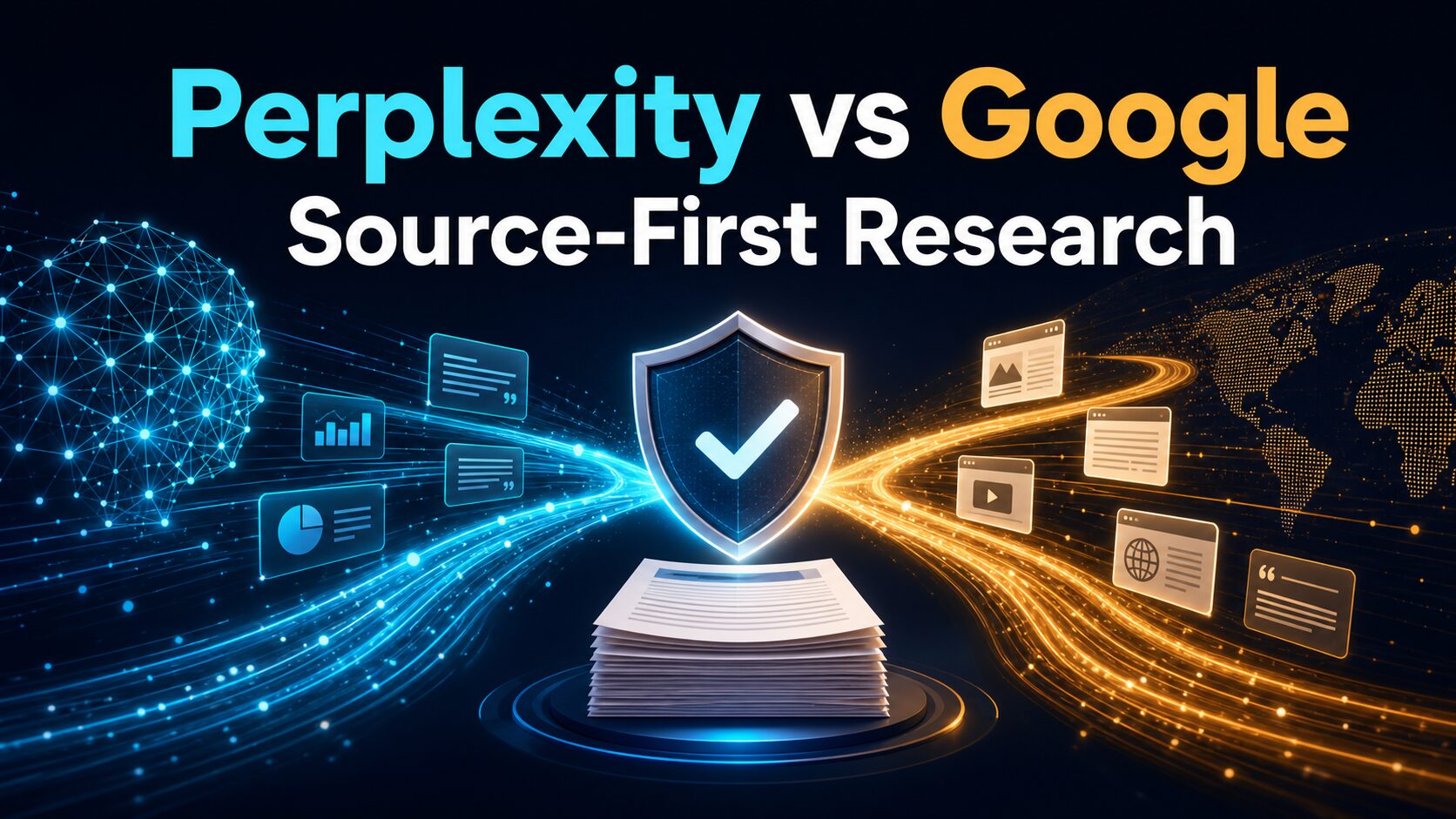
Perplexity is the faster first tab for a focused research question; Google is the safer first tab when you still need to find, compare, and audit the source trail. For academic work, Google Scholar should remain a separate discovery step. The best answer is usually not one tool replacing another. It is a source-first workflow that assigns each tool a narrow job.
Quick Verdict
Start with Perplexity when the question is already clear and you want a cited synthesis, a list of likely subtopics, or a first research map.
Start with Google Search when you need an official page, exact PDF, recent announcement, local result, opposing viewpoints, or a wider set of sources you can inspect yourself.
Start with Google Scholar when the deliverable depends on papers, authors, journals, citation trails, or literature-review coverage.
Use Google AI Mode as an answer layer, not a source category. It can break a question into subtopics and provide follow-up paths, but Google itself warns that AI responses can make mistakes. Open the underlying pages before you cite or act.
Evidence status: Official product and help pages plus current search-result patterns were rechecked on July 10, 2026. This is a researched-only workflow comparison; it does not claim controlled accuracy, speed, or output-quality testing.
Perplexity vs Google for Research: The Real Difference
The old comparison was simple: Perplexity gave a direct answer while Google returned links. That distinction is now incomplete. Google Search can also show AI-generated responses through AI Mode, and Perplexity now offers multiple search modes, file analysis, and a deeper Research mode.
The more useful dividing line is source control. Perplexity reduces the work of building an initial explanation. Google Search gives you more control over discovery and query refinement. Google Scholar narrows the source universe to scholarly literature. None of those interfaces removes the need to judge whether a source is current, primary, relevant, and strong enough for your decision.
| Research decision | Perplexity | Google Search / AI Mode | Google Scholar |
|---|---|---|---|
| Best first job | Synthesize a focused question and surface cited leads. | Discover official, current, diverse, exact, or obscure web sources. | Find papers, authors, publications, citations, and related scholarly work. |
| What you receive | A conversational answer with source links and follow-up questions. | A web result set, sometimes with an AI response and follow-up exploration. | A relevance-ranked scholarly result set with citation and version paths. |
| Main advantage | Fast orientation when the research question is already well framed. | More manual control over source type, recency, domain, file type, and viewpoint. | Better fit for literature discovery and citation chaining. |
| Main risk | A polished synthesis can feel more conclusive than its source base warrants. | AI answers can be wrong; ordinary results can be noisy, duplicated, or commercial. | Coverage is broad but can have gaps, and full text may still require library access or a subscription. |
| Use the free path first? | Yes. Free access includes basic search and limited advanced use; check current limits before paying. | Yes. Use standard Search, filters, operators, and AI Mode where available. | Yes. Search is available without a consumer research subscription, although some linked papers are paywalled. |
| Skip as first tab when | You must audit the original source universe before reading any synthesis. | You already know the question and only need a concise map of the topic. | The task is product, company, local, news, policy, or official-document research. |
Use Perplexity When the Question Is Clear but the Map Is Missing
Perplexity is a strong first step for a narrow question such as: “What official documents define this policy?” or “What are the major differences between these two frameworks?” Its value is not that the answer becomes final. Its value is that you can see the likely structure of the topic and a set of source leads without building the outline from scratch.
Perplexity’s official help center now separates quick search from deeper Research mode. Research mode iteratively searches and reads sources, produces a report, and supports export. Free users have limited access, while paid plans extend the limits. That can justify paying if deeper reports repeatedly remove a bottleneck, but a longer report still needs the same claim-level verification as a short answer.
Use Perplexity first for orientation, terminology, competing viewpoints, and a source shortlist. Skip it as the only tool for a legal, medical, financial, academic, client, or public claim where the original wording and context matter.
Use Google Search When Source Discovery Is the Work
Google remains the better first tab when you need to control the search itself. Official Search help documents filters and operators for exact phrases, a specific site, excluded terms, dates, and file types. Those controls matter when the result must be an official pricing page, a PDF published after a policy change, a government source, or an independent view that contradicts a vendor’s claim.
Google AI Mode narrows the gap with Perplexity. Google’s help page says AI Mode can divide a question into subtopics, search them in parallel, and return an AI-powered response with web links and follow-up questions. It also says the product does not always get it right. Treat it as an optional synthesis layer over Search, not as permission to skip source review.
A practical rule: if the deliverable needs a reproducible search trail, use ordinary Search results, operators, and saved source URLs even when AI Mode helps you form the next question.
Use Google Scholar When “Evidence” Means Scholarly Literature
Google Scholar is not simply a cleaner Google Search page. Its official materials describe broad searching across articles, theses, books, abstracts, court opinions, professional societies, repositories, universities, and other scholarly sources. Scholar also exposes related works, citing articles, versions, authors, and publication context.
Start there when your reader expects papers rather than web explainers. Use “Cited by” and “Related articles” to expand a literature trail, and use date controls when newer work matters. Remember that Scholar search results are normally sorted by relevance, not purely by date, and that a result may lead to an abstract or paywalled publisher page rather than free full text.
For deeper tool selection, compare Elicit vs Consensus vs Perplexity. For literature-review workflows, see AI literature review tools for graduate students.
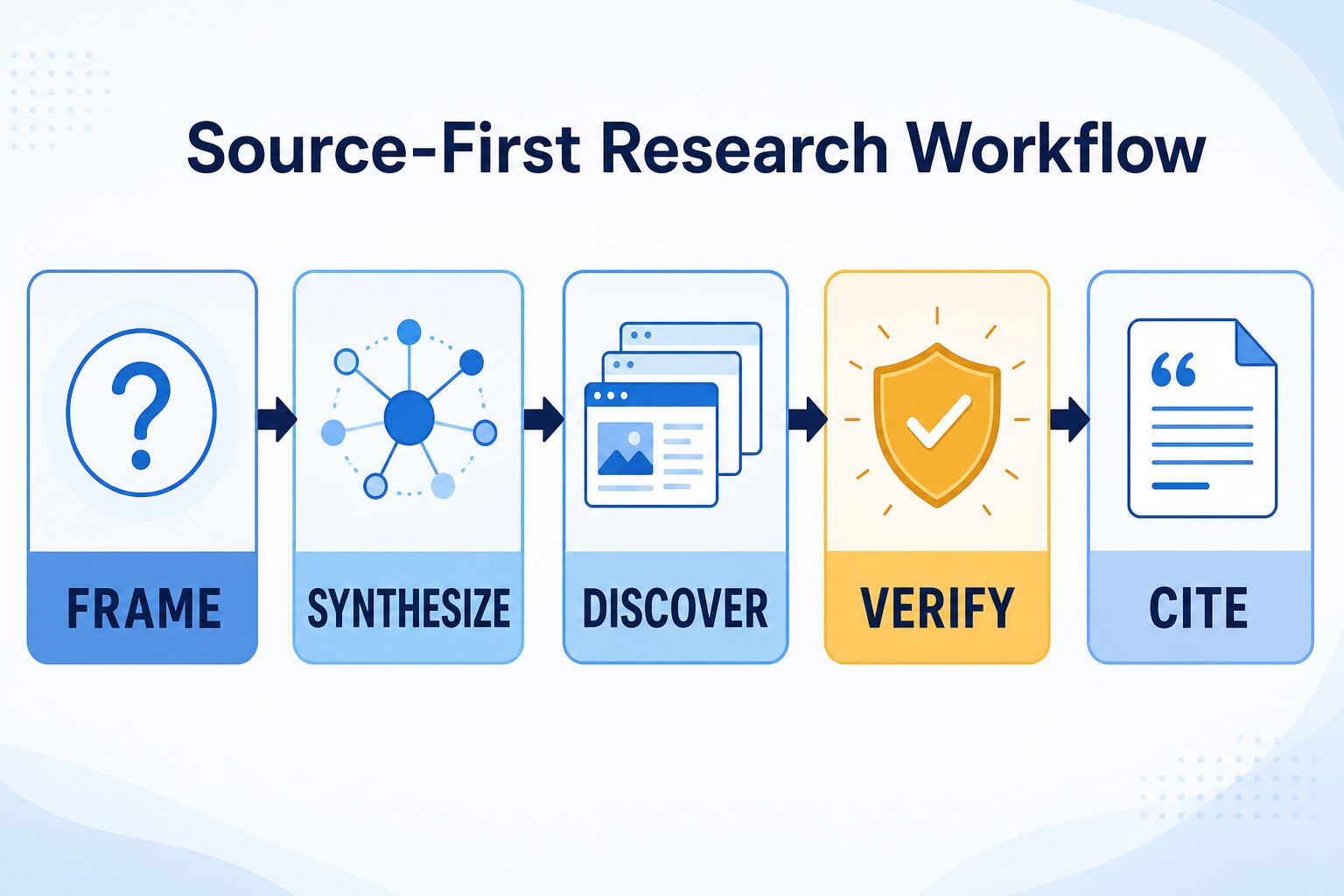
The Source-First Research Workflow
1. Frame
Write the exact claim, decision, audience, date range, and source standard. If you cannot state those, explore the topic in Google first.
2. Synthesize
Ask Perplexity or Google AI Mode for a first map. Request key terms, disagreements, and primary-source categories rather than a confident final verdict.
3. Discover
Open Google Search for official pages, exact documents, recent updates, and opposing views. Move to Scholar when papers and citation trails are required.
4. Verify
Check the original text, author, publisher, date, evidence, and whether the cited page actually supports the claim you plan to use.
5. Cite
Cite the original page, paper, policy, dataset, or report—not the AI summary that helped you find it.
Try the Same-Claim Test Before You Pay
This test gives you a decision without pretending to be a benchmark. Choose one real, non-sensitive claim from your work. Ask Perplexity for a source-backed answer. Then search the same claim in Google, open the most relevant official source, and check Google Scholar if academic evidence should exist.
Score the workflow on five questions:
- Did the tool surface the original or strongest available source?
- Could you tell which source supported each important claim?
- Did the answer expose uncertainty, conflicting evidence, or date limits?
- How many manual searches were still needed before you trusted the result?
- Would paid limits or Research mode remove a bottleneck you actually repeat?
If free Perplexity plus Google verification is enough, keep the free workflow. Consider a paid plan only when the advanced research, file, or volume limits solve a recurring problem—not because one demo answer looked polished.
A Five-Point Source Audit for Any AI Research Answer
| Check | Question to ask | Warning sign | Repair |
|---|---|---|---|
| Primary | Is this the original policy, paper, dataset, filing, or product page? | A blog summarizes another blog that cites no source. | Search the quoted phrase, title, author, or official domain. |
| Support | Does the cited page support the exact claim? | The link is related but does not contain the number or conclusion. | Open the page and find the relevant passage before using it. |
| Date | Is it current enough for this decision? | Pricing, policy, model, or feature details are undated or old. | Find the current official page and record the check date. |
| Context | What population, region, plan, or condition does the source cover? | A limited finding is presented as a universal rule. | Read the surrounding section, methods, eligibility, or limitations. |
| Conflict | What credible source would disagree? | Every source repeats the same vendor or press release. | Search for an independent source, primary counterevidence, or later update. |
Pricing, Files, and Privacy: Check the Account Context
Perplexity’s current official plan guide lists a free Standard path plus Pro, Education Pro, Max, and enterprise tiers. Features and limits vary by plan and can change, so this article does not freeze a consumer price or usage quota. Check the live plan guide before upgrading.
Privacy differs by account type. Perplexity says consumer users can turn off AI Data Usage in settings, while enterprise plan data is not used for model training. Its file-security help page says session uploads are generally retained for 30 days, with different treatment for Enterprise Pro and persistent repositories. Confirm the current policy before uploading client documents, unpublished research, contracts, health information, student records, or internal strategy.
Google’s privacy policy also makes clear that data collection and use depend on how you use services and manage your controls. A search box is not a confidential workspace. For a practical pre-upload review, use the AI tool privacy checklist for professionals.
Three Research Tasks and the Best First Tab
Product pricing or policy
Start in Google Search with the official domain. Use Perplexity afterward to compare sections or build questions. Record the official URL and date checked.
Executive briefing
Start with Perplexity or Google AI Mode for orientation, then verify every decision-driving claim through official and independent sources.
Literature scan
Start in Google Scholar. Use Perplexity to group themes only after you have a paper list and can preserve the original citation trail.
Common Mistakes
Choosing by interface. A clean answer is not automatically better research. Judge the source trail and the decision it supports.
Counting citations instead of checking them. Ten links can still repeat one weak claim. Open the strongest sources and verify claim-level support.
Treating Google AI Mode as ordinary Search. It is another synthesis surface. Use web results and original pages when you need reproducibility.
Uploading before checking policy. Remove sensitive identifiers or use an approved enterprise environment when workplace or school rules require it.
FAQ
Can Perplexity replace Google for research?
It can replace part of the early synthesis step, but not the full source-discovery and verification workflow. Google Search remains useful for exact documents, current official pages, source diversity, and controlled query refinement.
Is Google AI Mode the same as Perplexity?
No. Both can provide AI-powered responses with links and follow-up exploration, but they sit inside different products and expose different workflows. For important claims, use the same rule with either one: open and verify the original source.
Is Perplexity better than Google Scholar?
Not for the same job. Perplexity is useful for orientation and synthesis. Scholar is purpose-built for discovering scholarly literature, citations, related works, authors, and publication trails.
Should I pay for Perplexity Pro for research?
Run the same-claim test first. Pay only if current paid features or limits remove a repeated research bottleneck and the account’s privacy controls fit your data.
What should I cite?
Cite the original paper, policy, official page, report, dataset, or filing you actually read. Do not cite an AI summary merely because it contained a link.
Final Recommendation
Use Perplexity to shorten orientation, Google Search to control source discovery, Google Scholar to build academic trails, and a manual source audit to protect the final decision. If you remember only one rule, make it this: the tool that gives the fastest answer is not necessarily the tool that gives you the strongest evidence.
For a broader AI-assistant decision, see ChatGPT vs Claude vs Gemini for work. That page covers general assistant fit; this page stays focused on source-first research.
Check the Current Official Pages
Research modes, plan limits, AI-search behavior, and privacy terms can change. Confirm current details before paying or using sensitive data.