Fathom vs Granola for Meeting Notes
If you are choosing between Fathom and Granola for meeting notes, do not start with the feature list. Start with the kind of meeting you need to protect. Fathom is the better first trial when you want full meeting capture, recordings, summaries, and follow-up workflows. Granola is the better first trial when you want a quieter private note layer without a meeting bot joining the call.
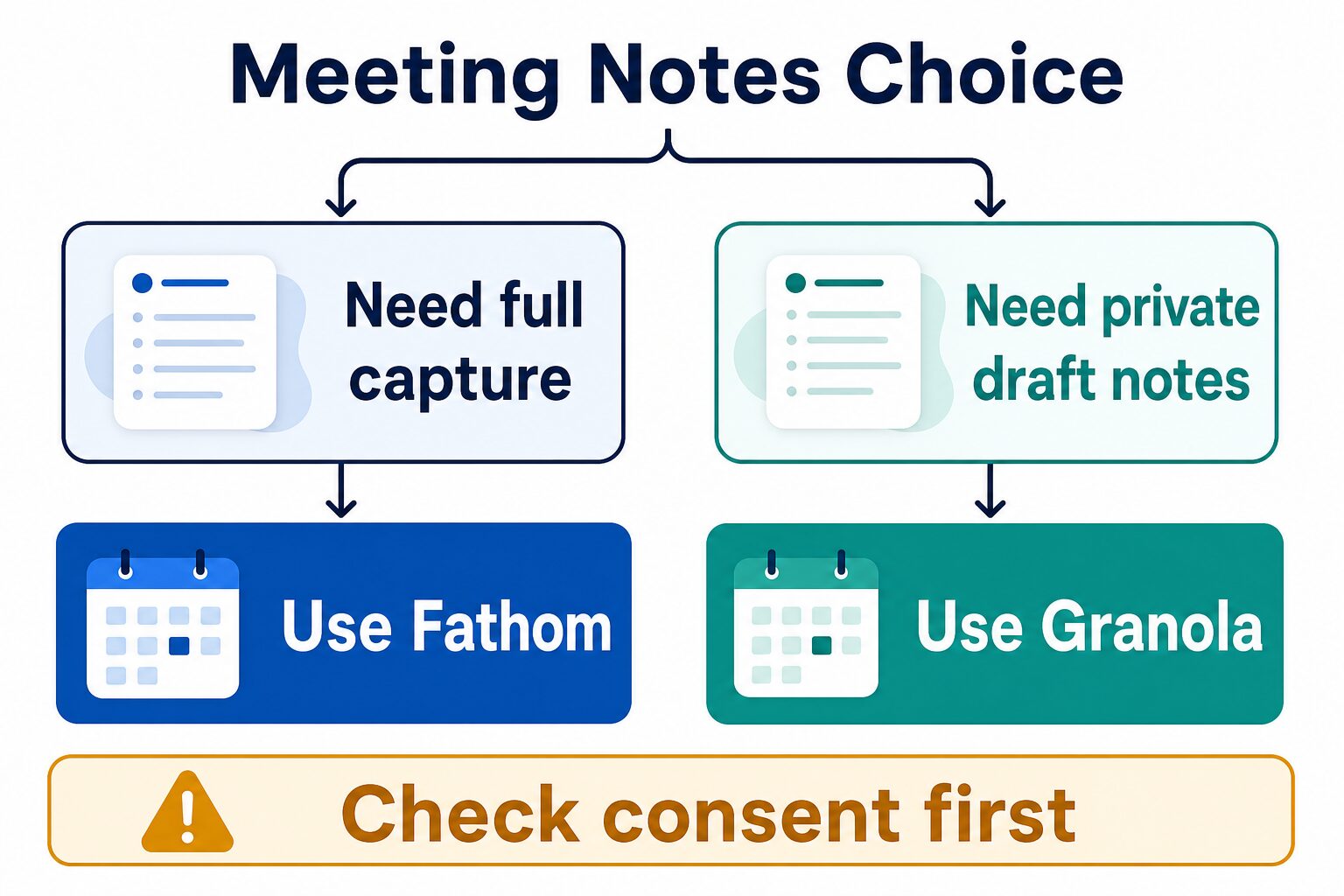
Quick answer: Fathom for full capture, Granola for private draft notes
- Choose Fathom if you want a full meeting record, summaries, recordings, team handoff, or CRM-style follow-up from calls.
- Choose Granola if you want bot-free personal meeting notes and a lighter, less visible workflow during client or founder calls.
- Skip both temporarily if the meeting involves legal, HR, healthcare, student, client-confidential, or employment-sensitive information and consent is unclear.
- Evidence limit: this article is official research only. It does not claim a fresh hands-on transcription accuracy test.
Pricing, privacy, security, and product claims below are based on official Fathom and Granola pages checked on July 4, 2026. Plan names, prices, data terms, and beta features can change, so open the official links before paying or recording real meetings.
Fathom vs Granola comparison table
| Decision point | Fathom | Granola |
|---|---|---|
| Best fit | Full meeting capture, recordings, transcripts, summaries, action items, and follow-up workflows. | Bot-free private draft notes, personal meeting memory, and a lighter note-taking layer during calls. |
| Best first trial | A low-risk internal or sales meeting where a full record and follow-up summary are useful. | A client, founder, or one-on-one meeting where you want better notes without adding a visible meeting bot. |
| Meeting presence | Fathom is known for meeting capture and also publishes bot-free notetaker information. Confirm current platform support before relying on it. | Granola is built around bot-free notes from your computer audio and your own typed notes. |
| Free-plan note | Fathom’s official pricing page listed an Individual Free plan when checked. | Granola’s official pricing page listed a Basic $0 plan when checked. |
| Paid-plan note | Fathom listed Premium, Team, and Business tiers, with Team and Business carrying a two-seat minimum when checked. | Granola listed Business at $14 per user per month and Enterprise at $35 per user per month when checked. |
| Privacy and consent caution | Strong fit only when recording, transcript access, retention, sharing, and participant notice match your meeting policy. | Bot-free does not remove consent, data, sharing, or retention questions. It just changes the meeting experience. |
| Skip if | You mainly need private draft notes and do not want a full meeting record or sharing workflow. | You need recordings, searchable team records, CRM handoff, or a complete transcript workflow for the whole team. |
| Evidence status here | Official research only. | Official research only. |
How to choose by meeting type
1. You need a full meeting record
Start with Fathom. It is the stronger fit when the outcome you need is a reliable meeting record: transcript, recording, summary, action items, and a follow-up workflow that can be shared or pushed into a team process.
That does not mean every meeting should be captured. It means Fathom makes more sense when the record itself is the value: sales calls, customer discovery, recruiting debriefs, team handoffs, implementation calls, and meetings where action items matter after the call ends.
2. You need better notes without a meeting bot
Start with Granola. Its clearest advantage is a quieter workflow: it works more like an AI notepad for the person taking notes, instead of a meeting assistant that needs to appear as another attendee. That can feel more natural in founder calls, client conversations, advisory meetings, and internal one-on-ones.
The tradeoff is that a lighter personal note workflow may not replace a full team transcript, recording library, CRM handoff, or searchable archive. If your team expects a complete record, Granola may be too light as the only meeting-notes system.
3. You are not sure whether the meeting should be recorded
Pause before using either tool. A meeting-note app can capture personal data, client information, financial details, hiring conversations, student information, or confidential strategy. Bot-free notes are still notes. A transcript, summary, or AI-generated note can still become sensitive work data.
Before using either tool in a sensitive setting, confirm participant notice, client expectations, internal policy, retention, sharing, account access, and whether the meeting belongs in any AI tool at all.
Fathom: best when capture and follow-up matter
Fathom is the better choice when the meeting needs to become an asset after the call. It is built around capturing meetings, turning them into summaries and action items, and helping teams reuse what happened in the call.
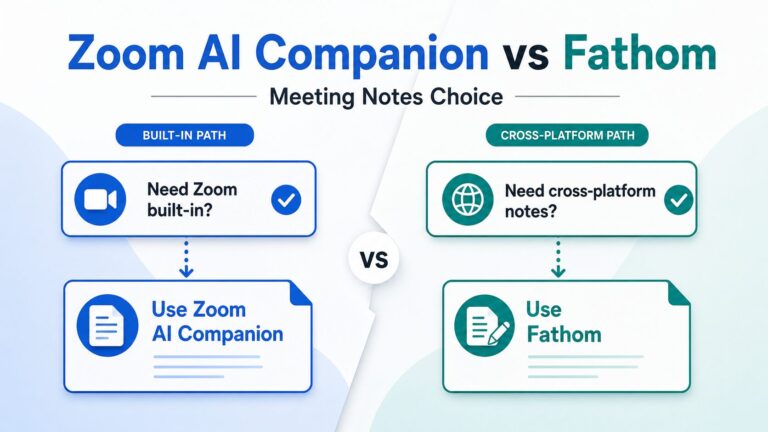
For a consultant or founder, that can be useful when you need a clean follow-up email, CRM notes, a handoff to a teammate, or a record of a client decision. It also makes Fathom a natural next comparison after reading our Fathom review or our Zoom AI Companion vs Fathom guide.
Choose Fathom if
- You want recordings, transcripts, summaries, and follow-up notes from important meetings.
- You need a workflow that can support client calls, sales calls, or team handoffs.
- You want meeting output that can move into other work systems.
- You are comfortable managing participant notice, recording policy, and data retention.
Skip Fathom if
- You only need personal notes and do not want a full meeting record.
- You are in a sensitive call where recording or visible capture would create trust problems.
- Your team has not decided who can access transcripts, recordings, and summaries.
- You mainly want a broader meeting-assistant shortlist. Use our best AI meeting assistants for remote workers guide instead.
Granola: best when private draft notes matter more
Granola is the better choice when the job is not “record this entire meeting for the team.” The job is “help me take better notes while I stay present in the conversation.” Its official positioning is built around bot-free notes, typed context, and AI-generated meeting notes from your own meeting audio and notes.
That makes Granola especially interesting for people who run many nuanced conversations: founders, consultants, operators, managers, and advisors. It can be a good first trial when the social cost of a visible bot is higher than the value of a complete recording.
Choose Granola if
- You want meeting notes without adding a bot attendee.
- You prefer a personal AI notepad over a team recording library.
- You often take your own notes and want AI to clean up, structure, or fill gaps.
- You need a lighter tool for client conversations, founder calls, or one-on-ones.
Skip Granola if
- You need recordings or a full team transcript workflow.
- Your team needs centralized meeting records, CRM updates, or broad search across calls.
- You need current support on a device or platform that Granola does not support well yet.
- You want a wider alternatives list. Read our Otter alternatives for remote teams guide or our Fireflies vs Otter comparison.
Pricing and free-plan notes to verify
When checked on July 4, 2026, both tools had a free entry point. That does not mean the free plan will cover your real workflow. For meeting-note tools, the upgrade trigger is often not the first transcript. It is the amount of meetings, team sharing, recording needs, integrations, CRM workflow, admin controls, or retention policy.
- Fathom: the official pricing page listed an Individual Free plan. Paid tiers included Premium, Team, and Business, with Team and Business shown with a two-seat minimum when checked.
- Granola: the official pricing page listed Basic at $0, Business at $14 per user per month, and Enterprise at $35 per user per month when checked.
Open the official pricing pages before buying because annual billing, monthly billing, minimum seats, beta feature availability, and plan limits can change faster than comparison articles.
Privacy, consent, and AI data-use cautions
Privacy is the part of this decision that most comparison tables undersell. Fathom and Granola solve different meeting problems, but both can create sensitive work records. A meeting note may include client strategy, employee feedback, hiring details, financial information, customer names, or confidential decisions.
Fathom publishes privacy, security, consent, and retention information. Granola publishes privacy and security pages and an official help article about AI training data use. Read the current official pages before using either tool in regulated, confidential, or client-sensitive settings.
For a broader checklist, use our AI tool privacy checklist for professionals before uploading or recording sensitive work data.
A practical three-meeting pilot
- Meeting 1: use the tool on a low-risk internal call and check whether the notes reduce follow-up work without heavy cleanup.
- Meeting 2: test the trust experience: participant notice, visible bot behavior or bot-free workflow, sharing controls, and whether the notes feel appropriate for the meeting type.
- Meeting 3: test the paid-plan blocker: recording needs, summaries, CRM or team workflow, retention, device support, and admin controls.
- Before rollout: decide which meetings should never be recorded or summarized by AI.
FAQ
Is Fathom better than Granola?
Fathom is better when you want full meeting capture, summaries, recordings, transcripts, and follow-up workflows. Granola is better when you want private draft notes and a quieter bot-free meeting experience.
Is Granola more private than Fathom?
Granola’s bot-free workflow can feel less intrusive, but “less visible” is not the same as “no privacy risk.” Both tools require consent, data-use, retention, sharing, and account-access review before sensitive meetings.
Which is cheaper, Fathom or Granola?
Both had free entry points when checked on July 4, 2026. Fathom’s paid tiers and Granola’s paid tiers are structured differently, so the cheaper choice depends on seat count, meeting volume, and the features that force an upgrade.
Can I use Fathom and Granola together?
You can test both separately, but most teams should not run multiple meeting-note tools on the same call by default. Duplicate capture can confuse participants and create extra transcript, consent, and retention work.
Which one has better transcription accuracy?
This article does not name an accuracy winner because no fresh hands-on transcription test was performed. Accuracy can vary by audio quality, accents, speaker overlap, meeting platform, microphone setup, and language.
Final recommendation
Choose Fathom if the meeting needs to become a full record with summaries, recordings, transcripts, and follow-up workflows. Choose Granola if the meeting needs better personal notes with less visible meeting presence.
If the meeting is sensitive, do not let the tool decision outrun the consent decision. Run a three-meeting pilot, check official pricing and privacy pages, and define which meetings should stay outside any AI meeting-notes workflow.