Best AI Productivity Tools for Solo Operators and Small Teams
AI productivity tools
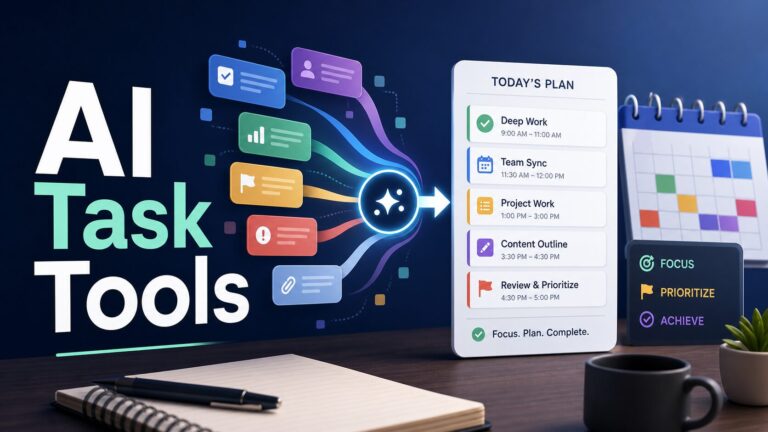
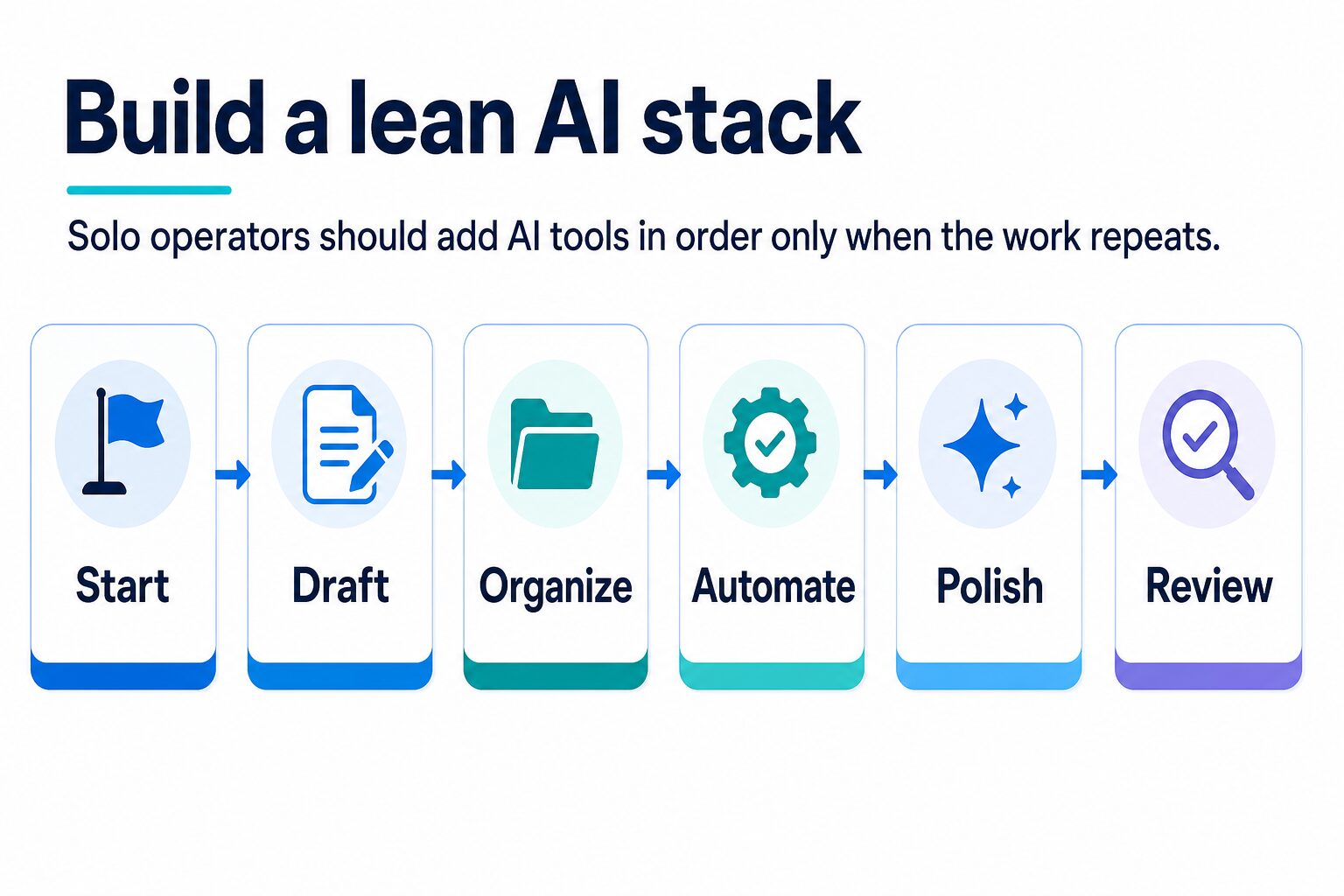
The best AI productivity tool is the one that removes a repeated workflow bottleneck without creating a second system to manage. For most solo operators and small teams, that means starting with one general assistant, then adding a work hub, automation layer, design tool, or writing-polish tool only when the job repeats.
Quick answer: choose ChatGPT or Claude first. Add Notion AI or ClickUp Brain only if shared work context is the problem. Add Zapier after the handoff is already stable. Add Canva when visual output is part of your weekly work. Add Grammarly when customer-facing English needs a final review layer.
Quick Verdict
Do not buy a complete AI stack at once. Every extra tool adds billing, permissions, data exposure, admin cleanup, training, and review work. The goal is not to own more AI software. The goal is to remove one repeated friction point at a time.
How To Choose Without Creating Tool Sprawl
Most “best AI productivity tools” lists become software directories. They cover chatbots, note apps, project management, automation, design, grammar, meeting notes, search, agents, and document tools, but they do not tell a solo operator where to stop.
Use a workflow-first sequence instead. If the repeated job is thinking, drafting, analysis, or planning, start with a general assistant. If the repeated job is shared context, add a work hub. If the repeated job is moving information between apps, add automation. If the repeated job is publishing visual material, add a design tool. If the repeated job is final English quality, add a writing-polish layer.
Best AI Productivity Tools Compared
The comparison below uses official product, pricing, AI, and security pages checked on July 4, 2026. This article is official-research-only; it does not claim benchmark testing, hidden-limit testing, or hands-on output rankings. Current plan names, AI allowances, model access, credits, app connectors, and admin controls change often, so use the official pages as the final source before purchasing or connecting sensitive data.
| Tool | Best for | Use it when | Delay or skip when | Plan and privacy check |
|---|---|---|---|---|
| ChatGPT | Broad drafting, file work, analysis, planning, search, images, tasks, apps, data analysis, and general AI assistance. | You want one flexible first assistant before buying specialist apps. | Your organization has not approved the account, workspace, connector, memory, app, or data settings you plan to use. | ChatGPT currently lists individual plans plus Business and Enterprise paths; confirm uploads, apps/connectors, data analysis, tasks, admin controls, and business-data settings. |
| Claude | Long documents, careful drafts, reasoning-heavy work, policy-style writing, and nuanced comparison tasks. | Your work depends on high-context writing, research notes, thoughtful synthesis, or decisions where tone matters. | You mostly need project ownership, visual design, cross-app handoffs, or task automation. | Claude currently separates Free, Pro, Max, Team, and Enterprise paths; confirm current usage limits, collaboration features, search, code, and organization controls. |
| Notion AI | Workspace knowledge, notes, docs, tasks, databases, meeting notes, agents, and team memory inside Notion. | Notion is already your source of truth, or you are willing to clean the workspace before relying on AI. | Your workspace is disorganized or nobody owns page structure, permissions, naming, archival, and cleanup. | Check plan-level AI access, Notion credits, agents/workers, permission behavior, provider retention notes, and Enterprise controls before using sensitive workspace data. |
| ClickUp Brain | AI inside project management: tasks, docs, updates, AI fields, agents, summaries, and team execution records. | ClickUp already runs client delivery, internal operations, project ownership, or weekly execution reviews. | You only need a personal writing assistant, a lightweight task list, or a place to think through ideas. | ClickUp describes AI Super Credits, add-ons, notetaker options, fair-use limits, and plan/user-role variation; confirm the current add-on economics before budgeting. |
| Zapier | Repeat cross-app handoffs, triggers, forms, CRM updates, spreadsheets, notifications, MCP/tool calls, and AI-assisted workflows. | The manual process is stable and repeats often enough to justify setup, testing, failure alerts, and owner review. | The process is still unclear; automating a vague workflow only makes errors faster and harder to spot. | Review task usage, app permissions, AI agents, MCP/SDK usage, shared credentials, approvals, and failure notifications before connecting business systems. |
| Canva | Presentations, social graphics, simple videos, thumbnails, visual docs, lightweight ads, and brand assets. | You publish or present visual material often and need faster production without a full design workflow. | You need project ownership, deep reasoning, app automation, or final English review more than visual output. | Canva describes Free, Pro, Business, Enterprise, Canva AI, and AI Pass options; confirm AI allowances, brand controls, licensing, admin controls, and review needs. |
| Grammarly | Final English polish, grammar, tone, clarity, style guidance, team consistency, and customer-facing review. | You already draft elsewhere but need a reliable review layer before emails, proposals, reports, pages, or support replies go out. | You expect it to replace planning, research, project management, or human review for sensitive commitments. | Grammarly currently lists Free, Pro, and Enterprise paths; check AI allowances, SSO/admin controls, DLP/BYOK options, SOC 2, and ISO claims for workplace use. |
The 15-Minute Stack Test
Before you pay for another AI productivity tool, write down one workflow in plain English. Use this test:
- Input: what file, message, form, task, or idea starts the work?
- Output: what should exist at the end: a draft, task, summary, design, update, or reviewed message?
- Owner: who checks the result and fixes mistakes?
- Frequency: does this happen weekly enough to justify a paid tool?
- Data risk: would the tool touch client, financial, employee, student, legal, medical, or confidential company information?
If you cannot answer those five questions, start with ChatGPT or Claude and keep the work manual for now. If the workflow is clear, then choose the specialist layer that removes the bottleneck.
A Lean AI Stack For Solo Operators
The leanest useful stack has four layers. You do not need all four immediately. Use a layer only when the work is frequent enough to justify a new tool, a new permission surface, and a new habit.
If writing is the main bottleneck, compare this page with the best AI writing tools for work. If customer email quality is the pain point, start with AI email writing tools or the workflow for rewriting professional emails with AI. For a broader non-native English setup, use the practical AI tool stack for non-native English professionals.
Tool-By-Tool Recommendations
ChatGPT: Best First General Assistant
Choose ChatGPT first if you want one AI assistant for everyday work: drafting, summarizing, outlining, analyzing files, brainstorming, planning, search, image work, and turning rough notes into cleaner output.
Its main buying question is governance, not usefulness. Check whether your account, workspace, plan, app connections, memory settings, and company policy allow the material you want to upload. For client, HR, legal, financial, student, health, or confidential company data, use approved business controls instead of a casual personal workflow.
Claude: Best For Long Documents And Careful Writing
Choose Claude when the repeated job is thoughtful writing, long-context synthesis, research notes, policy-style drafting, client explanations, or decisions where tone and nuance matter.
Do not choose Claude only because it is powerful. If the real problem is task ownership, project tracking, visual production, or cross-app handoffs, another layer may remove more friction.
Notion AI: Best When The Workspace Is Maintained
Notion AI makes sense when Notion already contains the notes, docs, databases, checklists, and decisions that run the work. Then AI can help inside the workspace instead of forcing every question into a separate chat window.
Skip or delay it if the workspace is messy. AI search, summaries, and agents become more useful after someone owns top-level pages, permissions, database names, templates, and archive rules.
ClickUp Brain: Best For Task-Heavy Teams
ClickUp Brain fits teams that already run work through tasks, docs, statuses, dashboards, project updates, and execution reviews. It is most useful when the project-management system is the daily work record.
For a solo operator with a simple task list, it may be more system than you need. For a small team juggling client projects or operations, AI inside the work system can reduce context switching if the underlying process is already disciplined.
Zapier: Best For Repeatable Cross-App Workflows
Zapier is the right layer when the work pattern is stable: a form response should create a task, a paid invoice should update a sheet, a lead should trigger an email draft, or a meeting booking should start a follow-up checklist.
Do not automate a process that changes every week. First define the trigger, input, destination, owner, exception path, and review point. Then automate the repetitive part and keep failure notifications visible.
Canva: Best For Visual Output
Canva is a productivity tool when visual output is part of the business: presentations, social posts, simple ads, handouts, proposals, thumbnails, worksheets, and lightweight videos. It is less useful if your current bottleneck is planning or operations.
Check AI allowances, licensing, brand controls, account roles, and approval features before assuming a plan fits your workflow. A solo creator may need speed; a team may need governance, shared templates, and review controls.
Grammarly: Best For Final English Polish
Grammarly is strongest as the final review layer for emails, proposals, posts, docs, support replies, and other customer-facing messages. It is especially useful when you want clearer professional English without changing the meaning of the draft.
If you are a non-native English professional, pair it with a drafting assistant rather than expecting it to solve every writing problem alone. Use ChatGPT or Claude for structure and options, then use Grammarly to catch tone, clarity, grammar, and style issues before sending.
Before You Add Another AI Tool
Tool sprawl usually starts with a reasonable sentence: “This one tool might save time.” The hidden cost is that every new subscription adds a login, billing line, permission surface, privacy decision, team habit, support path, and review responsibility.
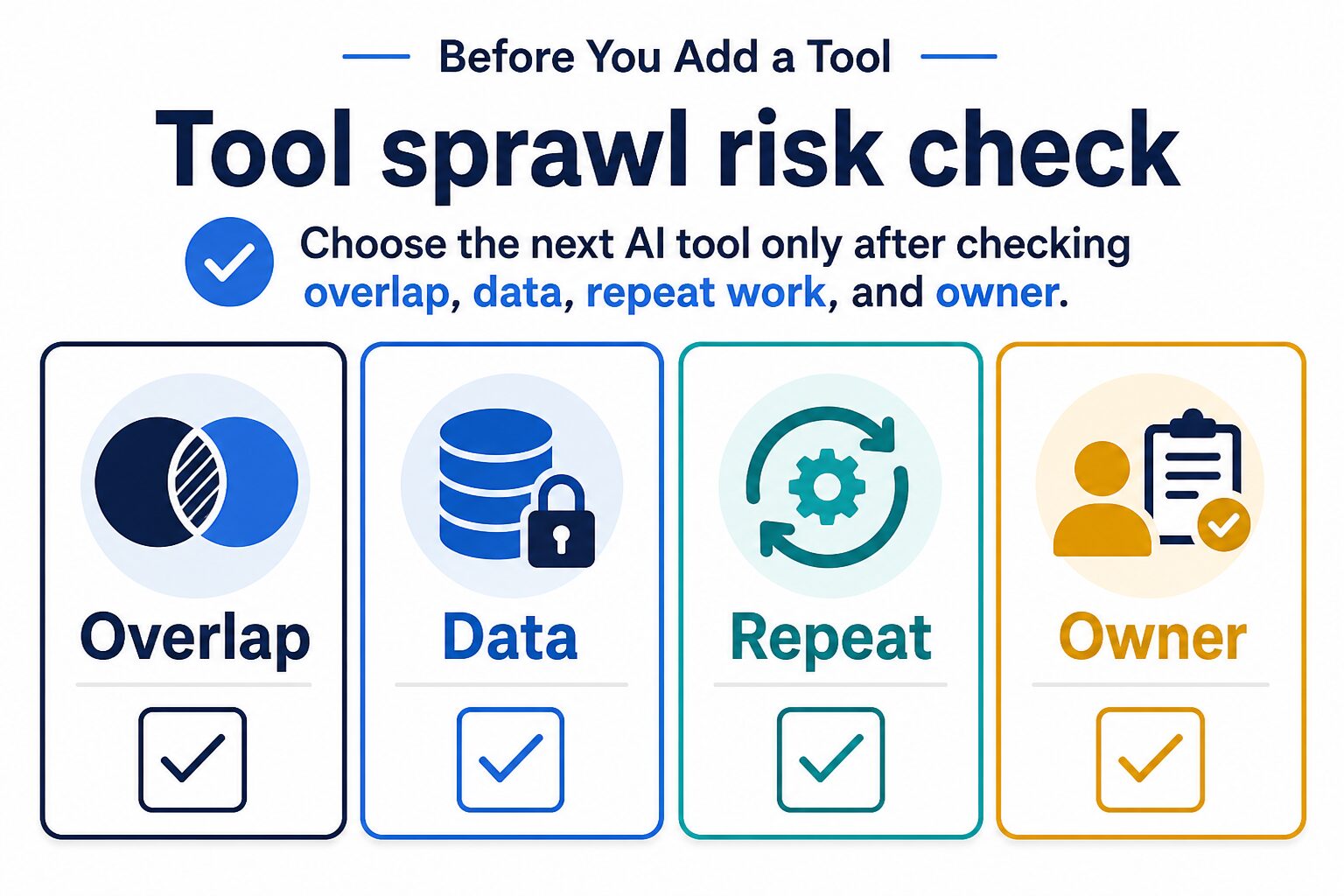
Use this four-question filter:
- Overlap: does a tool you already pay for solve most of this job?
- Data: would this tool touch client, student, financial, HR, medical, legal, unpublished research, or confidential company data?
- Repeat: does this workflow happen often enough to justify setup, review, and billing?
- Owner: who will maintain prompts, automations, permissions, outputs, and account cleanup?
Recommended Starting Stacks
Solo consultant or freelancer
Start with ChatGPT or Claude. Add Grammarly if client-facing English is a constant review point. Add Canva if you regularly publish proposals, social assets, workshops, handouts, or simple visuals. Delay Notion AI, ClickUp Brain, and Zapier until your operating system is stable.
Small service team
Start with ChatGPT or Claude for drafting and decisions. Add Notion AI or ClickUp Brain only if the team needs shared project context and owners. Add Zapier after repeated handoffs are documented. Use Canva for customer-facing assets and Grammarly for final message quality. If the reader is mostly an owner doing writing and admin alone, the better follow-up is AI tools for small business owners.
Creator or solo publisher
Start with ChatGPT or Claude for outlines, scripts, briefs, and planning. Add Canva for visual production and Grammarly for final writing review. Add Zapier when publishing, lead capture, newsletter, or content-repurposing steps repeat. Our free AI tools starter stack is a safer next read if you want to test the workflow before paying.
Research-heavy professional
Start with Claude or ChatGPT for synthesis, then add a source-aware research or PDF tool when the document workflow is frequent. For PDF-heavy work, compare this article with AI PDF summarizers, AI research tools, and AI literature review tools.
Automation-heavy operator
Start with one general assistant to document the workflow, then use Zapier only after the manual version is reliable. If automation is becoming the main bottleneck, compare this page with AI automation tools for simple workflows and Zapier alternatives for AI workflows.
Privacy And Data Checks
AI productivity tools become risky when they connect to the wrong data. Before you add email, Drive, Slack, CRM, project-management, calendar, document, or customer-support connectors, decide what information the tool may see and who is allowed to approve that access.
For sensitive work, use our AI tool privacy checklist before uploading files or enabling connectors. The short version is simple: do not paste private client, employee, student, financial, medical, legal, or confidential company data into a tool unless the account, plan, settings, and policy allow it.
FAQ
What is the best AI productivity tool overall?
For most readers, the best first tool is ChatGPT or Claude because either can help across drafting, analysis, planning, and decision support. The better long-term answer depends on the workflow: Notion AI for workspace knowledge, ClickUp Brain for project-heavy teams, Zapier for repeat automation, Canva for visuals, and Grammarly for final English polish.
Should I choose ChatGPT or Claude first?
Choose ChatGPT if you want a broad, flexible assistant with many everyday work modes. Choose Claude if your work often involves long documents, careful reasoning, policy-style writing, or nuanced drafts. If privacy and business controls matter, compare the current business, team, and enterprise options before uploading sensitive files.
Is Zapier an AI productivity tool?
Yes, but only after the process is stable. Zapier helps with repeat handoffs between apps and can support AI-assisted automations. It should not be the first tool you buy if your workflow is still unclear.
Do I need Notion AI and ClickUp Brain?
Usually no. Choose based on where work already lives. Notion AI fits a notes-and-docs workspace. ClickUp Brain fits a task-and-project-management workspace. Paying for both can make sense for some teams, but solo operators should avoid overlapping hubs unless there is a clear ownership reason.
Which tool should non-native English professionals add?
Start with a general assistant for structure and options, then add Grammarly if final tone and clarity are a constant bottleneck. For a broader path, read the practical AI tool stack for non-native English professionals.
Final Recommendation
If you are a solo operator or small team, start with one general assistant: ChatGPT or Claude. Add a work hub only when shared context matters, add automation only when handoffs repeat, add Canva only when you publish visual assets, and add Grammarly when final English polish is a recurring need.
The best AI productivity stack is not the biggest stack. It is the smallest set of tools that helps you draft, organize, automate, publish, and review without adding unnecessary subscriptions, data risk, or operational drag.