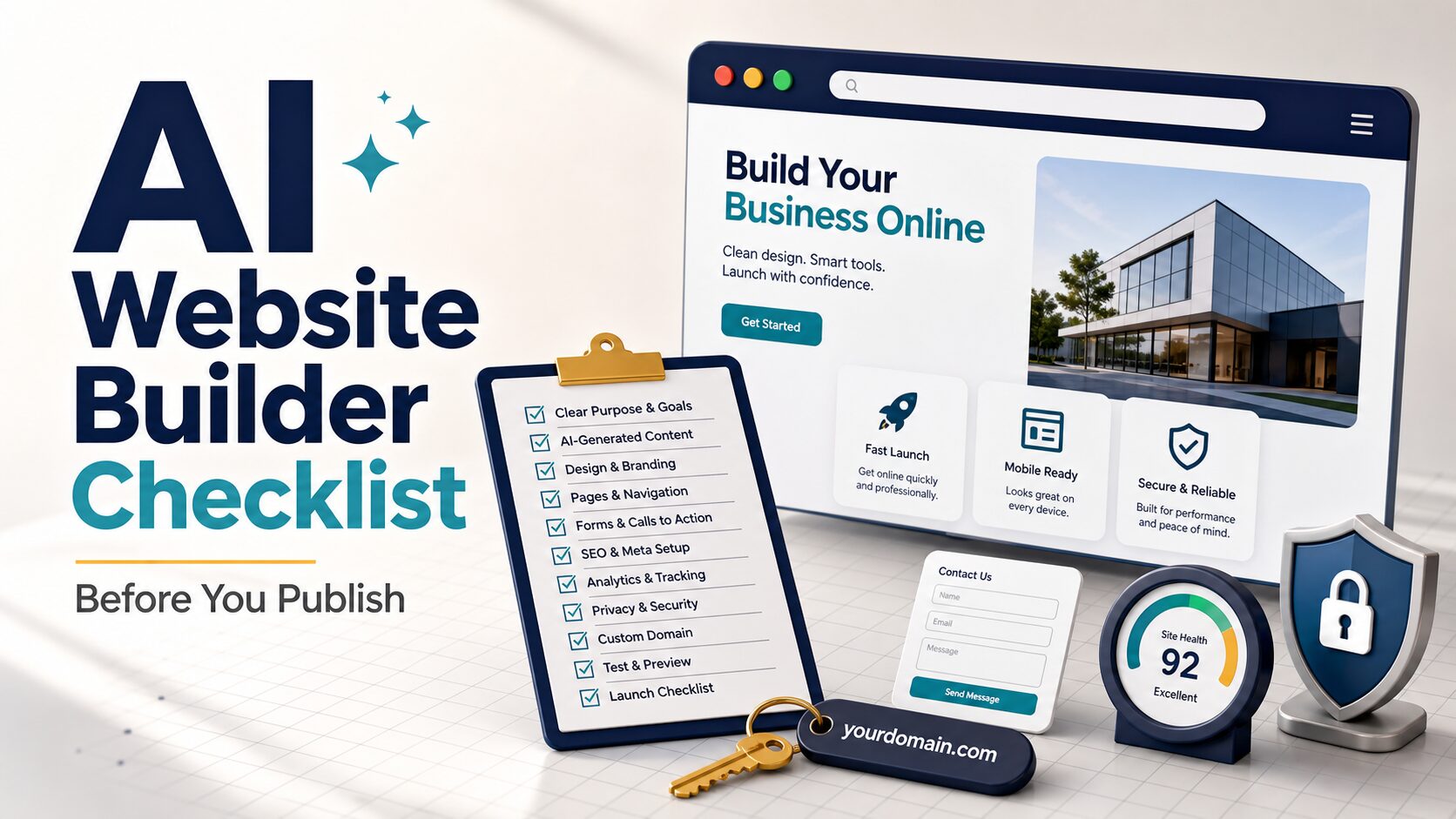
AI Website Builder Checklist: 7 Checks Before You Publish
An AI website builder can turn a rough prompt into a polished solo-business site quickly, but a polished draft is not the same as a publish-ready website. Before you connect a domain or send traffic, verify the offer, required pages, lead path, privacy language, pricing limits, tracking, and exit risk.
This AI website builder checklist is for solo operators who need a practical pre-publish review, not another generic tool ranking. Use it after you have a builder shortlist and before you pay for a plan, collect leads, publish AI-written claims, or paste private client information into a site generator.
Quick verdict: publish only after seven checks pass
Publish the site only when it can explain one offer clearly, support the required pages, prove that forms and calls to action work, match the paid plan you actually need, handle visitor data responsibly, measure the main action, and leave you an exit path if the platform stops fitting the business.
- Keep it in draft if the homepage looks good but the offer, form, privacy page, or paid-plan requirement is still vague.
- Use a free preview for learning, but check official pricing before assuming a custom domain, ecommerce, booking, analytics, or branding removal is included.
- Review AI copy manually for pricing promises, guarantees, credentials, regulated claims, testimonials, and availability.
- Use official and internal links only here; no article-relevant approved affiliate route is verified for this checklist.
Evidence status: This guide is based on official source review and editorial workflow judgment. Official pages were refreshed on July 1, 2026, but AI-generated site quality, support speed, checkout flow, uptime, and conversion rate were not directly tested across every builder.
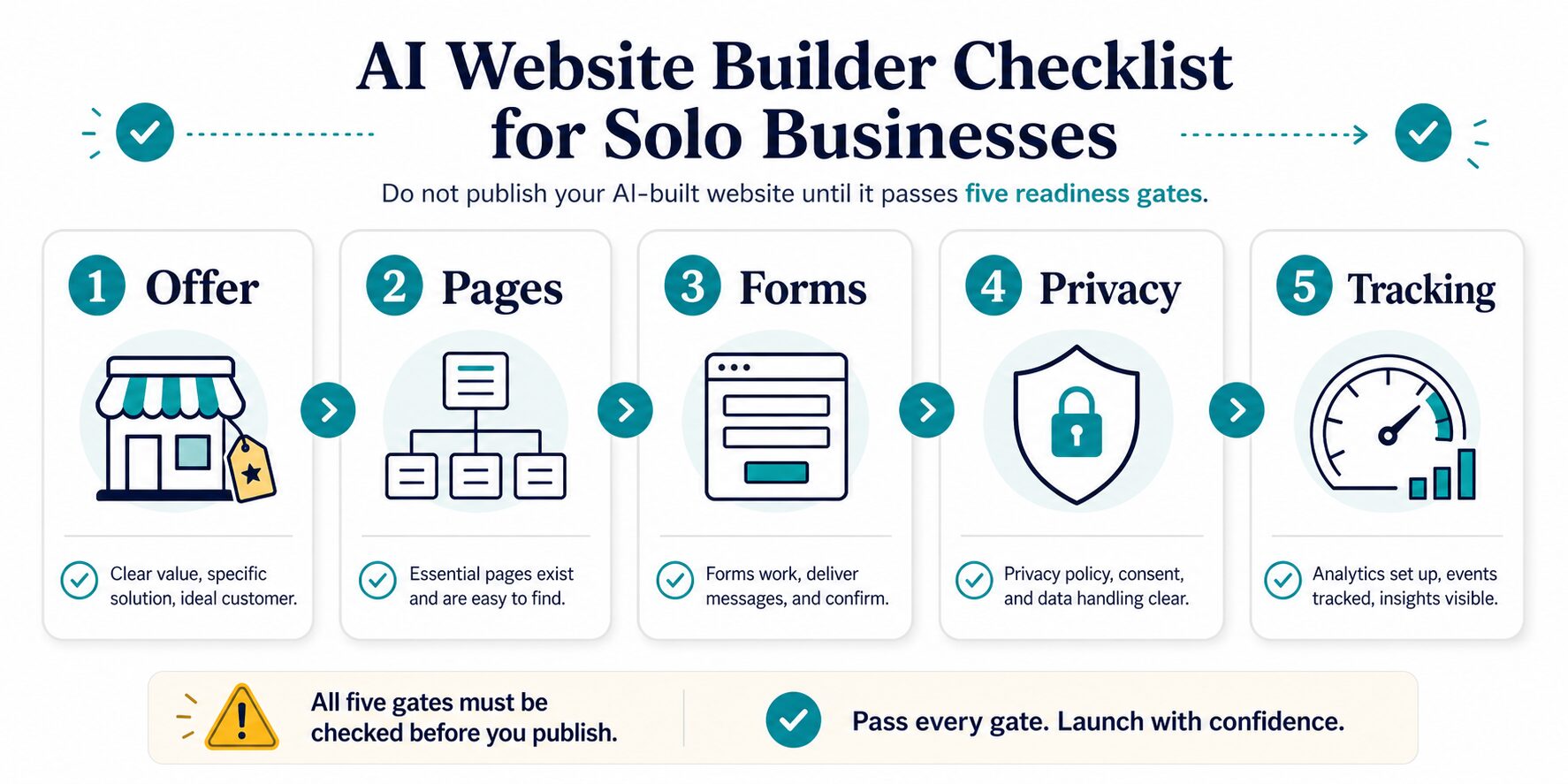
If you still need to choose a platform, start with the parent guide to the best AI website builders for solo businesses. This checklist assumes you already have a shortlist and need to decide whether the site is ready to go live.
1. Make the offer specific enough for a stranger
AI builders often generate confident hero copy before the business message is clear. That can make a weak offer look finished. Start by checking whether a visitor can understand who the site helps, what problem it solves, what is included, and what to do next.
A useful test: cover the logo and ask whether the first screen still explains the offer in ten seconds. If it does not, rewrite the hero section before adjusting colors, images, or animations.
2. Confirm the essential pages exist
A solo business does not need an agency-size website at launch. It does need enough structure for visitors, search engines, and trust.
- Home: audience, offer, proof, primary action, and a short path to the next page.
- Service, product, or offer page: what is included, who it fits, who should skip it, pricing or quote path, and delivery expectations.
- About: brief trust context without fake credentials, invented awards, or inflated experience.
- Contact or booking: a tested path that sends messages to the right inbox or calendar.
- Privacy page: especially if the site uses contact forms, analytics, email signup, payments, cookies, embeds, or third-party scripts.
If content marketing is part of the plan, add a lightweight blog or resources path only when you can maintain it. For marketing after the launch page is stable, the guide to AI content repurposing tools can help turn one useful page into follow-up assets.
3. Run a real lead-path rehearsal
This is the fastest way to catch a site that only looks ready. Pretend you are the customer and complete the main action from a phone.
- Submit every form: test required fields, spam handling, confirmation page, notification email, and reply address.
- Click every main button: confirm it goes to the right booking page, checkout, email address, phone action, or offer page.
- Check the handoff: make sure the visitor sees what happens next and when to expect a response.
- Test error states: empty fields, invalid emails, failed payment paths, and broken embeds should not trap the visitor.
- Preview mobile first: many service leads will inspect the site quickly on a phone, not on your editing monitor.
4. Verify the paid plan before connecting a domain
Plan names, trial terms, AI limits, and promotional prices can change. Do not rely on a screenshot or an old roundup. Before paying, check the current official page for the exact feature you need: custom domain, branded email, forms, booking, ecommerce, analytics, SEO controls, storage, editors, renewals, and refunds.
| Builder | Official pages to check | What changed or mattered in the July 1 check | Keep in draft if |
|---|---|---|---|
| Wix | AI website builder and plans | Wix says users can start with AI for free, but a Premium plan is needed for custom domains, payments, or additional features. | You need business tools but have not confirmed the exact Premium plan, renewal, app costs, and domain terms. |
| Squarespace | AI website builder and pricing | Squarespace says Blueprint AI is free to use, but publishing a created site requires a paid Squarespace account; its pricing page notes a 14-day trial. | Your service or store depends on scheduling, invoicing, memberships, commerce, or add-ons you have not mapped to a paid plan. |
| Framer | AI tools and pricing | Framer positions AI as an agent for generating, managing, reviewing, and improving sites; the pricing page includes a Free plan with a Framer domain and limited bandwidth. | You need booking, invoicing, ecommerce, or operations features before a design-led landing page. |
| Durable | AI website builder and pricing | Durable’s pricing page lists a Free path with a durable.site subdomain, plus paid Launch and Grow tiers for more serious business use. | You need a custom domain, branding removal, advanced analytics, or mature ecommerce and have not confirmed the paid tier. |
| Hostinger Website Builder | website builder and pricing | Hostinger emphasizes paid plans, a 30-day money-back guarantee, promotional terms, renewal prices, AI tools, ecommerce features, and upfront billing. | The advertised monthly cost requires a term length or renewal price that does not fit your cash-flow risk. |
| WordPress.com | AI website builder and pricing | WordPress.com lists Free, Personal, Premium, Business, and Commerce paths; plugin, commerce, ad-removal, and domain needs depend on plan. | You need plugin or commerce flexibility but are planning around a lower plan or a site you may later need to migrate. |
For trust and privacy checks before uploading real work data, use the AI tool privacy checklist alongside the builder’s own privacy, security, and terms pages.
Before You Pay: Add A Trial And Pricing Gate
A free plan, free trial, refund window, and promotional first term are different offers. Name which one you are using before you connect the main domain or enter payment details.
| Cost or control check | What to verify on the official plan page | Failure signal |
|---|---|---|
| Domain | Whether connection, registration, renewal, and transfer are included or separate | The domain becomes difficult to move or the renewal owner is unclear |
| Renewal | The price after the introductory term and the billing commitment | The first-term price is the only number in the budget |
| AI usage | Which AI features are included, limited, or metered | The workflow depends on credits that were not costed |
| Business tools | Forms, booking, email, CRM, ecommerce, storage, and transaction limits | The site launches but cannot complete the lead or sale path |
| Exit | Export options, cancellation timing, refunds, and what must be rebuilt | You cannot explain how the business leaves the platform |
Run a one-hour trial before upgrading
- Generate a low-risk draft without private client or customer data.
- Replace the offer, pricing, proof, and legal language manually.
- Submit the form and confirm the notification and follow-up path.
- Preview mobile, connect a temporary or test domain if available, and inspect the upgrade gate.
- Write down the renewal cost and exit plan before entering payment details.
Upgrade only when the draft passes the publishing checklist and the paid feature removes a verified blocker. A discount is not a reason to connect the main domain early.
5. Review AI copy like a liability check
AI-generated website copy can sound more certain than the business should be. Before publishing, search the draft for claims about results, timelines, certifications, guarantees, legal or financial advice, health outcomes, customer logos, testimonials, prices, refund policy, and availability.
Replace broad claims with concrete, defensible language. “We help local service businesses publish a clean booking site” is safer than “We guarantee more leads with AI-powered web design.” If your offer involves regulated industries, client confidentiality, licensing, or sensitive customer data, get the wording reviewed before launch.
6. Set up enough SEO and tracking to learn
For a first solo-business site, SEO does not need to be complicated. It does need to be editable and measurable.
- Write a clear SEO title and meta description for the homepage and main offer page.
- Use one logical H1 on each important page.
- Use descriptive URLs, not AI-generated gibberish.
- Compress images and add useful alt text where an image carries meaning.
- Connect analytics only after you understand cookie, consent, and privacy implications for your market.
- Track the main action: contact submit, booking click, checkout start, email signup, or lead magnet download.
If the business will publish articles, product guides, or resource pages, do not treat the first AI homepage as the full strategy. Compare WordPress.com and other content-heavy paths early because migration can become painful after the site has real pages, media, redirects, and analytics history.
7. Check ownership, export, and exit risk
Before you build the whole business on one platform, ask what you can move if the price rises, the editor stops fitting your workflow, or the business grows beyond the first site.
Exit checklist: confirm domain ownership and transfer rules, content export options, image/file access, redirect control, analytics history, email/contact list ownership, and whether critical forms or stores depend on proprietary features.
Wix and Squarespace publish official domain-transfer documentation. WordPress.com publishes official export documentation. For any builder, treat export and migration as a check-before-paying topic rather than a detail to solve years later.
Red flags that mean the site is not ready
- The homepage does not say who the offer is for.
- The contact form has not been tested on mobile.
- The site uses private customer names, testimonials, logos, or case details without approval.
- The AI copy makes guarantees, pricing promises, legal claims, regulated claims, or credential claims you cannot support.
- The official plan needed for custom domain, booking, ecommerce, analytics, branding removal, or AI usage is still unclear.
- The privacy page does not match the forms, analytics, payment tools, cookies, embeds, or third-party tools actually used.
- You cannot explain how you would move the domain, core content, redirects, and lead records if you changed platforms.
FAQ
What should I check before publishing an AI-built website?
Check the offer, essential pages, contact forms, mobile layout, domain, pricing plan, privacy policy, AI-generated claims, SEO title/meta fields, analytics, and exit options. Do not publish just because the AI draft looks professional.
Can I publish a website from an AI builder for free?
You may be able to start, preview, or publish a limited site for free with some builders, but a real business site often needs a paid plan for a custom domain, branding removal, payments, booking, ecommerce, storage, analytics, or expanded AI usage. Verify the current official pricing page before you commit.
Which AI website builder should a solo business try first?
Use the parent comparison to shortlist builders by job: Wix for broad small-business tools, Squarespace for polished service and portfolio sites, Durable for fast service launch, Hostinger for bundled hosting and cost-sensitive builds, Framer for design-led landing pages, and WordPress.com for content-heavy growth.
Should I use AI-generated copy on my business site?
Use it as a draft, not as final legal or business copy. Review every claim about services, results, credentials, testimonials, pricing, refunds, guarantees, regulated industries, and availability before publishing.
Do I need an affiliate disclosure on this page?
This page uses official and internal reference links, not monetized links. If monetized links are added later, they should use only verified same-domain routes, include a clear reader-facing disclosure, and remain secondary to fit, plan limits, privacy, and ownership risk.
Final recommendation
Use an AI website builder to move faster, but make the launch decision like an operator. Publish only after the site explains one offer clearly, includes the essential pages, proves the lead path works, uses safe public copy, matches the paid plan you actually need, and gives you enough tracking to learn after launch.
If the checklist exposes a gap, keep the site in draft and repair that gate first. A one-day delay is cheaper than sending customers to a site that cannot collect leads, misstates your offer, mishandles visitor data, or locks you into the wrong platform.