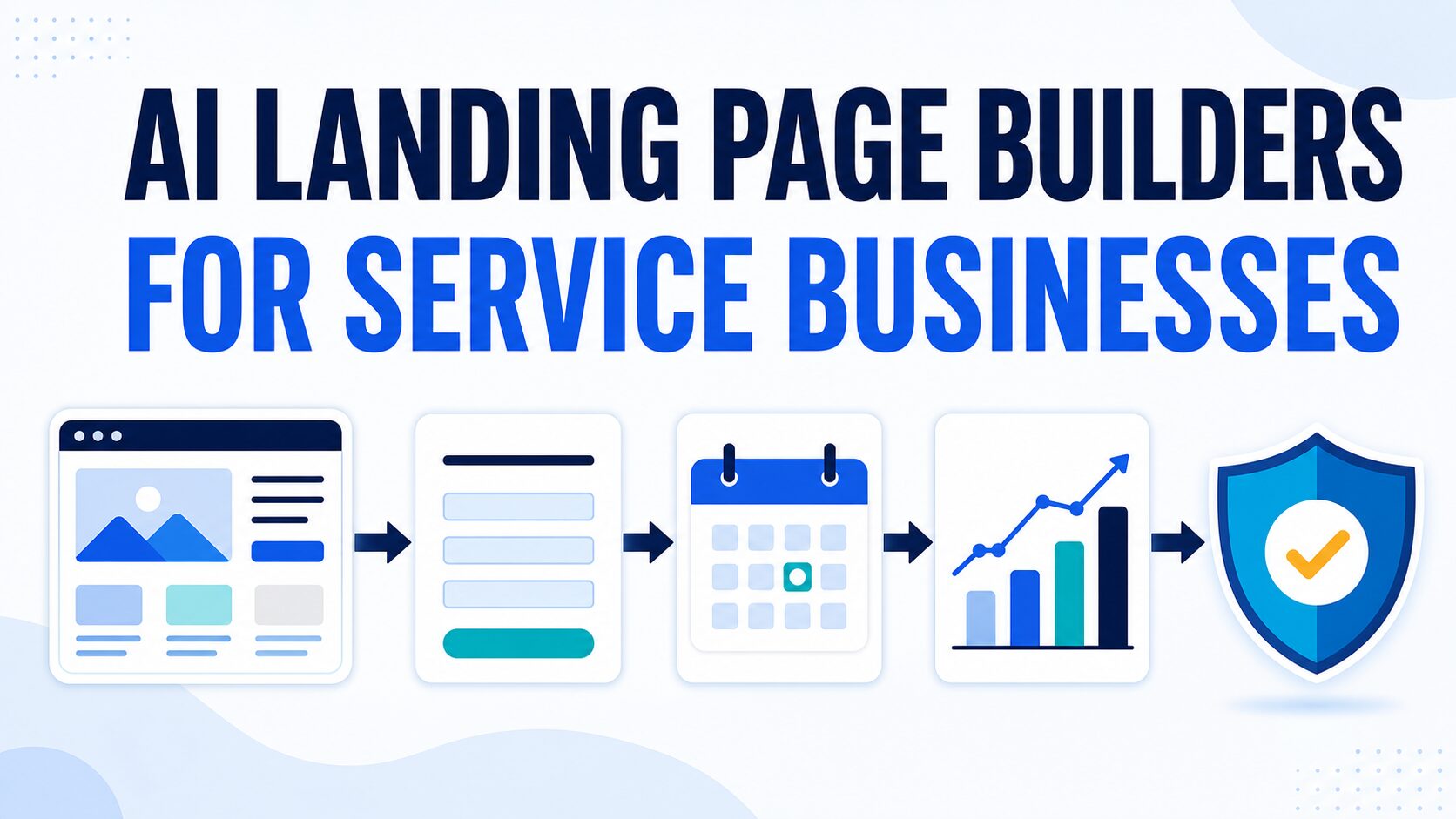
Best AI Landing Page Builders for Service Businesses: 7 Lead-Flow Picks
Compare seven AI landing page builders by forms, booking, tracking, privacy, and full-site fit, then choose the right lead flow before paying.
The practical problem is not generating a polished page. It is choosing a system that can turn the right visitor into a form submission, quote request, consultation booking, waitlist signup, or tracked local lead without creating a maintenance or privacy mess. This guide compares Wix, Squarespace, Leadpages, Framer, Durable, Hostinger Website Builder, and Carrd using official product, pricing, help, and privacy pages checked on July 10, 2026. I did not run paid campaigns, conversion tests, support tests, or speed benchmarks for every tool, so the recommendations are official-source-based workflow guidance rather than performance claims.
Quick Verdict
Start with the lead system, not the AI feature list. Choose a full-site builder when prospects need service, about, proof, contact, and content pages around the offer. Choose a campaign builder when you already have a site and need a focused page with testing and follow-up. Choose a one-page builder when one offer and one response path are genuinely enough.
Wix or Squarespace: best first shortlist for a complete service website. Leadpages: best fit for repeat campaigns and testing. Framer: best fit when presentation control is part of the sale. Durable or Hostinger: fastest route to an AI-assisted first site draft. Carrd: simplest route to one page, one offer, and one form.
If Wix and Squarespace are already your final two, use the Wix vs Squarespace AI website builder comparison. If you are still deciding whether you need a hosted builder or WordPress, compare WordPress vs Wix for a small business site. If you have not yet chosen a category, start with the best AI website builders for solo businesses guide.
Once you have a two-tool shortlist, use the AI website builder checklist to verify domain control, forms, analytics, accessibility, privacy, and exit options before you publish.
The Lead-Flow Test For Service Businesses
A service landing page has a narrower job than a generic marketing page. It has to make the right visitor comfortable enough to take the next step without forcing them to hunt through your site.
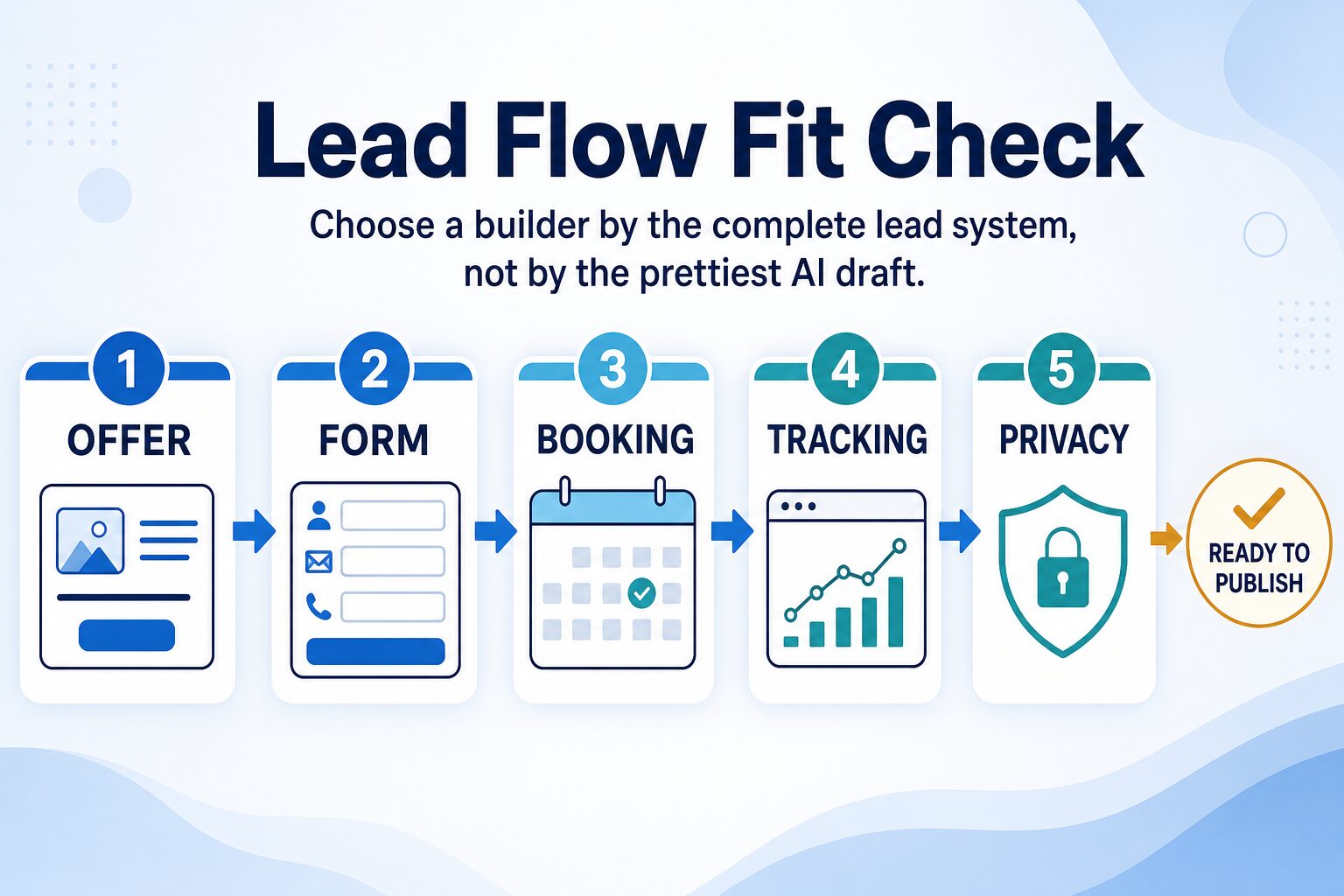
Use this five-part lead-flow test before choosing a builder:
- Offer: Can the page explain the service, target customer, proof, boundaries, and next step above the fold?
- Form: Can it capture the minimum details needed to qualify the lead without creating a long intake form?
- Booking: Can it connect to a calendar, quote request, consultation form, or follow-up workflow?
- Tracking: Can you measure visits, form submissions, campaign sources, and important button clicks without fragile setup?
- Privacy: Can you avoid exposing client-sensitive information when using AI prompts, forms, analytics, and page copy?
Run This 15-Minute Lead-Flow Pilot Before You Upgrade
Do not compare seven builders for a week. Create the same small test in your top two choices and stop as soon as one system cannot support the required next step.
- Write one real offer: name the audience, service, result, boundary, and next step in five short lines.
- Build the shortest useful form: use only the fields needed to route or qualify the inquiry.
- Add the real booking or follow-up path: connect the calendar, thank-you page, email, CRM, or manual response you will actually maintain.
- Define one success event: decide whether success is a completed form, booked call, paid deposit, or another observable action.
- Run a privacy check: remove sensitive client examples from prompts and confirm what the form and analytics tools collect.
The winner is not the builder that produces the prettiest first draft. It is the one you can publish, verify, measure, and maintain without a fragile chain of add-ons.
Before using AI-generated copy, review the AI tool privacy checklist. Do not paste client names, private briefs, health or legal facts, account details, financial information, or confidential pricing into a builder unless the provider terms and your account settings make that safe for your business.
Best AI Landing Page Builders For Service Businesses
| Tool | Best service-business use case | Lead-flow strength | Where to be careful | Evidence label |
|---|---|---|---|---|
| Wix | Full service website plus landing pages, contact forms, booking paths, and future content. | Good when the landing page must connect to broader site infrastructure. | Check plan-specific limits for domain, forms, booking, automations, and business tools. | Official research only |
| Squarespace | Polished service brands, consultants, studios, local professionals, and portfolio-led offers. | Good when credibility, templates, forms, and a full brand site matter together. | Confirm scheduling, forms, commerce, email marketing, and plan limits before buying. | Official research only |
| Leadpages | Campaign pages, lead magnets, consultation campaigns, webinar signups, and offer testing. | Strongest when the page is a conversion asset instead of a full website. | May be more specialized than needed if you still need a complete business site. | Official research only |
| Framer | Design-forward service offers, agencies, portfolios, studios, and premium consulting pages. | Useful when presentation quality and page control are part of the sales argument. | Check whether the person maintaining the page is comfortable with a design-forward workflow. | Official research only |
| Durable | Fast AI-generated first draft for a service business that has no credible page yet. | Useful for speed-to-first-version, then manual lead-flow cleanup. | Do not publish the first AI draft before checking offer, form, booking, tracking, and privacy. | Official research only |
| Hostinger Website Builder | Budget-conscious service businesses that want AI site generation with hosting and basic setup. | Good when bundled infrastructure matters more than campaign testing. | Check renewal, domain, email, AI feature, analytics, and migration details. | Official research only |
| Carrd | Simple one-page offers, quote forms, freelancer profiles, speaker pages, and waitlists. | Best when one page and one conversion path are enough. | Not a full AI website builder; complex service sites need another system. | Official research only |
Choose The Lead System Before The Tool
Most bad landing-page purchases happen before the product comparison starts. The real mistake is choosing a campaign builder when you need a service website, or paying for a full website stack when you only need one focused offer page.
| Your real need | Start here | Skip if |
|---|---|---|
| You need a service website, trust pages, contact flow, and landing pages. | Wix or Squarespace; compare them directly if both fit. | You only need a temporary one-page campaign. |
| You are running a campaign and need lead capture, follow-up routing, and testing. | Leadpages | You still need homepage, services, about, blog, and broader brand pages. |
| Your offer is visual, premium, portfolio-led, or agency-like. | Framer | You want the simplest possible maintenance workflow. |
| You need a credible AI-generated draft quickly. | Durable or Hostinger Website Builder | You already have detailed copy, design assets, and a specific campaign workflow. |
| You need one clean offer page with a form and custom domain. | Carrd | You need many pages, a blog, built-in AI copy generation, or advanced testing. |
Use a narrower persona guide when the surrounding site matters more than the landing page itself: small agencies, local businesses, freelancers, consultants, or coaches. Those pages separate persona-specific trust, proof, scheduling, and content needs from the narrower campaign-page decision here.
Tool Notes
Wix: best first stop when landing pages support a full service website
Wix is the strongest first stop when a landing page must connect to a broader service-business site. Its current landing-page page describes standalone pages, AI-assisted layout and copy, integrations, analytics, and A/B testing. That matters when visitors also need service, about, contact, and future content pages instead of one isolated campaign asset.
Best for: consultants, local service businesses, solo operators, and small teams that want a complete website plus campaign pages.
Skip if: you only need one minimal page, or you already have a site and only need landing-page testing.
Check before paying: Wix currently lets you create and publish a landing page on the free setup, but a premium plan is needed for a custom domain, Wix-ad removal, and accepting payments. Confirm form, booking, automation, analytics, and business-tool limits on the exact plan you would buy.
Squarespace: best when trust and brand polish are part of the conversion
Squarespace is a good fit when the landing page has to look like part of a credible service brand rather than a disposable campaign page. That matters for coaches, consultants, designers, local professionals, and premium service offers where trust comes before the form submission.
Best for: polished service brands that need templates, forms, brand pages, and a clean path to a consultation or inquiry.
Skip if: your priority is aggressive campaign testing or the cheapest possible one-page setup.
Check before paying: Squarespace currently offers a 14-day website trial rather than a permanent free plan. Confirm form blocks, scheduling, commerce, email marketing, AI-credit limits, mobile behavior, and the exact features included in the plan you would keep.
Leadpages: best when the landing page is a campaign asset
Leadpages is the most campaign-specific option here. Its official pages focus on landing pages, lead capture, and conversion workflow. That makes it a better fit for paid ads, lead magnets, webinars, consultation campaigns, and multiple offer pages than for a broad first website.
Best for: service businesses that already know the offer and need campaign pages with lead capture and follow-up routing.
Skip if: you still need a full website, blog, services page, about page, or simple starter presence.
Check before paying: Leadpages currently advertises a 7-day trial and places AI page creation, forms, analytics, integrations, and A/B testing inside its campaign workflow. Confirm the plan required for the testing, traffic routing, heatmaps, CRM connections, domains, and campaign volume you expect.
Framer: best for design-forward service pages
Framer is strongest when page design is part of the offer. Its current AI website builder combines prompt-based structure and copy with an editable canvas, CMS, hosting, analytics, SEO controls, forms, and publishing. For a service business, that can make sense when the page has to sell taste, presentation, or portfolio quality.
Best for: creative studios, agencies, consultants, and premium service offers where presentation quality helps the buyer believe the service.
Skip if: you mainly need a plain form, booking link, and low-maintenance page.
Check before paying: Framer introduced plan-based AI credits in June 2026. Confirm AI-credit allowance, traffic, CMS, localization, form, collaborator, and publishing limits, plus whether the person maintaining the page is comfortable inside Framer.
Durable: best for getting from blank page to service-site draft
Durable’s official positioning centers on fast AI website generation for small businesses. That can help when the immediate blocker is a blank page. The practical value is speed-to-draft, not a proven conversion advantage.
Best for: small service businesses that need a usable first draft quickly and will still edit the offer, proof, form, and privacy language manually.
Skip if: you already have clear copy, brand assets, campaign requirements, and a specific testing workflow.
Check before paying: pricing, form or contact workflow, domain setup, analytics options, AI editing controls, privacy policy, and migration options.
Hostinger Website Builder: best when bundled setup matters
Hostinger Website Builder is useful when hosting, domain setup, and AI site creation are part of the same decision. For a service business starting from scratch, that can reduce setup friction, but it should not replace the lead-flow test.
Best for: budget-conscious service businesses that want AI-assisted website setup and hosting in one place.
Skip if: you already have hosting or need a specialized landing-page testing workflow.
Check before paying: renewal pricing, domain and email terms, AI feature availability, analytics setup, form handling, and how easy it is to move later.
Carrd: best for one page, one offer, one form
Carrd is not the most AI-heavy option, but many service businesses do not need a complex AI builder. Carrd can be the right answer when the page is simply a focused offer, a short proof section, and a form or embedded booking path.
Best for: one-page consultation offers, waitlists, freelancer profiles, speaker pages, quote-request pages, and simple local-service pages.
Skip if: you need a full site, many pages, built-in AI copy generation, a blog, or advanced campaign testing.
Check before paying: Carrd’s current Pro documentation lists custom domains, forms, embeds, analytics, and meta tags, while advanced forms and additional controls vary by plan. Confirm the exact form destination, integration, analytics, site count, and canonical settings you need.
What To Check Before You Publish
Do not publish just because the AI builder created a page that looks finished. Run a boring but useful prelaunch pass first.
- Offer clarity: one audience, one service, one promise, one next step.
- Proof: add credible examples, credentials, process notes, testimonials, or portfolio links only when they are real.
- Form routing: submit the form yourself and confirm where the lead goes.
- Booking path: test the calendar, consultation link, or quote request on desktop and mobile.
- Tracking: confirm analytics or event tracking only if you need it and understand the privacy implications.
- Pricing: check the official pricing page on the day you buy. Watch renewal terms, domain costs, email costs, workspace limits, and plan-specific AI features.
- Privacy: remove client-sensitive details from prompts and forms, then publish a privacy policy appropriate for your business.
- Mobile layout: read the entire page on a phone before sharing it publicly.
If pricing is the part that feels risky, compare this article with the AI website builder pricing checklist. If you are evaluating trial plans, use the website builder free trial checklist before entering payment details.
Recommended Next Step
Shortlist two systems, not seven feature lists. Pick one full-site option if your service business still needs a durable website, and one campaign or one-page option if the broader site already exists. Build the same offer and response path in both, then keep the system that you can verify and maintain.
Open the current official pricing and help pages before entering payment details. Plan names, trial periods, AI credits, forms, analytics, integrations, and renewal terms can change.
FAQ
Is an AI landing page builder different from an AI website builder?
Often, yes. A landing-page builder is usually optimized for one focused conversion path, such as a signup, quote request, booking, or lead magnet. A website builder is broader: homepage, service pages, about page, blog, forms, and brand structure. Some tools can do both, but your lead-flow need should decide the category.
Which AI landing page builder should a service business try first?
Try Wix or Squarespace first if you need a broader service-business website. Try Leadpages if the page is a campaign asset. Try Carrd if you only need one page and one form. Try Framer for design-forward service offers, and consider Durable or Hostinger when you need a fast AI-assisted site draft.
Should I choose the cheapest landing page builder?
Not automatically. A cheap page that cannot route leads, support your domain, handle forms, or look credible on mobile can cost more in missed opportunities. Carrd can be excellent for simple one-page needs, but a broader service business may need Wix, Squarespace, Hostinger, or another full-site setup.
Can AI write the landing page copy for me?
AI can help draft, simplify, and reorganize copy. It should not decide your offer, proof, pricing, guarantees, availability, or service boundaries. Treat AI copy as a draft, then edit it against your real process and client expectations.
What should I avoid pasting into an AI landing page builder?
Avoid client names, private project files, contracts, account data, medical or legal details, financial records, internal pricing, and anything you would not want stored or reviewed under the provider’s terms. Check the provider’s privacy policy and your account settings before using real business data.
Final Recommendation
For most service businesses, the safest first shortlist is Wix or Squarespace for a complete service website, Leadpages for campaign-specific landing pages, and Carrd for a simple one-page offer. Add Framer when design control is the deciding factor, Durable when speed-to-draft matters, and Hostinger when bundled hosting and website setup are part of the purchase decision. Compare Wix and Squarespace directly only after confirming that a full-site builder is the right system category.
Before paying, open the current official pricing page for your top two tools and run the five-part lead-flow test: offer, form, booking, tracking, and privacy. If one tool cannot support that lead path clearly, it is not the right landing page builder for your service business, even if its AI page draft looks impressive.
Official Sources Checked July 10, 2026
- Wix landing page builder and Wix pricing
- Squarespace landing page help and Squarespace pricing
- Leadpages AI landing page builder, A/B testing, and Leadpages pricing
- Framer AI website builder, June 2026 AI-credit update, and Framer pricing
- Durable AI website builder and Durable pricing
- Hostinger AI website builder and Hostinger pricing
- Carrd, Carrd Pro, and Carrd Pro features