WordPress vs Wix AI for Small Business Sites
Choose WordPress.com or Wix AI by launch speed, store needs, content plans, control, pricing, and privacy.
Quick verdict
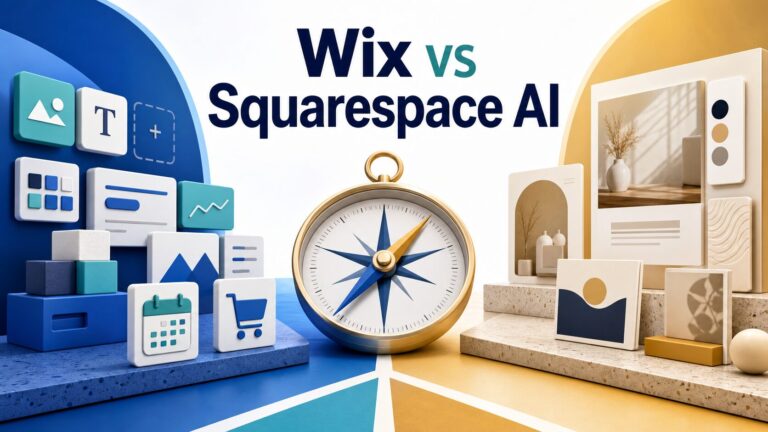
Choose Wix AI first if your small business needs a polished site quickly with built-in booking, store, forms, email marketing, SEO, and business tools in one hosted platform. Choose WordPress.com AI first if the site may become a long-term content hub, resource library, SEO asset, plugin-powered business system, or something you want more control over as it grows.
Evidence status: this is based on official product, pricing, support, privacy, and security pages checked on July 9, 2026. It is not a hands-on benchmark of generated design quality, uptime, support speed, SEO results, store conversion, or AI output quality.
How to compare WordPress.com AI and Wix AI
A small business website is not finished when the AI creates the first draft. The real question is what happens after the homepage is live: can customers book, buy, contact you, read helpful content, trust your privacy practices, and understand what your business does?
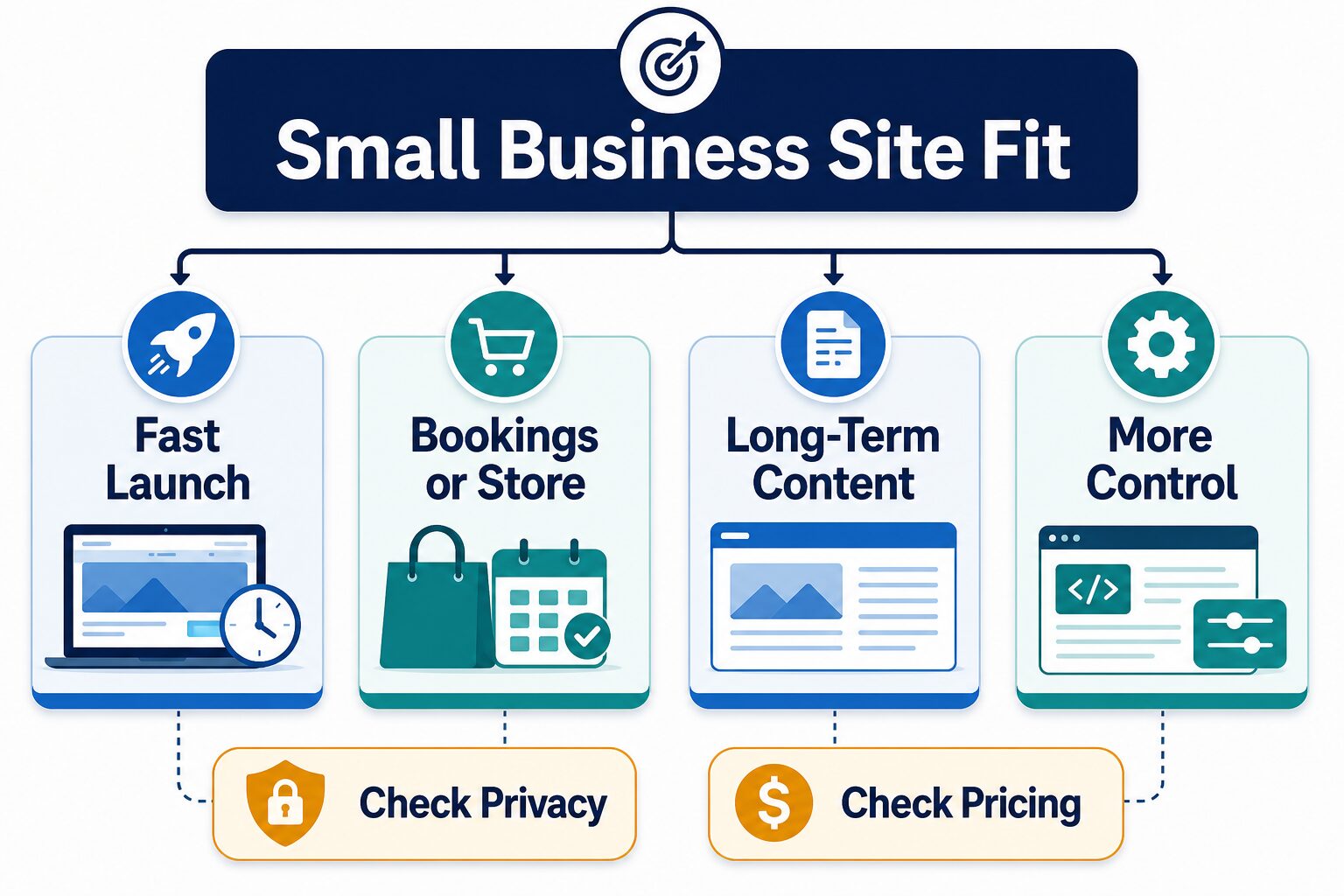
That is why this comparison uses six filters before recommending either platform.
How quickly can you move from prompt to public site without hiring a designer or developer?
Does the platform support the appointment, service, product, payment, or inquiry flow you need?
Will the site grow into guides, local pages, FAQs, case studies, or a resource hub?
How much do you care about plugins, themes, code, migrations, custom structure, and future flexibility?
Which plan unlocks the domain, ads removal, store, bookings, storage, plugins, or business tools you actually need?
What customer, booking, payment, analytics, or form data will your site collect, and who is responsible for compliance?
If you are still choosing the broader category, start with our guide to AI website builders for solo businesses. Before paying, use the AI website builder checklist. If your team is also comparing WordPress against a broader set of AI site builders, read WordPress vs AI website builders for small teams. If your site collects client or customer data, also review the AI tool privacy checklist.
WordPress.com AI vs Wix AI: small business comparison
| Question | WordPress.com AI Website Builder | Wix AI Website Builder | Small business takeaway |
|---|---|---|---|
| Best first fit | Businesses that want an AI-generated start on a WordPress.com site they can expand with the block editor, themes, plugins, content, and ecommerce paths. | Businesses that want a guided AI site builder with hosted business tools such as store, booking, forms, marketing, SEO, contacts, and analytics. | Wix is usually simpler for a fast all-in-one service or store site. WordPress.com is stronger when publishing and extensibility matter. |
| AI builder role | WordPress.com says the AI builder creates a complete site from a plain-language description, then lets you refine by chatting with AI or editing in the WordPress editor. | Wix says its AI builder creates a custom business-ready site from your business goals and style, then lets you edit with Aria and drag-and-drop tools. | Treat both as first-draft engines, not as a substitute for checking copy, forms, privacy, and conversion path. |
| Free or trial path | The AI builder page says it is free to try with no credit card; WordPress.com pricing also lists a free plan with a WordPress.com subdomain and limits. | Wix’s AI builder page says you can create a website for free with AI; premium plan details depend on what you need to connect, remove, or sell. | Use the free path to draft and inspect, but check the exact paid plan needed before treating either as launch-ready. |
| Starting paid-plan signal | WordPress.com’s pricing page says paid plans start at $2.75/month billed every 3 years or $4/month billed annually, with plugin access on paid plans. | The Wix pricing page shown in this session lists annual-plan prices beginning at $17/month for Light and $29/month for Core; country and promotion pricing can vary. | Do not compare only the lowest sticker price. Compare the plan that includes your domain, ads removal, forms, ecommerce, bookings, storage, and future tools. |
| Store and bookings | WordPress.com’s AI builder FAQ says ecommerce can be added by installing WooCommerce after the site is live, on paid plans. | Wix’s AI builder page emphasizes built-in business tools for ecommerce, service businesses, bookings, payments, marketing, and SEO. | For a simple booking or store launch, Wix is the easier first check. For a flexible content-plus-commerce path, compare WordPress.com plus WooCommerce. |
| Control and growth | WordPress.com emphasizes open-source WordPress, access to plugins, themes, and content ownership as growth advantages. | Wix emphasizes a fully managed, AI-powered platform with integrated business features and guided editing. | Choose WordPress.com when long-term content structure and extensibility are strategic. Choose Wix when keeping the operating system simple matters more. |
| Security and privacy check | WordPress.com pricing says hosting includes security features such as SSL, DDoS protection, malware protection on paid plans, and managed updates; Automattic publishes privacy notices. | Wix publishes trust, privacy, and security pages, including compliance/security claims and site-owner compliance tools. | Both provide managed-platform security information. You still own the business decision about what customer data your forms, bookings, analytics, and payments collect. |
Choose Wix AI if speed and built-in business tools matter most
Wix AI is the better first stop when your small business site needs to become operational quickly: a service page, contact form, booking flow, store, email marketing path, basic SEO setup, and simple dashboard. Its official AI builder page is aimed at describing your business and getting a business-ready site that can be edited inside Wix.
That does not mean Wix is the best answer for every business. Pause before paying if your site will depend on unusual content structure, complex editorial workflows, custom code, a migration plan, or a plugin ecosystem outside Wix. Also check which Wix plan unlocks the exact features you need, because a free AI draft and a launch-ready business site are not the same thing.
A local service business, coach, consultant, small shop, creator, or appointment-based business that wants a hosted all-in-one platform more than maximum technical control.
Choose WordPress.com AI if content, ownership, and extensibility matter most
WordPress.com AI is the better first stop when the site is likely to become more than a brochure: blog posts, tutorials, location pages, resource libraries, newsletters, product education, SEO content, or a broader business knowledge base. The AI builder can create the starting site, while WordPress.com gives you the WordPress editor, themes, and plugin path after launch.
The tradeoff is that WordPress can ask more from the owner. More flexibility means more decisions about plugins, themes, blocks, performance, maintenance, content structure, and privacy settings. If you only need a simple page, booking button, and store this week, Wix may feel less fussy. If you expect the site to compound through useful content over years, WordPress.com deserves the first serious look.
A small business that plans to publish often, build a topic library, use plugins, add WooCommerce later, or keep more control over how the site grows.
Run this 20-minute pre-payment test
Before entering a credit card, create a rough AI draft in the platform you are leaning toward and answer these questions.
| Minute | Check | Why it matters |
|---|---|---|
| 0-5 | Can the AI produce a relevant homepage, service/store path, and contact route without confusing your offer? | If the first draft misunderstands the business, you will spend more time rewriting than building. |
| 5-10 | Find the exact paid plan needed for your custom domain, ads removal, forms, booking, store, storage, plugins/apps, and support. | The useful cost is the plan your workflow requires, not the lowest public starting price. |
| 10-15 | Open the privacy, cookie, form, analytics, and payment settings that affect customer data. | Lead generation and booking sites collect sensitive context. Do not treat compliance as an afterthought. |
| 15-20 | Create one future page: a blog post, FAQ, product page, booking page, local landing page, or resource guide. | The right platform should make the next 20 pages easier, not just the first homepage faster. |
Scenario-based recommendation
Try Wix AI first if you need a clean public site, contact path, booking, and marketing basics with minimal setup decisions.
Try WordPress.com AI first if articles, guides, SEO pages, and an expandable resource hub are part of the business model.
Start with Wix AI if you want store features in the hosted builder. Compare WordPress.com plus WooCommerce if store flexibility and content depth matter.
Start with WordPress.com AI if plugin access, open-source WordPress, themes, migrations, and custom growth paths are strategic.
Privacy and pricing cautions
Do not paste real customer records, private client examples, medical/legal/financial details, or confidential workplace information into an AI builder prompt. Use fictional examples first, then replace draft copy manually. For Wix, review the Wix Privacy Policy, Trust Center, and privacy/security hub. For WordPress.com, review Automattic’s privacy policy and visitor privacy notice.
Also check renewal pricing, domain renewal, business email, app/plugin costs, payment fees, storage, collaborators, backups, support access, and whether ecommerce or booking features require a higher plan. A platform can be cheaper on day one and more expensive after you add the workflow your business actually needs.
FAQ
Is Wix AI or WordPress.com AI better for a small business?
Wix AI is usually better for a fast all-in-one hosted business site. WordPress.com AI is usually better for a content-heavy or extensible site that may grow through posts, plugins, WooCommerce, and custom structure.
Can I build either site for free?
You can use free or trial paths to draft and inspect. Publishing a serious business site usually requires a paid plan for a custom domain, ads removal, business tools, plugins/apps, ecommerce, booking, or support. Check the current official pricing page before paying.
Is this a hands-on test of Wix AI and WordPress.com AI?
No. This article uses official product, pricing, support, privacy, and security sources plus editorial workflow criteria. It does not claim measured design quality, SEO performance, speed, support response time, uptime, or conversion results.
Should I use self-hosted WordPress.org instead?
Consider self-hosted WordPress.org if you want to choose your own hosting and manage more technical control yourself. This article focuses on WordPress.com AI because the searcher is comparing AI website-builder paths rather than a full custom hosting setup.
Final recommendation
If your business needs a simple site that can take bookings, collect leads, sell a few products, and launch quickly, try Wix AI first and verify the plan gates before paying. If your site is going to become a long-term publishing, education, SEO, or extensible business system, try WordPress.com AI first and check the plugin/content path before committing.
Either way, treat the AI-built site as a draft. The business value comes from clear copy, useful pages, honest proof, safe data handling, and a workflow you can maintain after launch.
Sources checked
Official sources checked July 9, 2026: WordPress.com AI Website Builder, WordPress.com AI support guide, WordPress.com pricing, Automattic Privacy Policy, Automattic visitor privacy notice, Wix AI Website Builder, Wix pricing, Wix Trust Center security, Wix website security, Wix Privacy Policy, and Wix privacy and security hub.