Hostinger Website Builder vs Wix
Hostinger Website Builder vs Wix: compare free starts, paid plans, privacy checks, and the right first website workflow.
Choose Wix first if you need a free place to shape a first site and want an all-in-one platform to explore before paying. Consider Hostinger Website Builder first if you already know you want a paid launch and prefer a lean, hosting-linked setup. Neither is a universal winner: the right choice is the one that fits the next job your site must do.
Quick verdict
Pick Wix when a free starting point, a custom-domain upgrade path, and an integrated business-tool approach are most useful. Pick Hostinger when you are ready for a paid plan, want to start with a simple hosted site, and are willing to verify the promotion term and renewal price at checkout.
Pause before choosing either if you have not decided what the site needs to do in its first 30 days: collect leads, show a portfolio, publish a blog, take bookings, or sell. The first job should choose the platform—not the longest feature list.
Evidence boundary: This comparison is based on official product, pricing, support, and privacy materials checked July 12, 2026. It is not a hands-on test of editing speed, support quality, SEO results, uptime, or conversion performance.
Start with the job your first site must do
Both services can help a solo business owner or creator publish without coding. The practical difference is where you want to begin. Wix presents a free starting path and a wider all-in-one platform. Hostinger Website Builder puts its builder beside hosting, with paid plans, a short trial, and promotional terms that need careful review.
If your immediate task is testing a portfolio layout, a service page, or a basic brand direction without committing to a paid plan, Wix is usually the cleaner first path. If the immediate task is launching a small, paid site with a domain and hosting in one place, Hostinger is the more direct route to evaluate. In both cases, write down the one audience action you need before you compare advanced features.
| Decision point | Hostinger Website Builder | Wix | What to verify |
|---|---|---|---|
| Best starting fit | A lean paid launch that connects site building with hosting. | A free starting point and a more integrated platform to explore before upgrading. | Write the first visitor action: inquiry, portfolio view, booking, sale, or article signup. |
| Free / paid checkpoint | The official page says it is not permanently free; it offers a 14-day trial, then a paid plan is needed to publish. | Wix states that a free plan is available. A Premium plan is required to connect a custom domain. | Check regional availability, domain needs, promotion length, renewal, and the exact plan at checkout. |
| Site-building approach | Official materials describe templates, drag-and-drop editing, AI tools, marketing features, and ecommerce options. | Official materials describe an all-in-one builder with AI, business, ecommerce, and growth tools across plan tiers. | List the one feature you will use in month one; avoid paying for imagined future complexity. |
| Data and launch responsibility | Read current account and privacy terms before entering sensitive business or customer information. | Review platform settings and publish a site privacy notice that covers your own forms, analytics, cookies, and customer data. | Get consent and internal approval before collecting leads or uploading sensitive material. |
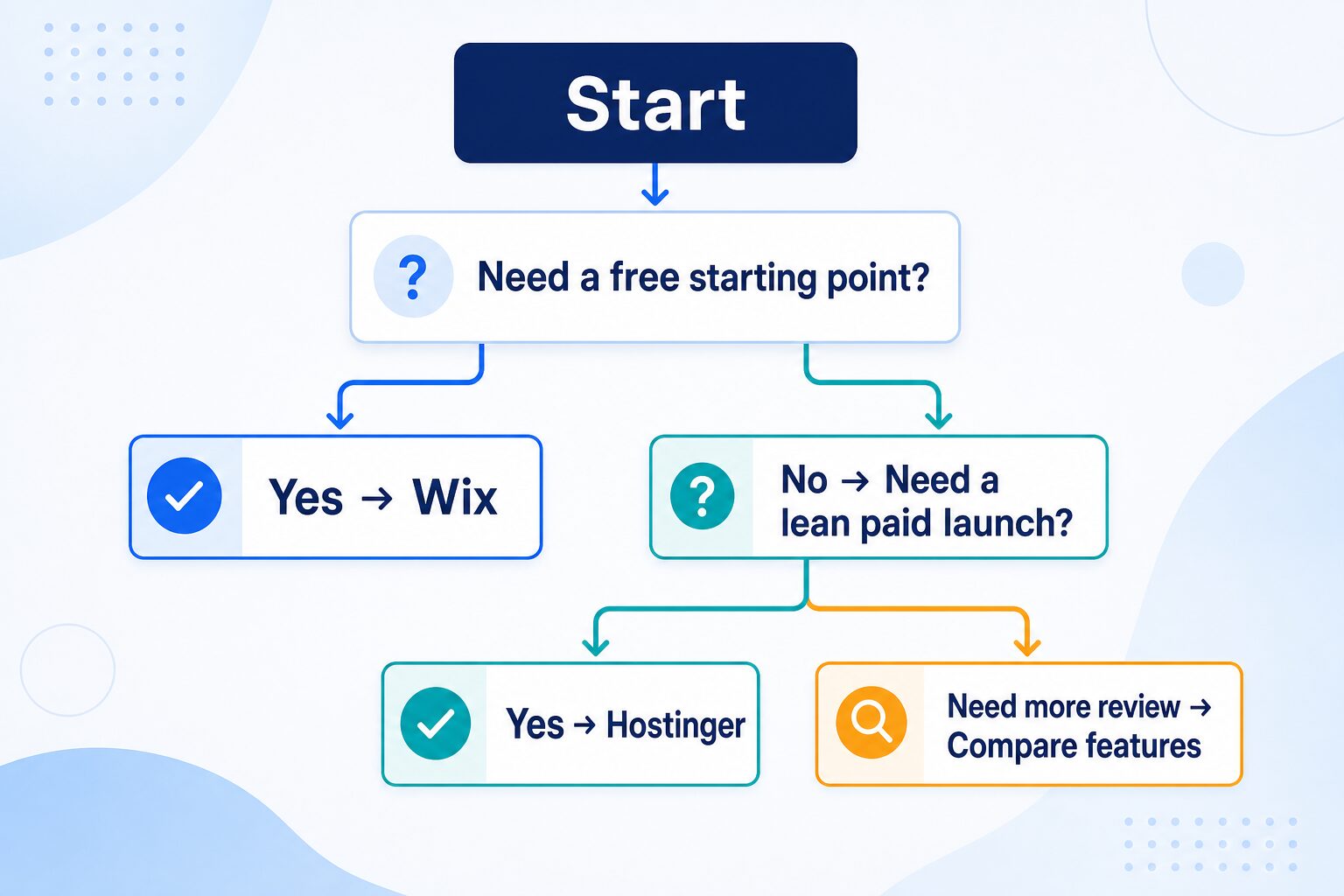
Use this decision tree before you compare every feature
The fastest way to overbuy a website builder is to compare every tool before deciding whether you need a free starting point, a paid launch, or more time to define the project. Use this as a first filter; then check the live plan page for the specific feature you need.
Choose Hostinger Website Builder for a lean paid launch
Hostinger Website Builder is worth evaluating when you have already decided to pay for a hosted site and want website creation, hosting, a domain offer, and basic growth tools close together. Its official page describes customizable templates, a drag-and-drop editor, AI tools, marketing features, and ecommerce capabilities. That can be a practical fit for a service site, portfolio, landing page, small blog, or starter store with a clear first job.
Best for: a creator or small business that has approved the basic site plan, wants to get a domain-connected site online soon, and does not need to use a permanent free tier as the first discovery step.
Skip it if: you need a no-cost period to experiment with the builder before committing, have not defined the site goal, or need to confirm a specific advanced integration before paying.
On the official US page checked July 12, 2026, the Premium Website Builder plan showed $2.99 per month with a 48-month purchase and a stated $10.99 monthly renewal rate. Those are not universal or permanent prices. Hostinger also says the builder is not free, offers a 14-day trial, and requires a paid plan to publish. Treat the displayed amount as a checkout checklist: confirm your country, billing term, renewal, domain renewal, included sites, and the plan feature you actually need.
Check Hostinger Website Builder plans
Choose Wix for a free start and a broader all-in-one path
Wix is the stronger starting point when you want to build a first version before deciding whether a paid plan is justified. Its own comparison and plan materials position Wix as an all-in-one platform with AI creation, design tools, business features, ecommerce, analytics, and plan tiers for growing needs. A free start does not mean every launch need is covered, but it can be valuable when the first task is learning what your site should contain.
Best for: a solo business owner, creator, or portfolio builder who wants to shape the message and layout first, then decide whether a custom domain, payment tools, or more advanced features are worth a paid plan.
Skip it if: you already know a lean paid, hosting-linked setup is the better fit and you do not need the wider platform or a free exploration period.
Wix’s official plan guide lists annual-billing US paid plans from $17 to $159 per month, while its support documentation says pricing can vary by region. Its support page also says a Premium plan is needed for a custom domain and that paid Premium plans have a 14-day money-back guarantee rather than a paid-plan free trial. Verify the live plan, country, billing cycle, and exact business or ecommerce requirement before upgrading.
Run a 20-minute launch rehearsal before paying
A short rehearsal produces more useful information than a feature checklist because it tests the next real decision. It does not measure which platform is “better.” It tells you whether the platform can support the first small site you are responsible for launching.
- Name the first visitor action. Pick one: book a call, view a portfolio, read an article, join a list, request a quote, or buy one item. Do not launch with six conflicting actions.
- Draft one complete page. Add a clear headline, a short explanation of what you offer, one action button, and a way to contact you. Use real approval-ready copy, not placeholder claims.
- Check the mobile view and domain path. Confirm how the first page reads on a phone, whether the intended plan supports a custom domain, and what changes when a trial or free start ends.
- Inspect the plan terms. Record the billed term, renewal amount, included sites, storage or ecommerce needs, and any add-on you would need in the first month. Do this at checkout, not from an old comparison table.
- Rehearse the data path. If the page will collect a name, email, booking detail, or payment, decide who owns the data, what notice visitors will see, and who approves the launch.
Privacy, lead data, and AI-input checks
Website-builder privacy is not just a platform question. Once a page has a form, analytics, cookies, bookings, or a store, you also have a responsibility to explain what visitor data you collect and how you use it. Wix’s own guidance tells site owners to document collection, use, sharing, and management practices, and to follow the rules that apply to their location and activity.
Use a safer launch rule
Do not paste client records, private health, legal, financial, student, or workplace information into AI prompts or site drafts unless your agreement and organization allow it. Before publishing a lead form, review the current platform terms, your privacy notice, consent flow, access permissions, and any connected analytics or email tool.
Hostinger’s policy describes several account and communication-data categories and says that optional AI Memory can use onboarding information, chat data, activity events, and generated summaries when enabled. That is not a substitute for your own risk review. Check the current policy and account settings before using AI features with confidential material, and use a separate approval process for regulated or client-controlled data.
Where to go next
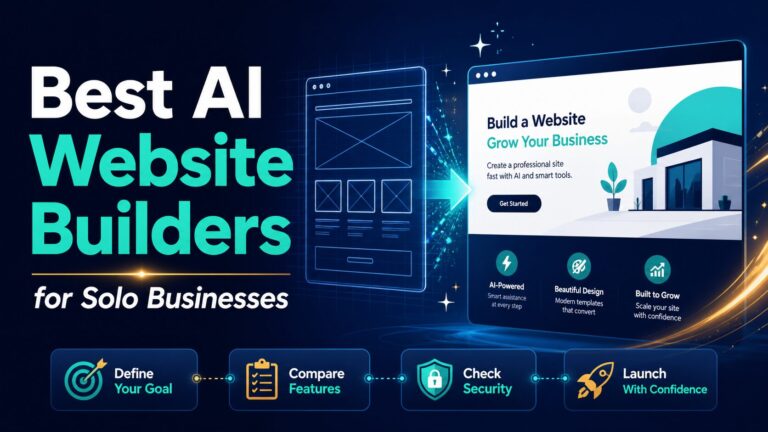
If you need a broader shortlist, see our best AI website builders for solo businesses. Before launching, use the AI website builder checklist. If your real question is control and ownership for a team, compare WordPress versus AI website builders for small teams.
Final recommendation
Start with Wix if the next task is exploring a first site without a paid commitment. Start with Hostinger Website Builder if the next task is a lean paid launch and you are ready to verify the purchase term and renewal details. In either case, finish one complete page, check the mobile and data-collection path, and use the live plan page—not an old comparison—to make the upgrade decision.
Frequently asked questions
Is Hostinger Website Builder free?
No. Hostinger’s official Website Builder page says it is not free, offers a 14-day trial, and requires a paid plan to publish. Confirm the current trial terms and local checkout details before relying on them.
Is Wix free to start?
Wix states that a free plan is available. Its support documentation says you need a Premium plan to connect a custom domain. Check the current plan page for the features and regional terms that apply to your site.
Which is cheaper, Hostinger Website Builder or Wix?
A promotional monthly figure alone is not enough to answer that safely. Compare the total billing term, renewal, domain costs, required plan level, and any add-ons for the one task your site needs in the first month.
Can an AI-generated website be published without review?
No. Review accuracy, claims, contact details, permissions, mobile layout, accessibility, privacy notice, cookies, and any form or payment flow before publishing. AI can accelerate a draft; it does not accept responsibility for the site.