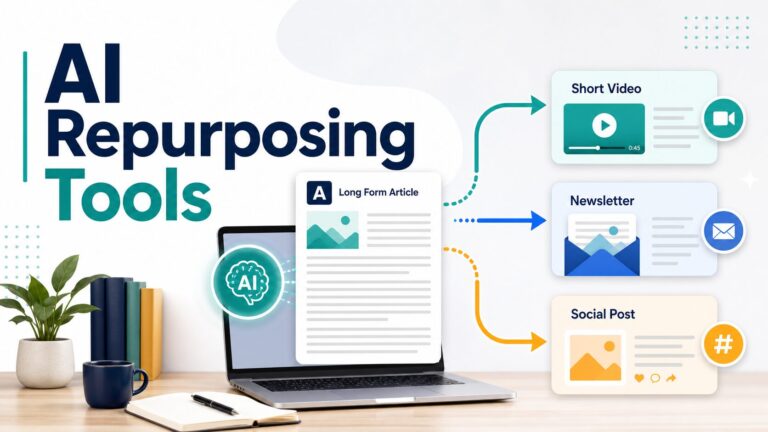
How To Use AI To Repurpose Blog Posts Into Newsletters and Social Posts
If you already have a useful blog post, AI can help you turn it into one newsletter section, several social drafts, and a repeatable review checklist. The safe workflow is source-first: choose one reader angle, reshape it for each channel, check every claim against the original article, and keep a human approval step before anything is scheduled.
AI_WORK_TOOLKIT_PAGE_DESIGNQuick Verdict
Start with one writing assistant and one approval checklist. Use ChatGPT or Claude to extract angles, draft a newsletter section, and create social variations from one finished post. Add Canva only when the idea needs a visual. Add Buffer when you need a reviewable scheduling queue. Add Notion AI when your content calendar already lives in Notion. Add Zapier only after the manual workflow is stable enough to automate without hiding mistakes.
Evidence limit: This article is official-research-only. Official product, pricing, privacy, and plan pages were refreshed on July 3, 2026. It does not claim hands-on testing, engagement gains, conversion results, output-quality rankings, or affiliate availability for the tools in this article.
Fast rule: Repurposing is not copying one paragraph into five channels. It is adapting one useful idea for different reader moments, then checking that each version still earns its place.
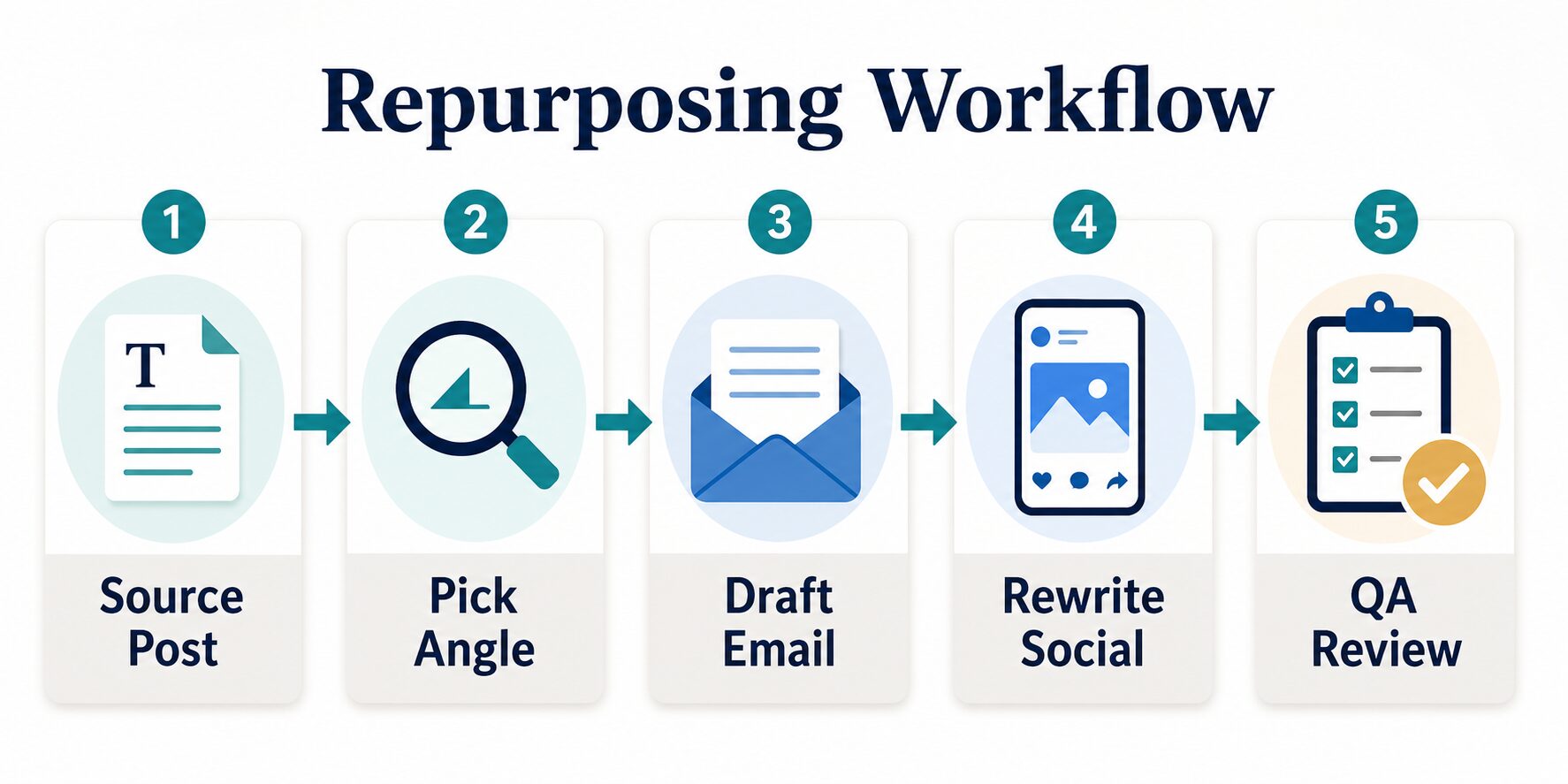
The 5-Step AI Repurposing Workflow
Treat the original article as the source of truth. It already contains the research, examples, links, and decision logic. AI should help you reshape that material, not invent new claims or strip away the context that made the article useful.
- Choose the source post. Pick a finished article with a clear reader problem, current facts, and one idea worth repeating.
- Pick one angle. Ask AI for the strongest lesson, mistake, checklist, or decision point. Do not ask it to compress the whole article into every output.
- Draft the email. Turn the angle into a useful newsletter note with a short setup, one practical takeaway, and a modest next step.
- Rewrite for social. Create several short forms: a tip, mistake, checklist, question, example, or contrarian caution.
- Run QA review. Check facts, links, tone, duplication, privacy, and whether each channel version can stand on its own.
Run One Batch Before You Automate
Before paying for a larger repurposing stack, run one controlled batch. Use one public blog post, create one newsletter section, write five social drafts, and review the results before connecting a scheduler or automation tool. This gives you a real workflow signal without pretending a tool has been tested across every channel.
- One source post: choose an article with current facts, clear examples, and links you can still stand behind.
- One newsletter section: turn one lesson into a useful email note, not a miniature copy of the full article.
- Five social drafts: make a tip, mistake, checklist, question, and short example from the same angle.
- One review pass: compare every output with the source post before you schedule anything.
If the batch feels generic, fix the source angle and prompt before adding more tools. If the batch is useful but messy to manage, then Notion, Buffer, or Zapier may have a real job to do.
A Source-To-Channel Example
Suppose your source article is a privacy checklist for creators using AI tools. Do not ask AI to “make posts from this article” and accept the first batch. Start with one concrete reader moment: “I want to reuse this advice without exposing private client examples.”
| Channel | Good repurposed angle | What to avoid |
|---|---|---|
| Newsletter | A short note explaining why creators should paste the public article text, not private source notes, into AI tools. | A full summary of every checklist item from the article. |
| LinkedIn post | A practical warning: “Before you ask AI to rewrite client content, remove names, screenshots, and private metrics.” | A vague claim that AI repurposing is always safe or always faster. |
| Short social post | A four-point mini-checklist: source, angle, private details, final review. | The same wording as the newsletter with line breaks added. |
This is the standard to use for any source post. Each channel should have a distinct job, but every version should still trace back to the same verified source article.
What To Pull From The Blog Post
Do not paste the full post into an AI tool and accept the first output. Give the tool a smaller job. The best repurposing inputs are usually:
- The quick verdict: useful for a newsletter opening or direct social post.
- A decision table: useful for a carousel outline, checklist, or “which option fits you?” post.
- A common mistake: useful for a short post that teaches a better habit.
- A risk warning: useful for a trust-building email section.
- A final recommendation: useful for a newsletter CTA or thread ending.
If the original article is about choosing tools, keep the repurposed content helpful rather than salesy. The reader should get value even if they never click through, and the post should not imply you tested a tool unless you actually did.
Tool Roles: What Each AI Tool Is Good For
The tools below are not ranked by hands-on performance. They are grouped by the job they can play in a repurposing workflow, based on official product and pricing information refreshed for this rewrite.
| Tool | Best role in the workflow | Official plan note checked July 3, 2026 | Use it when | Skip or delay when |
|---|---|---|---|---|
| ChatGPT | Angle extraction, newsletter drafts, social variations, title/meta ideas, and QA prompts. | Official pricing lists Free, Go, Plus, Pro, Business, and Enterprise options; access, limits, and regional availability can vary by plan. | You want a flexible writing assistant for turning one article into several text formats. | You mainly need scheduling, brand asset design, or workflow automation rather than drafting help. |
| Claude | Editorial reshaping, tone critique, long-context rewriting, and calmer newsletter drafts. | Claude’s official plan guide lists Free, Pro, Max 5x, and Max 20x individual options; Team and Enterprise are separate organizational plans. | You need a careful rewrite that preserves the original idea and reduces generic wording. | You mainly need visual assets, scheduling, or automatic publishing. |
| Canva | Visual repurposing: social graphics, quote cards, carousel drafts, newsletter headers, and resized creative assets. | Canva AI describes design, writing, resizing, image, brand, and format-change tools; paid-plan details should be checked on Canva’s current pricing page before upgrading. | The blog post needs a visual card, carousel, header, or simple branded image. | The output is text-only or you already have a visual workflow. |
| Notion AI | Content calendar, source notes, reusable checklist, AI-assisted docs, and workspace-based drafting. | Notion pricing lists Free, Plus, Business, and Enterprise tiers; Free and Plus include trial AI capabilities, while Business and Enterprise add broader AI workspace and admin features. | Your briefs, source links, publishing status, and review checklist already live in Notion. | You do not want to manage content operations inside Notion. |
| Zapier | Automation after the process is stable: moving approved ideas between apps, forms, tables, and publishing queues. | Zapier pricing lists a Free plan with 100 tasks per month, two-step Zaps, Tables, Forms, and Copilot; higher tiers add more automation capacity. | You already know the exact trigger, review step, destination, and failure handling. | You are still changing the editorial process every week. |
| Buffer | Social scheduling, idea storage, draft organization, and AI-assisted post refinement. | Buffer pricing lists a Free plan with up to 3 channels, 10 scheduled posts per channel, 100 ideas, and AI Assistant. Buffer’s AI Assistant page describes repurposing one idea for multiple social channels. | You want a lightweight place to review and schedule social posts before they publish. | You only need one-off drafts and do not maintain a publishing calendar. |
Prompt Templates For Repurposing A Blog Post
Use prompts that force the AI to preserve the article’s meaning while changing the format. Replace the bracketed parts with your own article details, and include the source excerpt you want the tool to stay within.
1. Extract repurposing angles
Read this finished blog post and extract 5 repurposing angles.
For each angle, give:
- the reader problem
- the useful takeaway
- the best format: newsletter, short social post, checklist, or question post
- what not to exaggerate

Do not invent facts beyond the source post.
2. Draft a newsletter section
Turn the strongest angle into a newsletter section for [audience].
Use a practical, calm tone.
Structure:
1. one-sentence hook
2. short context
3. practical lesson
4. one next step

Do not copy the blog intro. Do not add claims that are not in the source.
3. Create social post variations
Create 5 social post drafts from this angle.
Each draft should use a different format:
- practical tip
- mistake to avoid
- checklist
- question
- short example

Keep each post self-contained. Avoid clickbait and unsupported claims.
4. Run a QA pass
Review these repurposed drafts against the original article.
Flag:
- copied wording that should be rewritten
- claims not supported by the source
- missing context
- weak calls to action
- privacy or confidentiality risks
- links or facts that need checking before publishing
5. Approve the final batch
Act as an editor, not a publisher.
Review this newsletter section and these social drafts.
Return:
- keep / revise / delete for each item
- the exact source sentence or section that supports each claim
- any private detail that should be removed
- one clearer CTA for each channel

Do not approve anything that is not supported by the source article.
Newsletter Version: Make One Idea Useful
A newsletter should not read like a compressed blog post. It should feel like a useful note to someone who trusts you enough to open an email.
- Use one main idea. Pick one lesson from the post instead of summarizing every section.
- Add a reader moment. Explain when the advice matters: before buying a tool, before publishing, before automating, or before sending private material through AI.
- Link back naturally. Give the reader a reason to open the full article, such as the checklist, comparison table, or examples.
- Keep the CTA modest. “Read the full workflow” is usually better than a hard sell.
For choosing the original writing stack, see our guide to the best AI writing tools for work. For a broader creator stack, see best AI tools for bloggers. If you want a tool-list view after this workflow, compare best AI tools for content repurposing.
Social Version: Rewrite For The Channel
Social posts need a tighter shape than a newsletter. They should make one point quickly and still make sense without the full article.
| Social format | Best source material | AI instruction |
|---|---|---|
| Practical tip | A step, checklist item, or rule of thumb. | Turn this into one useful tip with one example. |
| Mistake post | A warning, skip condition, or common failure. | Explain the mistake calmly and give the better habit. |
| Question post | A decision point from the article. | Ask a question that helps the reader diagnose their own workflow. |
| Checklist | A process section or QA list. | Convert this into 4 to 6 short checks with no tiny details or unsupported numbers. |
| Short example | A before/after rewrite or scenario. | Show the example, then state the lesson in one line. |
If you want automation after the manual version works, compare simple AI automation tools and Zapier alternatives for AI workflows. Automation should support the editorial process, not hide an unclear one.
Privacy And Data Checks Before You Prompt
The safest input is a public article you own. The risk rises when the source post contains unpublished client stories, paid-community material, customer examples, interview transcripts, student information, workplace documents, health details, legal details, or financial information.
- Use the public version when possible. Paste the published text, not private notes behind the article.
- Remove identifying details. Replace client names, customer screenshots, personal examples, and private metrics with placeholders.
- Check workspace data policies. Business, team, and enterprise plans can have different admin, retention, and data-use settings from consumer accounts.
- Do not automate publishing without review. Keep a human approval step before email or social posts go live.
For a broader risk review, use the AI tool privacy checklist for professionals and the newer AI tool privacy checklist before uploading work data.
When To Use Each Tool
Use ChatGPT or Claude first
Start here when your main job is extracting angles, drafting email copy, rewriting social variations, and checking whether the new copy still matches the original article.
Add Canva for visual formats
Use a visual workflow when the idea needs a carousel, quote card, newsletter header, diagram, or simple image. Keep visible text short enough to proofread before uploading.
Add Notion AI for operations
Use Notion only if it is already the place where you keep briefs, source links, publishing status, and content-calendar decisions.
Add Buffer for scheduling
Use Buffer when you need a lightweight calendar, queue, and review layer for social posts before publishing.
Add Zapier after the workflow is stable
Use automation when the trigger, review step, destination, and failure handling are clear. Do not automate a messy editorial process.
QA Checklist Before Publishing
Run this checklist before sending the newsletter or scheduling social posts:
- Meaning: Does the repurposed version still match the original article?
- Freshness: Did you change the angle enough, or is it just a copied paragraph?
- Facts: Are pricing, plan, feature, privacy, and security claims still accurate?
- Links: Do all links point to the intended article or official source?
- Tone: Does it sound like your brand, not a generic AI summary?
- Privacy: Did you remove private or sensitive details?
- CTA: Is the next step helpful and proportionate?
- Approval: Would you be comfortable publishing this if the original article’s author reviewed it line by line?
Also check whether each output has a distinct job. If the newsletter, LinkedIn post, and short social draft all say the same thing in slightly different words, keep the strongest version and rewrite the others around a different reader moment.
Best next step: Run one manual repurposing batch before adding automation. If the review checklist catches repeated errors, fix the prompt and source process before connecting tools.
FAQ
What is the best AI tool for repurposing blog posts?
For most solo creators, start with ChatGPT or Claude for text repurposing, then add Canva for visuals and Buffer for scheduling only when those jobs actually exist. Notion AI and Zapier are useful later if your content calendar and approval steps are already structured.
Can AI turn a blog post into a newsletter?
Yes, but the best newsletter version usually focuses on one lesson from the article. Ask AI to extract a useful angle, write a short email section, and preserve the original article’s claims.
Can AI create social posts from a blog post?
Yes. A stronger approach is to create several formats from the same article: a tip, mistake, checklist, question, and short example. Each social post should stand on its own.
Is repurposing content duplicate content?
It can feel duplicated if you copy the same wording everywhere. Repurposing is safer and more useful when you adapt the angle, structure, length, and CTA for each channel.
Should I automate blog-to-social publishing?
Not at first. Build the manual workflow, review a few batches, then automate only the parts that are predictable, such as moving approved draft ideas into a scheduler. Keep the final approval step human-owned.
Do I need a dedicated AI repurposing tool?
Not for the first batch. Use a general writing assistant and a review checklist first. A dedicated tool or scheduler becomes easier to justify when you know which bottleneck is real: visuals, approvals, calendar management, or repeatable automation.
Final Recommendation
Start with one recent blog post. Ask AI for five angles, choose one newsletter angle, create three to five social post variations, and run the QA checklist before publishing. If that workflow saves time without lowering quality, then add Canva, Buffer, Notion AI, or Zapier only where each tool solves a specific bottleneck.
The goal is not to publish more AI-generated filler. The goal is to get more value from the article you already worked hard to create, while keeping your facts, voice, and reader trust intact.