How to Manage Affiliate Links in WordPress: 5 Trust Checks
Managing affiliate links in WordPress is not mainly a plugin decision. It is a trust-control decision: readers need to know when money is involved, your team needs one place to change approved destinations, and every public route needs a repeatable test before and after publication.
Quick verdict
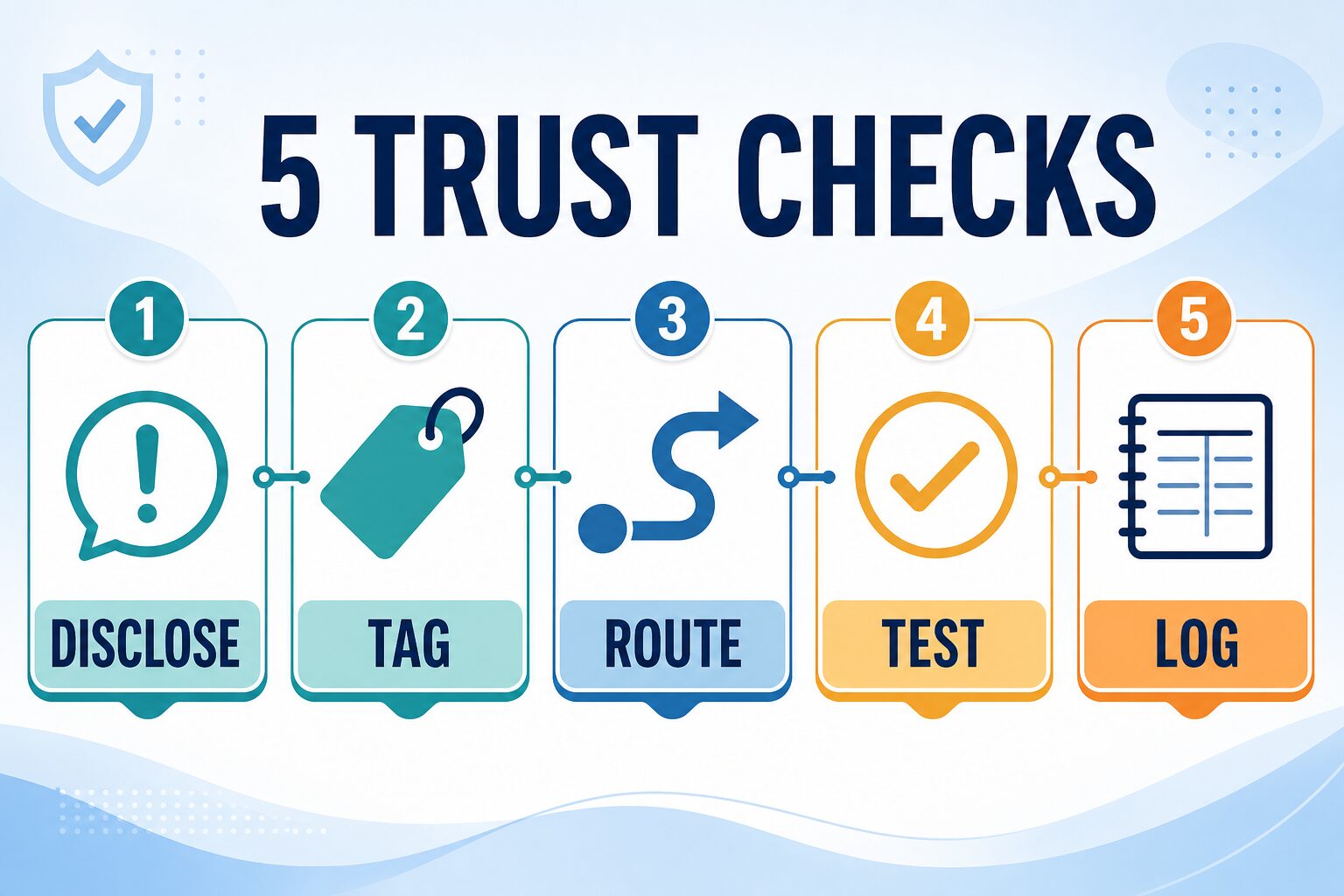
Start with five checks: disclose, tag, route, test, and log. Use ordinary official links when no approved commercial route exists. Add one same-domain redirect layer only when repeated approved links create a real maintenance need. Pay for automation only after link volume, reporting, or health checks exceed what a small review sheet can handle.
- Best for a new site: plain links, clear disclosure, correct relationship attributes, and a small inventory.
- Best for a growing site: one redirect manager plus named owners and review triggers.
- Skip monetization: when approval, destination, terms, or reader fit is uncertain.
Evidence note: This guide was refreshed July 11, 2026 from FTC, Google Search Central, and WordPress.org sources plus AI Work Toolkit’s publishing workflow. It is not a hands-on performance benchmark of PrettyLinks, ThirstyAffiliates, or another paid plugin. This article uses official and internal links, not monetized redirects.
Choose the system by failure risk, not feature count
The expensive failure is rarely “we lacked a dashboard.” It is usually a stale destination, unclear disclosure, unqualified paid link, duplicate redirect systems, or a claim that no longer matches the page reached after the click.
| Situation | Use now | Do not add yet | Upgrade trigger |
|---|---|---|---|
| Occasional official or source links | Normal WordPress links and a source check | Affiliate redirect | An approved offer appears repeatedly |
| A few approved offers across several posts | One same-domain redirect manager and a link register | A second redirect plugin | Manual changes become error-prone |
| Large back catalog or frequent campaigns | Central routing, export, ownership, and scheduled review | Unreviewed automatic keyword insertion | Reporting or health checks save measurable maintenance time |
| Unapproved, paused, ended, or unclear offer | Official source or internal comparison | Monetized route or commission language | Approval and destination are verified |
The five trust checks
1. Disclose the relationship
Put plain-language disclosure where a reader can notice it before or near the recommendation. Do not rely only on a footer, profile, or general disclosure page.
2. Tag the paid link
Google says advertisements and paid placements should use rel="sponsored". It still accepts nofollow for paid links, although sponsored is the more specific value.
3. Route through one owner
Use one controlled same-domain pattern for approved recurring offers. A short URL is an operations layer, not permission to hide the commercial relationship.
4. Test the public click
Open the public route, follow the redirect, and compare the landing page with the nearby claim. Check region, login gates, plan changes, and unexpected redirect chains.
5. Log the decision
Record the article, public route, destination, program status, disclosure, owner, last check, and next trigger. A useful log explains why the link is allowed—not only where it goes.
Use a two-gate approval rule
A monetized link should pass both an editorial gate and an operations gate. Passing only one is not enough.
- Editorial gate: the recommendation fits the reader, the surrounding claim is current, limitations are visible, and the product would still belong without a commission.
- Operations gate: the program is approved, the destination and route are verified, the disclosure and relationship attributes are present, and an owner can recheck it.
What to log for each link
A spreadsheet or CSV is enough for many small sites. Use fields that support a decision:
- article ID and public article URL;
- visible anchor text and CTA position;
- public same-domain route and final destination;
- program and approval status;
- disclosure placement and
relvalues; - claim supported by the destination;
- owner, last checked date, and next review trigger.
Do not call a generic external-link click an affiliate conversion. A commercial click shows intent; confirmed conversion and revenue require network-side reconciliation.
PrettyLinks vs ThirstyAffiliates: compare control features
Both current WordPress.org listings describe own-domain redirects, centralized link management, and click reporting. Their commercial upgrades add automation and advanced controls. That makes them candidates to evaluate, not automatic recommendations.
| Question | Why it matters | Safe decision |
|---|---|---|
| Can one owner export or audit the links? | Portability matters when plugins or staff change. | Test export and recovery before scaling. |
| Can automation insert links without editorial review? | Keyword replacement can monetize the wrong context. | Keep automatic insertion off until rules and review exist. |
| Does health checking validate the final claim? | A 200 response can still land on the wrong plan or region. | Combine technical checks with a human destination review. |
| Does the affiliate program allow the redirect method? | Program terms can differ. | Confirm program terms before cloaking or redirecting. |
Run a 15-minute broken-link drill before paying
This practical test reveals whether your process is ready for more automation:
- Choose one sample approved offer and one article.
- Temporarily use a staging or test route, then change its destination.
- Confirm the visible article link still works and the final page matches the claim.
- Find the record in your inventory without searching every post.
- Ask who would pause the route if approval ended today.
If any step depends on memory, a second plugin will not fix the control gap. Fix ownership and the log first.
Separate redirect health from recommendation health
A technical checker can confirm that a route responds, but it cannot decide whether the destination still supports the sentence beside the link. Treat these as two different checks. Redirect health asks whether the public path resolves, avoids an unexpected chain, and reaches the intended domain. Recommendation health asks whether the product, plan, eligibility, region, and reader fit still match the article.
This separation prevents a common false pass: a link returns HTTP 200 while landing on a generic homepage, a different plan, or a login wall. Record both results. If either one fails, pause the commercial route and keep the reader on an official or internal informational path until the mismatch is resolved.
Use a publish checklist that another editor can repeat
Before the article update goes live, ask someone other than the link creator to run the checklist when possible. A second person does not need affiliate expertise. They need a clear record and permission to stop publication when the evidence is incomplete.
- Read the recommendation without clicking. Confirm that the wording describes fit and limitations instead of creating urgency or implying an unverified benefit.
- Find the disclosure. It should be understandable before the commercial recommendation influences the decision. If it is easy to miss during a normal read, revise the placement or language.
- Inspect the link attributes. Confirm that the commercial relationship is represented in the markup and that ordinary editorial references have not been mislabeled.
- Follow the public route. Test the actual URL a reader will click, not only the saved destination in the WordPress dashboard.
- Compare claim to destination. Check product name, plan, region, availability, and the action the button promises. Remove exact pricing or benefit language when the landing page no longer supports it.
- Verify the record. The owner, approval state, last check, and review trigger should be complete enough for the next editor to act without reconstructing the history.
This checklist also creates a useful boundary for automation. A tool can crawl URLs, flag status codes, count clicks, or export records. It cannot decide whether the recommendation still earns its place in the article. Keep that editorial judgment explicit.
Review by trigger, not only by calendar
Quarterly reviews can help, but event-based triggers catch more dangerous changes. Recheck when a pricing claim changes, a campaign ends, a program status changes, a plugin is replaced, a redirect shows an unexpected chain, or an article changes intent.
For the wider publishing system, pair this guide with the website launch checklist, the AI tool privacy checklist, and our guide to AI SEO writing tools for small sites.
FAQ
Do affiliate links need rel sponsored?
Google recommends rel="sponsored" for advertisements and paid placements. It says nofollow is still acceptable, but sponsored is the more specific value.
Is an affiliate disclosure page enough?
Usually not by itself. The FTC’s guidance emphasizes clear, conspicuous disclosure of material connections. Put understandable disclosure where readers will notice it around the endorsement or recommendation.
Should a small site buy an affiliate-link plugin?
Only when centralized changes, export, reporting, automation, or health checks solve a demonstrated maintenance problem. A small link register plus normal WordPress links may be enough at first.
Should every affiliate link use a short redirect?
No. Confirm the affiliate program’s terms first. Use a redirect only for approved routes where central management helps; use official links when monetization is unavailable or uncertain.
How often should affiliate links be checked?
Use both a regular review cadence and event triggers. Recheck immediately after program, destination, pricing, plugin, or article-intent changes.
Final recommendation
Build the smallest system that lets another person answer five questions: Is the relationship disclosed? Is the paid link tagged? Who controls the route? Was the destination tested? Where is the decision logged? When those answers are reliable, add automation only for a specific maintenance burden.