Superhuman AI Review: Is It Worth It for Email-Heavy Work?
Superhuman AI is worth considering if email speed is a real business bottleneck: you answer high-value messages all day, you want a faster dedicated inbox, and AI drafting, search, summaries, reminders, and scheduling would reduce daily friction. It is harder to justify if you only need occasional email rewrites, if your real problem is too much low-value email, or if your team needs shared inbox operations rather than a premium personal email client.
Quick verdict: pay for speed, not for vague AI productivity
- Try Superhuman first if your work depends on fast individual email: founder follow-ups, sales conversations, recruiting, investor updates, client coordination, or executive inbox triage.
- Pause before paying if you want a shared inbox, support queue, deep task management, or cheaper writing help inside Gmail or Outlook.
- Check privacy before connecting work email if your inbox includes client data, legal documents, health information, student records, financial details, or confidential company plans.
Evidence status: this review is official-research-only. Pricing, feature, privacy, and security notes come from official Superhuman pages checked on June 18, 2026. AI Work Toolkit did not run a fresh hands-on benchmark of Superhuman’s speed, AI answer quality, or time savings for this article.
What Superhuman AI is now
Superhuman is no longer just the well-known premium email client brand. Its official pricing page now presents a broader Superhuman Suite that includes Superhuman products across Mail, Grammarly, Coda, and Go. For this review, the important reader question is narrower: whether Superhuman Mail and its AI features are worth paying for when your daily work lives in email.
Superhuman’s official Mail AI page describes an AI-native email experience for high-performing teams. The feature set includes automatic inbox organization, AI-assisted drafting in your voice and tone, follow-up reminders with drafted follow-up emails, Instant Reply, Ask AI across inbox/calendar/web context, scheduling from email, and automatic conversation summaries.
Those features sound broad, but the buying decision is specific. Superhuman is most defensible when the problem is processing important email faster. If the problem is that too many messages should not reach you in the first place, a faster inbox may only make the treadmill move faster.
Superhuman pricing checked on June 18, 2026
Pricing needs careful wording because official Superhuman pages show both Suite pricing and a Mail-specific help-center pricing page. Do not rely on old third-party numbers without checking the official pages first.
| Official source | Current pricing shown | What it means for this review |
|---|---|---|
| Superhuman Suite pricing | Free at $0; Pro at $12/member/month billed annually or $30 monthly; Business at $33/member/month billed annually or $40 monthly; Enterprise custom. | The Suite page includes broader Superhuman products. Business is where Mail appears in the listed product bundle. |
| Superhuman Mail pricing help center | Starter at $30/month or $300/year; Business at $40/month or $396/year; Enterprise through sales. | If your decision is specifically about Superhuman Mail, verify the Mail help-center pricing before signing up. |
| Plan fit | Starter includes access to Superhuman Mail, shared availability, shared conversations/team comments, most Superhuman AI features, and webinars. Business adds Auto Drafts, Ask AI, Custom Auto Labels, CRM integrations, and Recent Opens Feed. | Email-heavy professionals should check whether the AI feature they want is on Starter or requires Business. |
The practical takeaway: treat Superhuman as a premium email workflow purchase, not a casual AI add-on. If the Mail plan you need lands near $30 to $40 per month, the value case depends on the importance and frequency of your inbox work.
Who Superhuman AI is best for
Superhuman AI makes the most sense for people whose inbox is a high-value workspace, not just a communication channel. The stronger the financial, relationship, or execution value of each email, the easier it is to justify paying for a faster client.
For these readers, Superhuman’s value is not only “AI writes emails.” It is the combined workflow: fast keyboard-driven processing, focused inbox views, reminders, summaries, scheduling, and AI help close to the message thread.
Who should skip Superhuman AI
Skip or delay Superhuman if your email problem is not speed. A premium email client can feel polished while leaving the actual bottleneck untouched.
Also skip it if you need a support desk, shared queue, ticket assignment, SLA tracking, or deep team collaboration. Superhuman is stronger as a premium individual email workflow than as a replacement for a full customer-support or operations system.
If your main need is rewriting work emails, compare AI email writing tools before paying for a full email client. If your main need is sentence-level rewrite help, the Wordtune review for rewriting work emails may be a better fit.
Superhuman AI feature fit
Use this table as a practical fit check. It separates official feature categories from the reader problem they solve.
| Reader problem | Superhuman AI feature area | Good fit if… | Weak fit if… |
|---|---|---|---|
| Too many important messages to process quickly | Auto labels, split inbox, summaries, Ask AI | You need to find, group, summarize, and prioritize high-value threads faster. | Most messages are low-value and should be filtered, unsubscribed, delegated, or moved to another system. |
| Replies take too long | AI drafting, Instant Reply, follow-up drafting | You write frequent high-context replies and still want to review before sending. | You only need occasional tone rewrites or simple templates. |
| Follow-ups slip | Follow-up reminders and drafted follow-up emails | Missed follow-ups can affect deals, clients, recruiting, or operations. | You already manage follow-ups in a CRM, project tool, or shared inbox. |
| Scheduling interrupts email flow | Scheduling from email and availability sharing | Your scheduling begins inside email threads and you want fewer context switches. | You need advanced calendar planning, multi-calendar task scheduling, or booking-page workflows outside email. |
| Need workplace-safe AI | Privacy settings, enterprise controls, admin/security features | Your organization has reviewed the terms, AI training controls, and data-access model. | Your employer or client restricts connected AI tools for email content. |
Privacy and security checks before connecting work email
Email is unusually sensitive because it contains contracts, invoices, health details, hiring discussions, legal notes, customer complaints, internal strategy, and personal information in one place. Before connecting Superhuman or any AI email client, check your workplace policy and the official data terms.
Superhuman publishes a privacy policy, Data Privacy Addendum, enterprise security pages, and a Customer Business Agreement. Official pages describe processing rules, international transfers, enterprise controls, compliance, AI training controls, and sales-agreement terms. The right question is not “does the vendor have a security page?” It is whether those terms fit your actual email content and your organization’s rules.
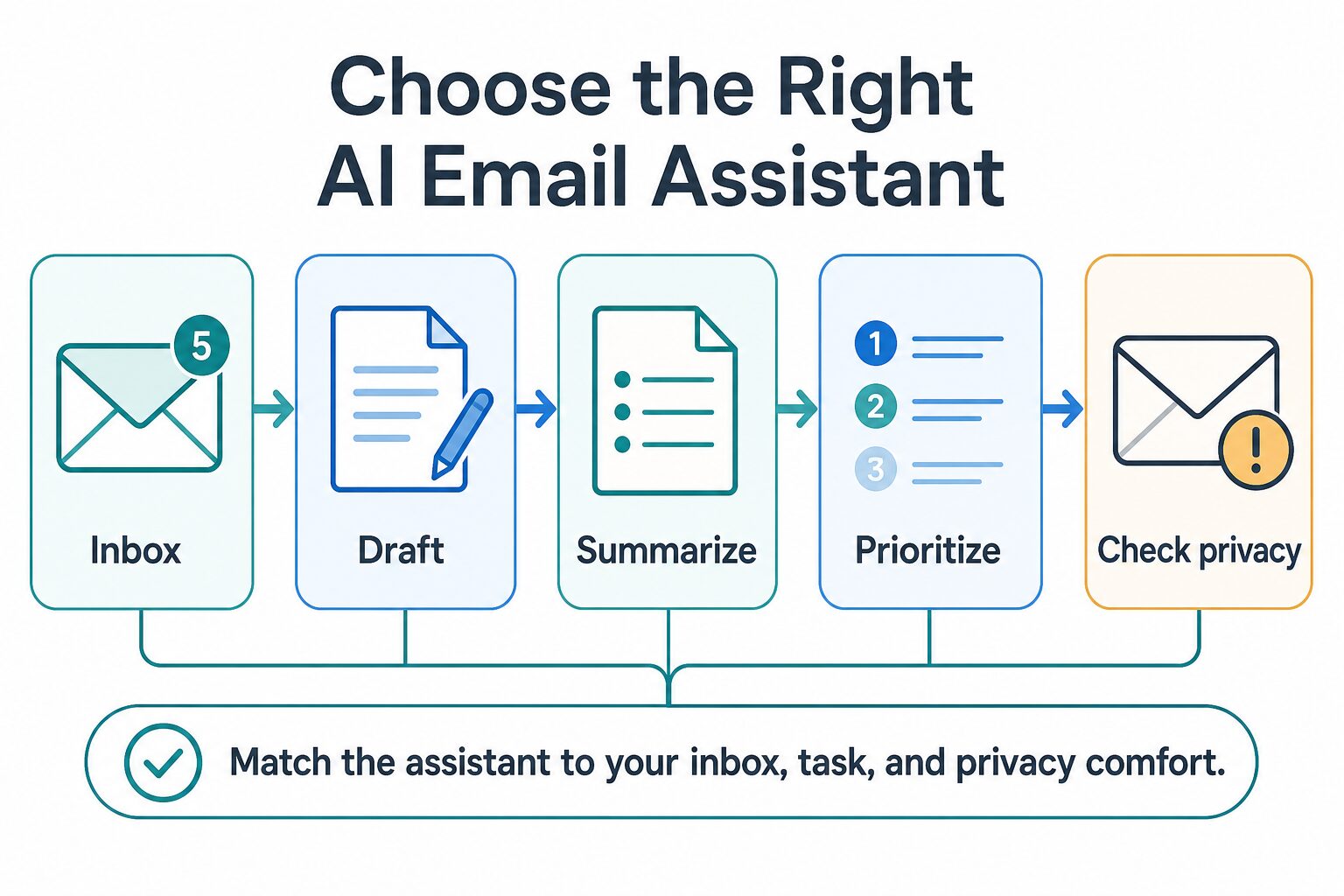
Use the AI tool privacy checklist before connecting a sensitive inbox. At minimum, check data training settings, admin controls, third-party AI processing, retention/deletion language, connected calendar access, CRM integrations, and whether you can use fictional or low-risk messages for your first trial.
Superhuman AI alternatives to consider
If Superhuman feels too expensive or too narrow, the alternative depends on the job you need done.
- Need better email writing, not a new inbox? Compare AI email writing tools for professional communication.
- Need Gmail/Outlook assistant options? Start with the AI email assistant comparison.
- Need a broader work stack? Use the practical AI tool stack to decide which layer should handle writing, notes, PDFs, meetings, and productivity.
- Need shared inbox operations? Look at shared inbox, help desk, or CRM workflows before paying for a faster personal email client.
- Need fewer emails? Fix rules, delegation, unsubscribe patterns, notification sources, and meeting/document workflows before buying speed.
Final recommendation
Superhuman AI is easiest to justify when email is high-value, frequent, and personal to your role. If faster reading, drafting, searching, scheduling, and follow-up reminders can directly protect relationships or revenue, it belongs on your shortlist.
It is not the first tool I would recommend for casual email, occasional rewriting, low-value inbox volume, or team support workflows. In those cases, start with cheaper writing tools, Gmail/Outlook-native features, a shared inbox, a CRM, or a privacy cleanup.
Practical next step: check the current Superhuman pricing page and Superhuman Mail pricing help page, then test only with low-risk email first. Do not connect sensitive client or workplace messages until your privacy and admin checks are clear.
FAQ
Is Superhuman AI worth it?
It can be worth it if email speed is a high-value bottleneck and you need a premium individual email workflow. It is less likely to be worth it if you only need occasional writing help, shared inbox operations, or a way to reduce low-value email volume.
Does Superhuman have a free plan?
The official Superhuman Suite pricing page shows a Free plan, but the official Superhuman Mail help-center pricing page lists Starter, Business, and Enterprise for Mail. Because Superhuman’s product structure has changed, check both official pages before assuming Mail is included in a free plan.
How much does Superhuman Mail cost?
The official Mail pricing help page checked on June 18, 2026 listed Starter at $30/month or $300/year and Business at $40/month or $396/year, with Enterprise pricing through sales. Always verify current billing terms before signing up.
What does Superhuman AI do?
Official pages describe AI-assisted email drafting, follow-up reminders, Instant Reply, Ask AI, auto summaries, scheduling, custom auto labels, inbox organization, and context from inbox/calendar/web sources. Feature availability can vary by plan.
Is Superhuman safe for work email?
It depends on your organization’s policy and your data type. Review Superhuman’s privacy, DPA, enterprise/security, and customer agreement terms, then confirm AI training controls, admin settings, connected app access, and sensitive-data rules before using it with real work email.
Sources checked: Superhuman pricing, Superhuman Mail AI, Superhuman Mail pricing help center, Superhuman privacy policy, Data Privacy Addendum, enterprise security pages, and Customer Business Agreement, all checked June 18, 2026.