Canva AI Review for Blog and Social Content
Canva AI is worth trying when your idea is already clear and the work left is visual: a blog thumbnail, social card, carousel, simple explainer, brand-consistent post, or presentation-style summary. Start with Canva Free if you only need occasional visual drafts. Consider paying only when templates, Brand Kit, collaboration, exports, and higher AI usage would clearly save repeated production time.
Quick verdict: use Canva AI after the content idea is ready
- Best fit: solo creators and small teams that need faster visual packaging for finished blog and social ideas.
- Free-first fit: occasional thumbnails, social cards, and layout experiments where you can live with lower AI allowance and manual editing.
- Weak paid fit: teams that still need the angle, keyword intent, source checks, editorial rewrite, video/audio workflow, or publishing system solved first.
- Privacy check: keep confidential client work, unreleased launches, private audience data, student records, legal notes, health details, and financial information out of early AI prompts.
Evidence note: this review is based on official Canva sources checked on July 8, 2026. AI Work Toolkit did not run a new hands-on output benchmark, so this article does not rate Canva AI image quality, generation speed, or brand consistency from testing.
What Canva AI is now
Canva now presents Canva AI as a broad creative assistant across design, writing, image, video, code, research, and brand workflows. Official Canva pages describe conversational creation, editable designs, writing help, text-to-image generation, uploads, brand-aware workflows, connectors, and plan-based access to newer Canva AI 2.0 features. Some Canva AI 2.0 messaging still points to coming updates, so do not pay based only on a feature you have not confirmed inside your own account.
For a blogger or social-content creator, that broad positioning needs a narrower decision. Canva AI is most useful when it helps turn a finished idea into a more usable visual asset. It should not replace source checking, privacy review, search intent, editorial judgment, or the final human edit that makes a post specific to your audience.
Canva AI pricing and access checked on July 8, 2026
Canva pricing and AI access can vary by plan, region, account type, team setup, education/nonprofit eligibility, AI allowance, and plan changes. For this reason, the safest article-level recommendation is not to quote a fixed monthly price or treat an allowance number as permanent. Check the official pricing and AI usage pages before upgrading.
| Official source | What Canva says | Decision use |
|---|---|---|
| Canva AI overview | Canva positions Canva AI 2.0 as a conversational creative partner for design, writing, code, brand, and visual workflows. | Treat it as a visual production layer, not a complete content strategy. |
| Canva AI help | Canva says Canva AI 2.0 features, Memory Library, and Connectors are plan-dependent, with full access tied to paid plans. | Free may be enough for light experiments; paid access matters when newer AI workflow features become routine. |
| Canva AI usage | Canva lists plan-based monthly AI allowances and separates Standard, Premium, and higher-access AI usage. | Check your actual allowance before a production-heavy month; do not assume Free, Pro, Business, and AI Pass behave the same. |
| Canva pricing | The pricing page compares Free, Pro, Business, and Enterprise plans with premium content, AI, brand, collaboration, and design features. | Upgrade only when the whole plan saves time, not only because an AI feature sounds useful. |
| Canva AI Pass | Canva describes AI Pass as a monthly add-on for existing Pro, Business, or Nonprofits plans that increases AI allowance. | Heavy AI generation should be planned around allowance; AI Pass is not the same decision as upgrading from Free to a paid plan. |
| AI Product Terms | Canva’s June 26, 2026 AI terms discuss technology partners, AI inputs, privacy settings, usage controls, output evaluation, and user responsibility. | Privacy, allowance, accuracy, and commercial-use review should happen before real client or business material is uploaded. |
The practical takeaway: start with Canva Free when you only need occasional blog and social visuals. Consider a paid plan when premium templates, Brand Kit, collaboration, export options, and higher AI access save enough repeated production time to justify the subscription. Consider an AI allowance add-on only after the paid plan itself already makes sense for your workflow.
Use Canva AI for this kind of blog and social workflow
The strongest use case is a creator who already knows the message and needs visual packaging. A good Canva AI workflow starts after the article promise, audience, and channel are clear.
If your full content stack is still unclear, compare Canva with other AI tools for bloggers before treating it as the first paid tool.
Skip Canva AI first if the real problem is not design
A better-looking asset does not fix weak positioning, unsourced claims, unclear search intent, duplicate content, or a risky data workflow. If any of those are the blocker, solve them before paying for a design-first AI tool.
- Need SEO and article structure? Compare AI SEO writing tools first.
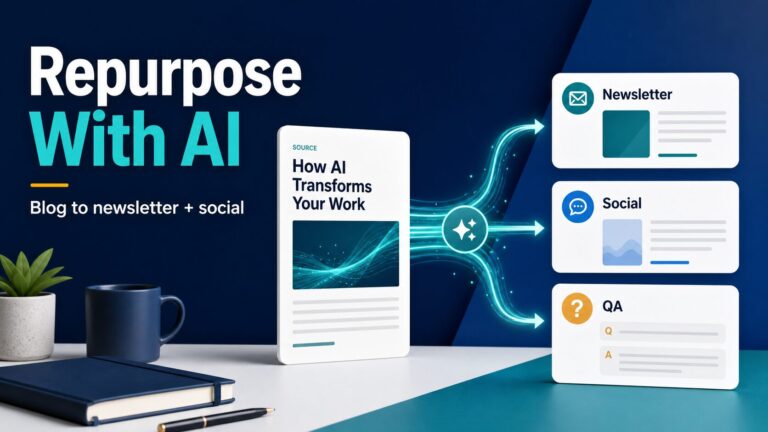
- Need text-first repurposing? Start with the workflow for repurposing blog posts into newsletters and social posts.
- Need video/audio workflows? Compare broader AI content repurposing tools before paying for a design-first tool.
- Need sensitive-data handling? Read the AI tool privacy checklist before pasting real work material into AI prompts.
Canva AI fit check for bloggers and creators
Use this table before upgrading. It separates jobs where Canva AI can help from jobs where a different tool or workflow is probably the better first move.
| Reader task | Canva AI fit | Good fit if… | Weak fit if… |
|---|---|---|---|
| Blog featured image or thumbnail | Visual directions, layouts, design elements, and editable creative drafts. | You know the article promise and need a polished visual direction. | You need verified product screenshots, exact UI details, trademarked assets, or legal review. |
| Social post or carousel | Format adaptation, templates, brand-aware design, and quick campaign variations. | The source idea is already edited and you need multiple visual formats. | You have not chosen the hook, audience, channel, or message yet. |
| Simple infographic or explainer | Layout and visual organization can reduce design friction. | The data is simple, sourced, and explainable with a few labels. | You need dense analytics, exact charts, or technical diagrams that require precision. |
| Brand-consistent content | Canva’s brand and template workflow can support repeat campaign assets. | You reuse colors, typography, templates, and design patterns. | You need enterprise design-system governance, handoff files, or custom production control. |
| AI writing inside a design workflow | Short labels, headlines, captions, and design copy can be useful. | You need concise copy to fit a visual asset. | You need long-form research synthesis, careful editorial rewriting, or fact checking. |
Privacy and commercial-use checks before using Canva AI
Creators often build visuals from client notes, screenshots, unreleased product ideas, audience research, campaign plans, and brand files. That makes privacy review part of the tool decision, not an afterthought.
Canva’s AI Product Terms say some AI products use technology partners to provide functionality, and that input may be shared with those partners for that purpose. The terms also say AI usage limits are operational controls that Canva may modify, and that users are responsible for evaluating outputs before relying on them. Canva points users to privacy settings that control whether Canva and technology partners may use data to improve AI services. The safe working rule is simple: do not test AI features with material you would not be comfortable sending to a third-party service under your current policy.
Practical privacy rule: start with low-risk public ideas, fictional examples, approved marketing copy, or already-published content. Do not paste confidential client data, private customer messages, legal documents, health information, student records, financial details, or unreleased company plans until your account settings and organizational policy are clear.
A two-minute upgrade test
Before paying, run this quick check against your actual content calendar.
- List the next 10 visuals you need: thumbnails, social cards, carousels, simple diagrams, or presentation slides.
- Mark which ones already have a finished message, headline, and source material.
- Mark which ones need brand consistency, collaboration, exports, or repeated format changes.
- Check whether those needs are solved by Canva Free, a paid Canva plan, or a separate AI allowance add-on.
- Upgrade only if the repeated time saved is clearer than the subscription cost, the needed features are actually available in your account, and privacy review is acceptable.
Canva AI alternatives and complements
The right alternative depends on the bottleneck.
- If the bottleneck is writing: use a text-first assistant or compare AI SEO writing tools.
- If the bottleneck is repurposing: use the AI content repurposing tools guide to compare text, design, video, automation, and scheduling layers.
- If the bottleneck is publishing workflow: start with the blog-to-newsletter/social workflow before buying more tools.
- If the bottleneck is choosing a design suite: compare Canva vs Adobe Express before treating Canva as the default.
- If the bottleneck is brand design: Canva AI belongs on the shortlist because Canva’s design workspace, templates, and brand tooling are part of the product’s core value.
FAQ
Is Canva AI worth it for bloggers?
It can be worth trying if you regularly need blog thumbnails, social graphics, carousels, simple explainers, or visual summaries from ideas that are already edited. It is less useful as the first tool to pay for if your writing, SEO, research, or content strategy is still weak.
Is Canva AI free?
Canva says Free users can access some AI features with limited monthly usage, while fuller Canva AI 2.0 access is tied to paid plans such as Pro, Teams, Business, and Nonprofit. Check Canva’s current AI usage, pricing, and AI Pass pages before relying on exact access or allowance details.
Can I use Canva AI images for commercial projects?
Canva’s official help and terms discuss commercial use, AI Product Terms, licensing, and user responsibility. Before using AI output commercially, read the current Canva AI Product Terms and content license pages, then check whether third-party content, brand assets, or generated output creates extra risk.
Does Canva use my content to train AI?
Canva points users to privacy settings that control whether Canva and its technology partners may use data to improve AI services. Review those settings and the AI Product Terms before using private or business-sensitive material.
What should I try first in Canva AI?
Start with a low-risk, already-published or fictional idea. Ask Canva AI for visual directions, a social post layout, a thumbnail concept, or a simple carousel. Then edit manually for accuracy, brand fit, readability, and channel context.
Final recommendation
Canva AI is a good fit when you already have a clear content idea and need faster visual execution. For bloggers and solo creators, that means thumbnails, article graphics, social cards, carousels, and simple campaign assets. It is not a substitute for content strategy, source checking, editorial judgment, or sensitive-data review.
Start with Canva Free if your use is occasional. Consider a paid plan only when the combined value of templates, Brand Kit, exports, collaboration, and higher AI access clearly saves production time. Treat AI Pass or any extra allowance as a second decision after the main plan already fits.
Sources checked: Canva AI overview, Canva AI help, Canva pricing, Canva AI usage help, Canva AI Pass, Canva AI Product Terms, Canva AI Safety, Canva privacy policy, and Canva Magic Studio safety/legal help, checked July 8, 2026.