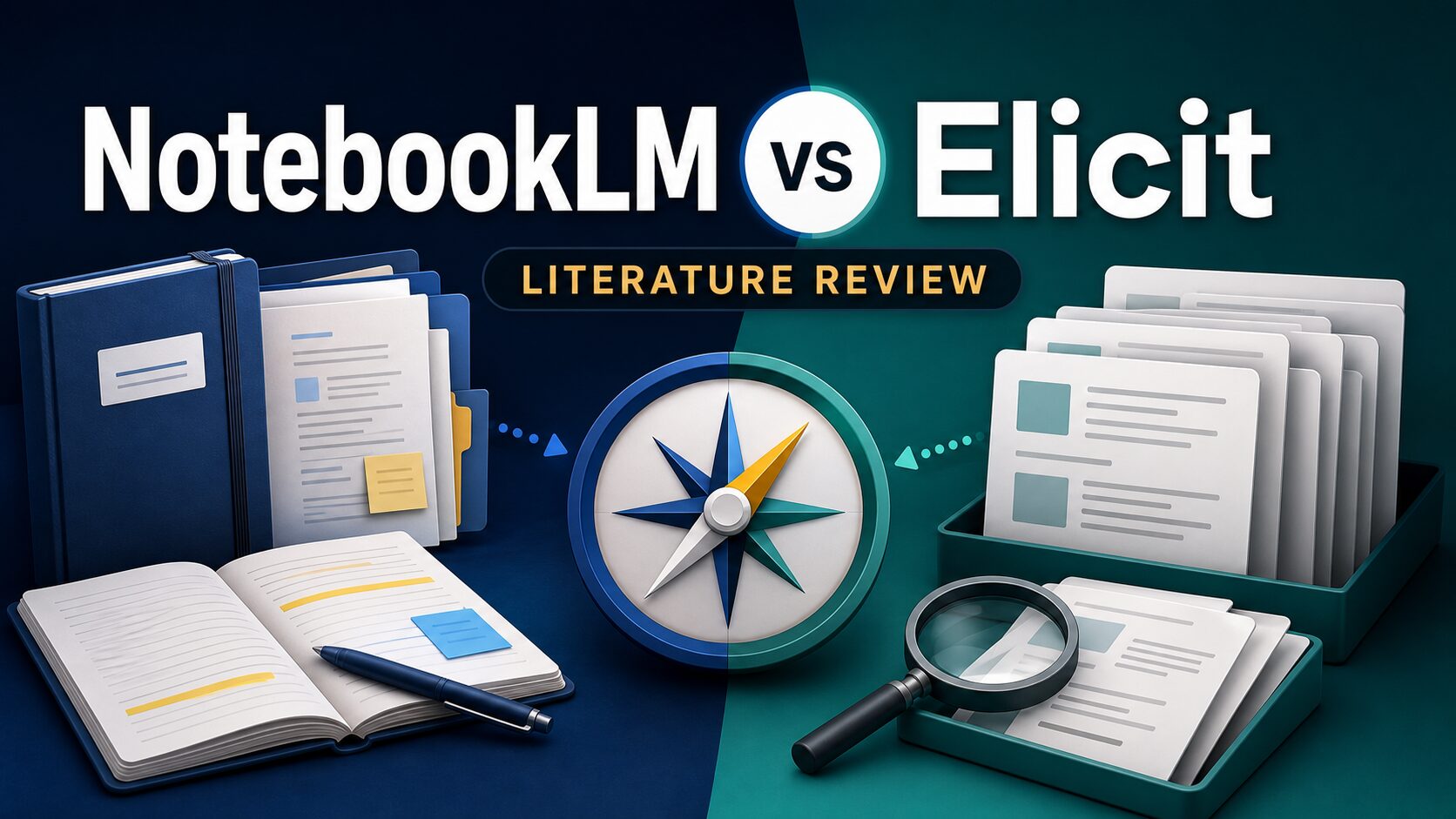
NotebookLM vs Elicit for Literature Reviews
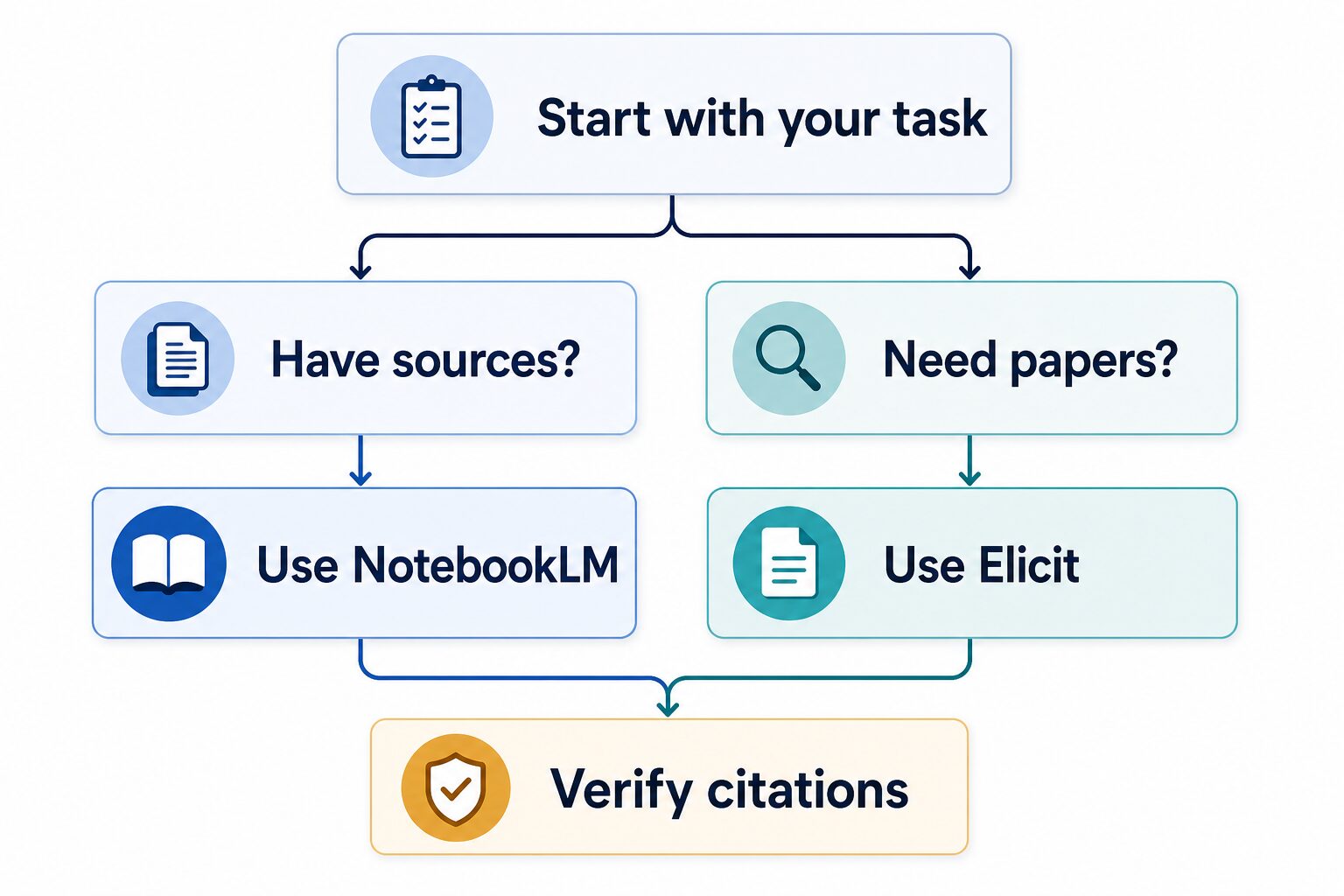
If you are choosing between NotebookLM and Elicit for a literature review, start with the stage you are stuck on. Use Elicit when you still need to find, screen, and extract information from papers. Use NotebookLM when you already have a source set and need to organize, question, and synthesize it without losing sight of the original documents.
Quick answer: use Elicit for paper discovery, NotebookLM for source synthesis
- Choose Elicit if your main task is searching across papers, screening candidates, or extracting structured details for a literature review.
- Choose NotebookLM if your main task is working with PDFs, notes, websites, Google Docs, or other sources you have already selected.
- Use both if you need a full workflow: Elicit to build a candidate paper set, then NotebookLM to interrogate and synthesize the sources you decide to keep.
- Skip both as the final authority. For academic work, verify citations, quotations, study methods, and inclusion decisions against the original papers.
This article is based on official product, pricing, help, and privacy sources checked on July 3, 2026. It is official research only; I am not claiming a fresh hands-on accuracy test for either tool.
NotebookLM vs Elicit comparison table
| Decision point | NotebookLM | Elicit |
|---|---|---|
| Best fit | Understanding, organizing, and synthesizing sources you already have. | Finding papers, screening research, extracting data, and building a structured evidence table. |
| Best first task | Upload a source set and ask source-grounded questions with citations. | Search a research question and review candidate papers before deciding what belongs in your review. |
| Free / standard access | Google Help lists standard access limits such as 100 notebooks, 50 sources per notebook, and 50 chats per day, subject to change. | Elicit lists a Basic free plan for casual exploration, with paid plans for heavier systematic-review workflows. |
| Paid-plan caveat | Higher limits depend on Google AI, Workspace, school, or Cloud/enterprise access. Check Google’s current upgrade page. | Elicit’s pricing page lists paid tiers; the industry view showed Pro at $49 per user/month billed annually when checked. |
| Skip if | You have not yet built a source set and need the tool to discover the literature for you. | You already know your sources and mainly need to interrogate, connect, and summarize them. |
| Evidence status here | Official research only. | Official research only. |
How I would choose by literature-review stage
1. You need to discover relevant papers
Start with Elicit. Elicit positions itself around searching, summarizing, extracting data from, and chatting with a large corpus of papers. That makes it the better fit when your immediate problem is, “What papers should I even look at?”
The important caution is that discovery is not the same as inclusion. If you are doing a thesis, systematic review, grant memo, or evidence review, you still need your own inclusion criteria, exclusion criteria, and citation checks.
2. You already have PDFs, notes, and source links
Start with NotebookLM. Google describes NotebookLM as a research assistant that works with sources you add, including PDFs, websites, YouTube videos, audio files, Google Docs, and Google Slides. It is strongest when the reader has already chosen the material and wants source-grounded Q&A, summaries, notes, or study-style outputs.
If your paper set is weak, NotebookLM will not magically fix that. It can help you understand the sources in the notebook, but the quality of the review still depends on the sources you selected.
3. You need a defensible research workflow
Use them in sequence. Elicit can help build and narrow a candidate paper set. NotebookLM can help you ask better questions of the sources you keep. Your final writing should still cite the original papers, not the AI summary as if it were evidence.
A practical 90-minute workflow
- First 20 minutes: write the research question, scope, date range, and inclusion rules before opening either tool.
- Next 25 minutes: use Elicit to discover candidate papers and note why each paper might belong or not belong.
- Next 25 minutes: put the strongest selected sources into NotebookLM and ask source-grounded questions about themes, methods, disagreements, and limitations.
- Final 20 minutes: open the original papers and verify every citation, quote, method detail, sample-size claim, and conclusion before drafting.
NotebookLM: best when the source set already exists
NotebookLM is the better choice when your literature-review bottleneck is synthesis. It can help you ask questions across an uploaded or imported source set, find source-grounded passages, and organize your thinking. For a deeper workflow example, see our NotebookLM research summary workflow.
Google’s help pages also make the account-context caveat important. Limits and data handling can vary by standard access, upgrade path, Workspace, school, and enterprise context. If you are using a university or workplace account, check your administrator’s policy before uploading restricted material.
Choose NotebookLM if
- You already have the PDFs, web pages, notes, or source files you want to work with.
- You want source-grounded Q&A with citations you can inspect.
- You need to compare themes, definitions, methods, or arguments across a controlled source set.
- You want a companion for understanding sources, not a replacement for database search.
Skip NotebookLM if
- You need a tool to discover the literature before you have a paper set.
- You cannot upload the documents under your institution’s copyright, privacy, or data-use rules.
- You need strict systematic-review screening and extraction tables as the central workflow.
Elicit: best when you need to find and extract papers
Elicit is the better choice when the literature-review bottleneck is discovery or extraction. Its official site positions it as an AI research assistant for searching, summarizing, extracting data from, and chatting with papers. If that is the missing stage, read our Elicit review after this comparison.
Elicit is not a shortcut around research judgment. Treat its output as a starting point for screening, not as the final answer. Open the papers, check the abstract and methods, verify relevance, and document your inclusion choices.
Choose Elicit if
- You are still searching for relevant papers.
- You need to screen many candidate studies faster.
- You want structured extraction fields such as methods, outcomes, population, or limitations.
- Your project resembles a systematic or scoping review more than a simple reading-notes workflow.
Skip Elicit if
- You already have a source library and mainly need synthesis.
- You only need to understand a few PDFs you already trust.
- You are not ready to check pricing, usage limits, export needs, and privacy terms before relying on it heavily.
Pricing and free-plan notes to check before paying
NotebookLM and Elicit are both change-prone products, so check the official pricing and limits pages before paying.
- NotebookLM: Google Help lists standard usage limits and upgrade paths, but limits are marked subject to change and may differ across personal, Google AI, Workspace, school, and enterprise access.
- Elicit: Elicit’s pricing page lists a Basic free plan and paid tiers for heavier research workflows. When checked on July 3, 2026, the industry pricing page showed Pro at $49 per user/month billed annually at $588.
If you are comparing paid options, the practical question is not just price. Ask whether the paid plan removes the specific limit that blocks your review: paper volume, extraction fields, export, team workflows, or account governance.
Privacy, copyright, and citation cautions
Do not upload restricted PDFs, unpublished manuscripts, student data, client files, patient information, legal material, or confidential workplace research just because a tool looks convenient. Check the tool’s official privacy terms and your institution’s policy first. Our broader AI tool privacy checklist is the safer starting point if the material is sensitive.
For academic work, also separate AI assistance from evidence. AI can help you find patterns, summarize passages, and draft a plan. It should not be the authority you cite. Verify the cited paper, the page or section, the method, the sample, the outcome, and the limitation before you put the claim in your literature review.
Where this article fits in the AI research cluster
If you are still choosing among several research tools, start with our guide to the best AI literature review tools for graduate students. If your real question is whether NotebookLM is better than a PDF chat tool, use the NotebookLM vs ChatPDF for long PDFs comparison instead.
FAQ
Is NotebookLM better than Elicit for a literature review?
NotebookLM is better when you already have sources and need to understand, organize, and synthesize them. Elicit is better when you need to find papers, screen them, and extract structured details.
Can Elicit replace Google Scholar or database searching?
No. Elicit can support discovery and screening, but a serious literature review still needs database strategy, inclusion criteria, citation checking, and human judgment.
Can NotebookLM find the papers for me?
NotebookLM has source-discovery features, but its safest role in a literature review is still working with a source set you verify. If discovery quality matters, compare it with dedicated research-discovery workflows before relying on it.
Should I use both tools together?
Yes, if the project is large enough. Use Elicit for discovery and extraction, then use NotebookLM to question and synthesize the sources you keep. The combined workflow is strongest when you verify every important citation against the original paper.
Final recommendation
For most graduate students and researchers, the cleanest answer is not “NotebookLM or Elicit forever.” It is stage-based: use Elicit when the literature is not yet assembled, and use NotebookLM when your source set is ready for close reading and synthesis.
Before paying, check the official pricing and plan limits. Before uploading, check privacy, copyright, and institutional rules. Before submitting a paper, thesis chapter, memo, or article, verify citations in the original sources.
Official sources checked
- Google NotebookLM Help: learn about NotebookLM
- Google NotebookLM Help: add or discover sources
- Google NotebookLM FAQ and usage limits
- Google NotebookLM upgrade information
- Google NotebookLM privacy and terms
- Elicit product page
- Elicit pricing
- Elicit privacy policy
- Elicit policies and data processing information