NotebookLM Research Workflow: 5 Steps to a Defensible Summary
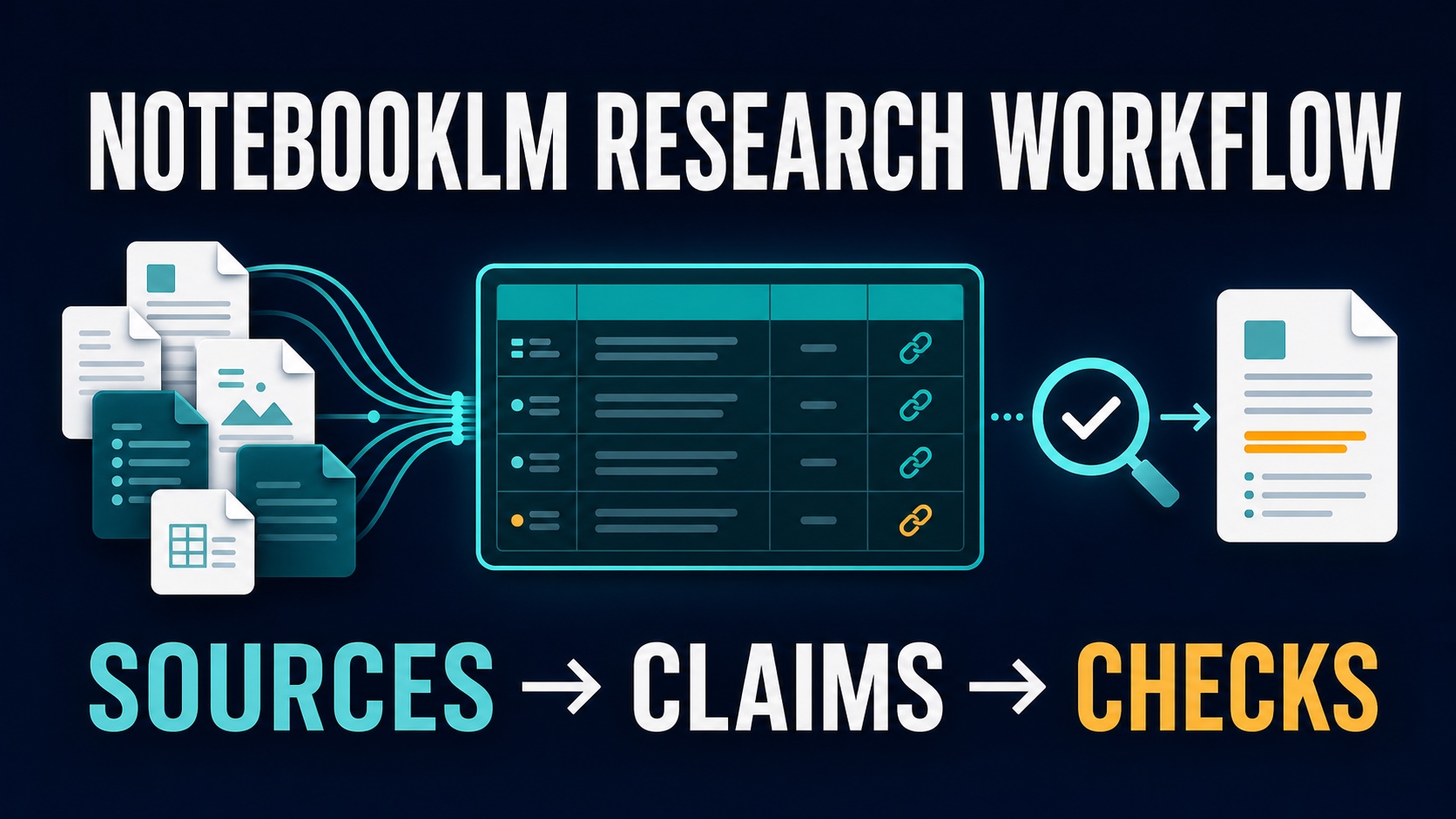
A dependable NotebookLM research workflow is not “upload files and ask for a summary.” It is a controlled path from approved sources to checked claims. Build a source pack, ask one focused question, record every useful claim in an evidence ledger, open the cited passage, and stop when the source does not support the wording. That produces a summary a colleague, client, or instructor can audit.
This guide was refreshed on July 12, 2026 from official Google documentation. It is an official-research-only workflow, not a hands-on accuracy benchmark. NotebookLM can organize and question a source set, but it cannot decide whether your collection is complete, unbiased, current, legally usable, or safe for your account.
Quick Verdict: Use NotebookLM as the Evidence Layer
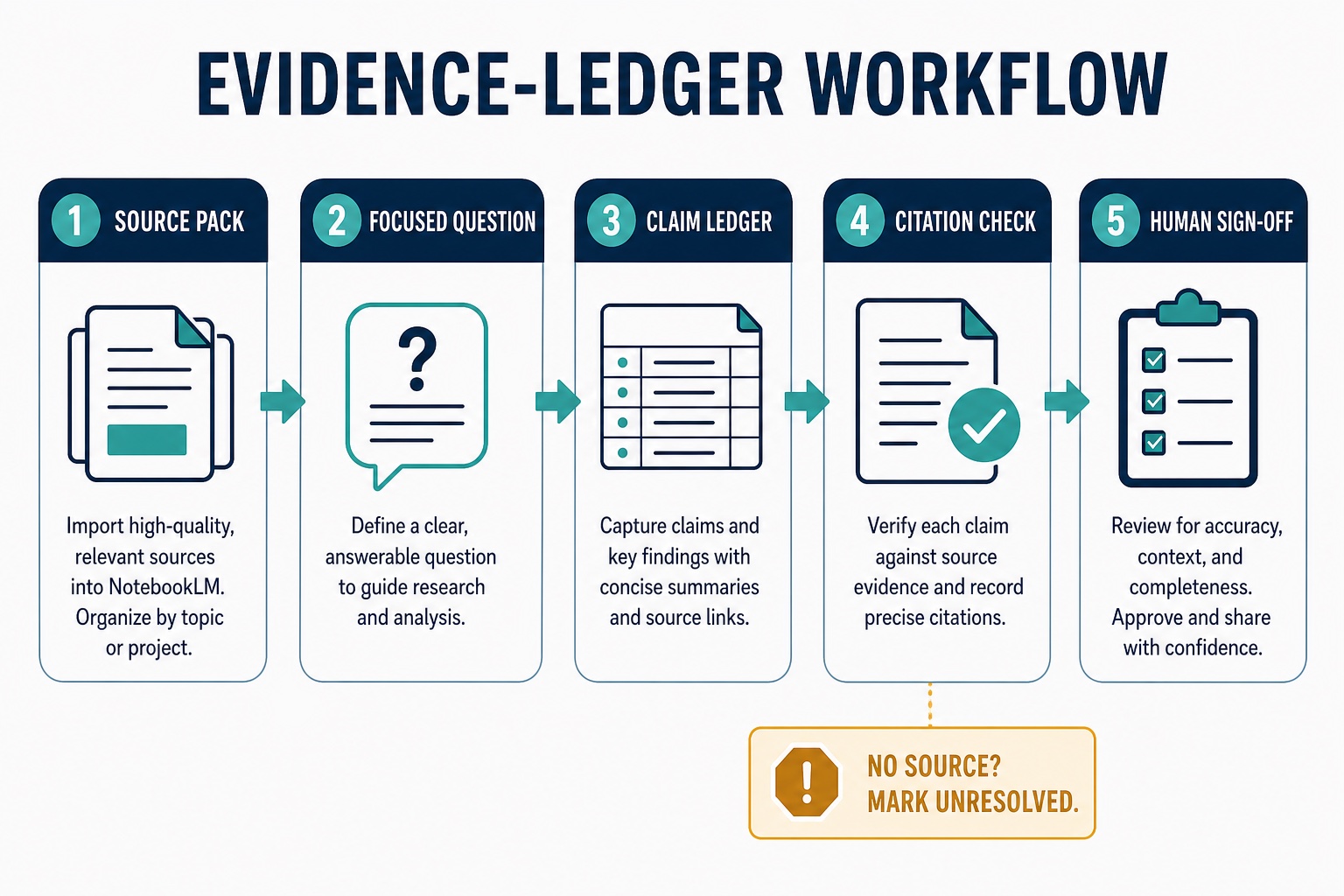
The five-step workflow: source pack → focused question → claim ledger → citation check → human sign-off. NotebookLM sits in the middle. You remain responsible for what goes in and what leaves.
What Changed in NotebookLM—and What Did Not
Google describes NotebookLM as an AI-powered research assistant that answers from notebook sources and provides inline citations. In chat, you can select or exclude sources, hover over a citation to see quoted text, and open the citation in context. Google also documents source discovery with Fast Research and Gemini Deep Research, plus Studio outputs such as reports, data tables, audio, video, mind maps, flashcards, quizzes, infographics, and slide decks.
Those features make the product more capable, but they do not remove the central research risk: a polished artifact can still reflect an incomplete source set, a weak comparison, a missing caveat, or a claim that should not leave your notebook. Treat every generated report, table, deck, or overview as a working view of selected sources—not as proof that the underlying research is complete.
If you are still choosing the right document tool, compare NotebookLM vs ChatPDF for long PDFs. If you need broader discovery and screening, start with our guide to AI research tools for graduate students.
Step 1: Build a Source Pack You Are Allowed to Use
Start outside NotebookLM. Write the research question, the allowed source types, the cutoff date, and the exclusion rules. Then choose the smallest source set that can answer the question. A larger notebook can create more retrieval noise and make it harder to notice a missing or contradictory source.
Official Help currently lists PDFs, Google Docs, Slides, Sheets, images, Word, text, Markdown, CSV, PowerPoint, web URLs, ePub, public YouTube URLs, audio, pasted text, and Gemini chats among supported sources. Google says a source can contain up to 500,000 words or 200MB for local uploads; free accounts can use up to 50 sources per notebook. Limits and availability can vary by account and may change, so check the live Help page before a high-volume project.
| Gate | Question before upload | Action |
|---|---|---|
| Permission | Do I have the right and account approval to process this source? | Exclude it until permission is clear. |
| Relevance | Does it answer the exact research question or define necessary context? | Keep background noise outside the core notebook. |
| Traceability | Can I reopen the original and identify the relevant passage? | Keep a stable title, author, date, and source URL or file reference. |
| Currency | Is the source current enough for the claim? | Add a cutoff date and flag older evidence. |
| Sensitivity | Does it contain client, student, patient, HR, legal, financial, or unpublished data? | Do not upload without explicit policy and account approval. |
Privacy boundary: Google says personal-account data is not used to train NotebookLM unless feedback is provided; feedback may allow review of the interaction context. Google says Workspace and Workspace for Education uploads, queries, and responses are not reviewed by human reviewers and are not used to train AI models. Confirm the terms for your exact account and organization before uploading restricted material.
Step 2: Ask One Focused, Evidence-Forcing Question
“Summarize these sources” is too broad for an auditable workflow. Ask for the elements you will later check: method, population, date, limitation, decision, disagreement, or source-by-source support. When several sources are selected, name the source or source group when you need a narrow answer.
| Research job | Evidence-forcing question | Verification target |
|---|---|---|
| Understand one paper | What are the research question, method, sample, main result, and stated limitations? | Method, sample, result, and limitation passages. |
| Compare sources | Where do these sources agree, disagree, or use different definitions? Name the supporting source for each point. | Whether the studies or documents are actually comparable. |
| Prepare a business brief | Which facts, decisions, risks, unknowns, and deadlines are supported by these documents? | Separate source facts from your recommendation. |
| Draft a literature-review note | Group the sources by theme, list support for each theme, and flag thin or conflicting evidence. | Read the strongest and most conflicting sources directly. |
NotebookLM chat uses the sources you select. Google notes that unclear questions, safety flags, or information missing from the sources can prevent an answer. That is useful feedback. Rephrase a vague question, narrow the selected sources, or record that the notebook cannot answer. Do not import an unsupported answer from a different tool and present it as source-grounded.
Step 3: Turn the Answer Into a Claim Ledger
The claim ledger is the original-value layer in this workflow. It prevents a fluent response from becoming a finished summary too early. Copy only the claims you may use, then pair each one with its source, cited passage, limitation, and status.
| Claim | Source and passage | Limitation or context | Status |
|---|---|---|---|
| Write one sentence in your own words. | Record the source title and open the cited passage. | Note date, scope, population, definition, or contradiction. | Verified / revise / unresolved. |
| Keep interpretation separate. | Link the evidence that supports the interpretation. | State where judgment begins. | Reviewer needed. |
A NotebookLM data table can help organize source-grounded information, and official Help documents exporting data tables to Google Sheets. Use that convenience only after deciding the columns yourself. A useful ledger needs a claim-status column and a limitation column; a generic summary table usually hides both.
Copy-ready ledger prompt: “Create a table with these columns: proposed claim, supporting source, cited passage or citation, limitation/context, conflicting source, and status. Use only the selected sources. If support is missing, write UNRESOLVED rather than completing the claim.”
Step 4: Open Every Citation That Matters
Do not count the presence of a citation as verification. Open it. Check whether the passage supports the whole sentence, whether it belongs to the correct source, and whether surrounding text changes the meaning. Then check the original document when page numbers, tables, figures, definitions, or exact wording matter.
Official NotebookLM FAQ notes that very short source content may be referenced as a whole instead of receiving an individual citation. Treat that as a reason to inspect the entire source, not as permission to skip verification.
Step 5: Apply Stop Rules Before the Writing Handoff
Move only verified ledger rows into Google Docs or another writing environment. The handoff document should keep source links and limitation notes beside the draft. If you later use ChatGPT, Gemini, or another model for structure or tone, instruct it not to add facts and compare the rewritten draft back to the ledger.
- No source match: mark the claim unresolved.
- Sources conflict: show the disagreement instead of selecting a convenient winner.
- Scope changed: revise the sentence to match the evidence.
- Restricted material: remove it and consult the relevant owner or policy.
- High-stakes conclusion: require qualified human review.
Studio artifacts can be useful for learning or communication, but the same stop rules apply. An infographic, slide deck, audio overview, or report is another generated representation of the source set. Verify the claims before sharing it as work product.
A 20-Minute Same-Source Test
Before committing a large project, test the workflow with three sources you already understand. Ask one question, create five ledger rows, open every citation, and count how many rows survive unchanged. The goal is not to produce an accuracy score. It is to learn where your source naming, question design, ledger fields, and review process break.
- Choose three non-sensitive sources and write one answerable question.
- Select only those sources and request a claim ledger.
- Open each cited passage and classify the row: verified, revise, or unresolved.
- Rewrite one paragraph from verified rows only.
- Have a second person trace one claim back to its source.
If the reviewer cannot trace a claim quickly, fix the ledger before adding more sources. For a dedicated paper-summary process, use our five-step guide to summarizing research papers with AI. For multi-paper synthesis, see the literature-review tool guide.
Where PDF Preparation Fits
NotebookLM is not a PDF editor. If a source is scanned, copy-protected, badly ordered, or needs redaction, OCR, conversion, or page cleanup, solve that document problem before research. Keep source preparation separate from evidence analysis so readers do not confuse a PDF utility with a source-grounded research assistant.
Affiliate disclosure: AI Work Toolkit may earn a commission if you buy through the Wondershare link below, at no extra cost to you. Recommendations remain based on reader fit and workflow need.
If PDF editing, OCR, or conversion is the bottleneck, review our PDFelement workflow review or compare Wondershare PDF tools. Use the cleaned document only when you have the right to process it.
FAQ
Can NotebookLM create a complete research summary?
It can generate source-grounded summaries and reports, but “complete” depends on your source selection. Verify important claims, missing context, and the completeness of the collection before using the output.
Is NotebookLM better than ChatGPT for source-based research?
NotebookLM has a clearer role when the task is questioning a selected source set and opening inline citations. ChatGPT can support later drafting or structure, but this article does not claim one tool is more accurate. Apply account, file, privacy, and verification rules to either tool.
Should I use Fast Research or Deep Research inside NotebookLM?
Use discovery features to find candidates, then review and select sources before treating them as evidence. Discovery does not replace search strategy, inclusion criteria, quality appraisal, or direct source reading.
What is the safest claim-ledger status system?
Use three states: verified, revise, and unresolved. Add “reviewer needed” when a conclusion depends on legal, medical, financial, academic, or specialist judgment.
What should never be uploaded?
Do not upload restricted client, student, patient, HR, legal, financial, unpublished, or copyrighted material unless your organization, account terms, and rights holder allow that exact use.
Final Recommendation
Use NotebookLM as an evidence layer, not an answer machine. Define the source pack, ask one focused question, capture claims in a ledger, open every important citation, and stop when support is missing. That workflow takes longer than a one-click summary, but it gives you a defensible path from source to sentence.
Official sources checked July 12, 2026: NotebookLM overview and data protection, source types, limits, and research discovery, NotebookLM chat and citations, NotebookLM FAQ and current limits, and Google Workspace NotebookLM product and security notes.