
Best AI Newsletter Tools for Solo Creators
The best AI newsletter tool for a solo creator is the one that fixes the next bottleneck: publishing the issue, growing the list, selling a product, automating follow-up, or polishing the final draft. Do not start by buying the biggest marketing platform. Start by naming the job your next three newsletter issues actually need to do.
This is an official-research-only comparison of Beehiiv, Kit, MailerLite, GetResponse, Substack, and Grammarly. Official product, pricing, support, and privacy pages were checked on July 2, 2026. I did not run deliverability tests, AI output-quality tests, list-growth tests, paid-subscription conversion tests, or affiliate-dashboard checks for this article.
Quick Verdict
- Start with Substack if you need the lowest-friction way to publish regularly before building a marketing system.
- Choose Beehiiv if the newsletter itself is the product and you want growth, analytics, monetization, web publishing, and newsletter-specific AI in one place.
- Choose Kit if the newsletter supports a creator business with forms, landing pages, automations, paid newsletters, commerce, and workflow-connected AI.
- Choose MailerLite if you want a lean email marketing base with newsletters, landing pages, signup forms, automations, paid digital products, and AI writing help.
- Choose GetResponse if the newsletter is part of a broader marketing engine with funnels, webinars, courses, premium newsletters, and heavier automation.
- Use Grammarly as the final clarity and tone layer. It is not a newsletter platform.
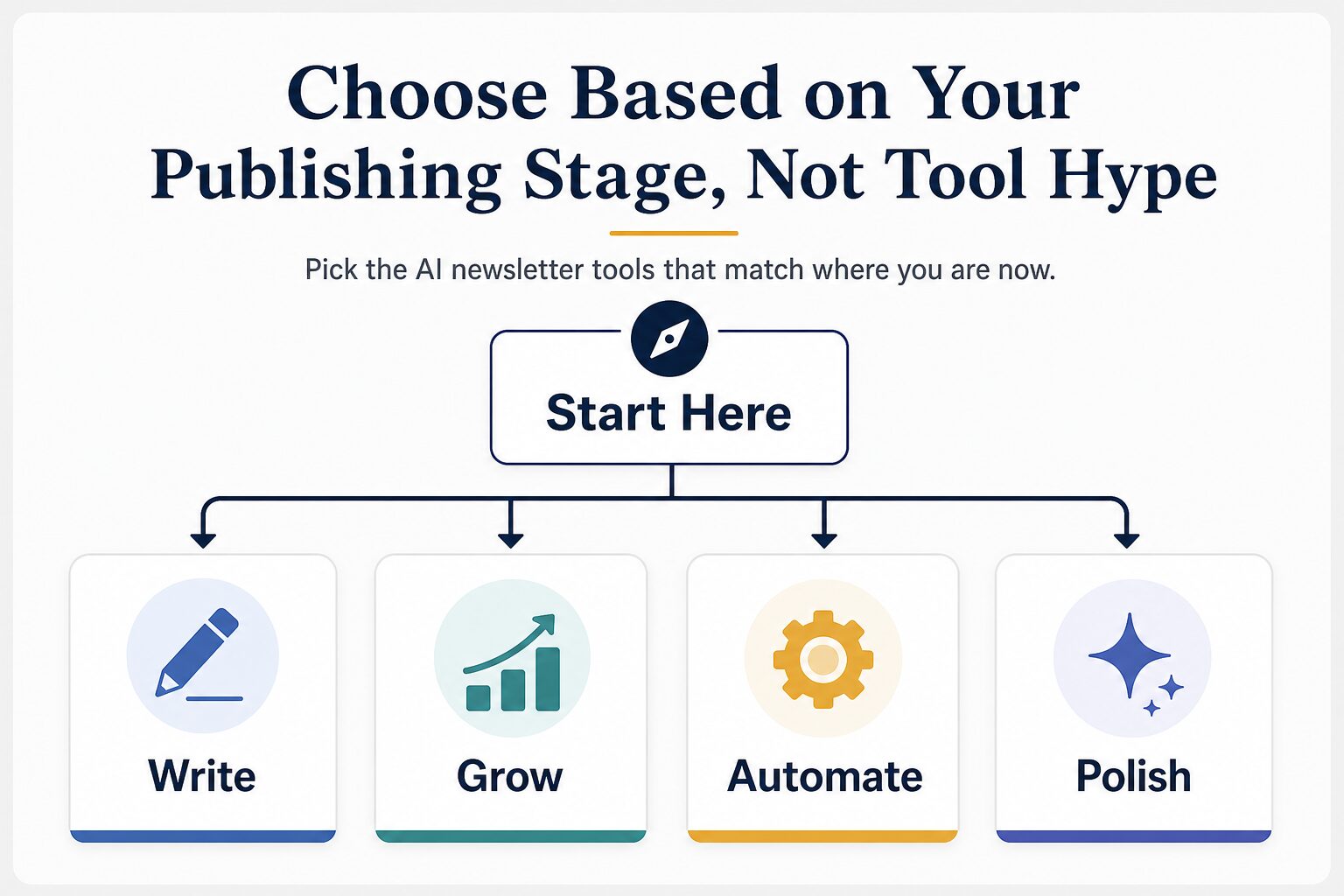
How to Choose Without Overbuying
Most solo creators do not have a tooling problem first. They have a promise, rhythm, audience, or follow-up problem. A tool can help only after you know which problem is repeating.
- If you have not shipped three useful issues, optimize for publishing speed. A simple platform beats a complicated automation map.
- If readers already expect the newsletter, optimize for growth and retention. Recommendation networks, referral loops, analytics, and paid subscription tools become more relevant.
- If the newsletter supports a product or service, optimize for conversion paths. Forms, landing pages, segments, email sequences, and checkout integrations matter more than a prettier editor.
- If you write under time pressure, add AI as an editing layer. Use it for subject lines, outlines, summaries, and cleanup, but keep the editorial promise human.
- If subscriber replies or client material are involved, check privacy before prompting. Remove private details unless you have a clear reason and permission.
The simplest rule: upgrade only when the same blocker slows down two of your next three issues. If every issue has a different problem, your newsletter needs a clearer operating rhythm before it needs a bigger platform.
Comparison Table
| Tool | Best fit | Free plan or trial | Pricing note checked July 2, 2026 | AI / workflow angle | Skip if | Evidence status |
|---|---|---|---|---|---|---|
| Beehiiv | Newsletter-first creators building a media asset, paid newsletter, sponsorship path, or audience-growth loop. | Launch plan is listed at $0/month for up to 2,500 subscribers. | Scale displayed at $43/month billed annually in the 1,000-subscriber view; FAQ says paid plans start at $49/month. Pricing varies by subscriber count and billing period. | Newsletter-specific AI, AI credit limits, web publishing, recommendations, analytics, automations, paid subscriptions, and ad/boost monetization paths. | You only need to prove the newsletter idea and do not need growth or monetization systems yet. | Official research only |
| Kit | Creators whose newsletter supports offers, lead magnets, products, paid newsletters, landing pages, and automations. | Newsletter plan is listed at $0/month; AI page advertises a 14-day free trial with no credit card required. | Creator displayed at $33/month billed yearly for 1,000 subscribers; Pro displayed at $66/month billed yearly. | Connects AI to emails, apps, and workflows; stronger fit when the newsletter is one part of a creator-business system. | You want a simple public archive and do not yet have a product, funnel, or automation need. | Official research only |
| MailerLite | Budget-conscious creators who want email marketing, forms, landing pages, websites, basic automations, and monetization tools without a heavy stack. | Free plan is listed for up to 250 subscribers, 2 user seats, and 2,500 monthly emails, with a 14-day premium-feature trial. | FAQ lists Comfort starting at $12/month and Power starting at $25/month. | AI writing assistant, subject line generator, newsletters, visual automations, landing pages, signup forms, integrations, paid products, and bookings. | You need a native newsletter media network, advanced sponsorship system, or deep newsletter-first analytics. | Official research only |
| GetResponse | Creators whose newsletter sits inside automation, sales funnels, webinars, courses, premium newsletters, or broader marketing campaigns. | Official pages point to account creation and trial paths; permanent free-plan claim is not used here. | FAQ says monthly plans start at $19/month for unlimited messages to 1,000 subscribers, with an annual-plan discount available. | AI email generator, subject-line and email creation help, marketing automation, funnels, webinars, course creator, and premium newsletter features. | You only publish essays or updates and do not need funnels, webinars, courses, or segmented marketing automation. | Official research only |
| Substack | Writers who need low-friction publishing, reader habit, discovery, and a simple paid-subscription path. | Publishing is free on Substack; fees apply when paid subscriptions are enabled. | Support page lists Substack’s 10% transaction share plus Stripe credit card and billing fees for paid subscriptions. | Best for starting and building reader habit, not for advanced email automation or full funnel control. | You need deep segmentation, custom lead magnets, complex automations, or maximum control of the conversion path. | Official research only |
| Grammarly | Final subject-line, intro, tone, clarity, and proofreading pass before sending. | Free plan exists and lists 100 AI prompts/month; Pro offers a 7-day trial on the plans page. | Plans page shows Pro at $12 USD/month in the annualized display; support lists monthly, quarterly, and annual Pro billing options. | Useful for rewriting sentences, adjusting tone, fluent English, and final polish after the platform decision is already made. | You need sending, subscriber management, paid subscriptions, automations, landing pages, or analytics. | Official research only |
Best Picks by Creator Stage
- Issue 1-3Use Substack or another simple publishing route until the newsletter promise is clear.
- Newsletter as productUse Beehiiv when growth, web presence, recommendations, analytics, and monetization are central.
- Creator businessUse Kit when the newsletter feeds forms, offers, digital products, automations, and paid newsletter work.
- Lean email marketingUse MailerLite when you need campaigns, forms, landing pages, automation, and a lower-friction marketing base.
- Automation-heavy funnelUse GetResponse when webinars, courses, premium newsletters, segmentation, and sales workflows are already real.
- Final copy polishUse Grammarly after drafting to tighten clarity, tone, and English fluency.
The Three-Issue Upgrade Test
Before upgrading, publish three issues with the smallest setup you can tolerate. After each issue, write one sentence about the blocker that cost the most time:
- Issue 1: Was the problem idea selection, drafting, editing, platform setup, landing page copy, signup form placement, scheduling, or analytics?
- Issue 2: Did the same problem repeat, or did a different problem appear?
- Issue 3: Did you need growth, automation, monetization, or just a clearer editorial rhythm?
If the same blocker appears twice, choose the tool that fixes that blocker. If the blocker keeps changing, do not buy complexity yet. Your next gain is probably a better newsletter promise, repeatable template, or lighter editorial workflow.
Beehiiv: Best When the Newsletter Is the Product
Beehiiv is the best fit in this group when the newsletter itself is the business asset. Its pricing page lists a free Launch plan with newsletters, website and podcast support, campaign analytics, unlimited email sends, recommendations, custom domains, AI Website Builder, and API access. Paid tiers add or expand monetization, automations, surveys, advanced analytics, team seats, higher AI credit limits, and support.
Beehiiv’s AI positioning is newsletter-specific rather than generic writing-tool positioning. That matters if your working object is an issue, publication, audience, and growth loop instead of a blank document.
Use Beehiiv when: you are building a newsletter brand with growth, analytics, recommendations, paid subscriptions, ads, boosts, and a web archive.
Skip Beehiiv when: you are still proving the topic and would benefit more from a simple publish-and-learn rhythm.
Kit: Best for a Creator Business Around the Newsletter
Kit is the stronger fit when the newsletter supports a business system. Its pricing page lists a free Newsletter plan, then Creator and Pro tiers with automations, email sequences, subscriber tagging, digital products and subscriptions, landing pages, forms, A/B testing, polls, apps, support, analytics, referral features, and other creator-business tools.
The Kit AI page frames AI as connected to emails, apps, and workflows. That is useful when a newsletter is tied to a product launch, course, paid newsletter, workshop, lead magnet, or audience segment. It can be too much if all you need is a place to publish thoughtful updates.
Use Kit when: your list needs forms, segmentation, landing pages, automations, products, and paid newsletter options.
Skip Kit when: you do not yet have an offer, lead magnet, automation need, or reason to segment readers.
MailerLite: Best Lean Email Marketing Starting Point
MailerLite is the practical middle path for many solo creators. Its official pricing page lists a Free plan for up to 250 subscribers, 2 user seats, and 2,500 monthly emails, plus campaigns, visual automations, one website, one landing page, signup forms, integrations, reports, and limited A/B testing. The FAQ positions Comfort and Power as the paid steps up.
This makes MailerLite useful when you want more control than a pure publishing platform but do not want to run a complex creator-business system yet. It is especially relevant if your newsletter needs landing pages, forms, basic automation, and simple monetization tools before it needs a native newsletter network.
Use MailerLite when: you want a low-friction email marketing base that can grow into forms, automations, websites, digital products, and bookings.
Skip MailerLite when: your main goal is a newsletter media brand with built-in recommendations, sponsorship paths, and newsletter-first analytics.
GetResponse: Best for Automation-Heavy Creator Marketing
GetResponse is the heaviest marketing platform in this shortlist. Its pricing and feature pages point to email marketing, AI-powered email creation, automation, funnels, segmentation, landing pages, webinars, course creation, creator profiles, and premium newsletters.
That can be useful if your newsletter already supports a product funnel, webinar, course, or segmented nurture path. It can also be distracting if the real problem is publishing consistently. Treat GetResponse as a marketing-system decision, not just a writing-tool decision.
Use GetResponse when: your newsletter has a real funnel, course, webinar, premium newsletter, or sales workflow attached to it.
Skip GetResponse when: you only need a simple newsletter home and do not yet know what the automation should accomplish.
Substack: Best for Starting Without Software Friction
Substack remains the simplest starting point when writing and reader habit matter more than automation. Its support page says publishing is free, and paid-subscription fees become important only when you enable payments.
The tradeoff is control. Substack can help you start publishing, build a public archive, and potentially use its discovery surface, but it is not a full email marketing automation platform. If your newsletter becomes a lead-generation, product, or funnel channel, you may eventually need a platform with more segmentation and conversion-path control.
Use Substack when: you want to prove the newsletter promise, publish regularly, and avoid setup friction.
Skip Substack when: you already need custom lead capture, detailed funnel control, advanced automations, or a lower paid-subscription platform fee.
Grammarly: Best for Final Editing, Not Newsletter Operations
Grammarly is included because many solo creators need final copy polish, especially if they write quickly, write in a second language, or repurpose long-form work into shorter newsletter sections. It is not a subscriber system and should not be compared as if it were.
Use Grammarly for subject-line alternatives, clearer intros, tone adjustments, concise summaries, and final proofreading. Choose the newsletter platform first, then decide whether Grammarly is useful enough as the editing layer.
Use Grammarly when: the issue is already planned and drafted, but the final copy needs clarity, tone, or fluency work.
Skip Grammarly when: you need sending, list growth, landing pages, paid subscriptions, or automation.
Privacy and Subscriber-Data Cautions
Newsletter work often contains private material: subscriber replies, paid community discussion, client examples, survey answers, unpublished interviews, customer notes, source notes, and financial or professional details. Before pasting that material into any AI feature, check the vendor’s privacy, security, data-use, and AI terms, then apply your own client, workplace, academic, or legal obligations.
Substack’s privacy policy lists several categories of personal information it may collect, including account, subscription, payment, device, social, direct-message, and integration-related information. Grammarly’s plan page separates Enterprise security controls from individual Free and Pro plans. Those facts do not mean a tool is unsafe; they mean creators should not paste sensitive reader material by default.
- Remove subscriber names, email addresses, purchase details, and private reply context before asking AI for rewrite help.
- Use invented or redacted examples for subject lines, summaries, and tone rewrites.
- Do not paste client-confidential, legal, medical, financial, student, or workplace material into newsletter AI tools without a clear approval path.
- Keep the final editorial decision human, especially when AI suggests stronger claims, urgency, or personalization.
Simple Decision Path
- If you are not publishing consistently, start simple. Substack or another low-friction setup is usually enough for the first three useful issues.
- If the newsletter is becoming the product, compare Beehiiv and Substack first. Beehiiv gives more growth and monetization machinery; Substack is simpler.
- If the newsletter supports a creator business, compare Kit and MailerLite. Kit is stronger for creator funnels; MailerLite is a leaner email marketing base.
- If your newsletter is part of a broader marketing operation, evaluate GetResponse. Do this only when automation, webinars, courses, or premium newsletter workflows are real needs.
- If the platform is already chosen, add Grammarly only for final polish. It can improve clarity, but it will not manage your newsletter business.
For a broader creator stack, see our guide to AI tools for bloggers who want better English content. If your newsletter starts from existing blog content, read how to repurpose blog posts into newsletters and social posts. You can also compare AI content repurposing tools, AI website builders for solo businesses, AI SEO writing tools for small content sites, and the AI tool privacy checklist.
FAQ
What is the best AI newsletter tool for a solo creator?
For most solo creators, the best first tool is the one that removes the current blocker. Start with Substack if you need publishing momentum, Beehiiv if the newsletter is the product, Kit if the newsletter supports a creator business, MailerLite if you need a lean email marketing base, GetResponse if automation is already central, and Grammarly if you only need final editing help.
Can AI write my whole newsletter?
AI can help draft, summarize, rewrite, translate, and polish sections, depending on the tool. It should not replace your editorial judgment, reader understanding, source checking, or privacy decisions. A generic AI-written issue can damage reader trust even when the grammar is clean.
Is Substack better than Beehiiv or Kit?
Substack is better for low-friction publishing and reader habit. Beehiiv is better when newsletter growth and monetization tools matter. Kit is better when the newsletter is part of a creator business with forms, automations, products, and paid newsletter workflows.
Should I choose a platform with AI built in or use a separate writing tool?
Use built-in AI when the platform understands the newsletter draft, audience, template, or workflow you are already using. Use a separate writing tool when your main need is final polish, subject-line alternatives, or clearer wording before sending.
Are there affiliate links in this article?
No. This article links to official product, pricing, privacy, and related AI Work Toolkit pages only.
Final Recommendation
If you are starting from zero, do not buy the most advanced AI newsletter platform first. Publish three useful issues, identify the blocker that repeats, and then upgrade for that job. Substack is the low-friction writing start. Beehiiv is the newsletter-growth path. Kit is the creator-business path. MailerLite is the lean email marketing path. GetResponse is the automation-heavy path. Grammarly is the final editing layer.
The right tool should make the next issue easier to publish without making the whole operation harder to trust. Before paying, recheck pricing, subscriber limits, paid-subscription fees, privacy terms, automation needs, and whether the tool solves the exact blocker your next issue has.