ChatGPT Team vs Claude Team for Small Businesses
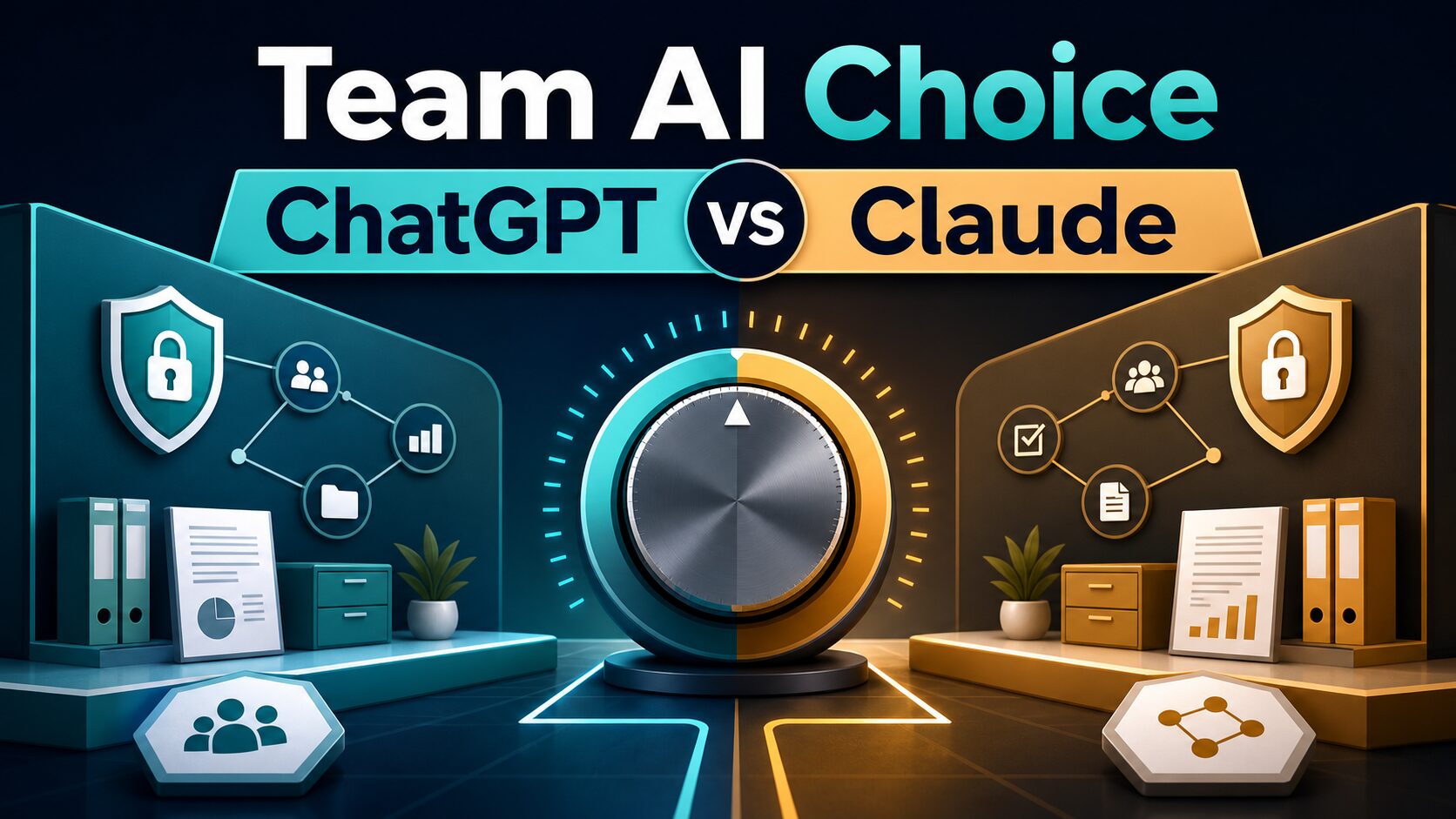
If you are comparing ChatGPT Team vs Claude Team for a small business, start with one update: OpenAI now calls ChatGPT Team ChatGPT Business. The old search phrase still matters, but the current decision is ChatGPT Business vs Claude Team.
Quick verdict: choose by team workflow
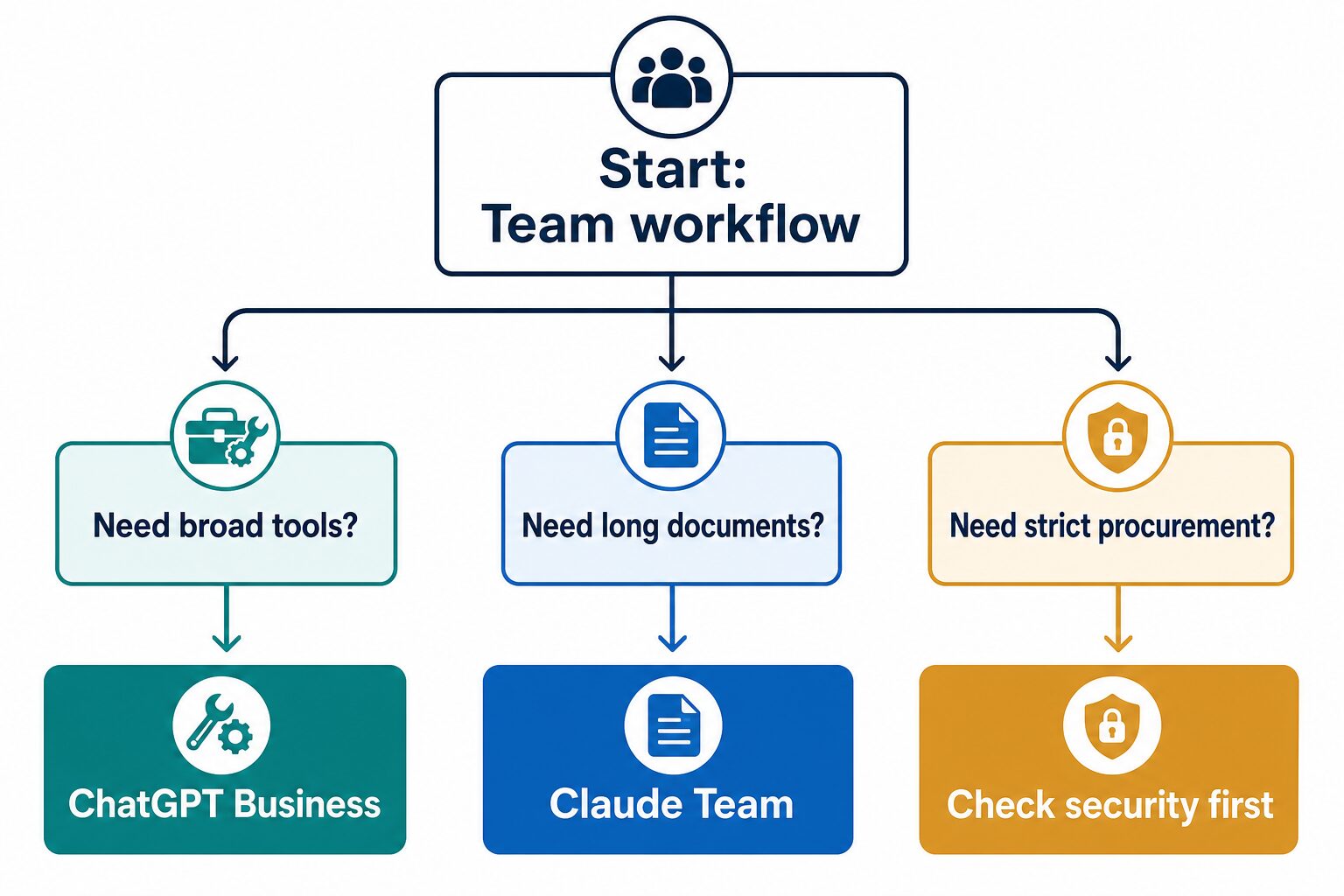
- Choose ChatGPT Business first if your team needs a broad AI workspace for everyday drafting, analysis, brainstorming, apps, connectors, and general business assistant work.
- Choose Claude Team first if your team mainly reviews long documents, writes careful summaries, works with large context, or wants a more document-centered assistant workflow.
- Pause before either plan if you have not reviewed admin ownership, connector access, data handling, seat minimums, billing, and whether company data can be used in the workspace.
Evidence note: This comparison is based on official OpenAI and Anthropic pricing, help, data, and admin-control pages checked on June 28, 2026. It is official-source-only, not a hands-on team deployment, security audit, or output-quality benchmark.
The real difference is team fit, not model fandom
Generic ChatGPT vs Claude comparisons often focus on which assistant feels smarter. That is too shallow for a small business buying seats for multiple people. A team plan has different risks: billing commitments, minimum users, workspace ownership, file access, connectors, retention expectations, and employee behavior.
For a small team, the better first question is: what repeatable workflow will this workspace own? If the answer is “everyday AI help across writing, analysis, planning, and apps,” ChatGPT Business is usually the cleaner first trial. If the answer is “long documents, careful review, structured critique, and context-heavy work,” Claude Team deserves the first look.
ChatGPT Business vs Claude Team: side-by-side
| Decision point | ChatGPT Business | Claude Team | Small-business takeaway |
|---|---|---|---|
| Current name | OpenAI says ChatGPT Team has been renamed ChatGPT Business. | Anthropic still uses the Claude Team plan name. | Use the old keyword for search, but verify current plan names on official pages before buying. |
| Best first fit | Broad team AI workspace for everyday writing, analysis, brainstorming, apps, connectors, and internal productivity tasks. | Long-document review, careful summaries, projects, knowledge bases, collaboration, and context-heavy team work. | Pick the plan that matches the team’s repeated workflow, not the product with the louder demo. |
| User minimum | OpenAI’s pricing page lists Business with a 2+ user minimum. | Anthropic’s Team help lists a minimum of five members. | Very small teams should check minimum seat cost before comparing features. |
| Pricing caveat | OpenAI’s page lists Business as a per-user plan; checkout currency, billing interval, and regional details should be verified live. | Anthropic’s Team help lists Standard seats from $25/member/month monthly or $20/member/month annually, with Premium seats higher. | Use official pricing pages on the day you buy. Do not rely on screenshots or old comparisons. |
| Apps and connectors | OpenAI documents Apps in ChatGPT and admin controls for Business, Enterprise, and Edu workspaces. | Anthropic documents connectors, Google Workspace connector setup, and organization-level enablement for Team/Enterprise contexts. | Connector access is a security decision, not just a convenience feature. |
| Business data | OpenAI says it does not train models on ChatGPT Business organization data by default. | Anthropic publishes team/commercial plan docs, connector controls, and help guidance, but your account settings and contract still matter. | Read official data and security pages before connecting documents, email, calendar, or drives. |
| Evidence status here | Official-source-only. No output-quality test or deployment audit is claimed. | Official-source-only. No output-quality test or deployment audit is claimed. | Use this page as a buying framework, then run a non-sensitive team trial. |
Use ChatGPT Business first for a broad team assistant
ChatGPT Business is the better first trial when your team wants one general AI workspace for many small jobs: drafting emails, summarizing notes, brainstorming plans, analyzing text, building checklists, creating first-pass outlines, and using supported apps or connectors inside a managed workspace.
The practical appeal is breadth. A small business often does not know which AI workflow will stick. ChatGPT Business can work as the starting workspace while you discover whether the team actually uses AI for writing, research, planning, operations, customer support drafts, sales messages, or internal documentation.
Small teams that want a general-purpose AI workspace across writing, planning, analysis, and supported app workflows.
Your main task is reviewing very long documents, or your team has not assigned an admin owner for data and connector controls.
If the real question is broader paid-plan fit, compare this with our ChatGPT Plus vs Claude Pro vs Gemini Advanced guide. If the team mostly needs writing help, also read ChatGPT vs Claude for business writing.
Use Claude Team first for long documents and careful review
Claude Team is the better first trial when the team’s AI work is document-heavy. That includes reviewing long proposals, summarizing research packets, checking internal documentation, turning messy notes into structured recommendations, or asking an assistant to reason across a large body of context.
Anthropic’s official Team help emphasizes team collaboration features, projects, knowledge bases, workplace connectors, and a 200k context window. Those are the signals that matter if your team already knows the work will involve long-form context rather than dozens of short daily prompts.
Teams with repeated document review, context-heavy writing, careful summaries, shared project knowledge, and collaboration needs.
Your team has fewer than five people, only needs casual assistant use, or has not checked whether the Team minimum cost is justified.
Pricing and minimum-seat checks before you buy
Do not compare these plans only by headline monthly price. The real small-business cost depends on user minimums, annual vs monthly billing, seat type, currency, taxes, regional checkout details, and whether the team will actually use the workspace every week.
Before upgrading: verify the official pricing page, user minimum, billing interval, workspace owner, app or connector availability, support needs, and whether the plan includes the controls your business requires.
OpenAI’s official pricing page currently lists ChatGPT Business with a 2+ user minimum. Anthropic’s official Team help lists a five-member minimum and Standard/Premium seat pricing. Those details can change, and checkout pages can vary by location, so treat the official page and checkout as the source of truth.
Security and connector checks matter more than the winner
Team AI workspaces become risky when employees connect calendars, drives, docs, repositories, CRMs, or customer files without a clear policy. The model is only one part of the decision. The workspace, connectors, permissions, retention, admin controls, and employee habits matter just as much.
- Assign an owner: one person should own workspace settings, connector approvals, and offboarding.
- Start with sanitized prompts: remove client names, customer details, employee data, financial numbers, legal facts, and confidential strategy.
- Review app and connector scope: a connector can expose more context than a pasted prompt.
- Separate personal and business use: a personal account is not the same as an approved team workspace.
- Keep human review: do not let either tool finalize legal, HR, finance, medical, academic, or client-sensitive output without a qualified human check.
Use our AI tool privacy checklist for professionals before using either workspace with real company data.
Run this 30-minute small-team fit test
Use a non-sensitive task. Do not paste real client files, employee data, customer records, contracts, financials, medical details, student records, unpublished strategy, or confidential documents.
- Pick one repeated workflow: weekly meeting recap, sales email drafting, support reply drafting, policy summary, proposal review, or internal documentation cleanup.
- Write one shared prompt: include audience, goal, source material, tone, output format, and what must not change.
- Try the same workflow in both tools if access exists: judge edit friction, source handling, document fit, and team handoff.
- Check the admin side: review users, workspace controls, connectors, billing, and offboarding before adding more employees.
- Choose a 30-day default: keep one workspace as the team default and record what work it should not handle yet.
Scenario-based recommendation
| Small-business situation | Try first | Why | Caution |
|---|---|---|---|
| Two or three people need general AI help | ChatGPT Business | The 2+ user minimum is easier to test for very small teams, and the workspace is broad. | Still check data controls and app permissions before connecting work tools. |
| Five or more people review long documents | Claude Team | The Team plan and long-context workflow fit document-heavy collaboration better. | Do not buy only for one person’s occasional document task. |
| The team wants AI for emails, updates, and brainstorming | ChatGPT Business | Broad assistant use is the main value. | For sensitive client or employee messages, sanitize first and review carefully. |
| The team handles proposals, policies, research packets, or internal docs | Claude Team | Long-context reading, projects, knowledge bases, and document review are stronger fit signals. | Check connector and data handling before uploading company documents. |
| Procurement or compliance is strict | Neither yet | The right first step is security review, not model comparison. | Ask for official data, admin, retention, connector, and contract details first. |
FAQ
Is ChatGPT Team the same as ChatGPT Business?
For current buying research, use ChatGPT Business. OpenAI’s release notes say ChatGPT Team has been renamed ChatGPT Business. Older articles and searches may still use ChatGPT Team.
Which plan is cheaper for a very small team?
Check the live official pricing pages. The minimum-user rule matters: OpenAI lists ChatGPT Business with a 2+ user minimum, while Anthropic’s Team help lists a minimum of five members. A lower per-seat price may still cost more if the minimum seat count is higher than your actual team.
Can I use either plan with client documents?
Only after reviewing your account type, workspace controls, connector permissions, data handling, client agreements, and company policy. Start with sanitized examples. For regulated, legal, HR, finance, medical, student, or confidential client material, get the right approval first.
Which one is better for non-native English professionals?
For short workplace writing, either can help, but the team decision should still be based on workflow. If your main issue is individual English communication, read our AI tool stack for non-native English professionals before buying team seats.
Final recommendation
Choose ChatGPT Business first if your small business needs a broad AI workspace for everyday writing, planning, analysis, and supported apps. Choose Claude Team first if your team can justify the seat minimum and mainly needs long-document review, careful summaries, shared knowledge, and context-heavy work.
If security, connectors, or confidential data are involved, the correct first step is not either product. It is a workspace and data review.