Best AI Tools for Content Repurposing
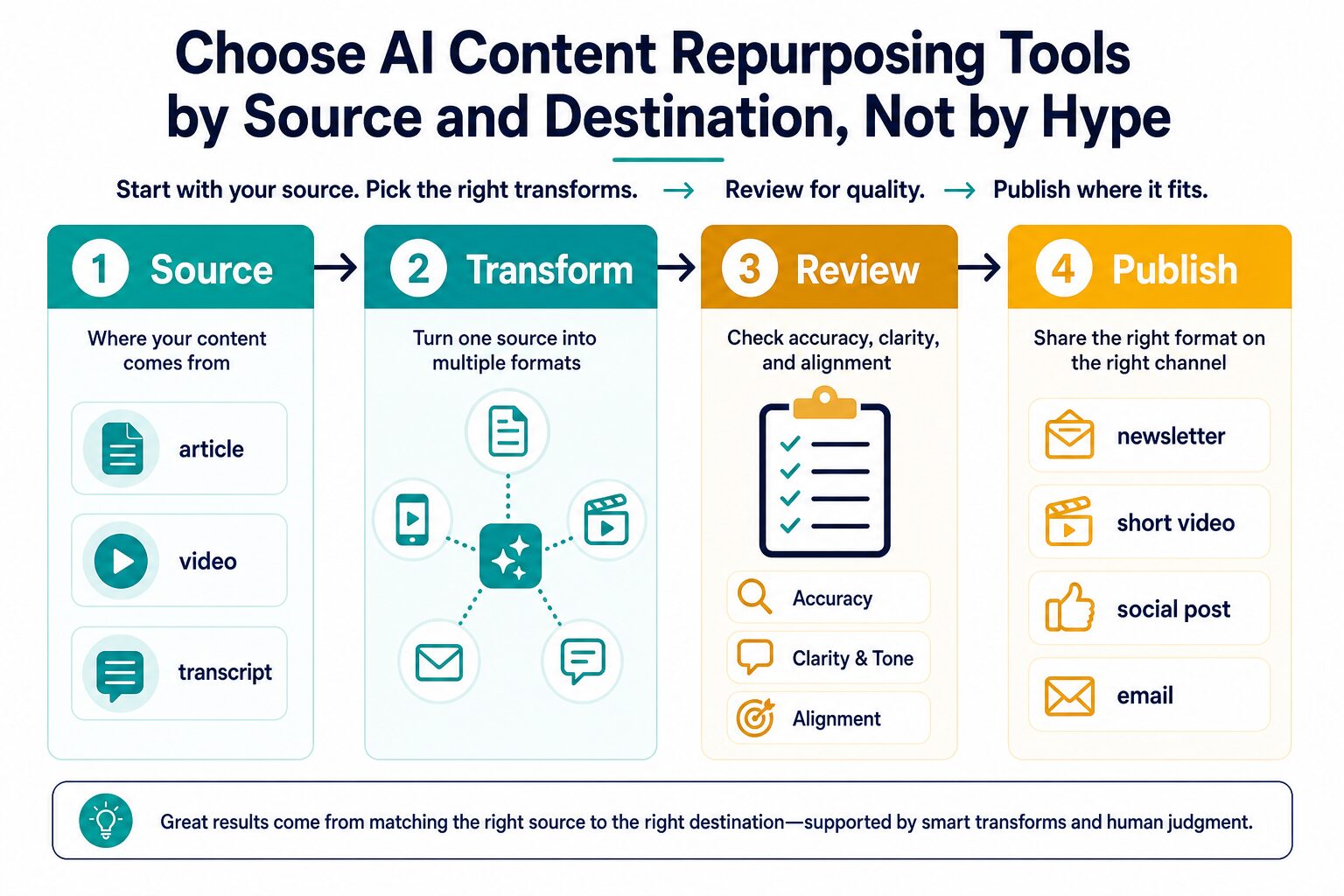
The best AI content repurposing tool is not the tool with the longest feature list. It is the one that matches your source, output channel, review risk, and publishing stage. Choose that way and you avoid the common mistake: paying for a scheduler when you still need rewriting, or paying for a clipping tool when your best source is a written article.
Quick verdict: choose by source type first
- If the source is written: start with ChatGPT or Claude, then edit for accuracy, tone, and channel fit.
- If the final asset is visual: use Canva after the message is clear and you need a carousel, thumbnail, slide, or branded post.
- If the source is recorded: use Descript when transcript cleanup and video/audio editing are still part of the job.
- If the source is long video: use OpusClip for short clip candidates, then manually approve context and captions.
- If the content is already approved: use Repurpose.io or Buffer for repeat distribution and scheduling, not for strategic rewriting.
Evidence status: This rewrite uses official product, pricing, privacy, and security sources checked again on July 8, 2026. It is official-research-only, not a hands-on benchmark of output quality, speed, view growth, or conversion performance.
The five-minute test before you choose a tool
Before you compare prices, write one sentence for each step below. If you cannot complete the test, a paid repurposing tool will probably create more loose drafts, not a cleaner workflow.
Name the original asset: blog post, newsletter, podcast, webinar, demo video, transcript, or rough idea.
Choose one output first: LinkedIn post, email, short video, carousel, YouTube description, newsletter, or scheduled social post.
Decide whether the work is rewrite, design, edit, clip, automate, schedule, or a mix of those.
Identify who checks accuracy, rights, tone, claims, private data, and brand fit before anything goes live.
This is the main difference between useful repurposing and low-value reposting. Useful repurposing adapts the idea to the channel. Low-value reposting sprays the same message everywhere and calls it distribution.
Repurposing fit scorecard
Before you compare individual tools, score the job. Give each question 0, 1, or 2 points. A low score means you should tighten the workflow before paying; a high score means a tool is more likely to save real review time.
| Question | 0 points | 1 point | 2 points |
|---|---|---|---|
| Is the source approved? | Draft, private, or legally sensitive. | Mostly approved, but needs fact or rights review. | Safe source with clear reuse permission. |
| Is the destination specific? | “More content” is the goal. | One or two possible channels. | One clear output format and audience. |
| Is the transformation known? | You are unsure whether it needs rewriting, design, editing, clipping, or scheduling. | The main task is known, but edge cases remain. | The tool category is obvious. |
| Is there an approval owner? | No one checks the final asset. | Someone reviews tone or facts only. | One owner checks facts, rights, privacy, tone, and channel fit. |
Use the score: 0-3 means fix the content plan first. 4-6 means use a free plan or trial on one asset. 7-8 means a paid tool may be reasonable if the task repeats every week.
A 30-minute trial script for one asset
Use this small test before upgrading. It keeps the decision practical and exposes whether the tool actually reduces your editing load or just creates more assets to clean up.
- Pick one source: choose a published article, a clean transcript, a webinar recording, or a product note that is safe to reuse.
- Choose two outputs only: for example, one newsletter intro and three LinkedIn posts, or two vertical clips and one email recap.
- Write the rule: preserve the original claim, adapt the hook for the channel, avoid invented examples, and keep the call to action neutral.
- Measure review time: count how long you spend fixing tone, facts, context, captions, rights, links, formatting, and brand fit.
- Decide: pay only if the same task repeats often and the tool reduces review time without creating generic or risky output.
If the trial still requires heavy rewriting, the problem is not the missing subscription. The problem is that the source, destination, and approval rules are not specific enough yet.
| Tool | Best first use | Current official pricing / limit check | Use it when | Skip or pause when |
|---|---|---|---|---|
| ChatGPT | Text-first repurposing from articles, notes, outlines, transcripts, source summaries, and rough ideas. | OpenAI’s pricing page lists Free, Go, Plus, Pro, Business, and Enterprise options, with usage, model, memory, file, image, and business-feature limits by plan. | You need summaries, alternate angles, newsletter drafts, social captions, email versions, or a reusable prompt workflow. | You need final design, video editing, clip selection, or direct social publishing more than writing help. |
| Claude | Long-source editorial rewriting, structure, tone control, and careful cleanup. | Anthropic lists Free, Pro, Max, Team, Enterprise, and API options. Pro is shown at $17/month with annual billing or $20 monthly; Max starts from $100/month. Usage limits and taxes apply. | You want to reshape long notes, transcript summaries, or draft articles into cleaner editorial assets. | You need direct visual design, automatic video clipping, or social scheduling. |
| Canva | Turning ideas into visual posts, carousels, thumbnails, presentations, and brand assets. | Canva says Canva AI is available to everyone, with some AI tools on Free and increased usage or advanced features on paid plans. Review AI terms and commercial-use caveats before publishing client work. | Your written idea is ready, but it needs to become a visual asset for social, slides, or a simple campaign. | Your source is long audio/video and you need transcript editing, clip selection, or account-level automation. |
| Descript | Transcript-based audio and video editing before repurposing. | Descript lists a Free plan plus Hobbyist, Creator, Business, and Enterprise tiers. Hobbyist is shown at $16/person/month annually or $24 monthly; Creator is shown at $24 annually or $35 monthly. | You edit podcasts, interviews, webinars, screen recordings, or talking-head videos and want text-based control. | You mostly repurpose written posts and do not work with audio or video. |
| OpusClip | Finding short-form clip candidates from long videos. | OpusClip lists Free, Starter, Pro, and Business options. Free includes monthly credits and export limits; Starter is shown at $15/month and Pro at $29/month or $174 annually. | You publish long videos, podcasts, webinars, interviews, or livestreams and need short vertical clip candidates. | You need article-to-newsletter rewriting, brand design, or a general content strategy instead of clip discovery. |
| Repurpose.io | Automated cross-platform distribution for recurring video and social workflows. | Repurpose.io lists a 14-day trial. Its pricing page shows Starter at $349 billed yearly, Pro at $790 billed yearly, and Agency at $179 billed monthly. | You already have repeat content, connected accounts, and clear rules for what should publish where. | You are still deciding the message, format, source asset, or approval process. |
| Buffer | Scheduling approved posts and managing a lightweight social calendar. | Buffer lists a Free plan for up to 3 channels with 10 scheduled posts per channel. Essentials is shown at $5/month per channel yearly, and Team at $10/month per channel yearly. | Your content is already adapted and approved, and you need ideas, scheduling, analytics, and a posting rhythm. | You expect the scheduler to rewrite, design, edit, or clip the source content for you. |
How to choose the right category
Most creators do not need seven subscriptions. They need one clean source-to-channel workflow that repeats. Use this order when choosing, especially if your audience is still small and every subscription has to justify itself.
Use this first for text drafts, summaries, newsletter angles, social copy, email variants, and topic extraction.
Use this when the source is approved but needs a visual container, brand treatment, carousel, or thumbnail.
Use this when the source is spoken content and the transcript, captions, or timeline still need editing.
Use this when the specific task is long video to short social clips, not broad content strategy.
Use this only after your source, destination, approval, and account permissions are stable.
Use this at the end, once posts are ready and the main problem is cadence, not creation.
If your immediate task is turning a written article into a newsletter and social posts, start with our practical workflow for repurposing blog posts into newsletters and social posts. If your source is mostly video, compare the broader AI video editing tools for creators and the Descript vs CapCut AI comparison before paying for a clipping-only workflow.
ChatGPT: best starting point for text-first repurposing
ChatGPT is the broadest first stop when the source is a blog post, transcript, product update, source summary, webinar recap, outline, or rough idea. The useful job is not “make content from content.” The useful job is turning one source into several first drafts with different purposes: a newsletter angle, a LinkedIn post, a short email, an FAQ, a video script outline, or a designer brief.
Use a prompt that forces boundaries: source summary, audience, destination channel, tone, claims to preserve, claims to avoid, and a human review checklist. For workplace or client material, check the plan’s privacy terms before uploading sensitive drafts, customer examples, unpublished strategy, or personal data. OpenAI says business data is not used for model training by default on covered business/API offerings, but you still need the right plan and internal approval before uploading sensitive material.
Skip it if: you need finished graphics, edited video, or publishing automation. ChatGPT can help with scripts and captions, but it should not be treated as the whole repurposing system.
Claude: best for careful rewrites from longer inputs
Claude is a strong text-first option when the source is long and the output should still feel editorially controlled. A consultant could use it to turn a webinar summary into a newsletter outline, three LinkedIn angles, a client-safe email, and a short landing-page blurb. A creator could use it to reduce a messy transcript into a clean content brief before design or scheduling.
Anthropic’s current pricing page shows Free, Pro, Max, Team, Enterprise, and API options with usage limits and plan-specific terms. Treat all usage and pricing claims as time-sensitive. If you use client or workplace material, read the relevant privacy and model-training terms for the plan you actually use.
Skip it if: your work is mostly video clipping, visual design, or cross-platform publishing automation.
Canva: best when the repurposed asset must be visual
Canva belongs in the workflow when the idea is already clear but the destination is visual: a carousel, thumbnail, infographic, slide, short visual post, pitch asset, or brand-consistent social graphic. It is not a replacement for source analysis. It is the place where a selected idea becomes a visual asset.
Canva says Canva AI is available to everyone, with some AI-powered tools on the Free plan and increased usage or advanced features on paid plans. It also warns that AI results should be reviewed and that commercial-use rights can require extra judgment when outputs resemble existing work, trademarks, logos, art, or photographs.
Skip it if: your bottleneck is editing a long podcast, finding clips, or safely automating account publishing.
Descript: best for transcript-based audio and video work
Descript fits creators who start from spoken content: podcasts, interviews, webinars, screen recordings, solo videos, or recorded lessons. Transcript-based editing is useful when the source still needs cleanup before it can become clips, show notes, captions, quotes, or written follow-ups. It is a better first stop than a social scheduler when the recording itself is not ready.
The pricing page now separates Free, Hobbyist, Creator, Business, and Enterprise tiers, with media-hour and AI-credit limits that matter for repurposing volume. If you repurpose only one or two small clips a month, check the free or lower tier first. If you regularly process long recordings, compare media hours, export resolution, AI-credit usage, team seats, and security needs before upgrading.
Skip it if: your source material is mostly written and you do not need audio or video editing.
OpusClip: best for long video to short clips
OpusClip is narrower than a general content repurposing stack. It is built for long video to short social clips. The current pricing page emphasizes credits, watermark/export limits, social posting, AI captions, reframing, brand templates, and a free plan with constraints.
Use it when your source is a podcast episode, interview, webinar, livestream, course clip, or long YouTube video. The human step still matters. Check context, rights, captions, claims, hook quality, and whether the clip makes sense without the full video. A clip can be technically polished and still be misleading if the context is wrong.
Skip it if: you need careful article-to-newsletter rewriting, design templates, or a complete publishing calendar.
Repurpose.io: best for repeat distribution after the workflow is proven
Repurpose.io is closer to distribution automation than creative drafting. Its current pricing emphasizes connected accounts, published-video volume, a 14-day trial, and multiple plan levels. That can be useful when the workflow is already known: one source platform, one approved transformation rule, and several destinations.
The mistake is buying automation while the content is still unfocused. If you are still deciding what the message should be, which channel gets which angle, or who approves the final asset, distribution automation will only move weak drafts faster.
Skip it if: you do not yet have repeat content, connected accounts, or a documented review process.
Buffer: best for scheduling once posts are ready
Buffer is a scheduling and planning layer, not the main repurposing engine. Its current pricing page lists a Free plan with up to 3 connected channels and 10 scheduled posts per channel, plus paid per-channel plans. It also includes AI Assistant features, ideas, analytics, integrations, and team features depending on plan.
For repurposing, Buffer is most useful near the end: after the post, caption, visual, or clip is adapted and approved. It helps keep a publishing rhythm and review performance, but it does not replace source analysis, editing, design, or clip judgment.
If the repeat process needs more than scheduling, compare it with our best AI automation tools for simple workflows.
Privacy and account checks before repurposing content
Repurposing often starts with material that already exists, which means it can contain private details: client names, customer questions, unpublished plans, financial numbers, student information, medical context, or internal strategy. The risk is higher when a tool also connects to social accounts or publishes automatically.
- Separate public and private sources: keep confidential drafts, client work, legal material, health information, student records, and financial details out of consumer workflows unless your organization has approved the use.
- Check training and retention terms: read the official privacy or business-data page for the plan you actually use, not only the product homepage.
- Review connected accounts: for schedulers and automation tools, confirm which social accounts, channels, team members, permissions, and publishing rights are connected.
- Keep human approval: every AI-generated clip, caption, post, email, newsletter, carousel, or thumbnail should be checked for accuracy, tone, rights, and claims before publishing.
- Avoid low-value duplicates: rewrite for the channel instead of posting the same message everywhere.
Practical next step
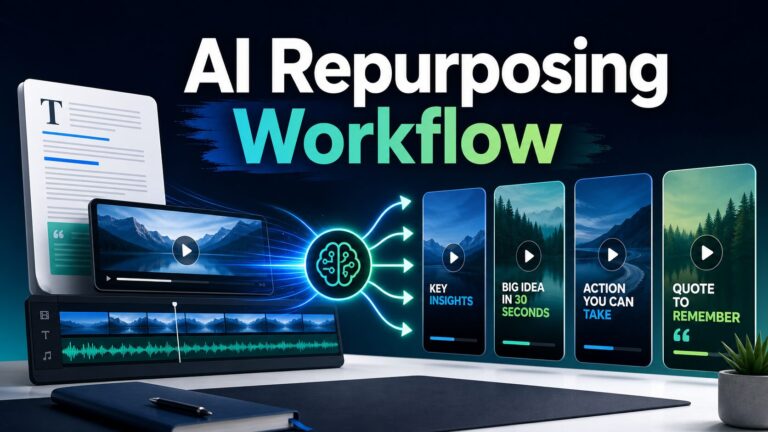
Choose one source and one destination, then run a small free-plan or trial workflow before paying. For example: turn one blog post into one newsletter intro and three LinkedIn posts, or turn one webinar into two clips and one email recap. If the output still needs heavy rewriting, design, or approval work, fix the workflow before adding automation. If the source is mainly short-form video, use the short-video repurposing workflow as the next guide.
FAQ
What is the best AI content repurposing tool overall?
There is no single best tool for every creator. ChatGPT and Claude are better starting points for written sources. Canva is better for visual assets. Descript and OpusClip are better for audio and video sources. Repurpose.io and Buffer are better near the publishing and distribution end of the workflow.
Can AI repurpose one blog post into many social posts?
Yes, but the useful workflow is not copying the same paragraph into every channel. Extract the core idea, choose the destination, rewrite for that format, check accuracy and tone, then publish. Our blog-post repurposing workflow explains that process in more detail.
Should I pay for a content repurposing tool immediately?
Usually not. Start with the free plan or trial if available, test one source-to-destination workflow, and check whether the tool saves review time without lowering quality. Pay only when the same task repeats often enough to justify the subscription.
Are these recommendations based on hands-on testing?
No. This article is official-research-only. It uses official pricing, feature, privacy, and security sources plus editorial workflow criteria. It does not claim measured output quality, speed, view growth, or conversion results.
Do these recommendations include affiliate links?
No. This article uses official product and pricing links plus relevant AI Work Toolkit internal guides. It does not use monetized affiliate redirects.
Final recommendation
Start with the cheapest tool category that matches the source, output channel, and review risk. For a blog post or transcript, start with ChatGPT or Claude. For visual social assets, try Canva. For long video or audio, compare Descript and OpusClip. For repeat distribution, consider Repurpose.io or Buffer only after you already know what should be published where.
The best outcome is not more versions of the same content. It is a smaller set of channel-specific assets that preserve the original idea, respect privacy and rights, and give the audience a reason to care.
Official sources checked
- ChatGPT pricing and OpenAI enterprise privacy
- Claude pricing and Claude privacy/model-training article
- Canva pricing and Canva AI overview
- Descript pricing and Descript trust center
- OpusClip pricing and OpusClip privacy policy
- Repurpose.io pricing and Repurpose.io privacy policy
- Buffer pricing and Buffer privacy policy